Local PHP Development with FlyEnv
PHP is a server-side scripting language used to build dynamic websites and web applications, from WordPress sites to applications on frameworks like Laravel and Symfony. FlyEnv manages the whole PHP side of your local stack in one app: multiple PHP versions, per-version PHP-FPM, visual php.ini and extension management, project-level runtimes, Composer, and one-click scaffolding for common PHP applications.
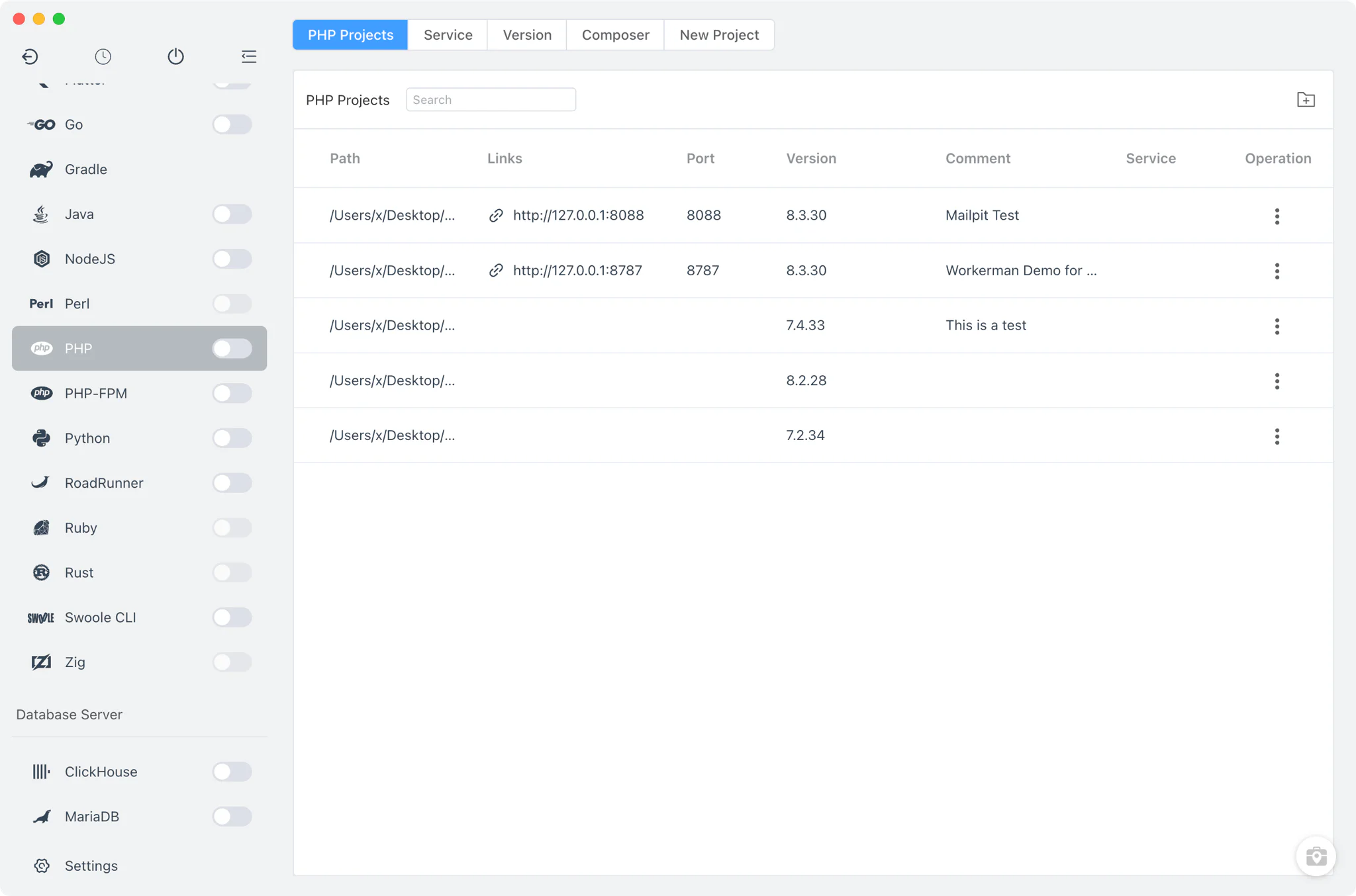
PHP version management
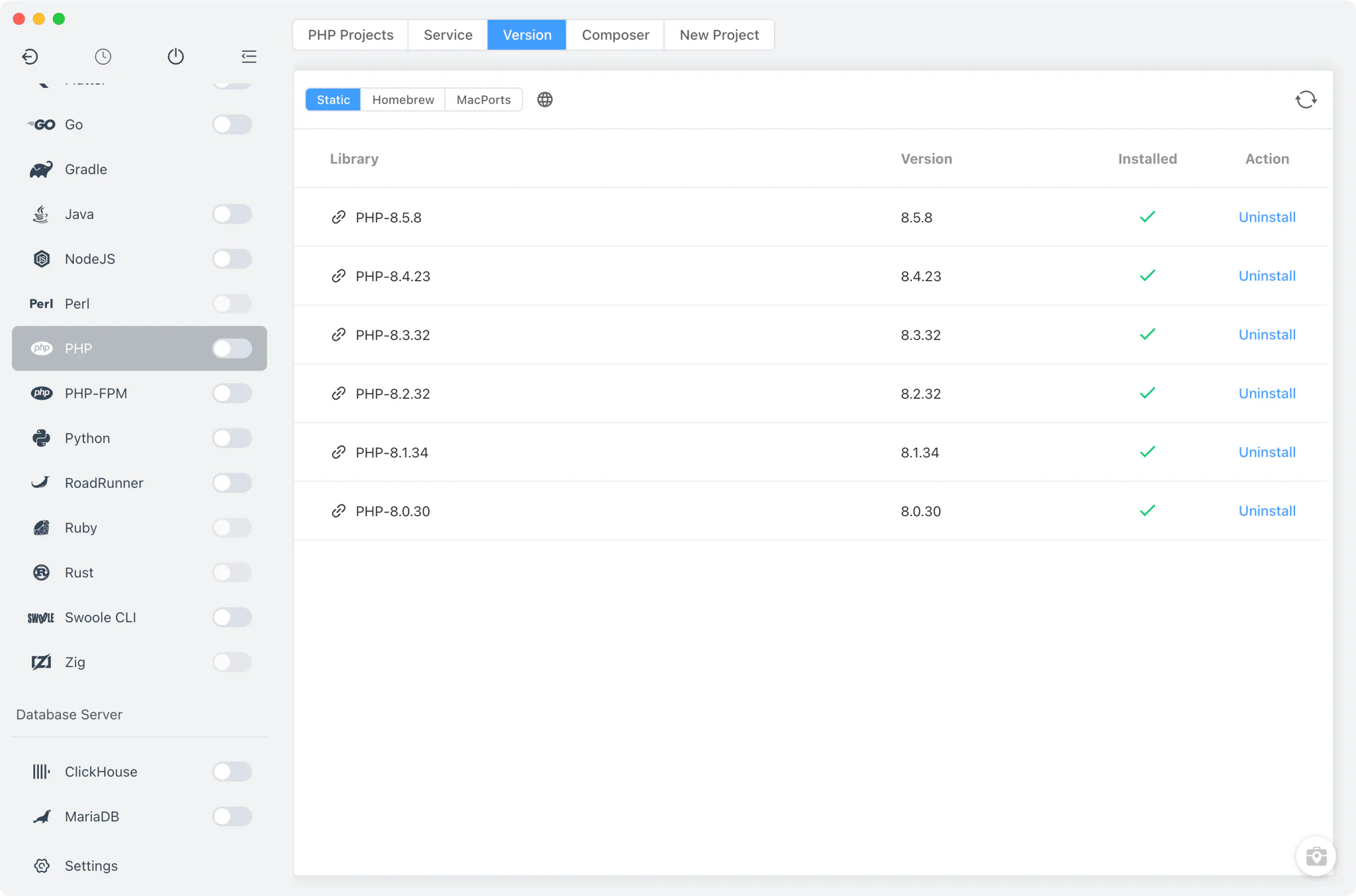
Install multiple PHP versions side by side from PHP → Version Manager and switch between them at any time.
- Multiple install sources: Static builds on every platform, plus Homebrew (macOS and Linux) and MacPorts (macOS) for PHP installations managed by those package managers.
- Custom versions: point FlyEnv at any directory that contains your own PHP build; it scans for the
phpandphp-fpmbinaries and lists them next to the managed versions. - CLI version switching: set which PHP version your terminal
phpcommand resolves to. FlyEnv adds or removes the version's bin directory in yourPATHand marks whether the current entry was set by FlyEnv or by another tool. - Per-version alias and remark: give each installation a short alias and note so similar builds stay distinguishable in the list.
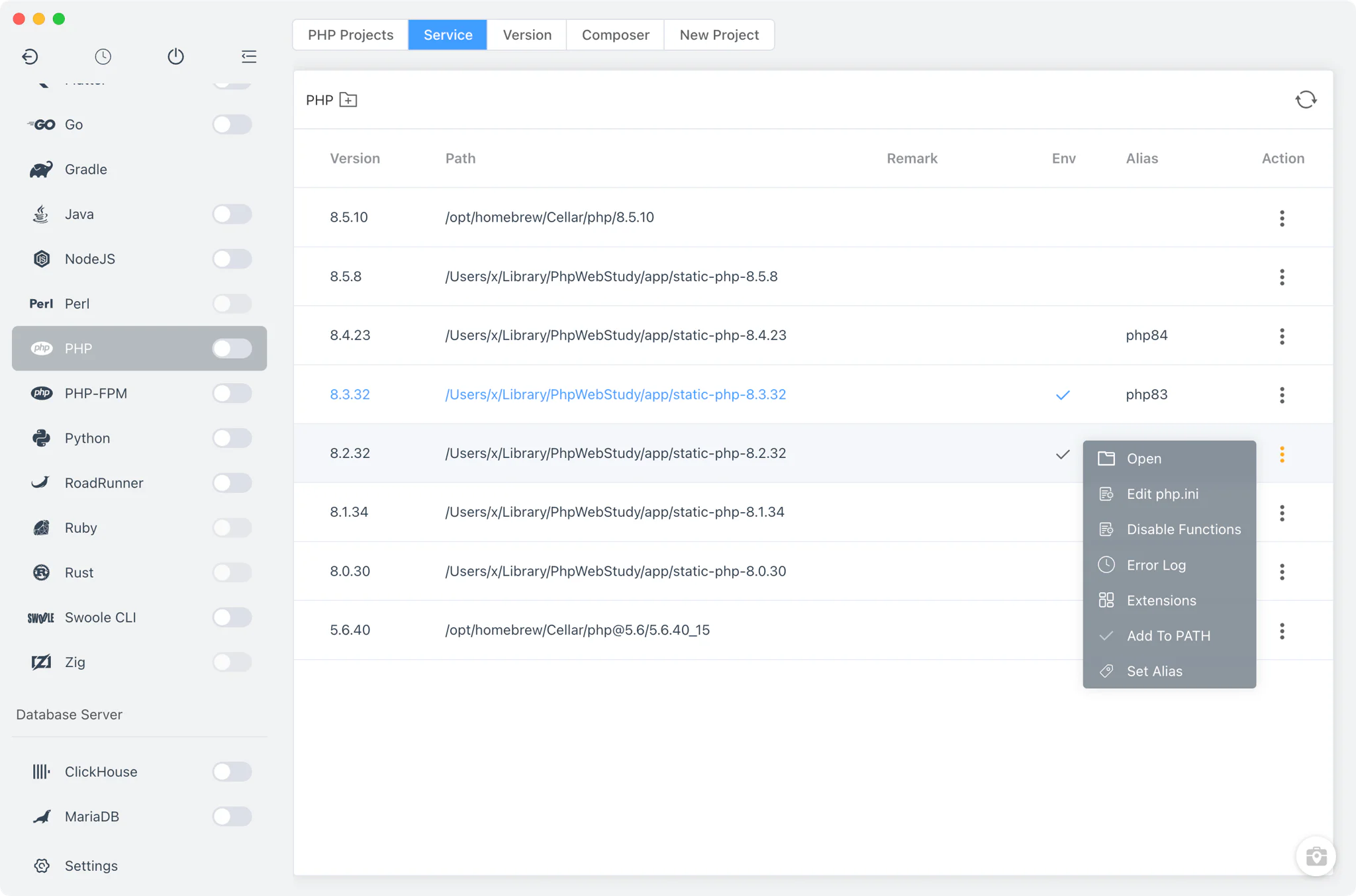
PHP-FPM service management
PHP-FPM is a dedicated module in FlyEnv, built for serving sites through Nginx, Apache or Caddy.
- Per-version lifecycle: start, stop or restart each PHP-FPM version individually, or use the sidebar switch (also available in the system tray) to start or stop all installed versions at once.
- Socket-based on macOS and Linux: each version listens on its own unix socket, so several PHP-FPM versions can run simultaneously and each site can be routed to a different one. FlyEnv regenerates the web-server integration config when a version starts.
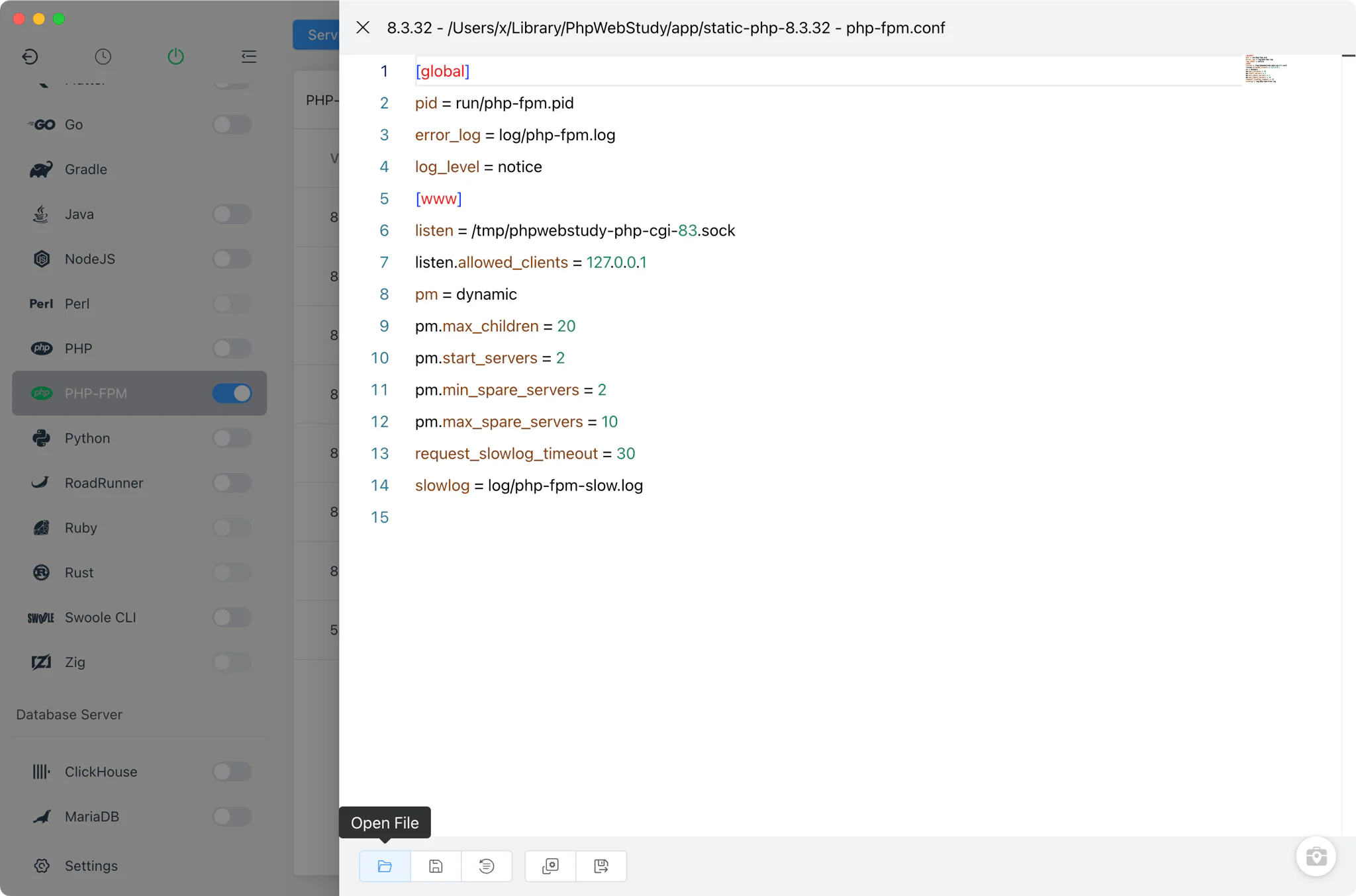
- Editable
php-fpm.conf: open and edit the FPM pool configuration per version (macOS and Linux), with FPM log and slow-log viewers built in. - Windows runs as FastCGI: PHP serves the web server through FastCGI, and the number of FastCGI worker processes (
PHP_FCGI_CHILDREN, 1–64) is adjustable per version.
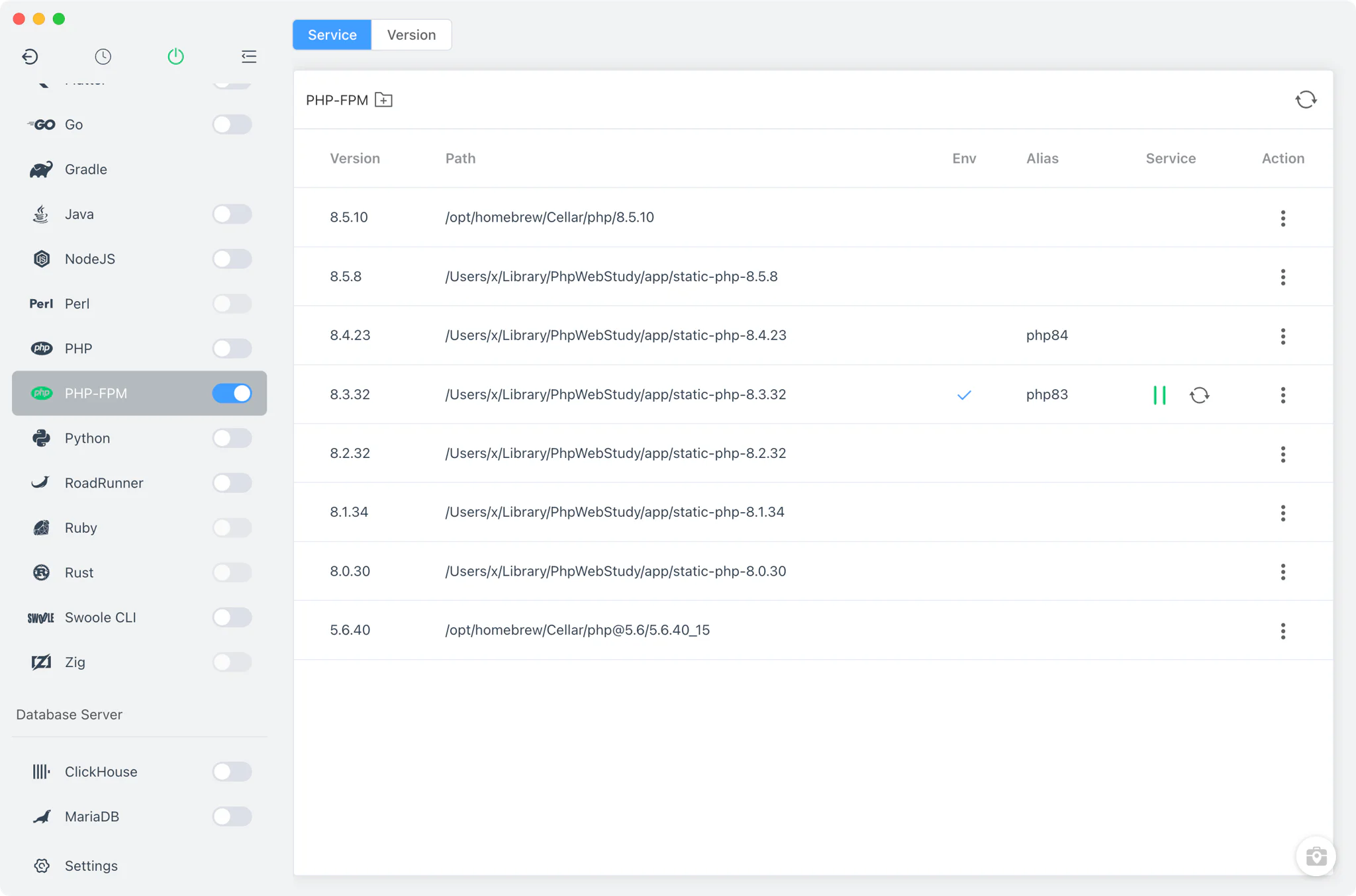
php.ini configuration
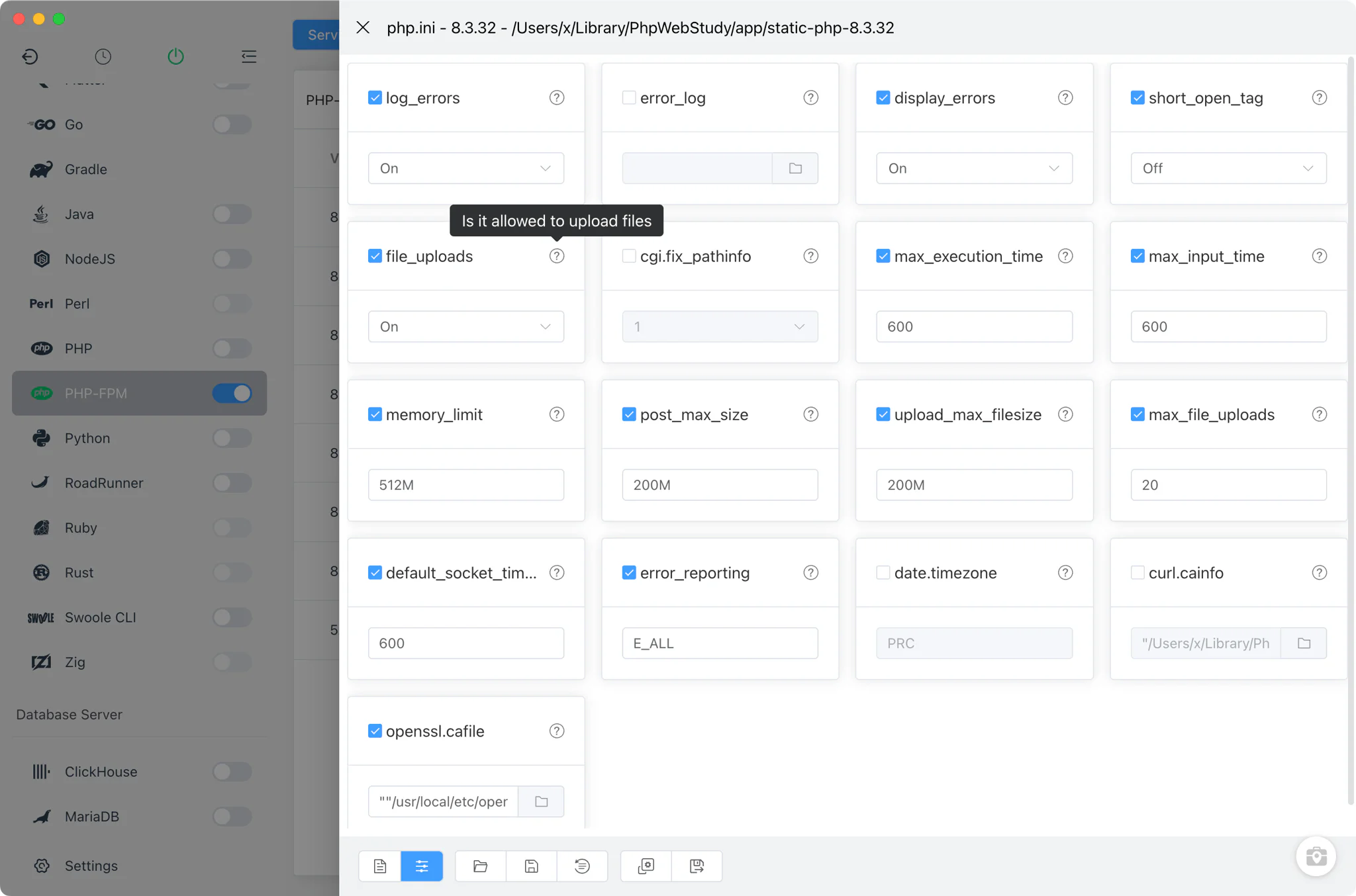
Every installed PHP version has its own php.ini, editable from the version's action menu.
- Common settings form: toggle or adjust frequently changed directives —
memory_limit,max_execution_time,upload_max_filesize,post_max_size,max_file_uploads,display_errors,log_errors,error_reporting,short_open_tag,date.timezone, CA bundle paths and more — without editing the file by hand. - Full source editor: switch to the raw file view for anything the form does not cover, with one-click restore to the default configuration.
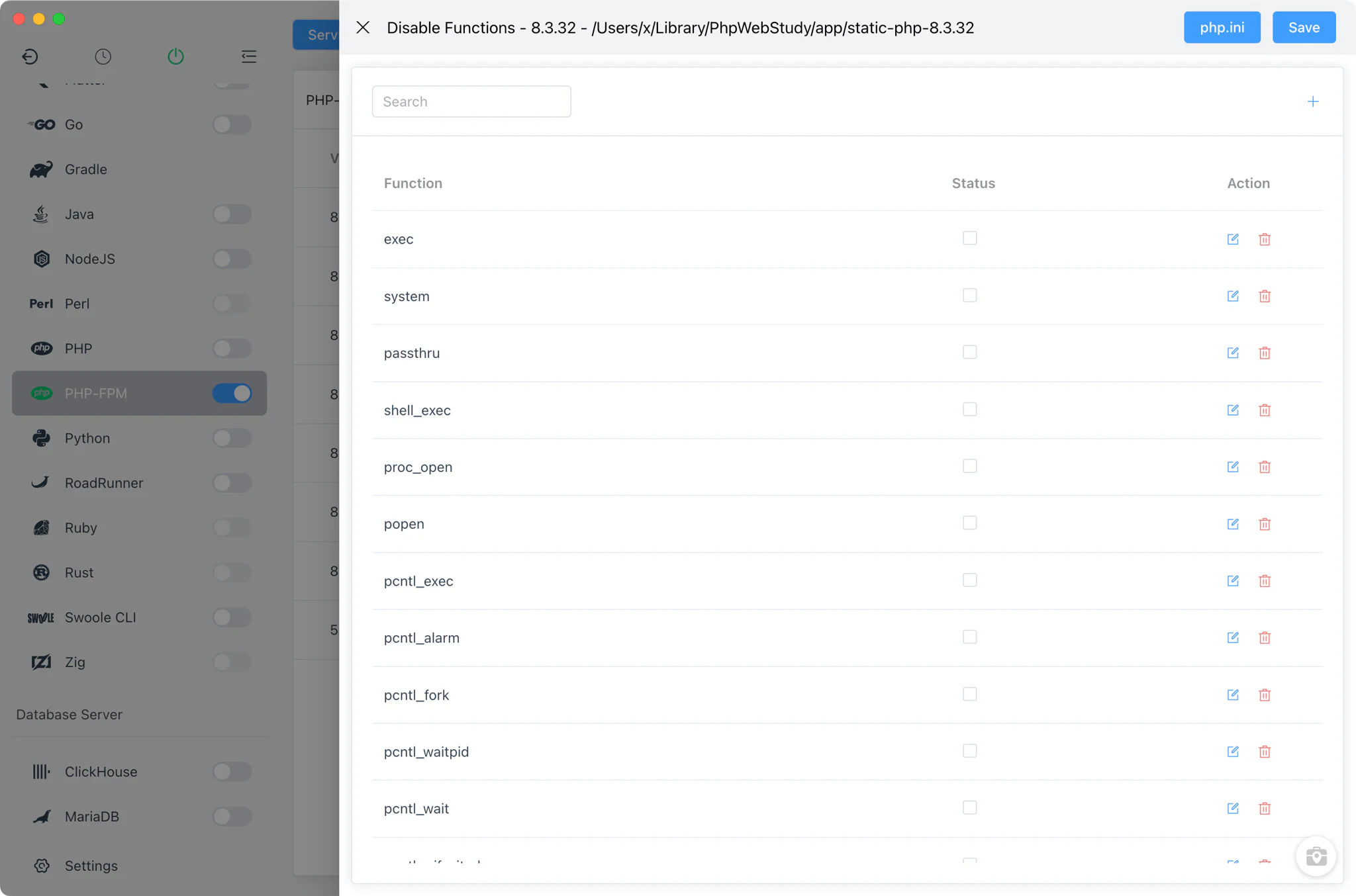
disable_functionsmanager: harden a version by disabling dangerous functions from a searchable checklist of roughly 170 common entries; changes are written back intophp.ini.
Extension management
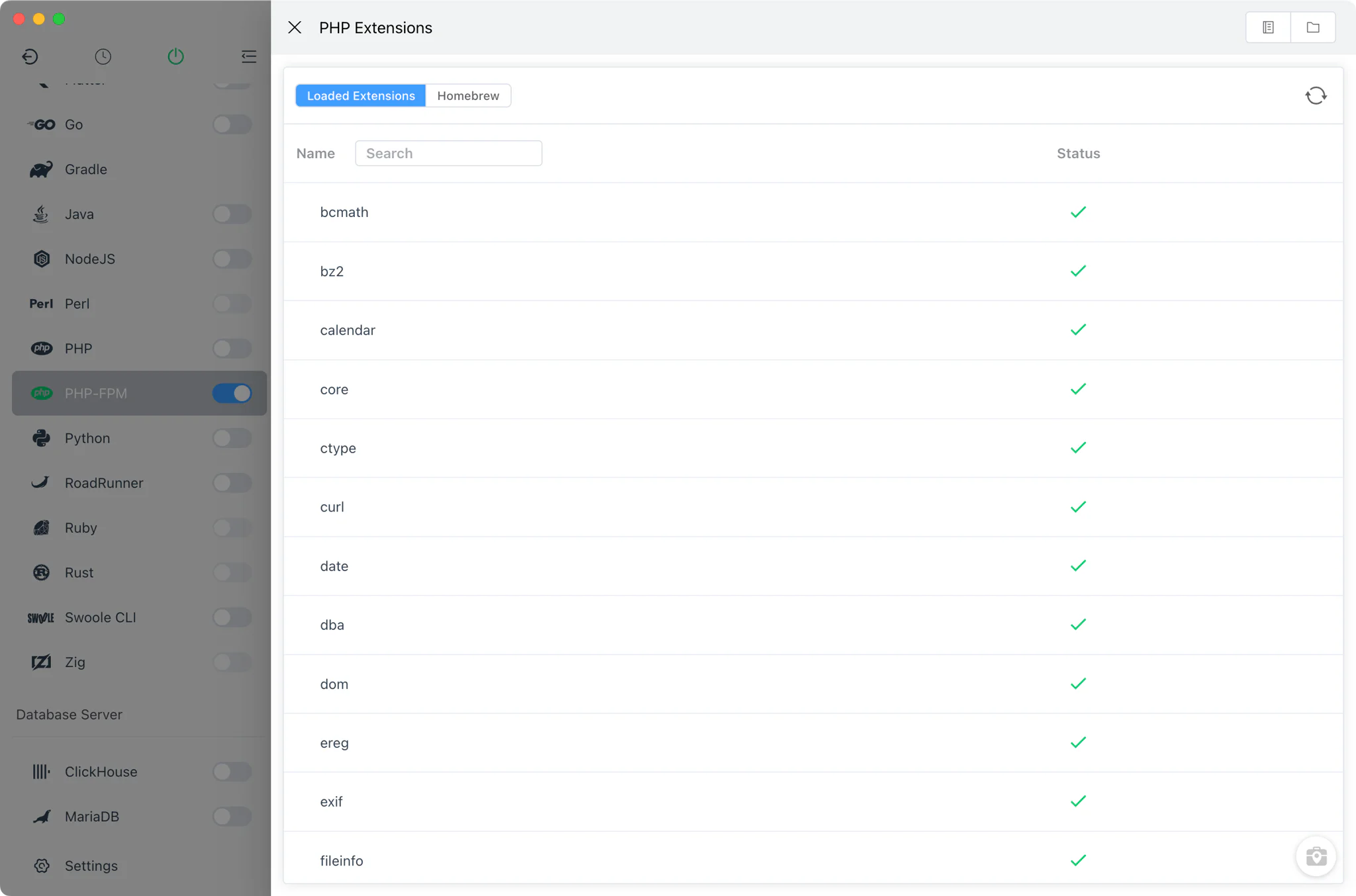
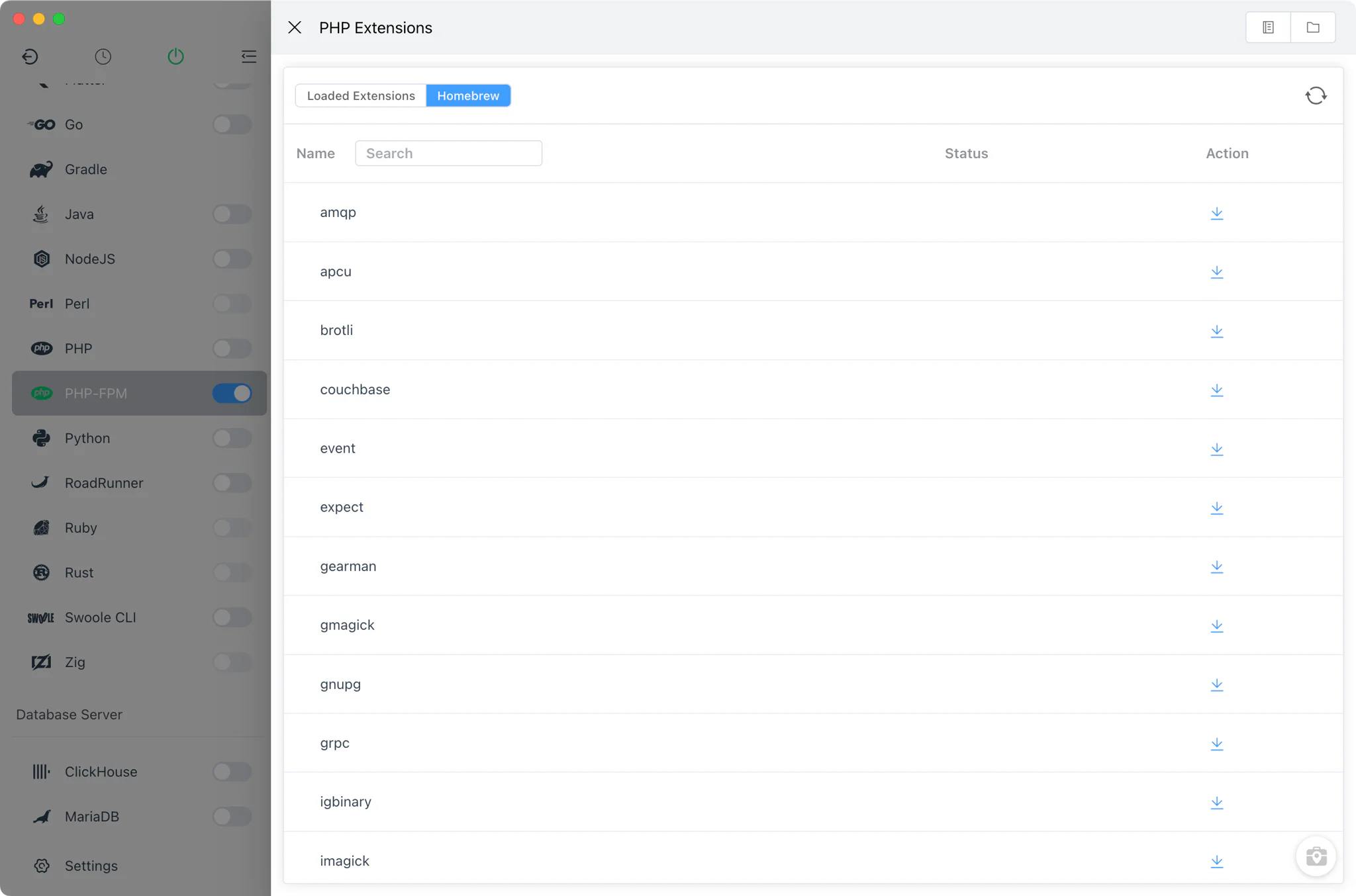
Open Extensions from any PHP version to see what is loaded and install what is missing. The extension installation guide walks through a full example.
- Loaded extensions: a searchable list of the modules the version currently loads.
- Homebrew and MacPorts PHP: browse the extension formulae available for that PHP version, install or uninstall them in the embedded terminal, and copy a ready-made
extension=xxx.sosnippet — or a complete Xdebug configuration template — straight intophp.ini. - Windows: enable or disable the DLLs already present in the extension directory, or download extensions from the online library with one click.
- Quick navigation: jump directly to
php.inior open the extension directory in the file manager.
Project-level PHP isolation
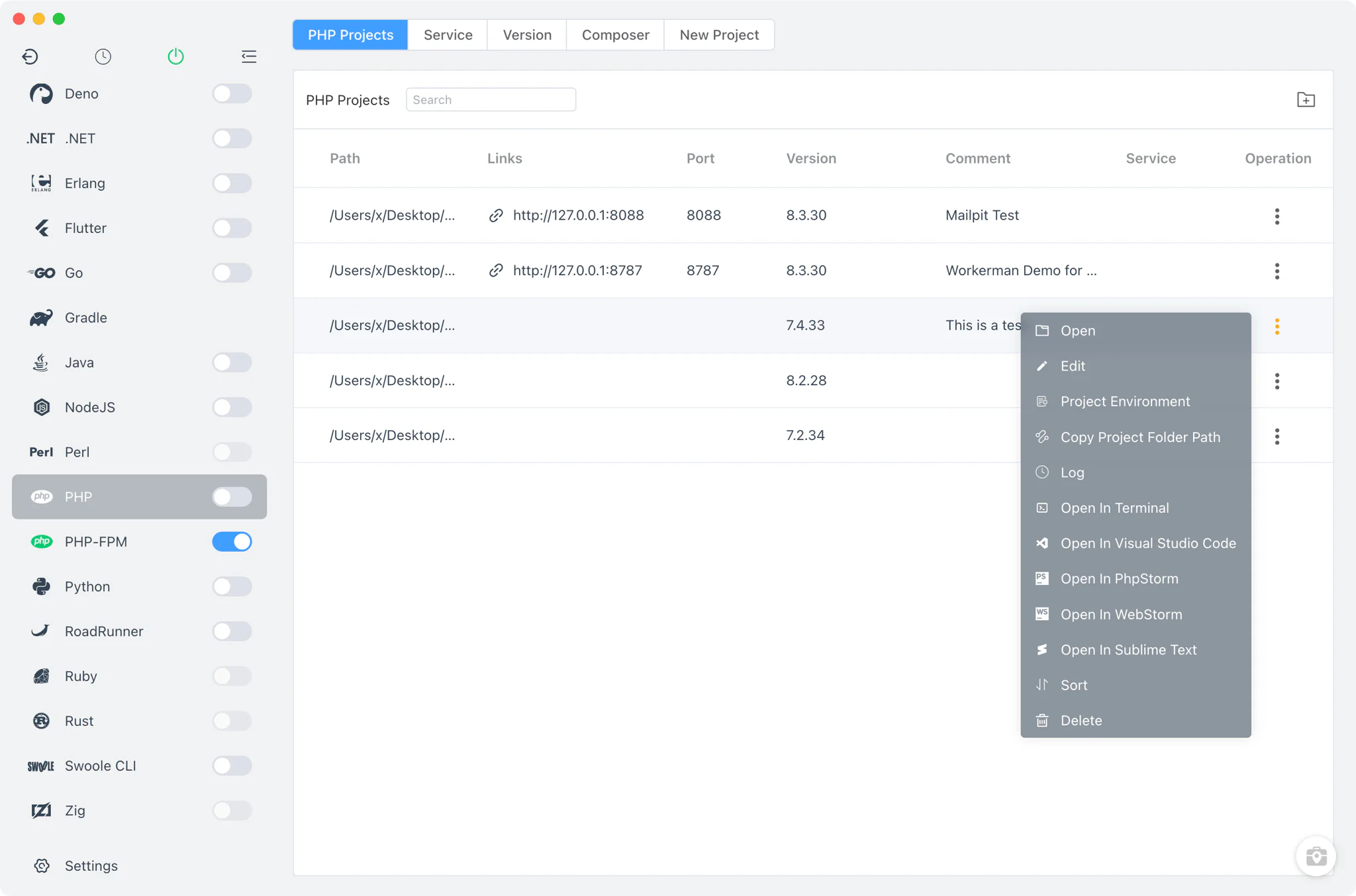
Different projects often need different PHP versions. In PHP → Projects, register each project folder and bind it to its own PHP binary — or keep it on the system version.
- Per-project runtime: double-click a project to switch its PHP version; the choice is stored in a
.flyenvfile inside the project directory, so terminals and editors launched from FlyEnv pick up the right PHP automatically. - Open-in tools: jump from a project row into Terminal, PowerShell, VSCode, PhpStorm, WebStorm or Sublime with the project environment loaded.
- Per-site PHP version: each site in Host selects its own PHP-FPM version (or stays a static site), and the site list shows which version serves which site.
Composer management
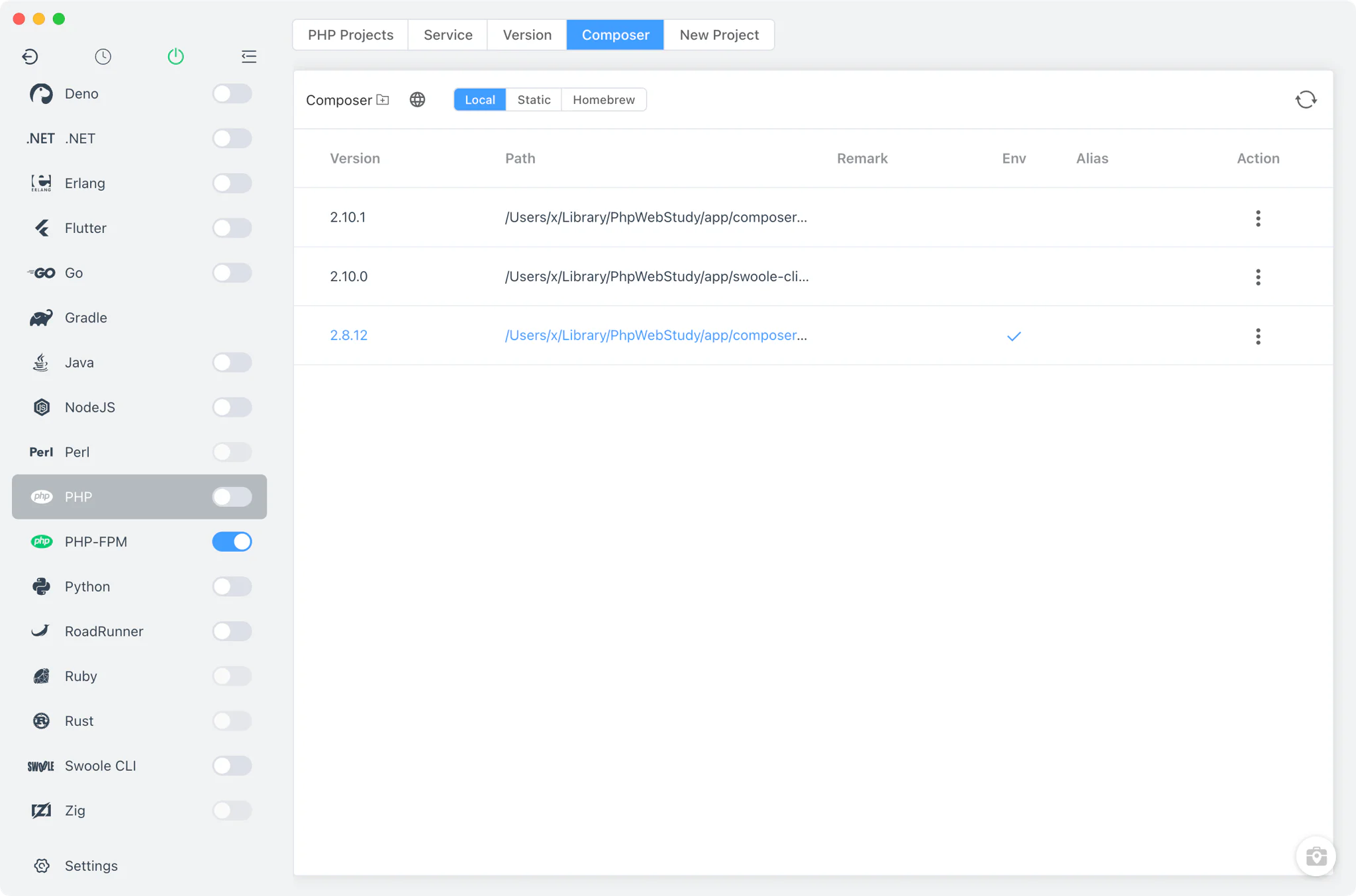
The Composer tab manages Composer like any other versioned tool in FlyEnv.
- Install and keep multiple Composer versions, from static builds or Homebrew depending on your platform.
- Add your own Composer installations from custom directories.
- Bind a specific Composer version to a project together with its PHP version, so dependency installs use a consistent toolchain.
Quick project creation
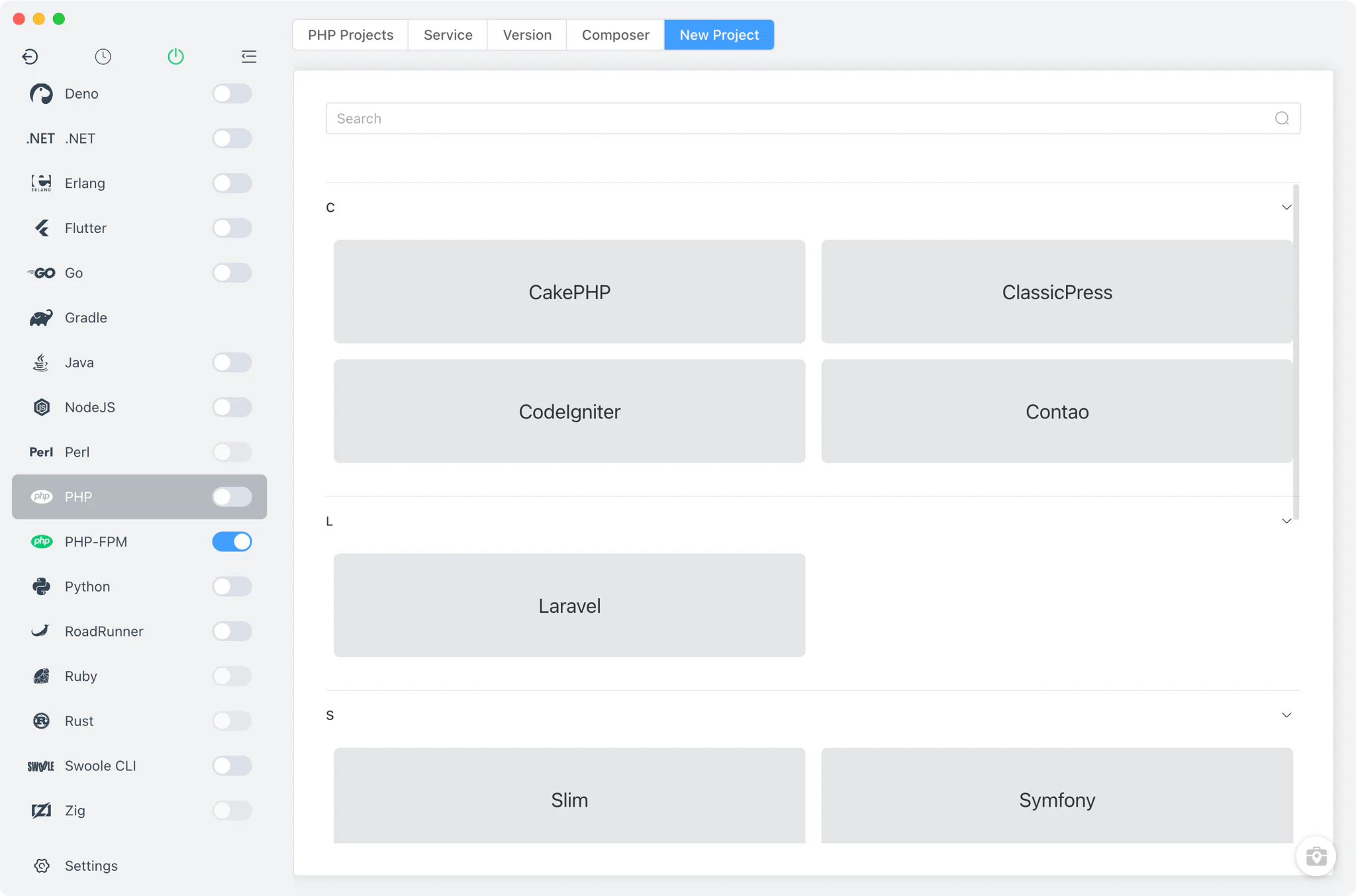
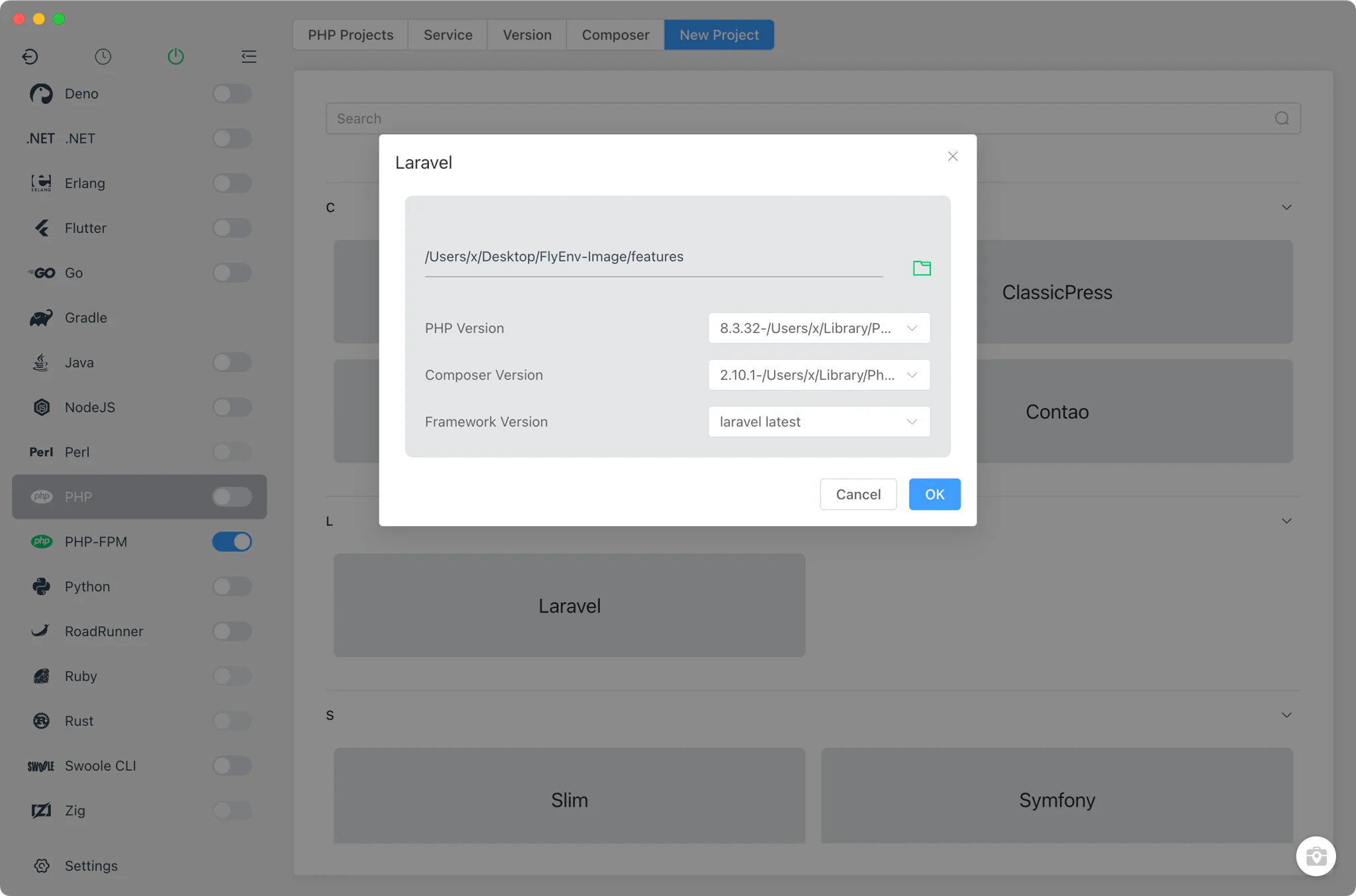
PHP → New Project scaffolds common PHP applications without leaving the app. Supported templates: WordPress, Laravel, Yii2, ThinkPHP, Symfony, CodeIgniter, CakePHP, Slim, ClassicPress and Contao.
- Pick a template and choose the framework version, the PHP version and the Composer version.
- FlyEnv runs the Composer creation command in its embedded terminal, so you see the real output.
- When the project is ready, create a matching site in one click — the web-server rewrite rules for that framework are pre-filled.
More PHP tools
- Log viewers: open the PHP error log, the PHP-FPM log or the FPM slow log per version, with search and refresh built in.
- phpMyAdmin: from the MySQL or MariaDB module, set up phpMyAdmin in one step — FlyEnv downloads it and creates a local site served by your highest installed PHP version.
- PHP Obfuscator: a Tools-page utility that obfuscates PHP source code with a chosen PHP version, useful before handing code to third parties.
PHP Application Servers
For application-server style PHP, FlyEnv has dedicated modules that complement the classic PHP-FPM setup:
- FrankenPHP — PHP bundled with a modern web-serving model.
- RoadRunner — PHP workers, Laravel Octane and fileserver presets.
- Swoole CLI — Native Swoole, Hyperf, EasySwoole, Laravel Octane and custom script presets.
The PHP deployment guide explains how to choose between them. For browser-facing sites, continue with Local Sites, Custom Domains & HTTPS; framework-specific stacks are covered in the Laravel and WordPress solutions.
Related guides, solutions and demos
Continue with a practical guide, solution, demo, or community perspective.
Compatibility Notes
FlyEnv manages the local runtime and process configuration; it does not guarantee that every PHP extension, framework version or third-party binary is available on every operating system. Verify the project's requirements against the installed PHP build, and treat the Download page and current release notes as the source for supported packages.