Local Zig Development with FlyEnv
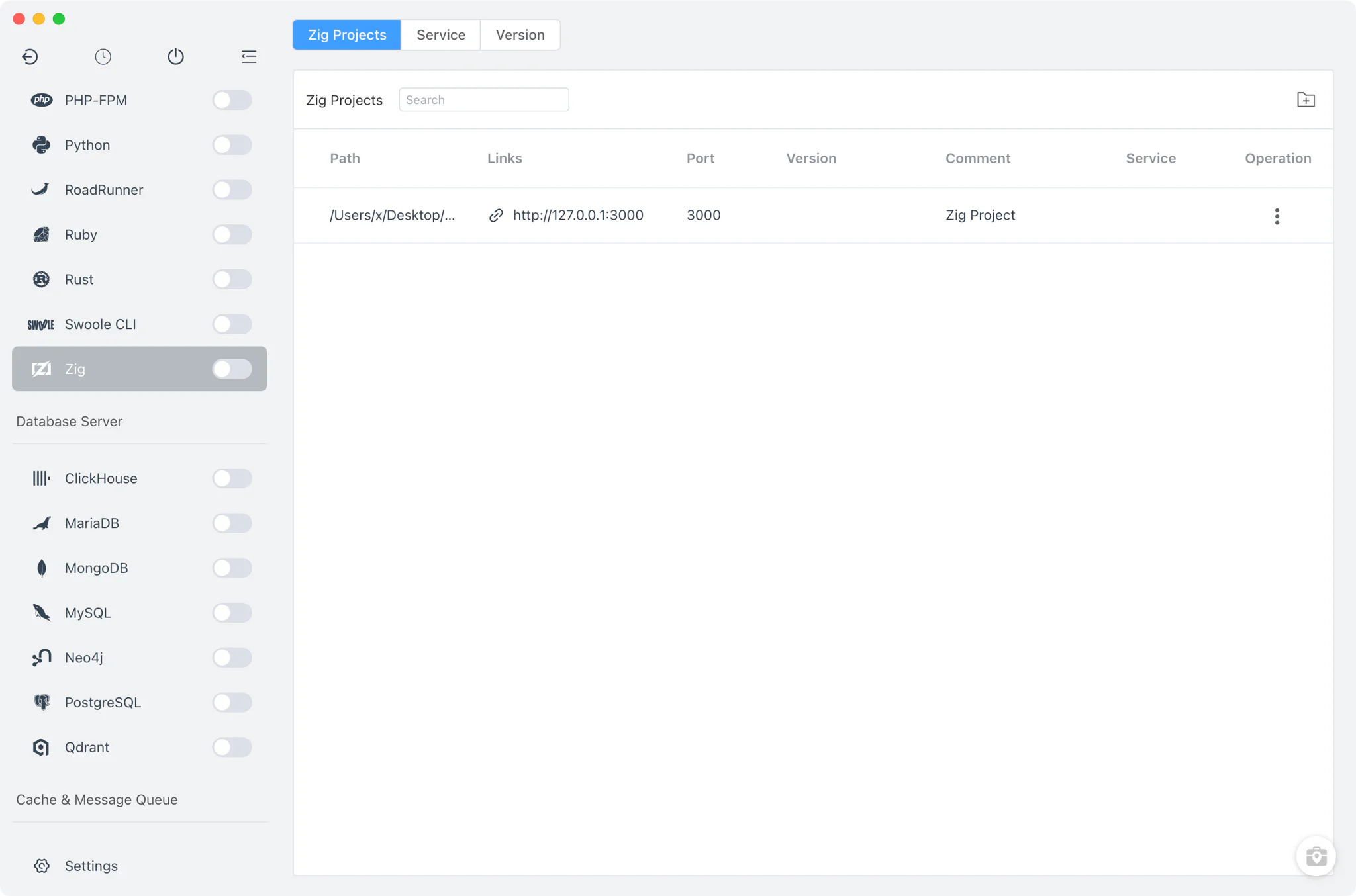
Zig is a general-purpose systems programming language and toolchain with manual memory management and built-in cross-compilation. It is used for system components, embedded targets and performance-sensitive tooling where C or C++ would traditionally be chosen, and it sits in the same systems-programming space as Rust, which FlyEnv also manages. FlyEnv's Zig module keeps local Zig toolchains organized in one place: install multiple Zig versions side by side, decide which one your terminal zig command resolves to, and bind each project to its own compiler version. The module has three tabs — Projects, Service and Version Manager — focused on version installation, PATH control and project toolchains.
Zig version management
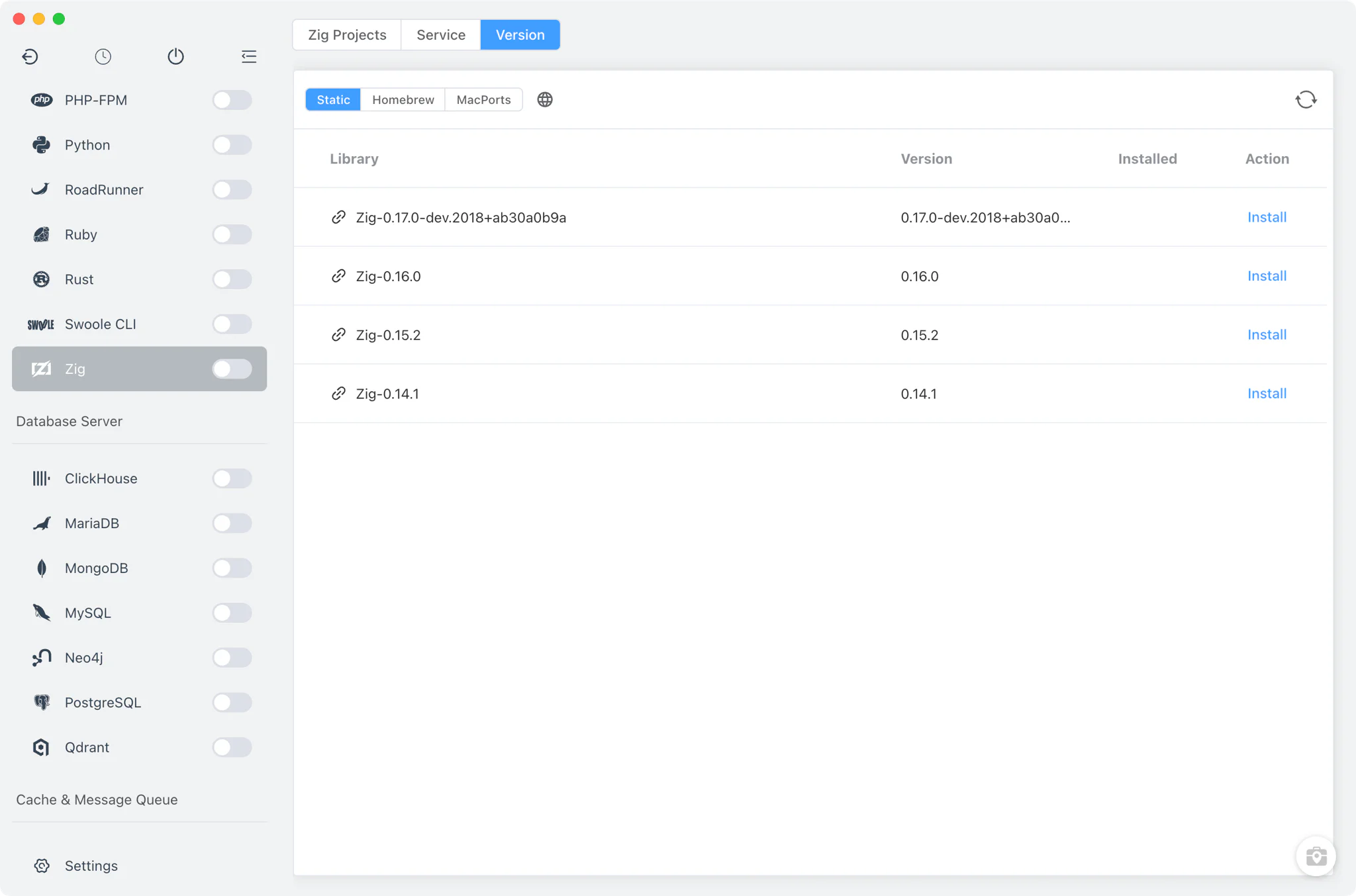
Install Zig versions side by side from Zig → Version Manager and keep them all available at once. FlyEnv detects each installation by running zig version, so the list always reflects real, working toolchains.
- Static builds on every platform: pick from an online list of Zig builds for macOS, Linux and Windows; they are unpacked into FlyEnv's own
zig/<version>directory. On macOS, FlyEnv clears the quarantine attribute after unpacking so the binary runs without Gatekeeper prompts. - macOS package managers: install through Homebrew (the
zigformula and versionedzig@<version>formulas) or MacPorts alongside the Static source. - Custom directories: point FlyEnv at any directory containing your own Zig build and it appears in the list next to the managed versions.
Command-line version switching
The Service tab manages versions and PATH, not a process: Zig is a compiler toolchain, and FlyEnv runs no Zig daemon. Behind the name sits a straightforward installed-versions table.
- Terminal version switching: decide which installed version the terminal
zigcommand resolves to. FlyEnv edits yourPATHby adding or removing the version's directory and marks whether the current PATH entry was created by FlyEnv or by another tool — the system PATH environment guide explains the details. - Per-version alias and remark: a short alias and an optional note per installation keep similar builds distinguishable in the list.
- Housekeeping: install paths are displayed in the table, and deleting a version you no longer need is a one-click action.
Project-level Zig toolchains
In Zig → Projects, register each project folder and bind it to a specific Zig version instead of relying on whichever version happens to be in PATH.
- Per-project toolchain: the version choice is written to a
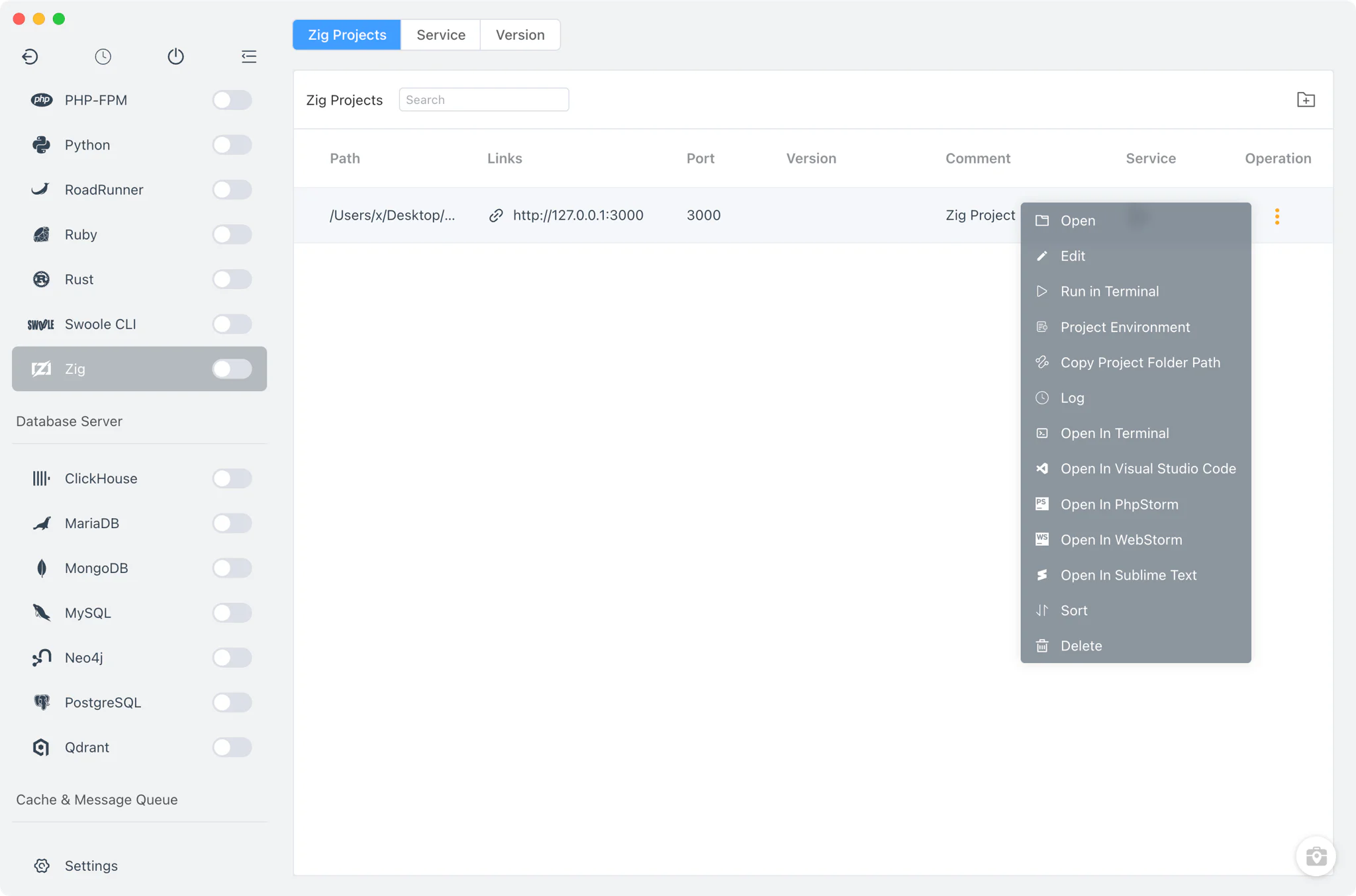
.flyenvfile inside the project directory, so terminals and editors launched from FlyEnv pick up the right Zig automatically. See the project-level runtime environment guide and the Per-Project Runtimes feature for how the mechanism works. - Run as service: optionally run a project directly from FlyEnv with a custom start command, a TCP port exposed as a
http://127.0.0.1:<port>link, and environment variables set inline or from a file. The sidebar switch starts or stops all service-enabled Zig projects at once.
Related guides, solutions and demos
Continue with a practical guide, solution, demo, or community perspective.
Compatibility Notes
FlyEnv manages Zig version installation, PATH switching and project toolchains; it does not bundle build-system or package tooling beyond what each Zig build itself provides. Available install sources differ per platform — Homebrew and MacPorts are macOS-only sources, while Windows uses the Static online list — so treat the Download page and current release notes as the source for supported packages.