Local MongoDB Development with FlyEnv
MongoDB is an open source document database that stores records as JSON-like documents instead of rows in tables. It fits applications with flexible or evolving data models, such as content platforms and API backends. FlyEnv runs MongoDB as a managed local service: install versions from the Version Manager, start mongod with a generated mongodb-<version>.conf, keep each version's data in its own directory, and read the server log without leaving the app. A one-click DbGate button adds a full web UI for browsing and querying your databases.
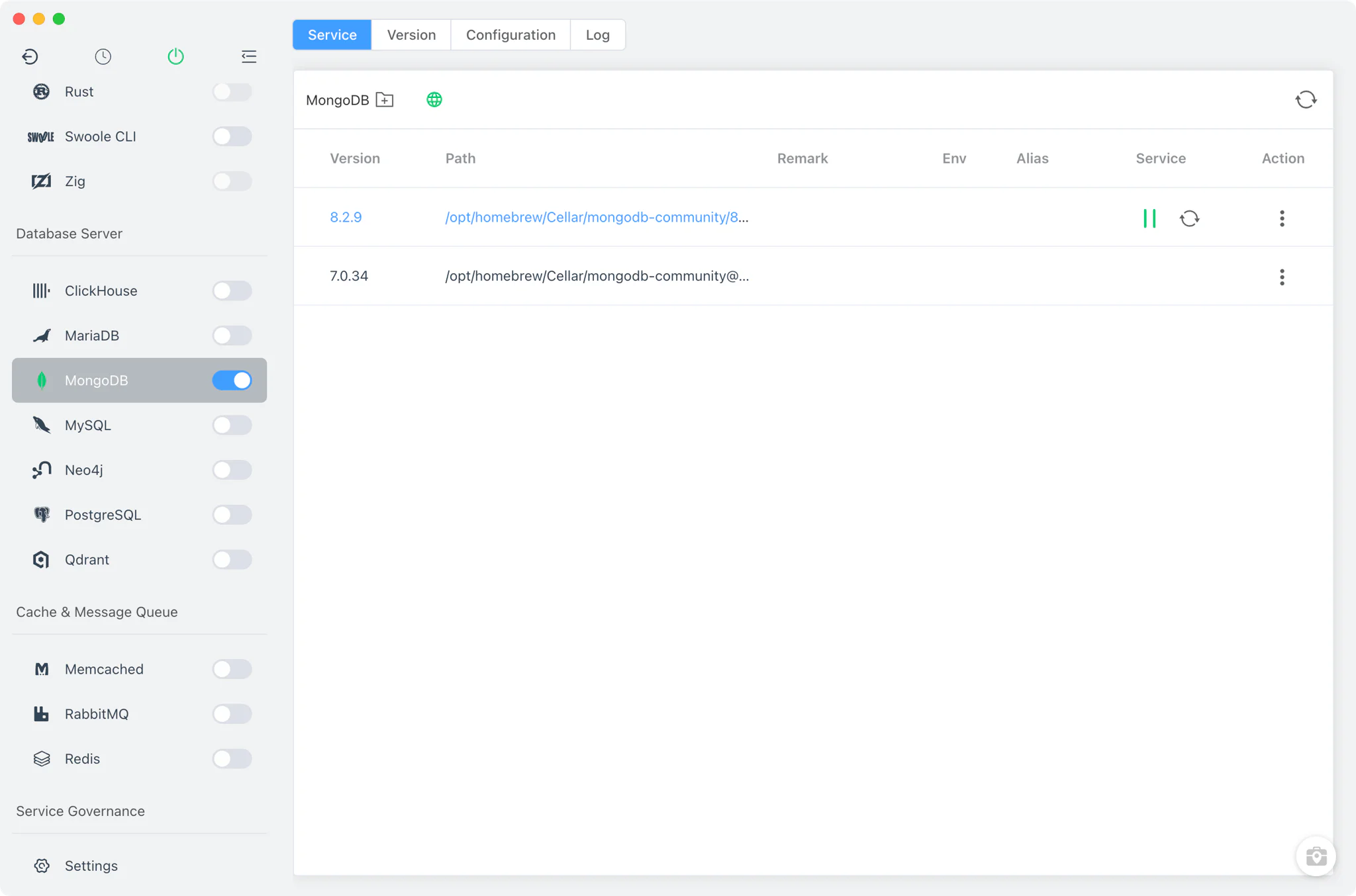
Version management
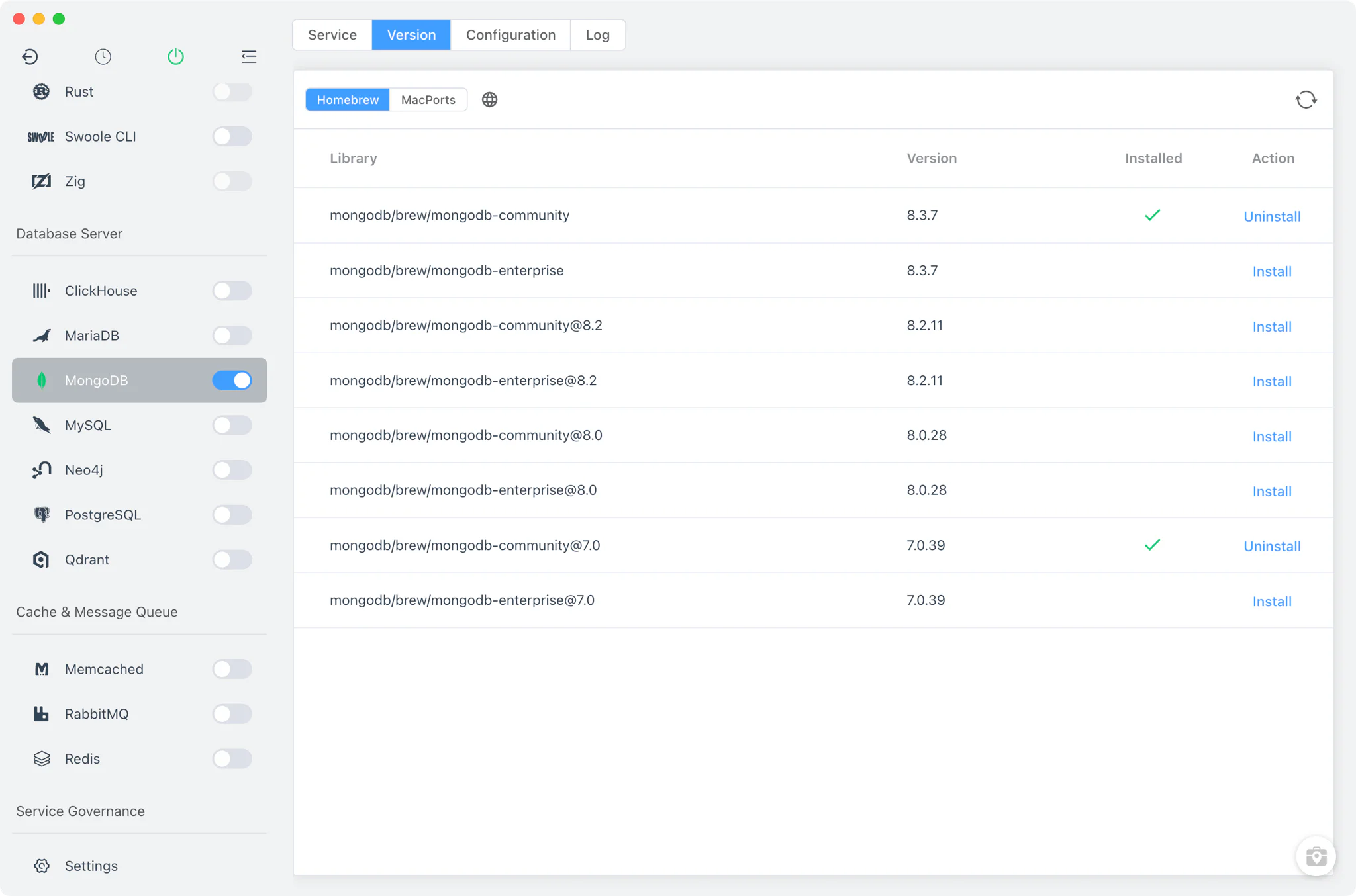
Install and keep multiple MongoDB versions side by side from MongoDB → Version Manager, and pick which one the service runs.
- Install sources per platform: Homebrew (
mongodb-community,mongodb-enterprise@x) and MacPorts on macOS, Homebrew on Linux, and a static online list of ready-mademongod.exepackages on Windows. - Custom versions: add any directory containing your own MongoDB installation; FlyEnv scans it and lists those builds next to the managed versions.
- One running version at a time: the Service tab starts the selected version as the MongoDB service; starting another version stops the previous one.
- Windows extra: alongside
mongod.exe, FlyEnv downloads the mongosh shell, which it uses to shut the server down gracefully viadb.shutdownServer().
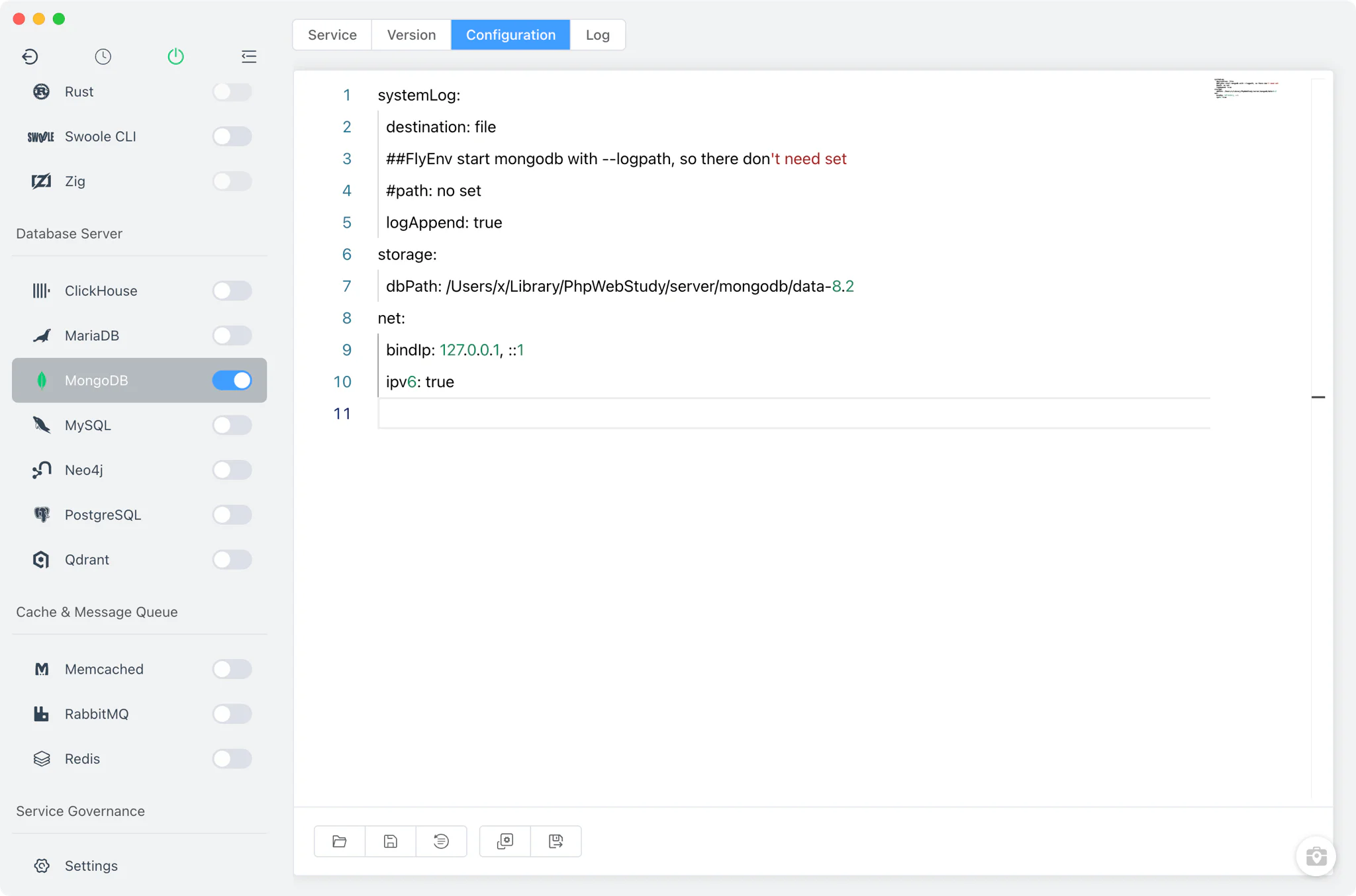
Service and configuration
FlyEnv launches the real mongod binary with --config mongodb-<version>.conf --logpath mongodb-<version>.log --pidfilepath .... The configuration file is generated from a template that binds MongoDB to localhost only (127.0.0.1 and ::1) and sets no explicit port, so the server listens on the default 27017. Each version stores its data in its own data-<version> directory under FlyEnv's MongoDB folder, so versions never share data files.
The Config File tab opens the version's mongodb-<version>.conf in a raw YAML editor, so every mongod option is editable directly.
Logs
The Log tab opens the running version's mongodb-<version>.log inside FlyEnv. Since FlyEnv passes --logpath explicitly on startup, the server log always lands in a known place — the first stop when a version fails to start or a connection is refused.
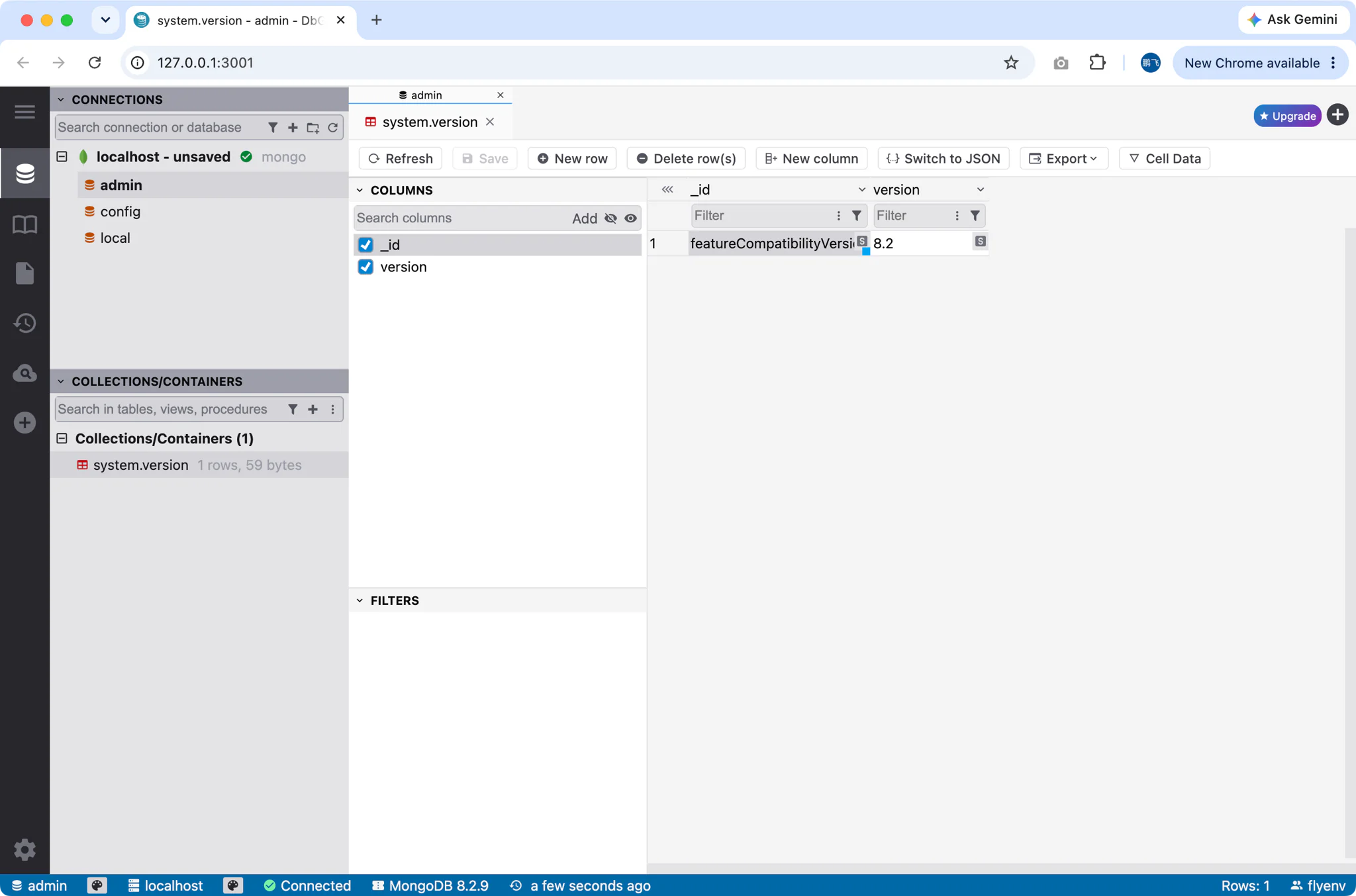
DbGate
The DbGate button in the Service toolbar sets up a complete web UI in one step. It requires a selected Node version in FlyEnv's Node module: FlyEnv uses it to npm-install dbgate-serve into its own directory, then serves DbGate on port 3000 (scanning for a free port if needed). Access is protected by HTTP basic auth — the login user is flyenv with a generated password, which is embedded in the URL FlyEnv opens in your browser. The database user and password guide covers how credentials are handled across FlyEnv's database modules.
Related guides, solutions and demos
Continue with a practical guide, solution, demo, or community perspective.
Compatibility Notes
FlyEnv manages the local MongoDB runtime, its generated configuration and its per-version data directories; it does not guarantee that every MongoDB version is available on every operating system or install source. The versions offered in Version Manager depend on your platform (Homebrew and MacPorts on macOS, Homebrew on Linux, static packages on Windows) and on what those sources publish. DbGate additionally depends on a Node version installed through FlyEnv. Treat the in-app version list and the Download page as the source of truth for what can be installed on your machine. For a full application stack built on a local database, see the Strapi solution, and watch the demos for the module in action.