Claude Code in FlyEnv
Claude Code is Anthropic's command-line AI coding agent: it reads your codebase, edits files and runs commands to carry out development tasks from the terminal. FlyEnv gives Claude Code a graphical control center: one-click installation through the official script, a visual editor for settings.json, a Sessions browser that resumes past conversations, full plugin and marketplace management, and MCP server configuration — all from the Claude Code module in the sidebar. FlyEnv fits naturally into an AI-assisted workflow; see how FlyEnv works with AI tools for the bigger picture.
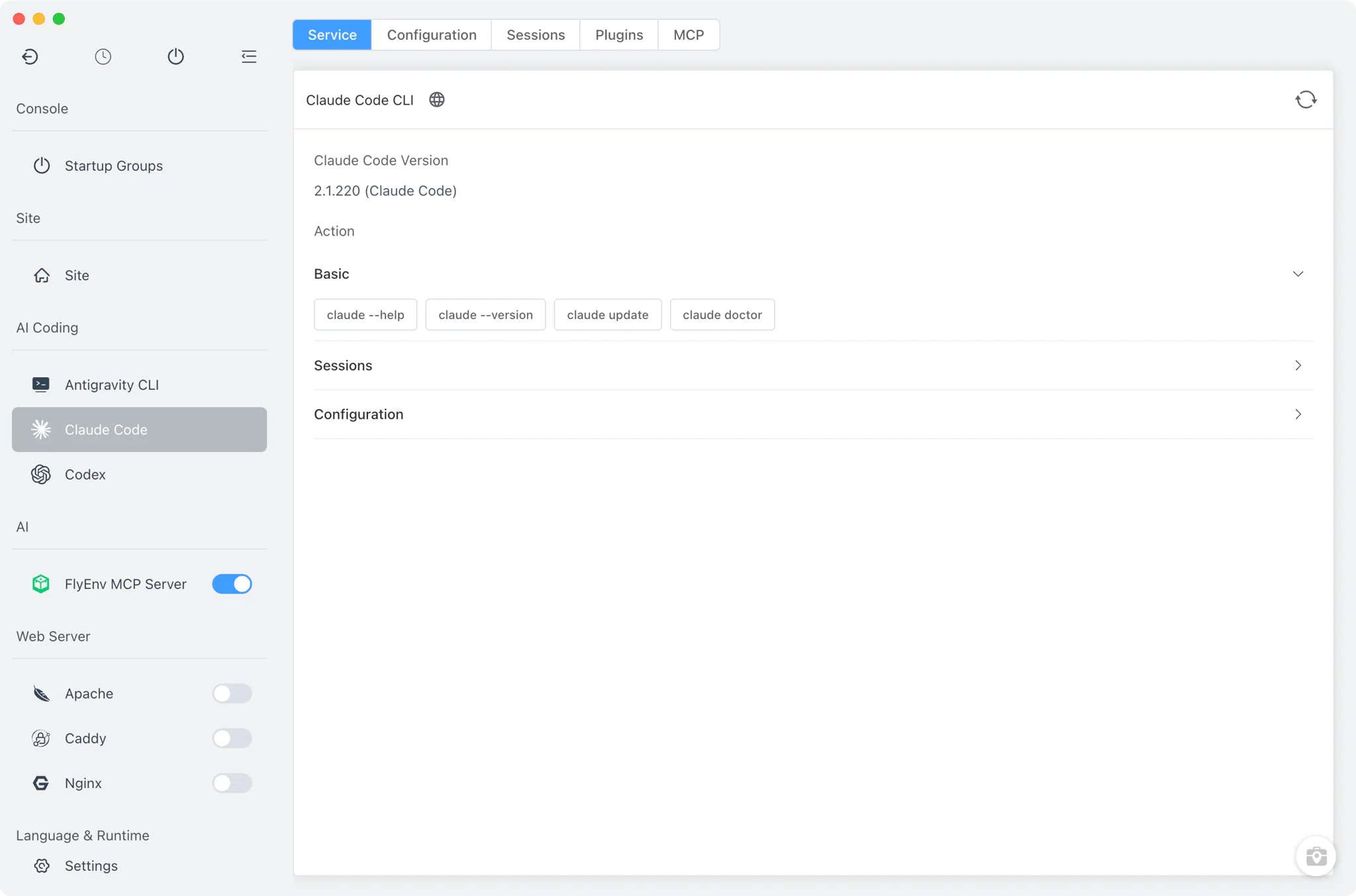
Installation
Claude Code is a command-line client, not a background service — there is no daemon to start or stop, and the module has no version manager. FlyEnv handles setup as a one-shot task.
- Official install script: clicking install runs the vendor's own script —
curl -fsSL https://claude.ai/install.sh | bashon macOS and Linux,irm https://claude.ai/install.ps1 | iexon Windows — inside FlyEnv's embedded terminal, so you watch the real output as it happens. FlyEnv's proxy environment is applied to the install automatically. - Automatic detection: if Claude Code is already installed, FlyEnv finds it by scanning
PATHplus the usual install locations —/usr/local/bin,/opt/homebrew/bin,~/.local/binand the global bin folders of npm, yarn, pnpm, bun and volta on macOS and Linux;%APPDATA%\npm, WinGet Links and~/.local/binon Windows — and shows the detected version. - Command cheat-sheet: the Service tab carries a quick-reference of useful commands such as
claude doctor,claude updateandclaude setup-token, each with a copy-to-clipboard button.
Configuration
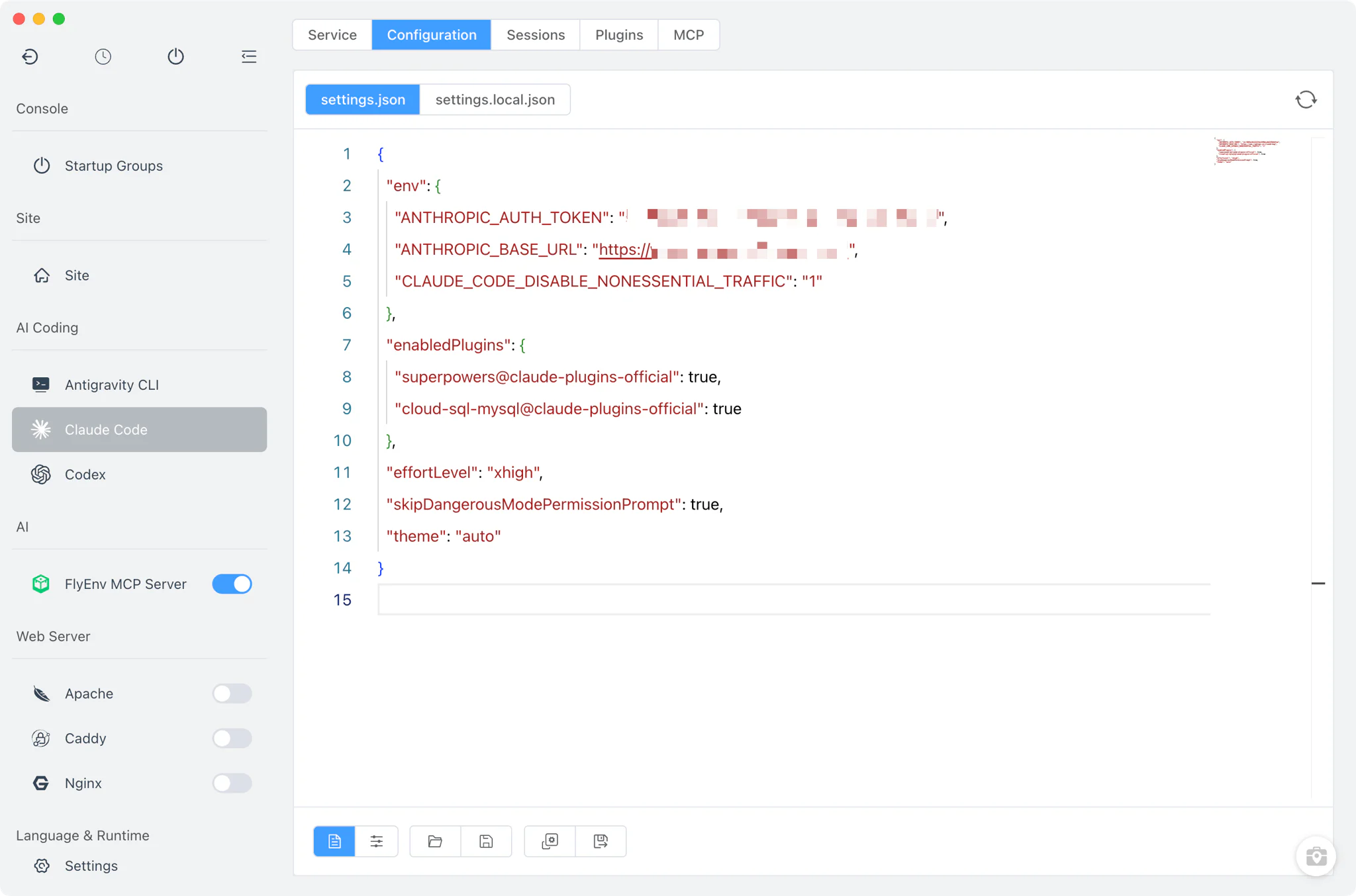
The Config File tab edits Claude Code's settings directly, combining a visual form with a full raw editor.
- Common settings form: adjust the frequently touched
settings.jsonfields — theme, model,includeCoAuthoredByandcleanupPeriodDays— from form controls instead of editing JSON by hand. - Raw JSON editor: switch to the source view for anything the form does not cover; changes are written back to the real files.
- All config files in reach: FlyEnv opens
~/.claude/settings.json,settings.local.json,plugins/known_marketplaces.jsonand~/.claude.jsonfrom the same place. If you relocate Claude Code's home withCLAUDE_CONFIG_DIR, FlyEnv follows that override.
Sessions
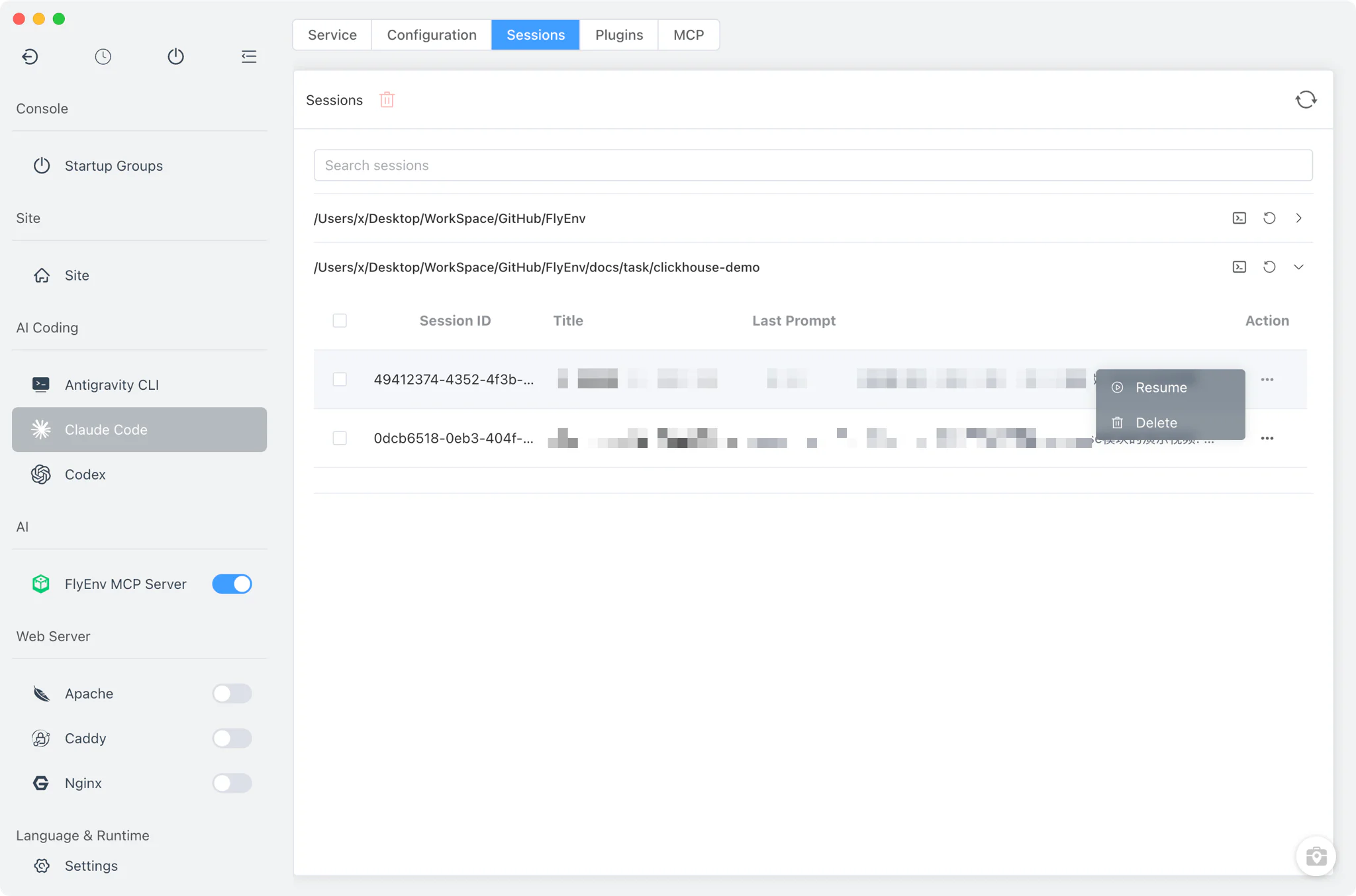
The Sessions tab reads Claude Code's history from the ~/.claude/projects directory, parsing every project's .jsonl transcript files.
- Grouped by project: sessions are organized by working directory, so conversations for each codebase stay together.
- Resume in one click: picking a session opens your external system terminal in that project folder and runs
claude --resume <id>— orclaude --continuefor the most recent conversation. Sessions always run in the system terminal, not inside FlyEnv. - Cleanup: delete sessions you no longer need directly from the list.
Plugins
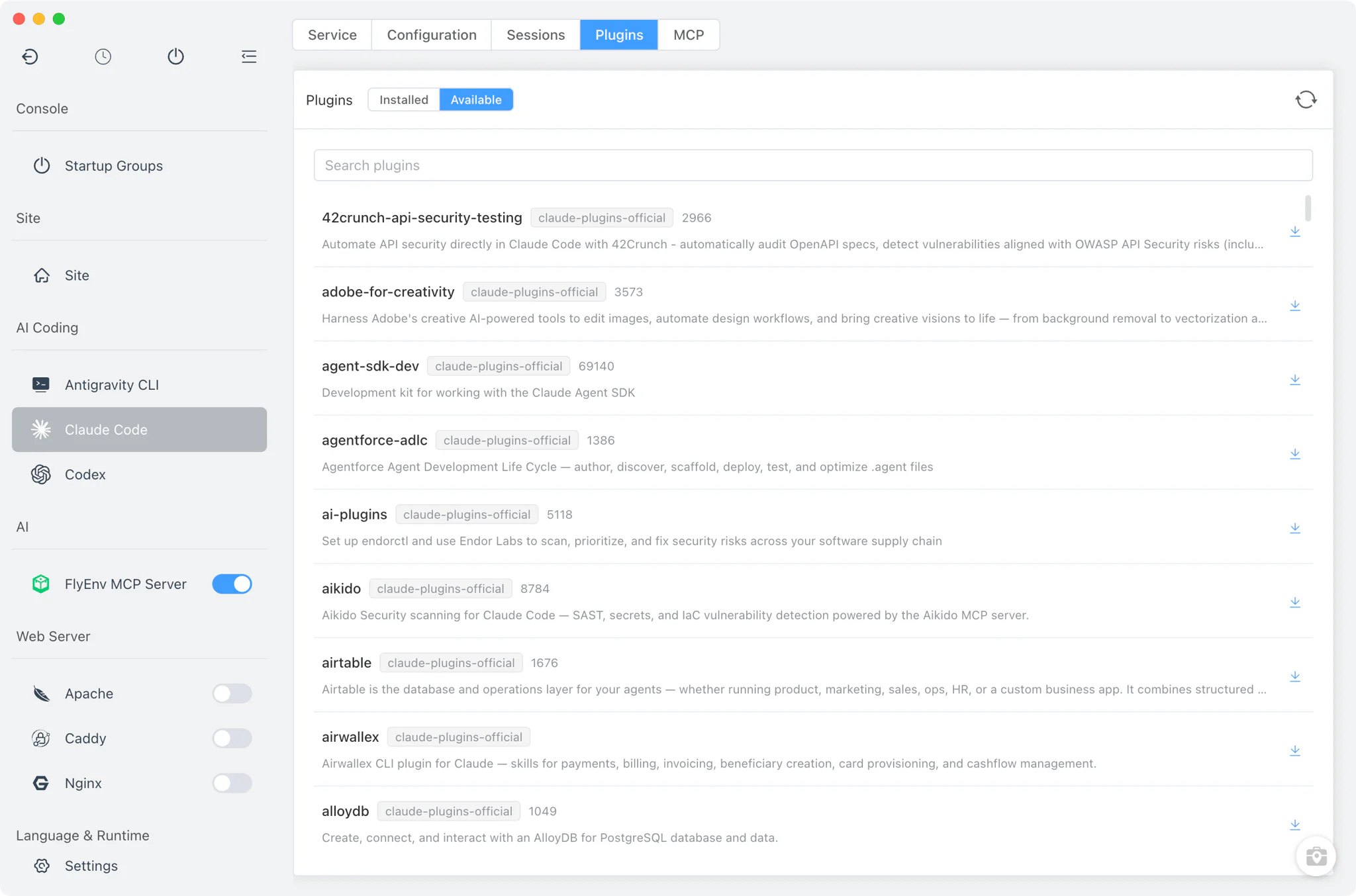
The Plugins tab is a full plugin manager built on Claude Code's own plugin system, including marketplace support.
- Available and installed: FlyEnv queries
claude plugin list --available --jsonto show what each marketplace offers alongside what you already have. - Install with real output: plugin installation runs in the embedded terminal, so download and setup progress is visible.
- Lifecycle actions: enable, disable or uninstall installed plugins without touching the command line.
- Marketplace management: add new plugin marketplaces or remove existing ones; the registered list is kept in
known_marketplaces.jsonunder the Claude Code home.
MCP servers
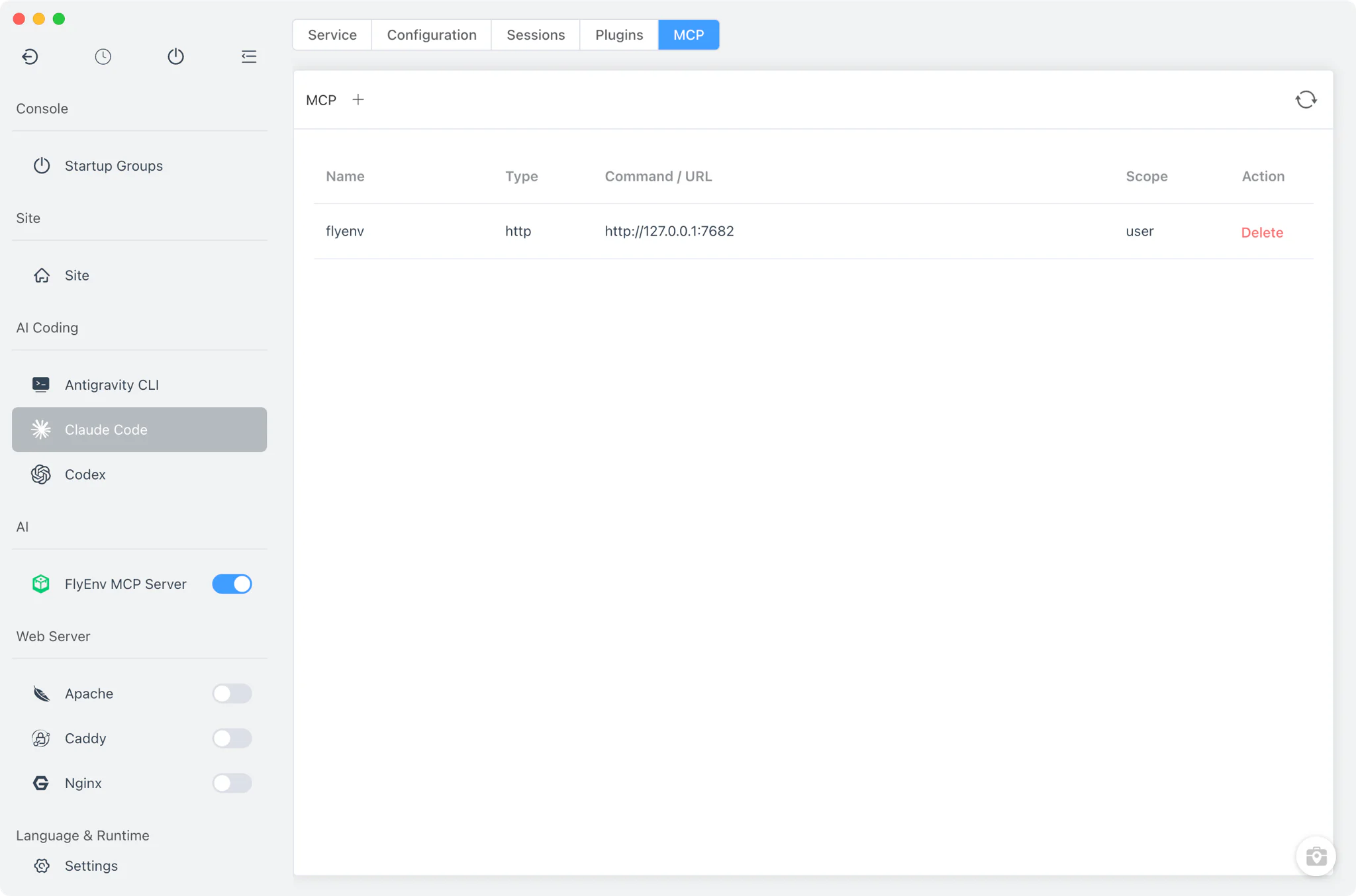
The MCP tab manages the Model Context Protocol servers stored in the mcpServers section of ~/.claude.json — the MCP and AI workspace guide explains how these servers extend AI coding tools.
- List and remove: see every configured MCP server and delete entries you no longer use.
- HTTP and SSE servers: remote servers are added by writing the definition straight into
~/.claude.json. - Stdio servers: local command-based servers are registered through
claude mcp add, so they are created exactly the way the CLI expects. - One-click FlyEnv registration: FlyEnv's own MCP Server can register itself into this list from its Client Config tab.
Related guides, solutions and demos
Continue with a practical guide, solution, demo, or community perspective.
Compatibility Notes
Claude Code in FlyEnv is a management layer over the CLI, not a hosted runtime. The module is not a background service — FlyEnv does not run Claude Code for you; interactive sessions are always launched in an external system terminal with the project directory as the working directory. Installation goes through Anthropic's official scripts inside the embedded terminal, and there is no multi-version management. Session history is read from the ~/.claude/projects JSONL transcripts, so only sessions Claude Code itself has recorded can appear; configuration edits apply to the standard files under ~/.claude (or the directory named by CLAUDE_CONFIG_DIR). Platform coverage follows the FlyEnv build you are running — check the Download page for the current release per operating system. FlyEnv manages other AI coding CLIs the same way — see the Codex, OpenCode and Kimi modules.