Consul in FlyEnv
Consul is HashiCorp's service discovery and service mesh platform: services register themselves, health checks track their availability, and a built-in key/value store distributes configuration. It is typically used by microservice stacks that need a registry for finding and monitoring services — Spring Boot applications with Spring Cloud Consul, for example — including locally, when you want development to match production. FlyEnv runs HashiCorp Consul as a managed local server agent: install one or more versions, start the agent with a generated single-node server configuration, keep its data in a per-version data directory you can relocate, and open Consul's built-in web UI in the browser with one click. Configuration, logs and service controls all live in the same module page.
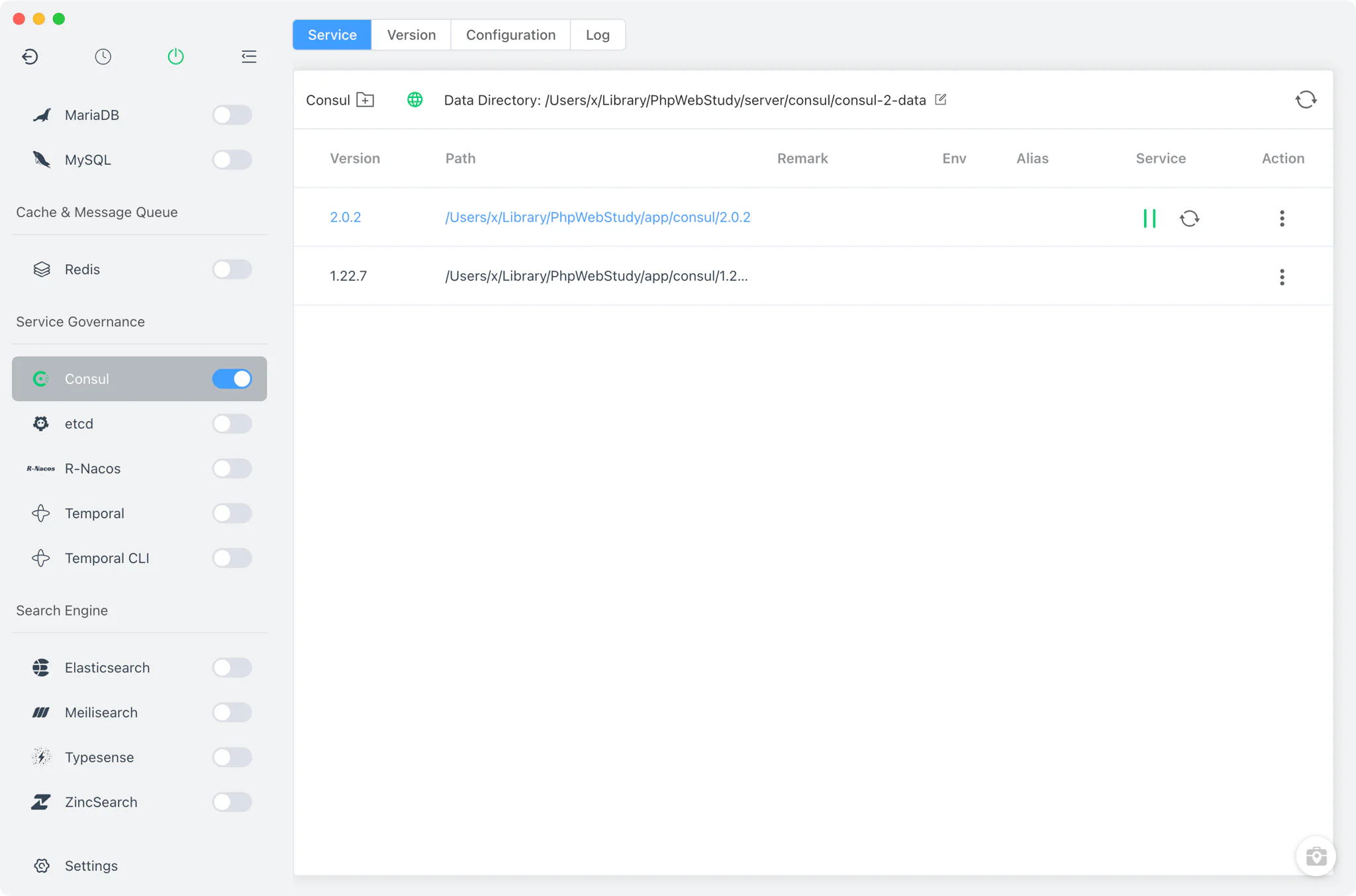
Version management
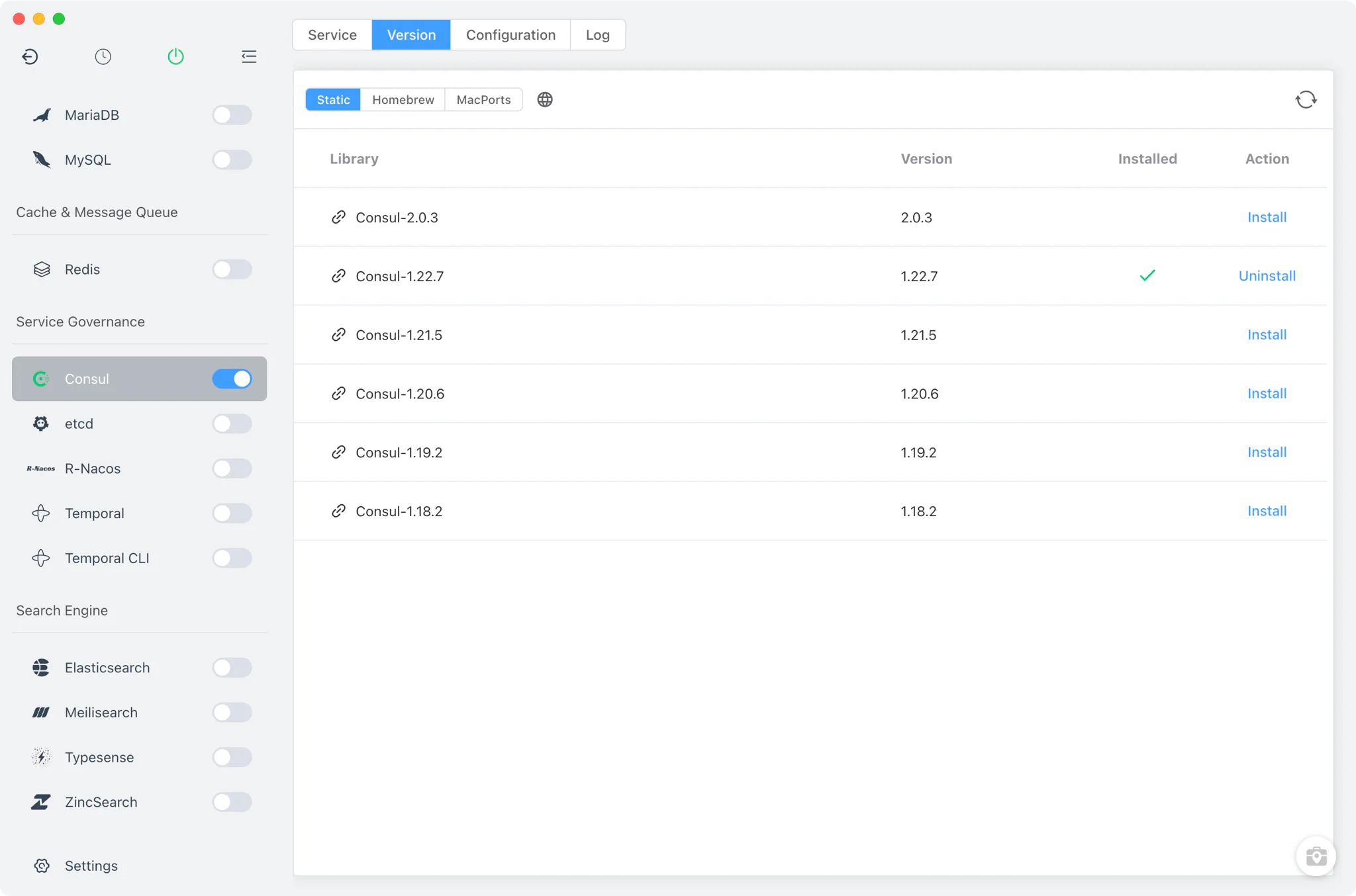
Install and keep multiple Consul versions side by side from Consul → Version Manager, and pick which one the service runs.
- Install sources per platform: a static online list of ready-made packages on every platform, plus Homebrew and MacPorts on macOS and Homebrew on Linux.
- Custom versions: point FlyEnv at any directory containing your own Consul installation; it scans the directory and lists those builds next to the managed versions.
- One version at a time: Consul runs as a single local agent, so starting a version is blocked while another one is running — stop the current version before switching.
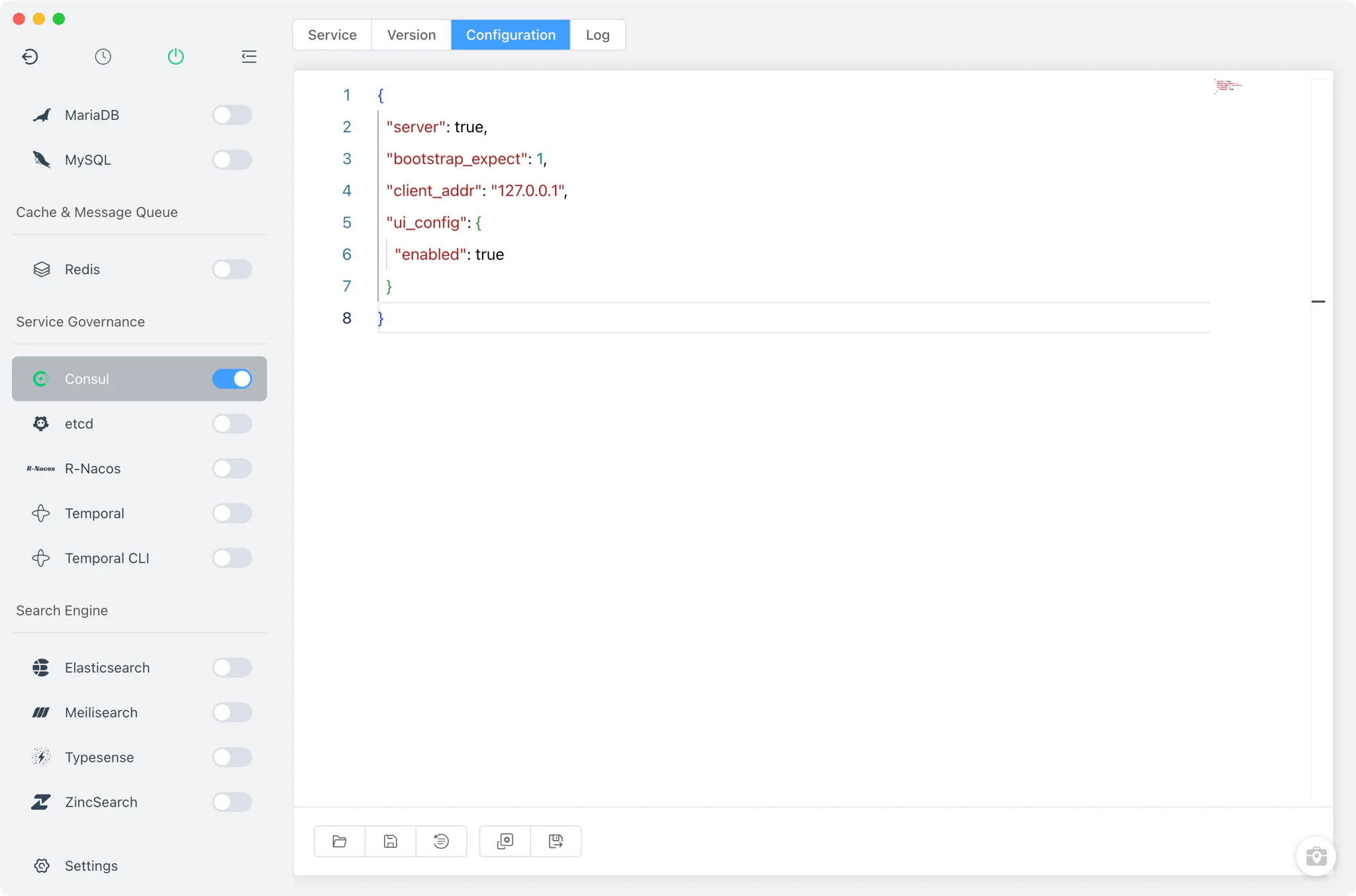
Service and configuration
FlyEnv launches the real consul agent binary detached, without root privileges. The generated default configuration describes a self-contained local server: server: true, bootstrap_expect: 1, client_addr: 127.0.0.1 and ui_config.enabled: true, with the agent bound to your primary LAN address.
- Editable data directory: each version gets its own data directory (defaulting to
consul-<major>-dataunder FlyEnv's Consul directory), and you can change the path per version directly from the Service tab. The chosen directory is passed to the agent with-data-dir, so state survives restarts and versions never share data unless you point them at the same path. - Raw JSON editor: the Config File tab opens
consul-<major>.jsonin a source editor — there is no visual form, so every Consul option is available. FlyEnv only generates the file when it is missing and never overwrites your edits; a.defaultcopy is kept alongside for reference. - Port-aware behavior: the HTTP port and other settings are read back from this JSON configuration elsewhere in the module, so custom values you set are respected.
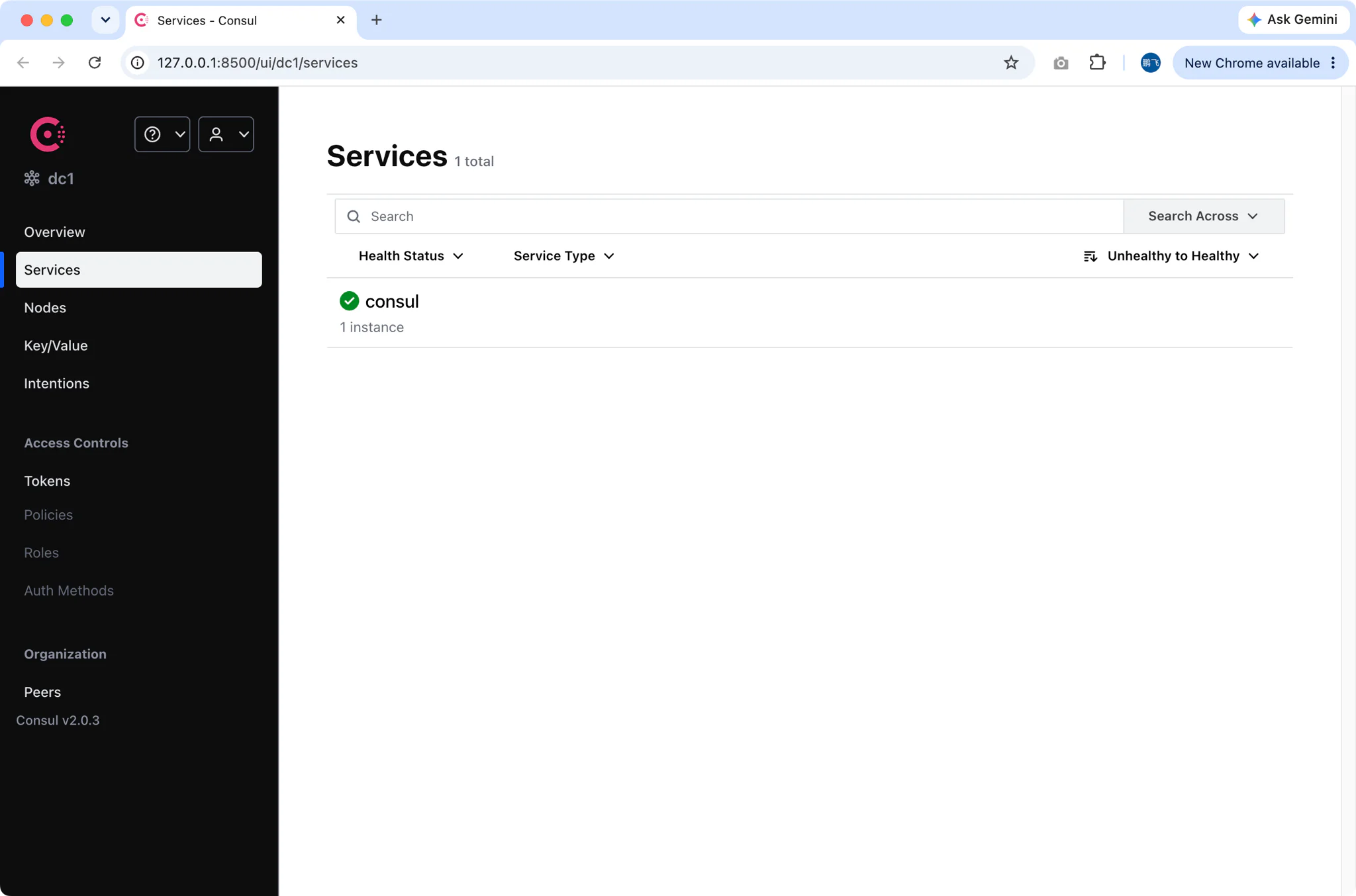
Web UI
Consul ships with its own web UI, and FlyEnv enables it in the generated configuration (ui_config.enabled: true). The Open UI button in the Service toolbar launches it in your default browser at http://127.0.0.1:8500/ui/ — the port is read from ports.http in the JSON config, so if you change the HTTP port the button follows your setting.
From the UI you can browse registered services and nodes, inspect health checks, and edit the key/value store against the running local agent.
Logs
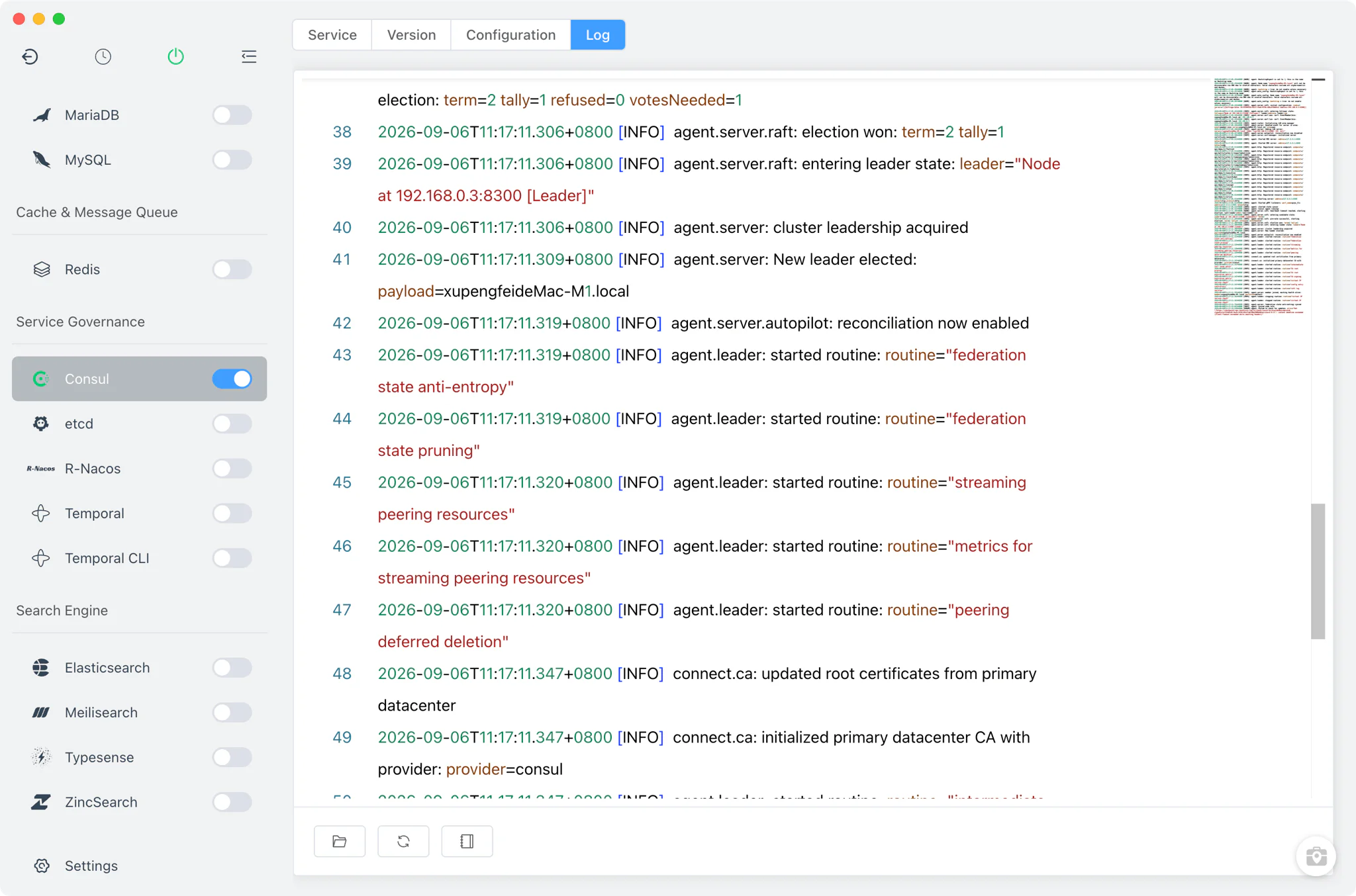
The Log tab opens the agent's consul.log directly inside FlyEnv. Because FlyEnv starts the agent with -log-file=consul.log, everything the agent writes — startup messages, Raft events, join and sync activity — lands in this single file, making it the first place to check when a version fails to start or a service does not register as expected.
Related guides, solutions and demos
Continue with a practical guide, solution, demo, or community perspective.
Compatibility Notes
FlyEnv manages the local Consul agent, its configuration file and its data directory; it does not guarantee that every Consul version is available on every operating system or install source. The versions offered in Version Manager depend on your platform (Homebrew and MacPorts on macOS, Homebrew on Linux, static packages on Windows) and on what those sources publish. On Windows, FlyEnv adds raft_logstore.backend = boltdb to the generated configuration to work around a Raft log fsync failure specific to that platform. The Consul module manages the agent itself — it has no per-project version binding or site reverse-proxy integration. For related building blocks, FlyEnv also ships R-Nacos, a Nacos-protocol registry and configuration center, and etcd, the consistent key/value store behind many stacks; the guide on running Node.js, Python and Go services without Docker covers the rest of a local microservice stack. For what can be installed on your machine, check the in-app version list and the Download page; for a runnable walkthrough of a local service stack, see the demos.