Local Rust Development with FlyEnv
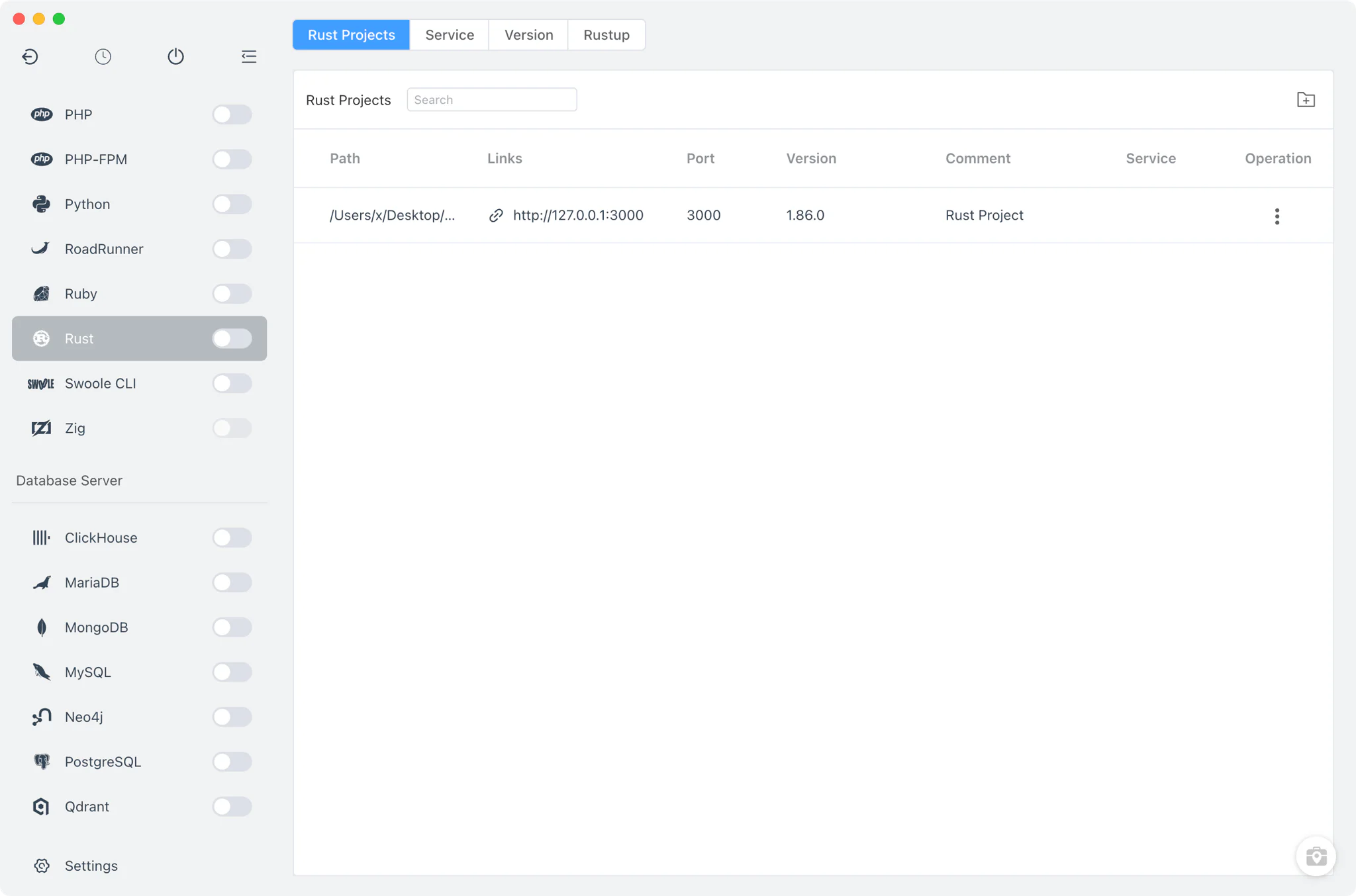
Rust is a systems programming language focused on memory safety and performance, used for command-line tools, system components, WebAssembly and performance-critical services — the S3-compatible RustFS object store is one Rust-built service FlyEnv manages. FlyEnv's Rust module keeps local Rust development in one place: install Rust toolchains side by side, manage rustup toolchains and target platforms, decide which toolchain your terminal cargo and rustc commands resolve to, and bind each project to its own toolchain. The module has four tabs — Rust Projects, Service, Version Manager and Rustup — covering installation, PATH control, rustup integration and project runtimes.
Rust toolchain management
Install Rust toolchains from Rust → Version Manager and keep several of them available at once.
- macOS: install from a Static online list of standalone
.tar.xzinstallers or from Homebrew (therustformula); the MacPorts source is not offered for Rust. - Linux: install from the Static online list or Homebrew.
- Windows: install from the Static online list.
- rustup toolchains: FlyEnv auto-discovers toolchains installed by rustup under
RUSTUP_HOME/~/.rustup/toolchains, alongside toolchains in FlyEnv's own app directory, so rustup-managed and FlyEnv-managed installs appear in one list. - Custom directories: point FlyEnv at any directory containing your own Rust toolchain and it appears next to the managed versions.
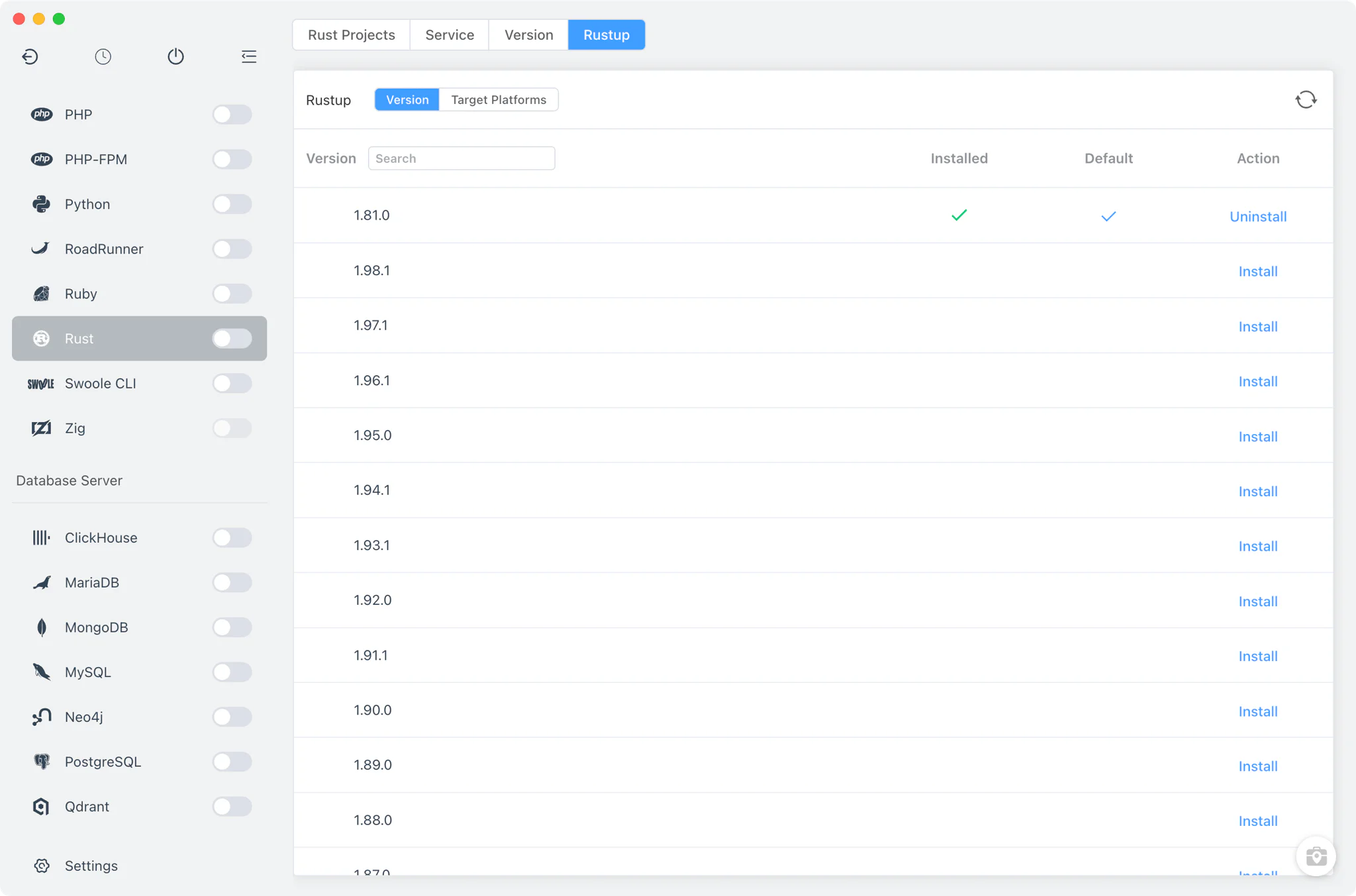
The dedicated Rustup tab detects an existing rustup installation (honoring CARGO_HOME and RUSTUP_HOME) or offers a one-click rustup install in an embedded terminal. From there you can install, set the default, or remove rustup toolchains, and add or remove compilation target platforms.
Command-line version switching
The Service tab's name is a leftover convention — Rust has no background process inside FlyEnv, so nothing here starts or stops. It is a table of installed toolchains combined with PATH management.
- Terminal version switching: choose which toolchain the terminal
cargoandrustccommands resolve to. Switching adds the toolchain's bin directory to yourPATHor takes it out again, and each entry is marked to show whether FlyEnv set it or another tool did. The system PATH environment guide covers the underlying mechanism. - Per-version alias and remark: label each toolchain with a short alias and a note so similar builds stay distinguishable in the list.
- Housekeeping: the table lists every toolchain's install path, and unused toolchains can be deleted directly from it.
Project-level Rust toolchains
In Rust → Projects, register each project folder and bind it to a specific Rust toolchain instead of relying on whichever version happens to be in PATH.
- Per-project toolchain: the version choice is stored in a
.flyenvfile inside the project directory, so terminals and editors launched from FlyEnv pick up the right Rust automatically. See the project-level runtime environment guide and the Per-Project Runtimes feature for how the mechanism works. - Run as service: optionally run a project directly from FlyEnv with a custom start command, a TCP port exposed as a
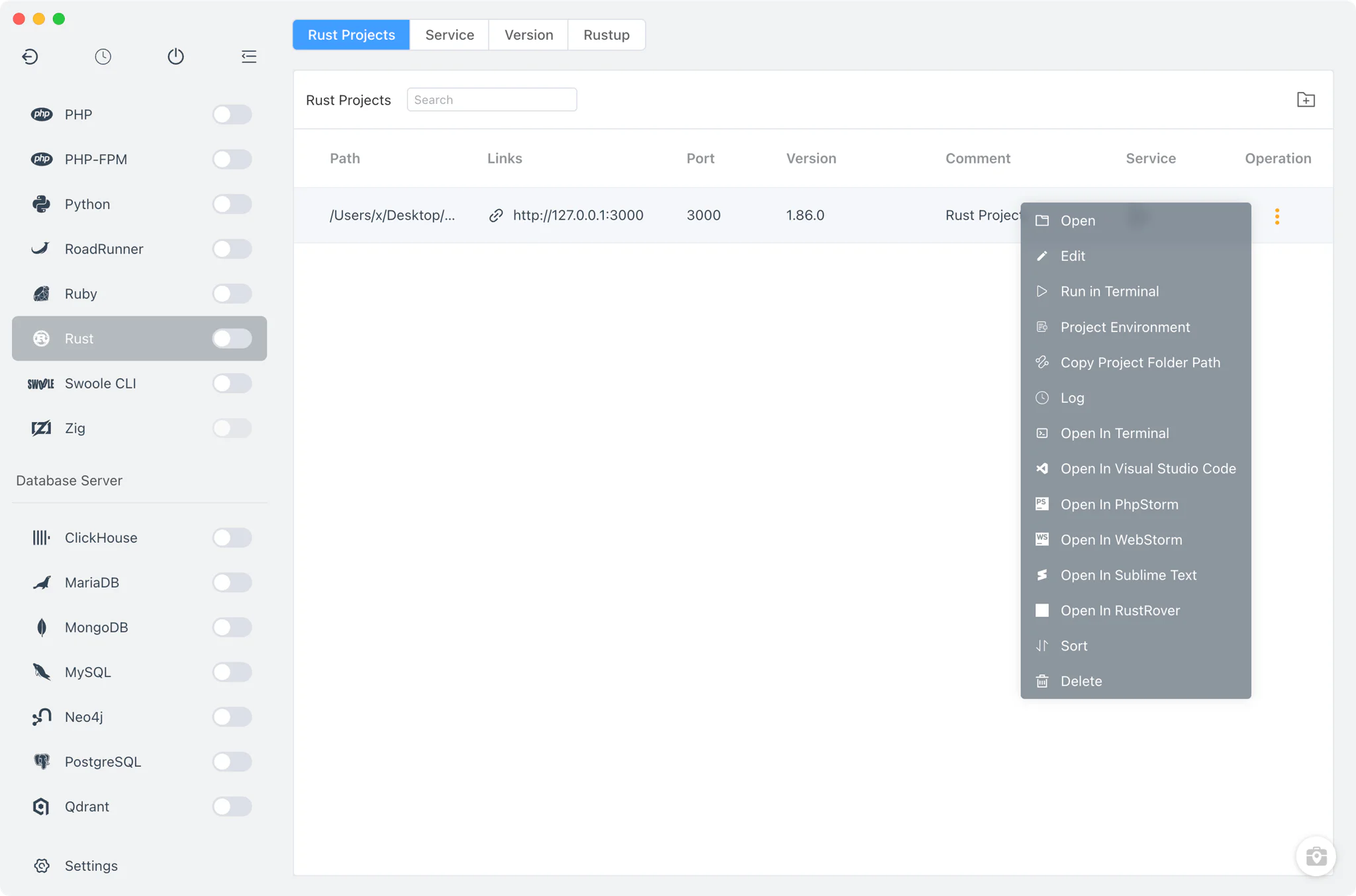
http://127.0.0.1:<port>link, environment variables set inline or from a file, and a sudo flag on macOS and Linux. The sidebar switch starts or stops all service-enabled Rust projects at once. - Open-in tools: jump from a project row into the system terminal or open the project in RustRover with its environment loaded.
Related guides, solutions and demos
Continue with a practical guide, solution, demo, or community perspective.
Compatibility Notes
FlyEnv manages Rust toolchain installation, rustup integration, PATH switching and project runtimes; it does not provide module-level config file editors or log viewers beyond what each Rust toolchain itself offers. Available install sources differ per platform, so treat the Download page and current release notes as the source for supported packages.