Local .NET Development with FlyEnv
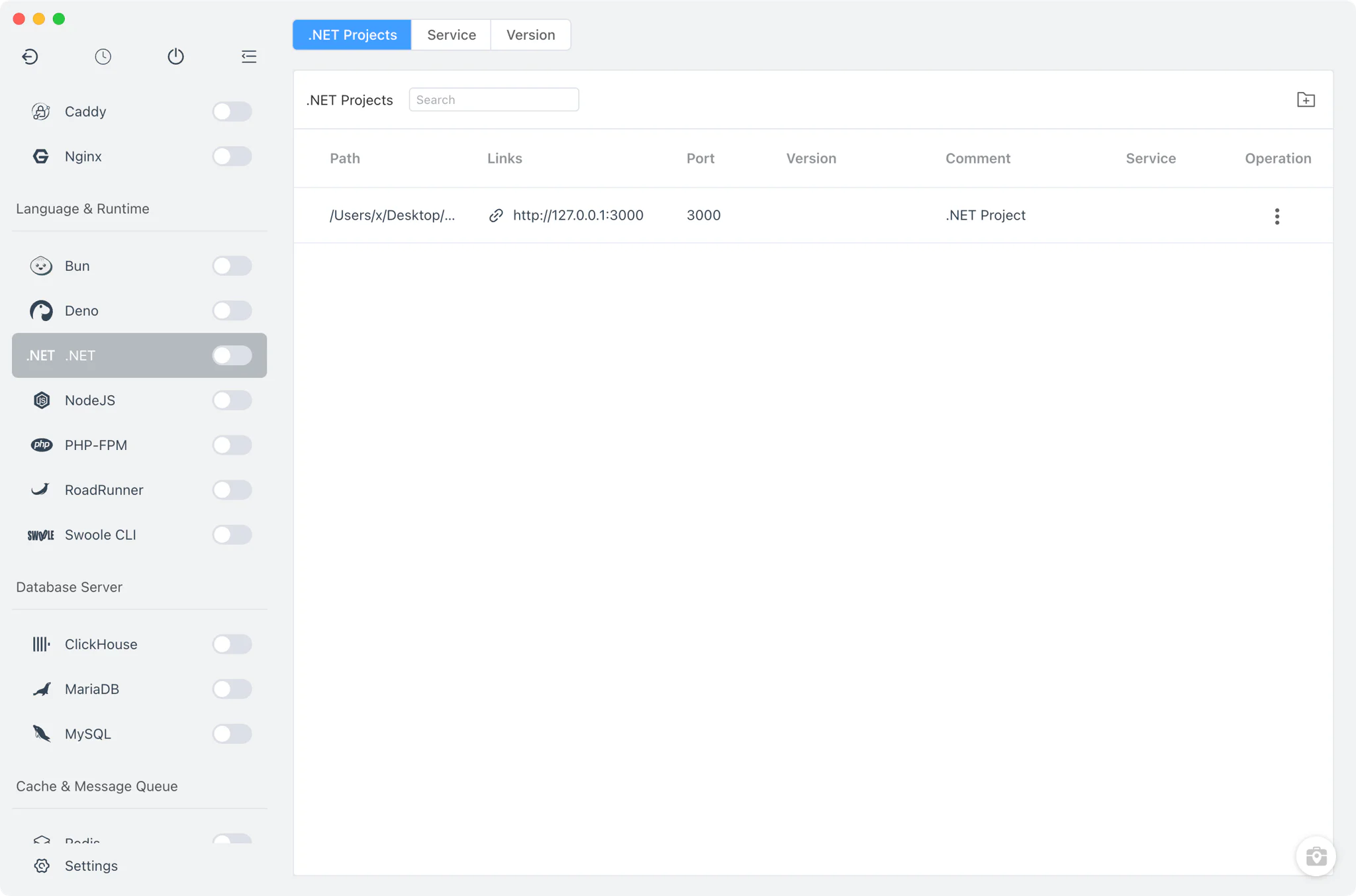
.NET is Microsoft's open source developer platform for building web, desktop, mobile and cloud applications, with C# as its primary language. FlyEnv manages local .NET SDKs in one place: it installs multiple SDK versions side by side, switches the dotnet command between them, and binds a specific SDK to each project so terminals and editors pick up the right runtime. The .NET module is organized into three tabs — .NET Projects, Service and Version Manager.
.NET SDK version management
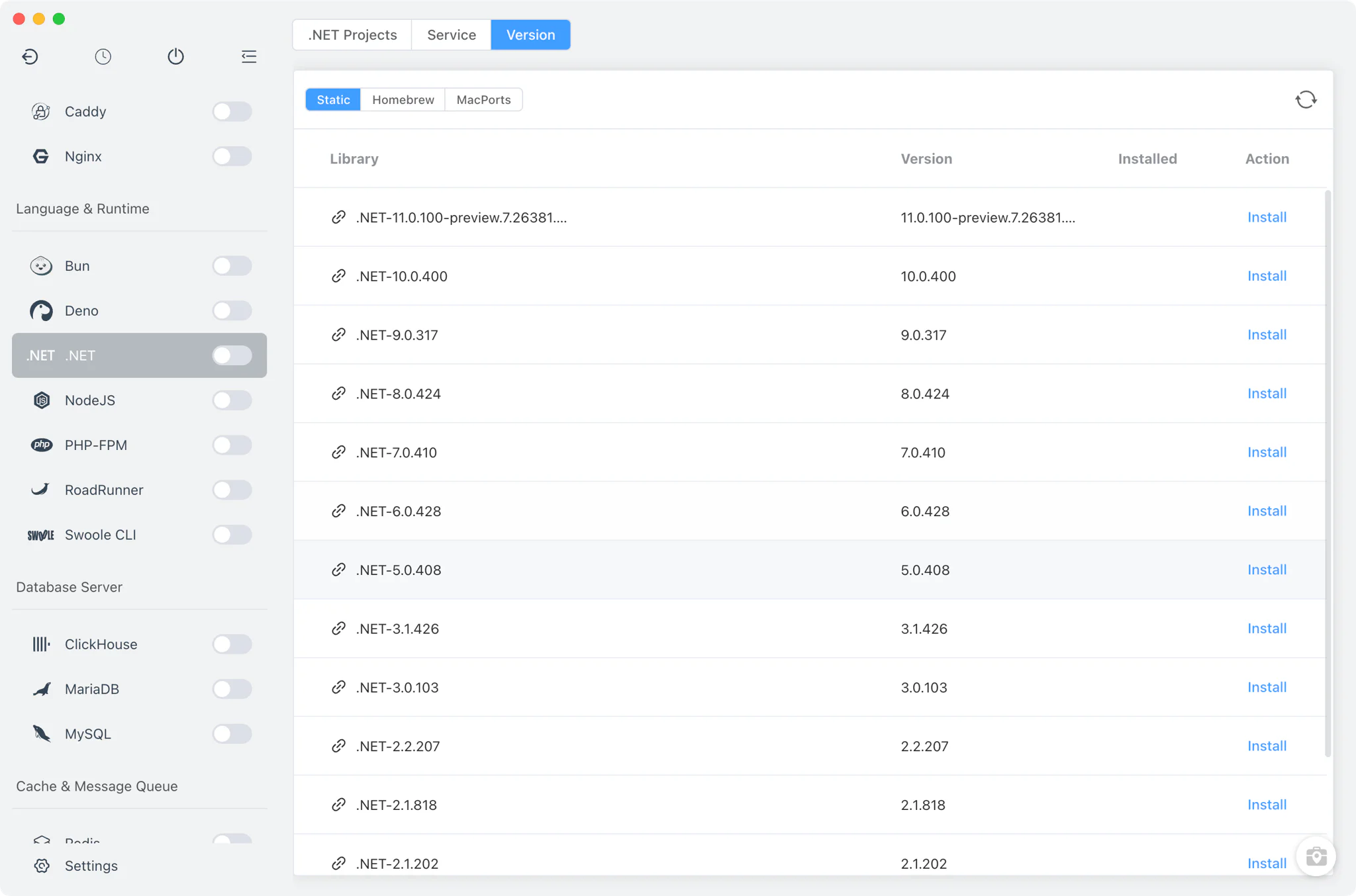
Install multiple .NET SDK versions side by side from .NET → Version Manager and switch between them at any time.
- Microsoft release metadata: unlike other language modules, the .NET Static list is fetched directly from Microsoft's official release metadata, picking the latest SDK per channel and building download URLs per platform (
win-x64,osx-arm64,osx-x64,linux-arm64,linux-x64). - Homebrew source: on macOS and Linux, .NET can also be installed from the Homebrew
dotnetformula, for SDKs managed by that package manager. - Accurate version detection: FlyEnv reads each installation with
dotnet --version, falling back to parsingdotnet --info, so the listed version always matches the SDK on disk. - macOS quarantine handling: after a static install on macOS, FlyEnv removes the quarantine attribute so the SDK runs without Gatekeeper prompts.
Command-line version switching
The Service tab is the installed-versions table for .NET — despite its name, it manages versions, PATH entries and aliases, not running background processes.
- PATH switching: set which .NET SDK your terminal
dotnetcommand resolves to. FlyEnv adds or removes the version's directory in yourPATHand marks whether the current entry was set by FlyEnv or by another tool; the system PATH environment guide explains how this works. - Per-version alias and remark: give each installation a short alias and note so similar SDKs stay distinguishable in the list.
- Custom versions: point FlyEnv at any directory that contains your own .NET SDK build to list it next to the managed versions.
Project-level .NET runtimes
In .NET → Projects, register each project folder and bind it to its own .NET SDK — or keep it on the system version. See the project-level runtime guide and the Per-Project Runtimes feature for the full workflow.
- Per-project runtime: the version choice is stored in a
.flyenvfile inside the project directory, so terminals and editors launched from FlyEnv pick up the right SDK automatically. - Run as service: mark a project as a service with a custom start command or run file, a TCP port, environment variables and an optional sudo flag; the sidebar switch starts or stops all service-enabled .NET projects at once.
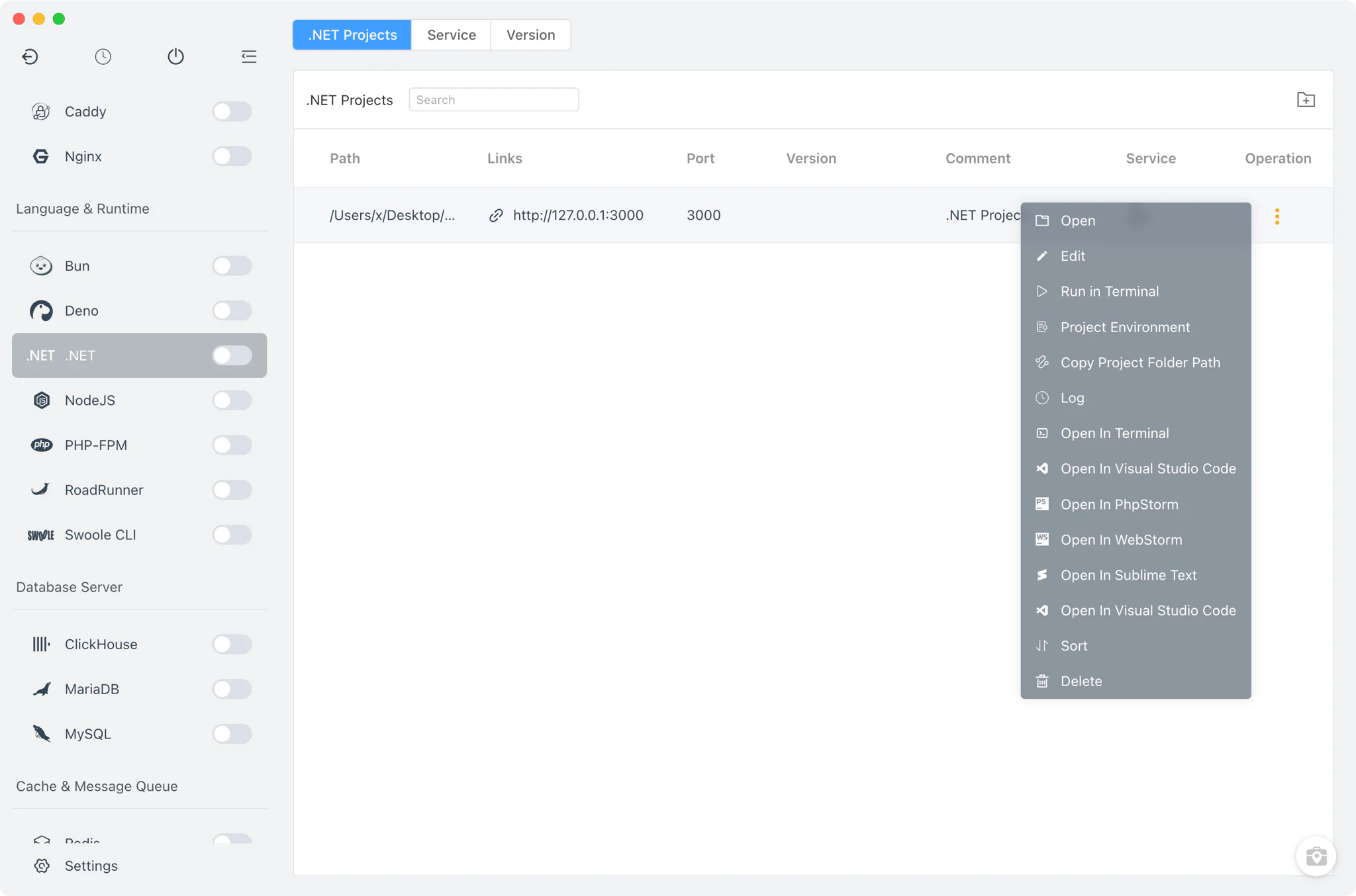
- Open in VS Code: jump from a project row straight into VS Code with the project environment loaded.
Related guides, solutions and demos
Continue with a practical guide, solution, demo, or community perspective.
Compatibility Notes
Install sources depend on the platform: Static builds on every operating system, plus Homebrew on macOS and Linux; Windows uses the Static (zip) source only. FlyEnv manages the local runtime and PATH configuration; verify the project's SDK requirements against the installed build, and treat the Download page and current release notes as the source for supported packages.