ZincSearch in FlyEnv
ZincSearch is an open source search engine written in Go, positioned as a lightweight alternative to Elasticsearch for full-text indexing and log search — in the same lightweight-search family as Meilisearch and Typesense. It runs as a single binary with a built-in web console, which makes it easy to drop into small projects and local development. FlyEnv runs it as a managed local search service: install versions from the Version Manager, start the server with an editable zincsearch.env, and open the built-in ZincSearch web UI in one click. Defaults are written for you — the server listens on 127.0.0.1:4080 with an initial admin account, and its data lives inside FlyEnv's own directory.
Version management
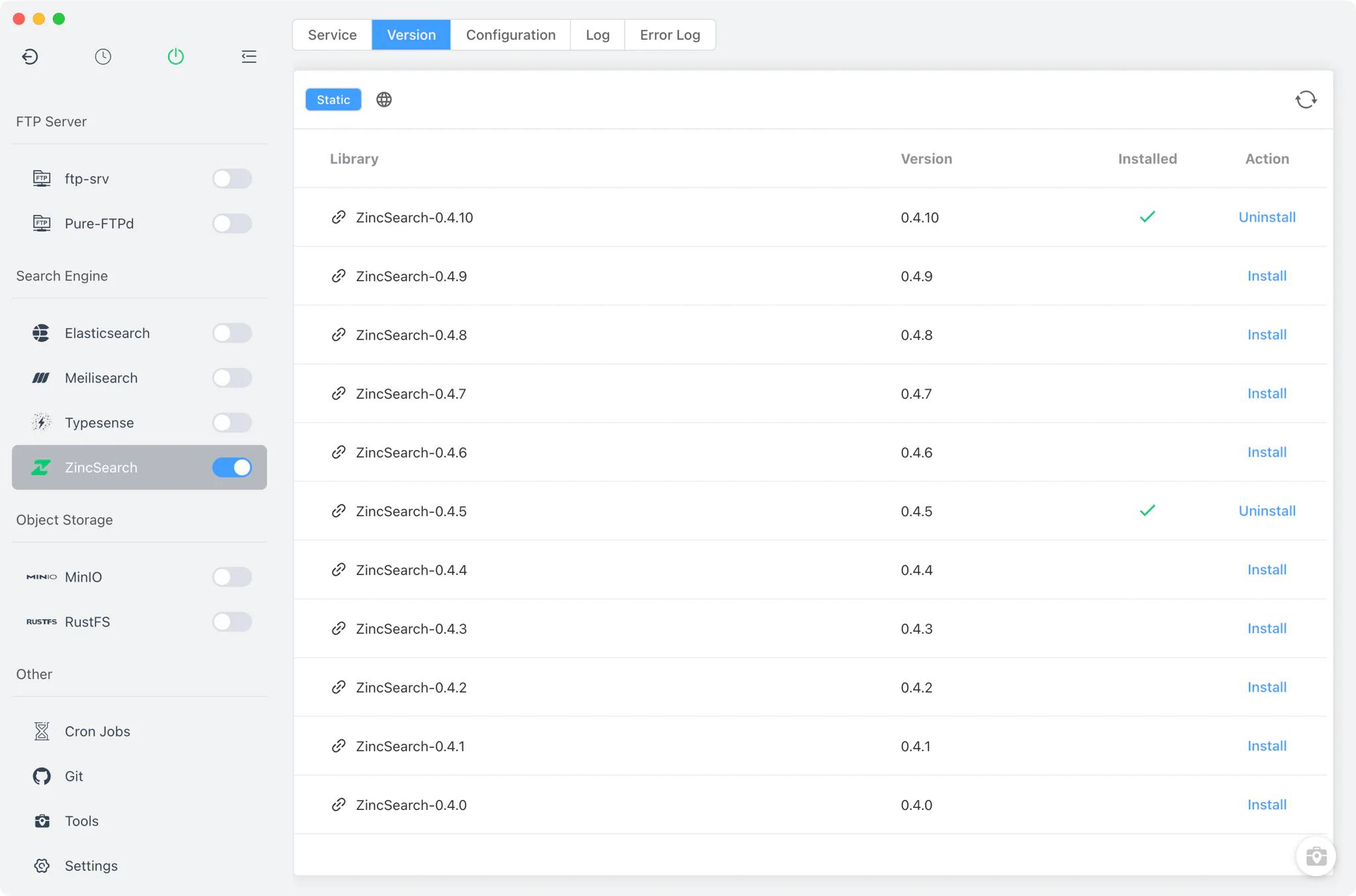
Install and keep multiple ZincSearch versions side by side from ZincSearch → Version Manager.
- Static source only: ZincSearch is installed from the static online list on every platform — macOS, Linux and Windows. The packages are the official GitHub release binaries, with the per-OS archive taken from the release download URL. Homebrew and MacPorts sources are not offered for this module.
- macOS quarantine fix: after installing a static build on macOS, FlyEnv removes the quarantine attribute so the binary can start without Gatekeeper blocking it.
- Custom versions: add any directory containing your own ZincSearch build; FlyEnv scans it and lists those binaries next to the managed versions.
- Per-version environment file: FlyEnv automatically creates a
.envfile next to each installed binary, so every version carries its own environment defaults.
Service and configuration
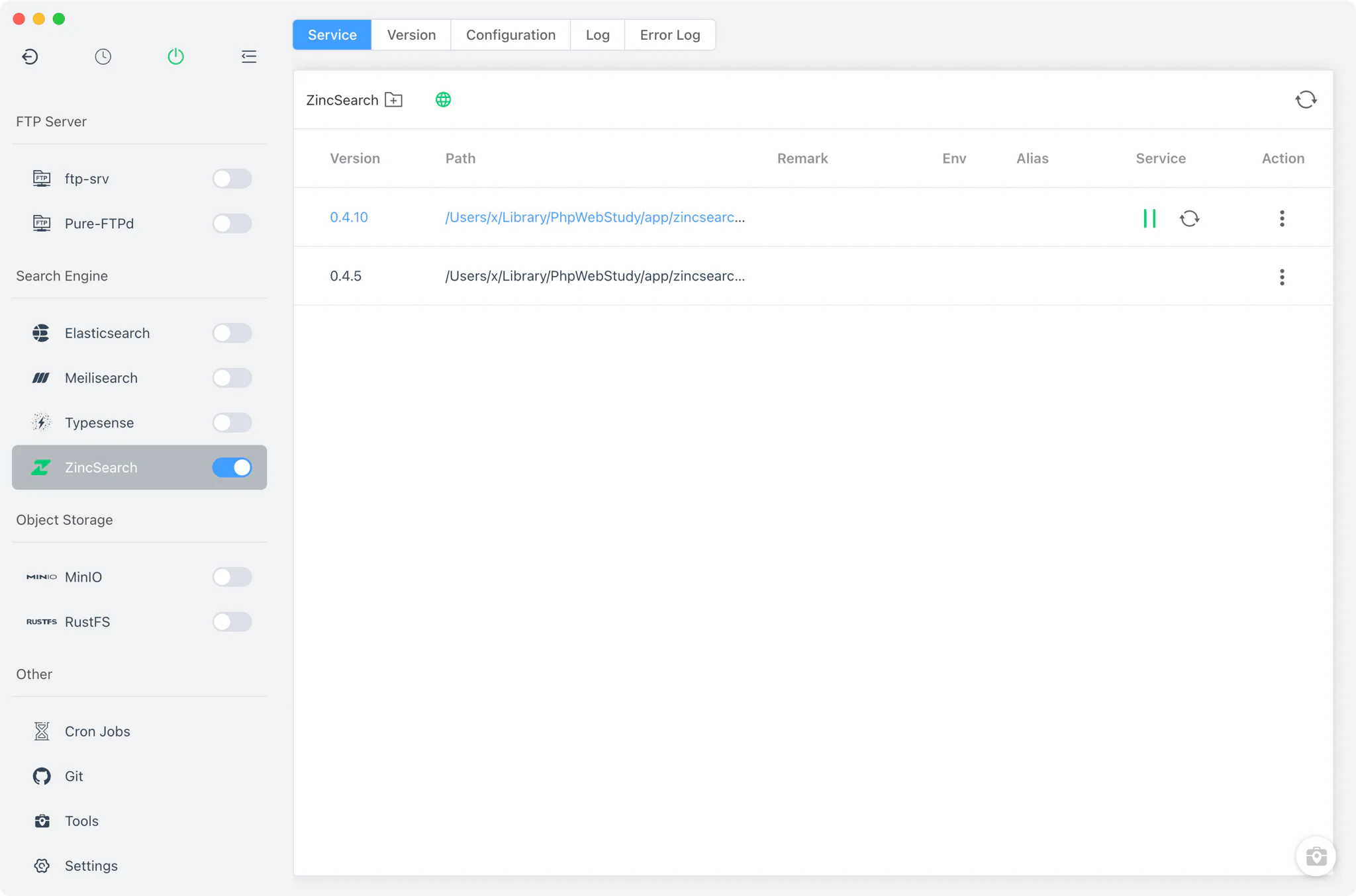
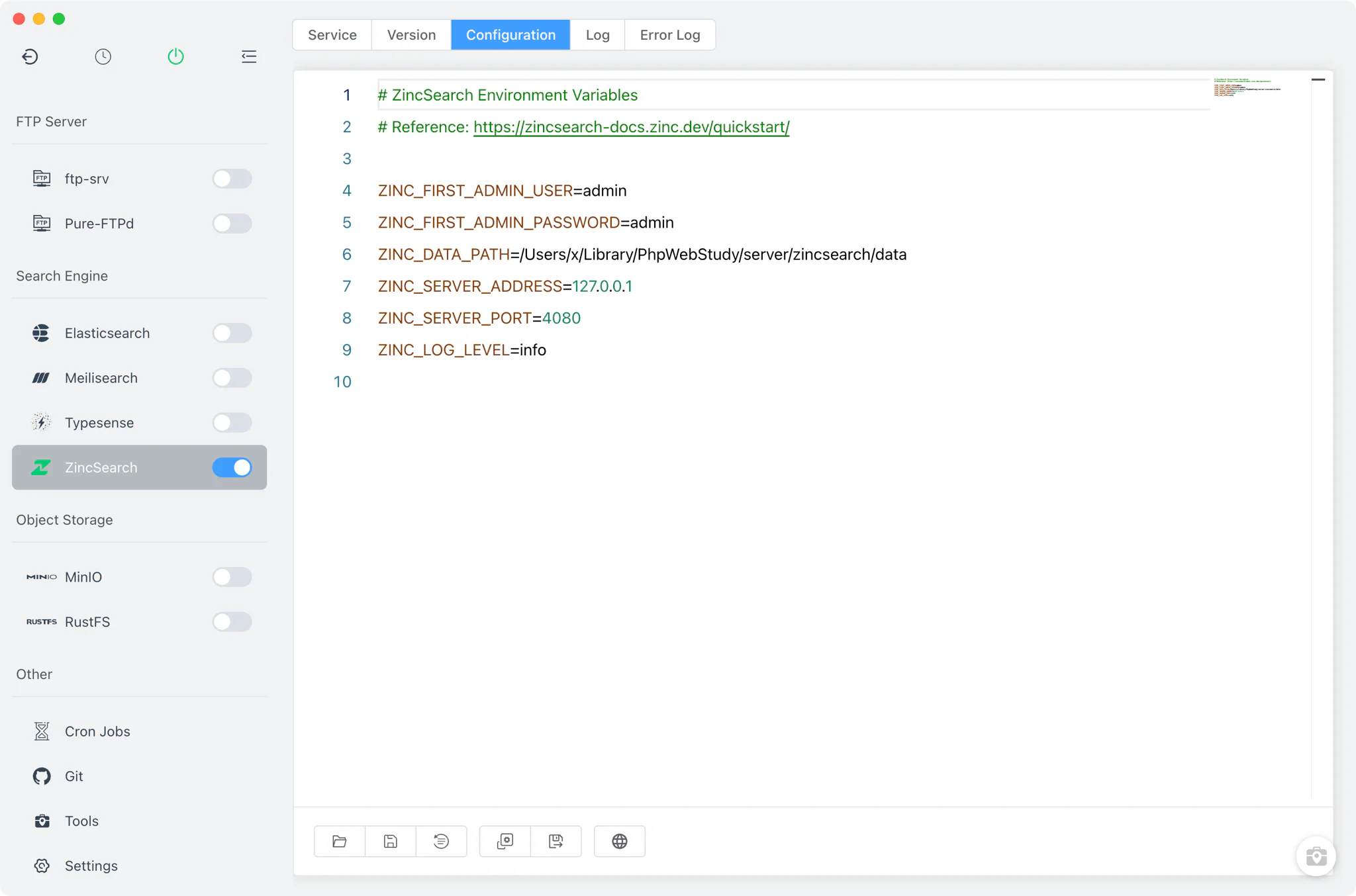
The Service tab starts the selected ZincSearch version as a plain binary process, with its environment variables parsed from <BaseDir>/zincsearch/zincsearch.env. On first run FlyEnv writes sensible defaults: ZINC_FIRST_ADMIN_USER=admin, ZINC_FIRST_ADMIN_PASSWORD=admin, ZINC_SERVER_ADDRESS=127.0.0.1, ZINC_SERVER_PORT=4080, and the data directory under <BaseDir>/zincsearch/data.
The Config File tab is a raw editor for zincsearch.env — change the bind address, port, admin credentials or data path by editing the environment entries directly, with a zincsearch.env.default copy available for reference. Note that this configuration is global: one zincsearch.env is shared across all installed ZincSearch versions.
Web UI
ZincSearch ships with its own web UI, and FlyEnv surfaces it directly: while the service is running, the Service tab shows a ZincSearch UI button that opens the console in your browser. The address is parsed from the env file, so it follows your configured host and port — by default http://127.0.0.1:4080/. Log in with the admin credentials from zincsearch.env to manage indexes, run searches and inspect documents.
Logs
ZincSearch has two separate log tabs — Log and Error Log. They open the per-version startup logs zincsearch-<version>-start-out.log and zincsearch-<version>-start-error.log inside FlyEnv, so standard output and startup errors are easy to tell apart when a version fails to come up.
Related guides, solutions and demos
Continue with a practical guide, solution, demo, or community perspective.
Compatibility Notes
FlyEnv manages the local ZincSearch binaries, their environment files and their data directories; it does not control which ZincSearch versions the upstream project publishes. Because ZincSearch is only available from the static source, the installable versions depend on what the official GitHub releases offer for your operating system. The default admin credentials (admin / admin) are intended for local development — change them in zincsearch.env before exposing the server beyond your machine. Treat the in-app version list and the Download page as the source of truth for what can be installed, and see the demos for examples of FlyEnv modules in action.