Numa DNS in FlyEnv
Numa is a third-party DNS server (by razvandimescu, numa.rs) that resolves queries locally, forwards them to upstream resolvers, and can block advertising and tracking domains — useful when you want a private, filterable DNS layer for your own machine or network. FlyEnv installs and runs it as a managed local service: from the Numa module you can install versions, start the server with one click, edit its TOML configuration, open its built-in web UI and read its logs — with ad-blocking lists and upstream forwarding available out of the box.
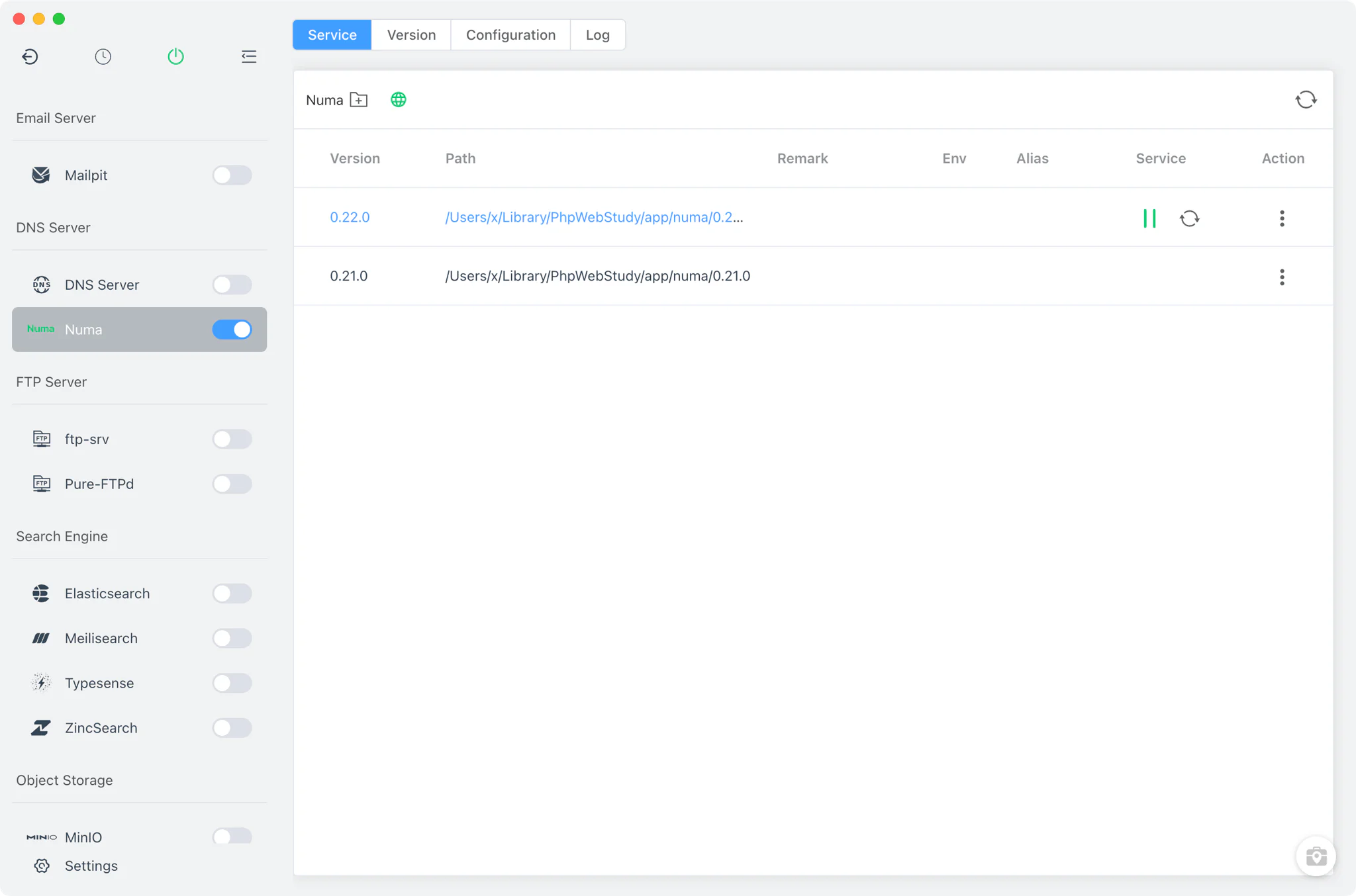
Version management
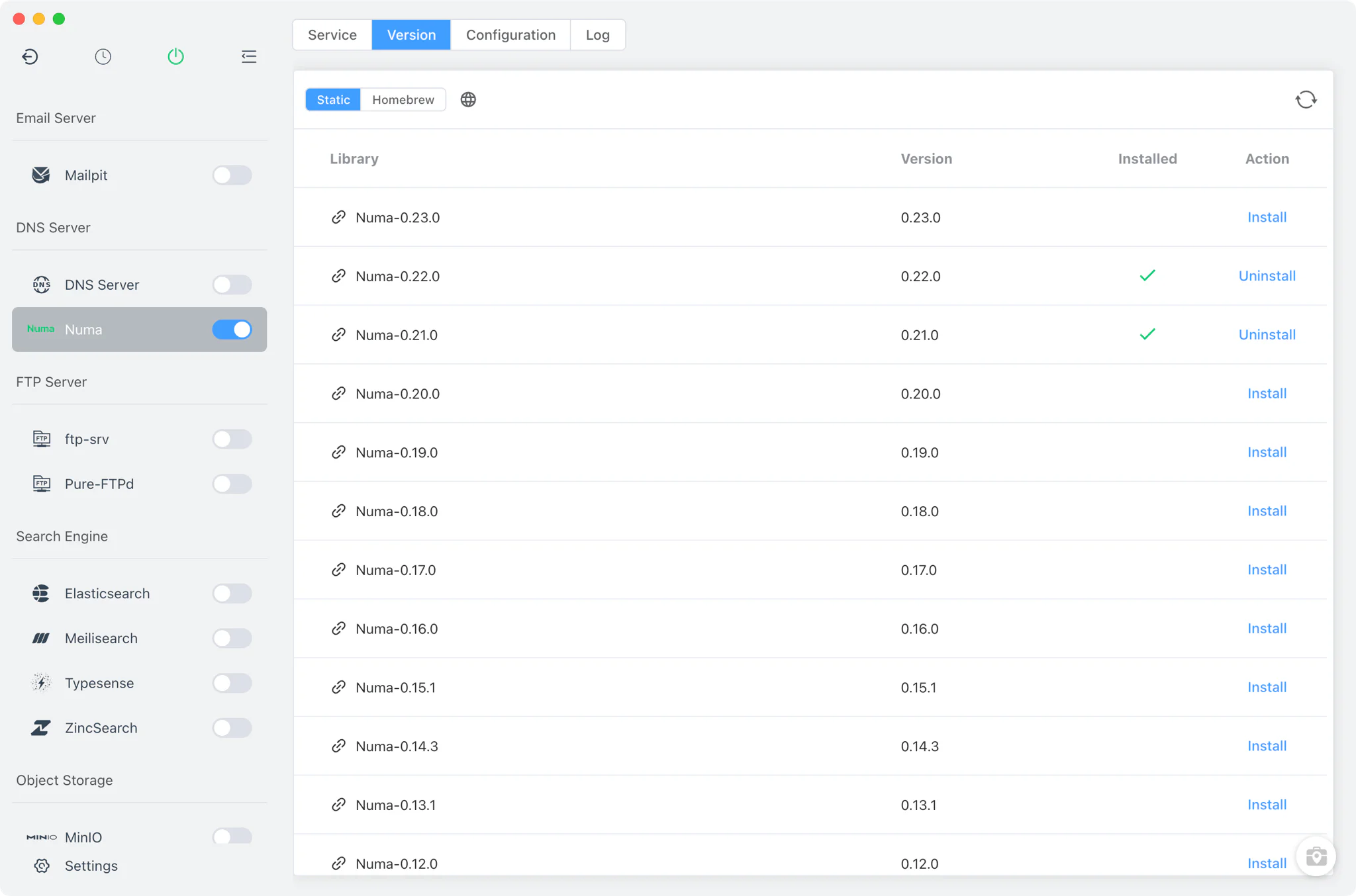
Install and switch Numa versions from Numa → Version Manager.
- Static online list: pre-built archives from the project's GitHub releases —
.tgzfor macOS and Linux,.zipfor Windows — installed into FlyEnv's app directory. - Homebrew: on macOS and Linux, FlyEnv installs Numa through the custom tap
razvandimescu/tap. - Custom directories: point FlyEnv at a folder containing your own Numa build and it will list that binary alongside the managed versions.
Service and configuration
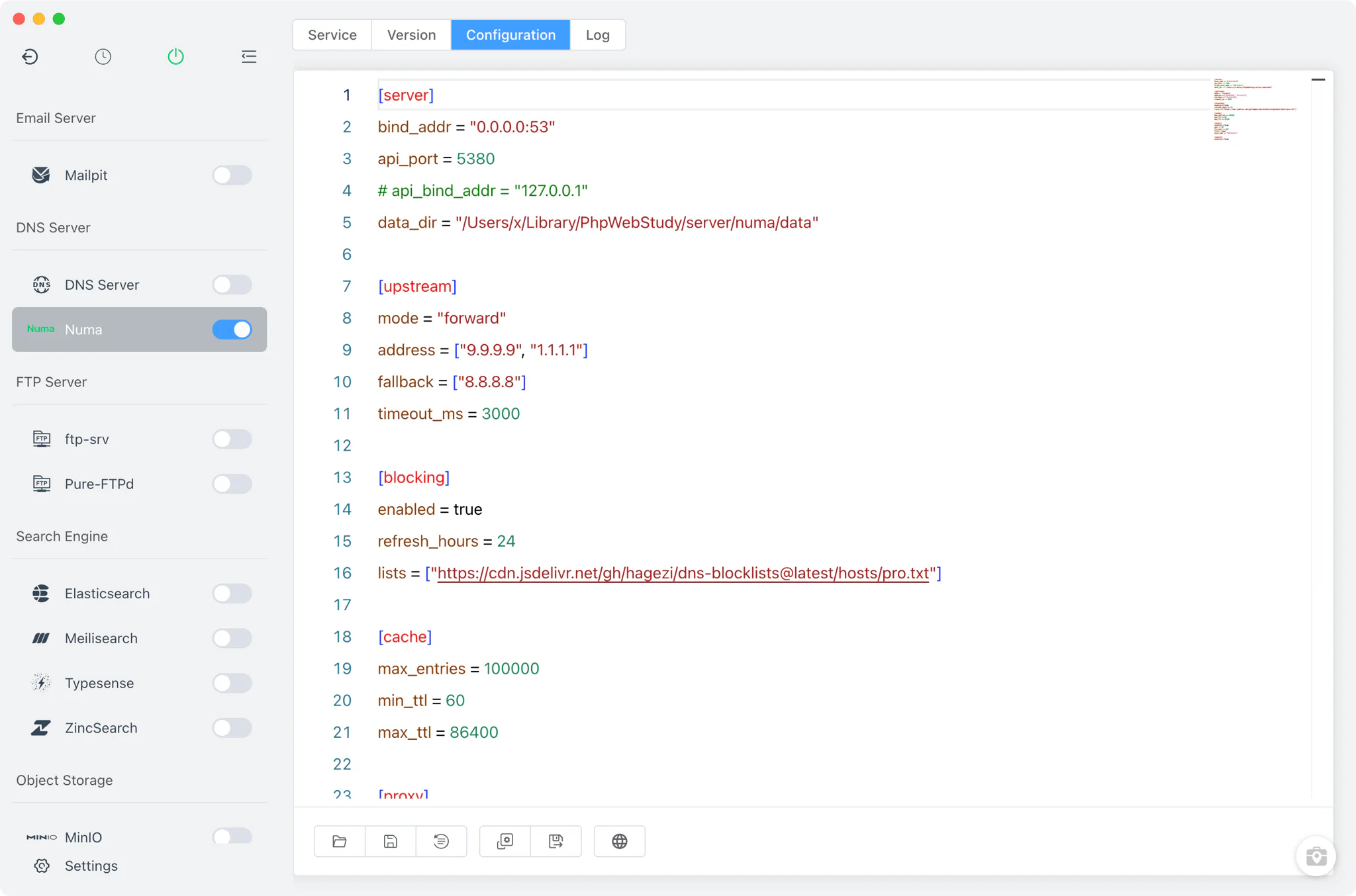
FlyEnv starts Numa as numa <numa.toml>, a single instance tracked through a fixed pid file, so one version runs at a time. On Linux the process is launched with elevated rights (binding the DNS port requires them), on macOS it runs as a regular spawn, and on Windows through CMD.
The Config File tab edits numa/numa.toml in a raw TOML editor — there is no visual form. A pristine numa.default.toml is kept alongside for reference or restore, and the default template is localized for English and Chinese. The shipped defaults include:
- DNS listener:
0.0.0.0:53— point your system or browser DNS at the machine to route all queries through Numa. - Web UI / API:
api_port = 5380. - Built-in HTTP proxy: ports 80/443 with the local TLD
numa— the same ports a web server such as Nginx would claim, so remap one side if you run both. - Ad-blocking lists: the template ships with the HaGeZi blocklist enabled.
- Upstream forwarding: forward mode via 9.9.9.9 and 1.1.1.1, with 8.8.8.8 as fallback, plus response caching and a
[mobile]section.
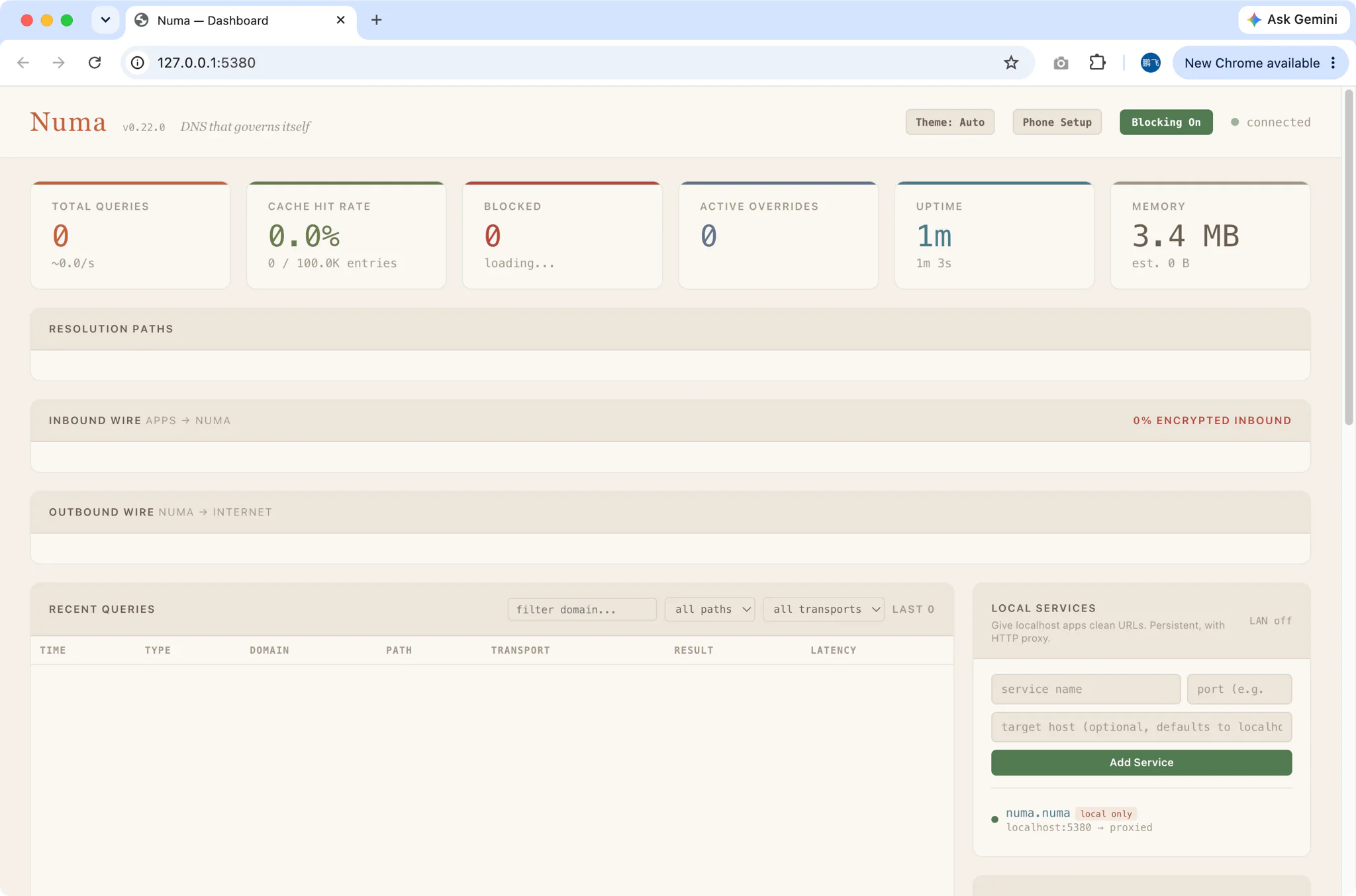
Web UI (5380)
Numa ships its own administration interface, served by the server itself. When the service is running, the Service tab shows an open in browser button that launches http://127.0.0.1:<api_port> — by default port 5380. FlyEnv reads the port live from numa.toml, so if you change api_port the button follows your configuration.
Logs
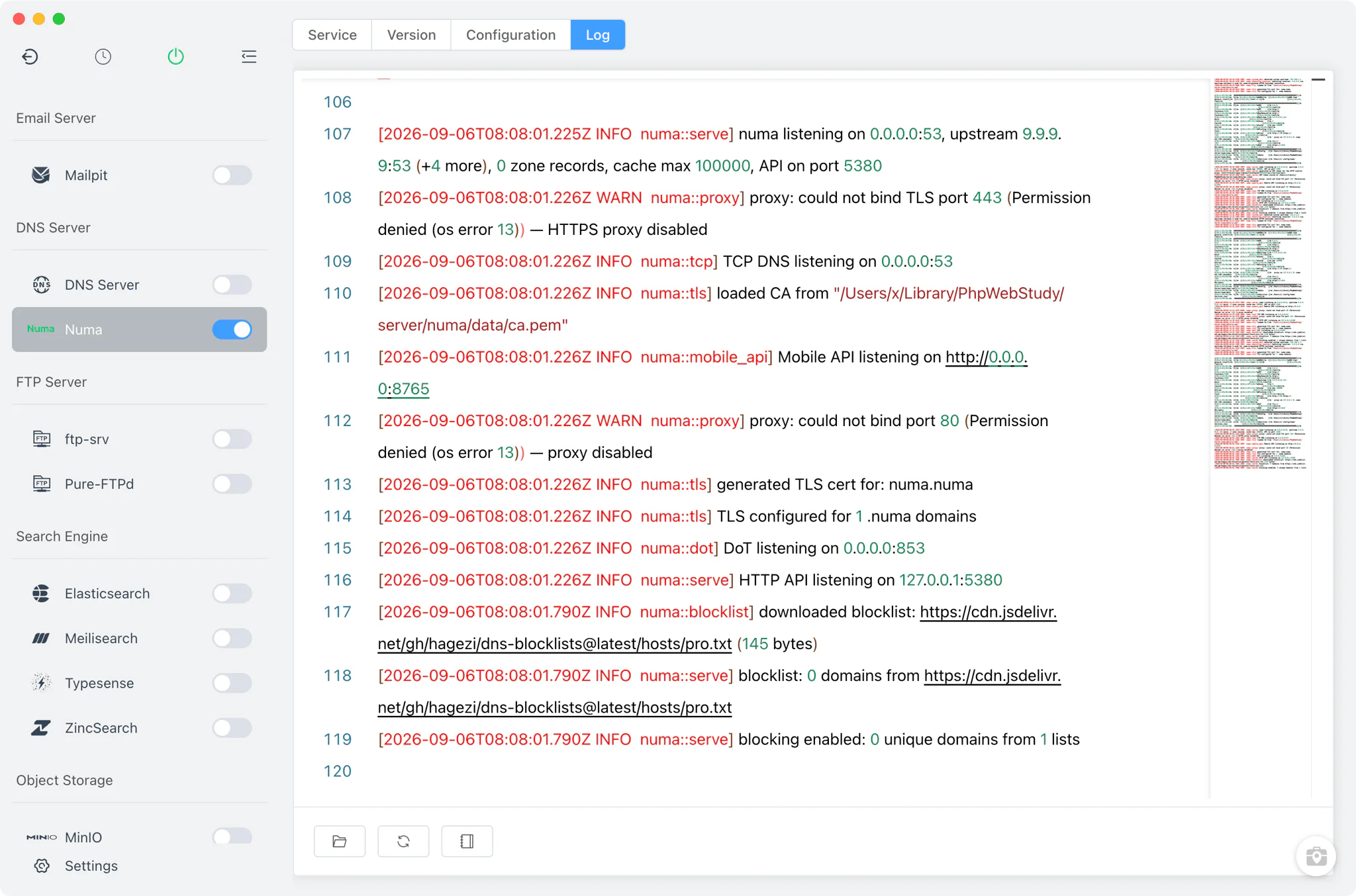
The Log tab shows the per-version start-error log numa/numa-<version>-start-error.log — the first place to look when a Numa version fails to launch. FlyEnv also indexes every numa-*.log file it finds in the Numa directory, so logs from earlier runs stay reachable.
Related guides, solutions and demos
Continue with a practical guide, solution, demo, or community perspective.
Compatibility Notes
Numa is available on macOS, Linux and Windows. On Linux the service needs elevated privileges to bind port 53. MacPorts is not offered as an install source for this module — use the static list or Homebrew instead. The configuration editor is raw TOML only, and the web UI is Numa's own interface, so its features and layout follow the upstream project rather than FlyEnv. FlyEnv also ships a built-in DNS server that resolves the local site domains you configure for projects without any extra install. To see which Numa versions your platform can install, check the Version Manager in the app after getting FlyEnv from the Download page; hands-on walkthroughs are collected on the Demos page.