Local Email Testing with FlyEnv
Mailpit is an open source SMTP testing tool for developers: it acts as a fake mail server that captures the mail your application sends and displays it in a web inbox, so test messages never reach real recipients. FlyEnv runs it as a managed local service: install a version from the Version Manager, start the binary with one switch, and every message your application sends over SMTP lands in Mailpit's web inbox instead of reaching real recipients. The SMTP listener defaults to port 1025, the web UI to port 8025, and both the configuration and the log are editable and viewable directly inside the app.
Version management
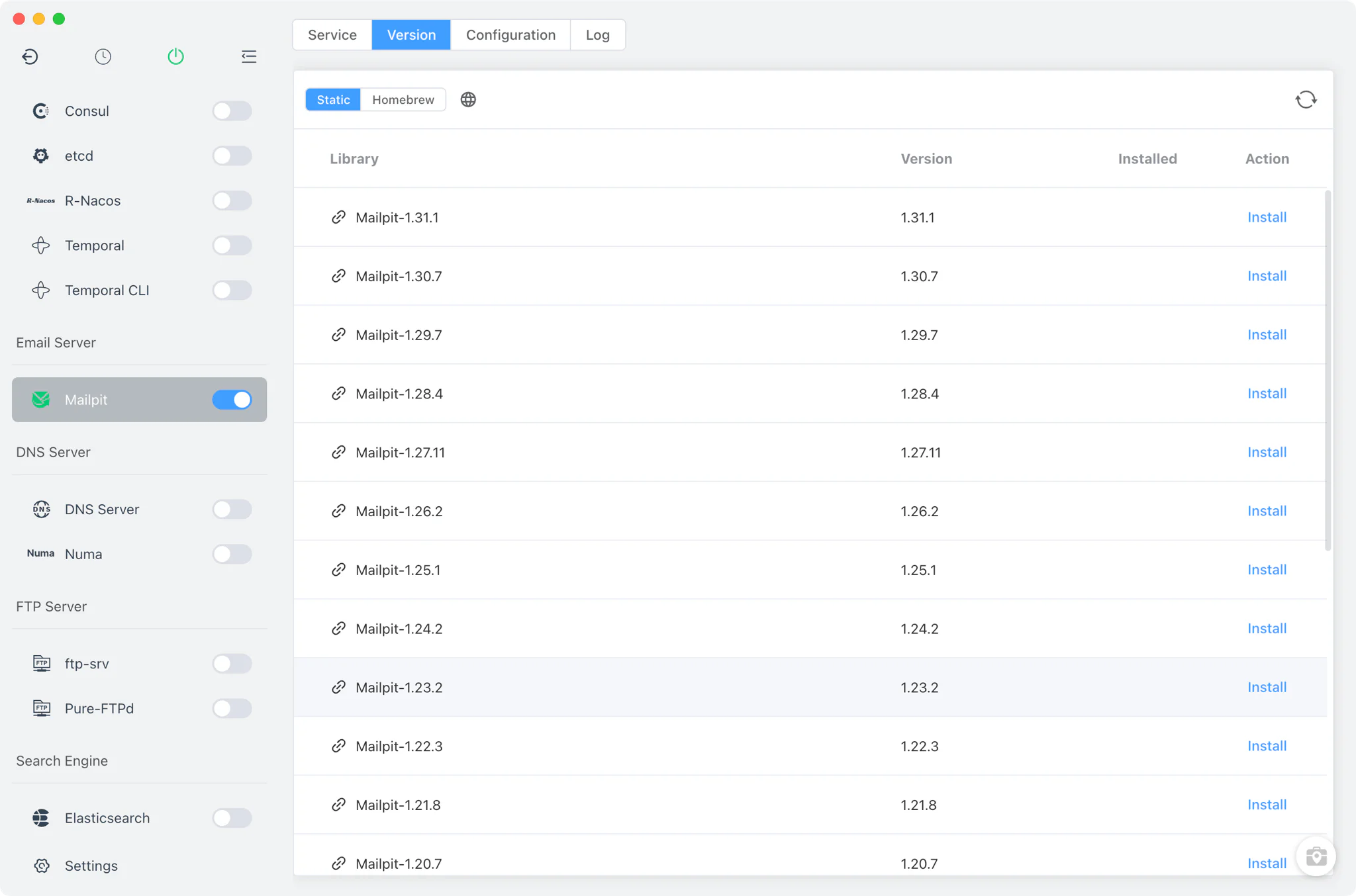
Install and keep Mailpit versions side by side from Mailpit → Version Manager.
- Install sources per platform: Static builds and Homebrew (
mailpit) on macOS and Linux, and a static online list of the officialaxllent/mailpitrelease archives on Windows. - Custom versions: add any directory containing your own Mailpit installation; FlyEnv scans it and lists those builds next to the managed versions.
- Install handling: on macOS, FlyEnv clears the quarantine attribute on install so the binary can run, and each version is identified by probing it with
mailpit version.
Service and configuration
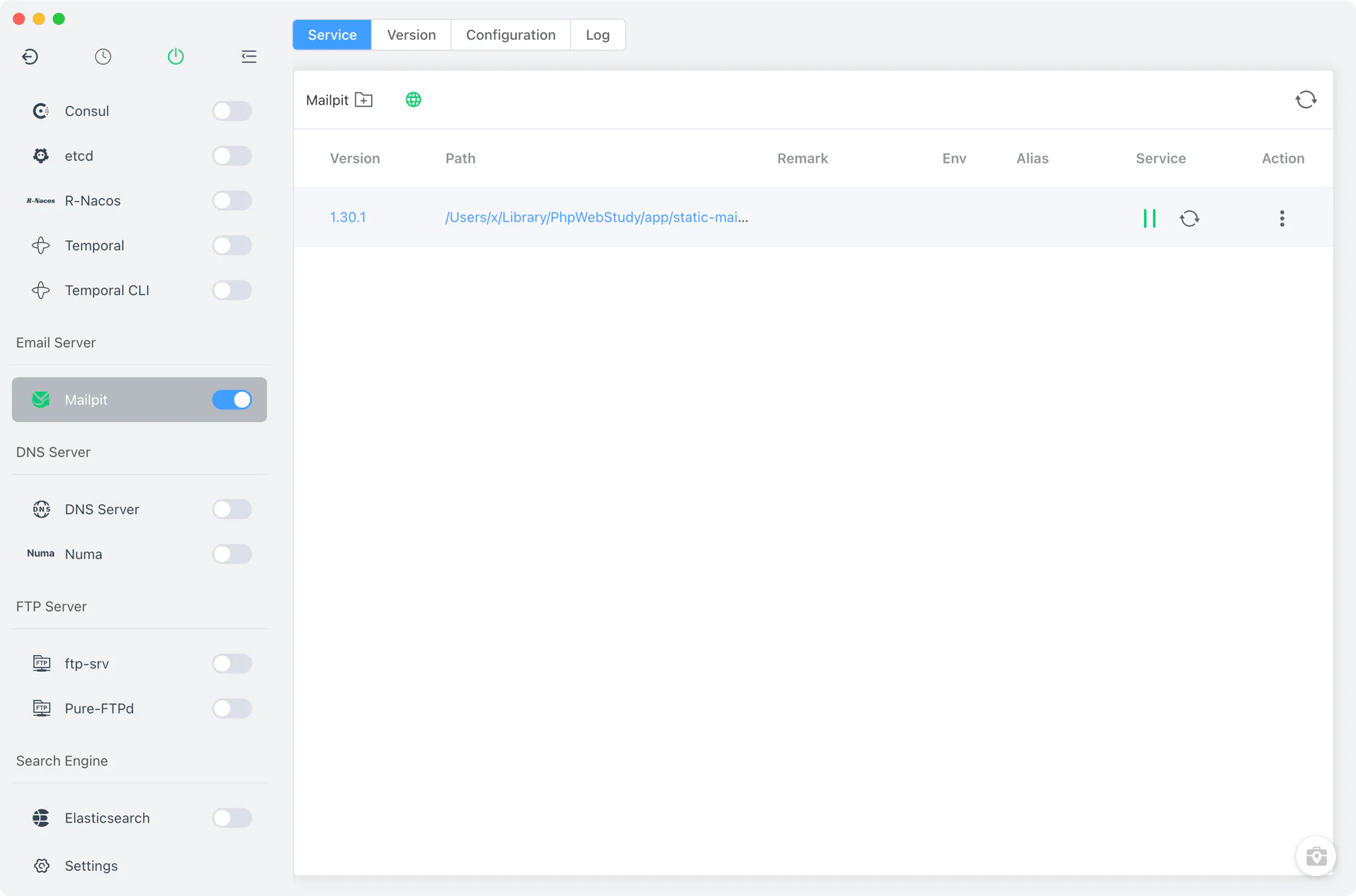
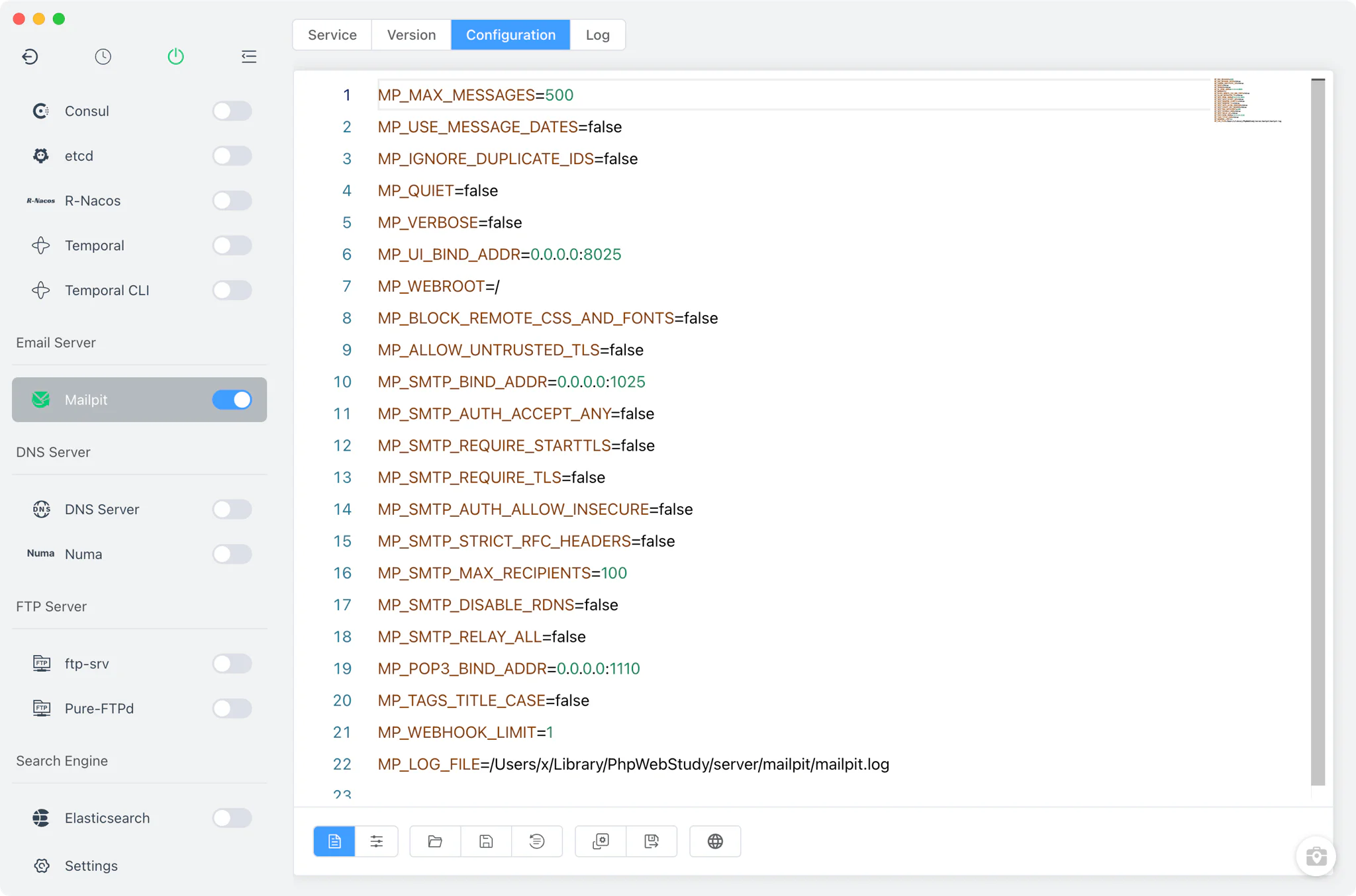
The Service tab starts and stops the selected Mailpit version. FlyEnv launches the bare mailpit binary and passes every MP_* line from mailpit.conf to it as environment variables, so the file you edit is exactly what the process receives. The default template listens on 0.0.0.0:1025 for SMTP, 0.0.0.0:8025 for the web UI and 0.0.0.0:1110 for POP3, and keeps at most 500 messages (MP_MAX_MESSAGES).
Configuration lives in the Config File tab, which offers two views of the same mailpit.conf:
- Visual form: toggle and adjust roughly 45
MP_*settings without editing the file by hand — database and storage limits, web UI bind/TLS/authentication, SpamAssassin, SMTP bind/TLS/authentication/relay, POP3 and message tags. - Raw editor: switch to the full source view for anything the form does not cover, with
mailpit.conf.defaultkept alongside as the reference template.
The configuration is shared across all installed Mailpit versions, so switching versions keeps your ports and limits unchanged.
Web UI
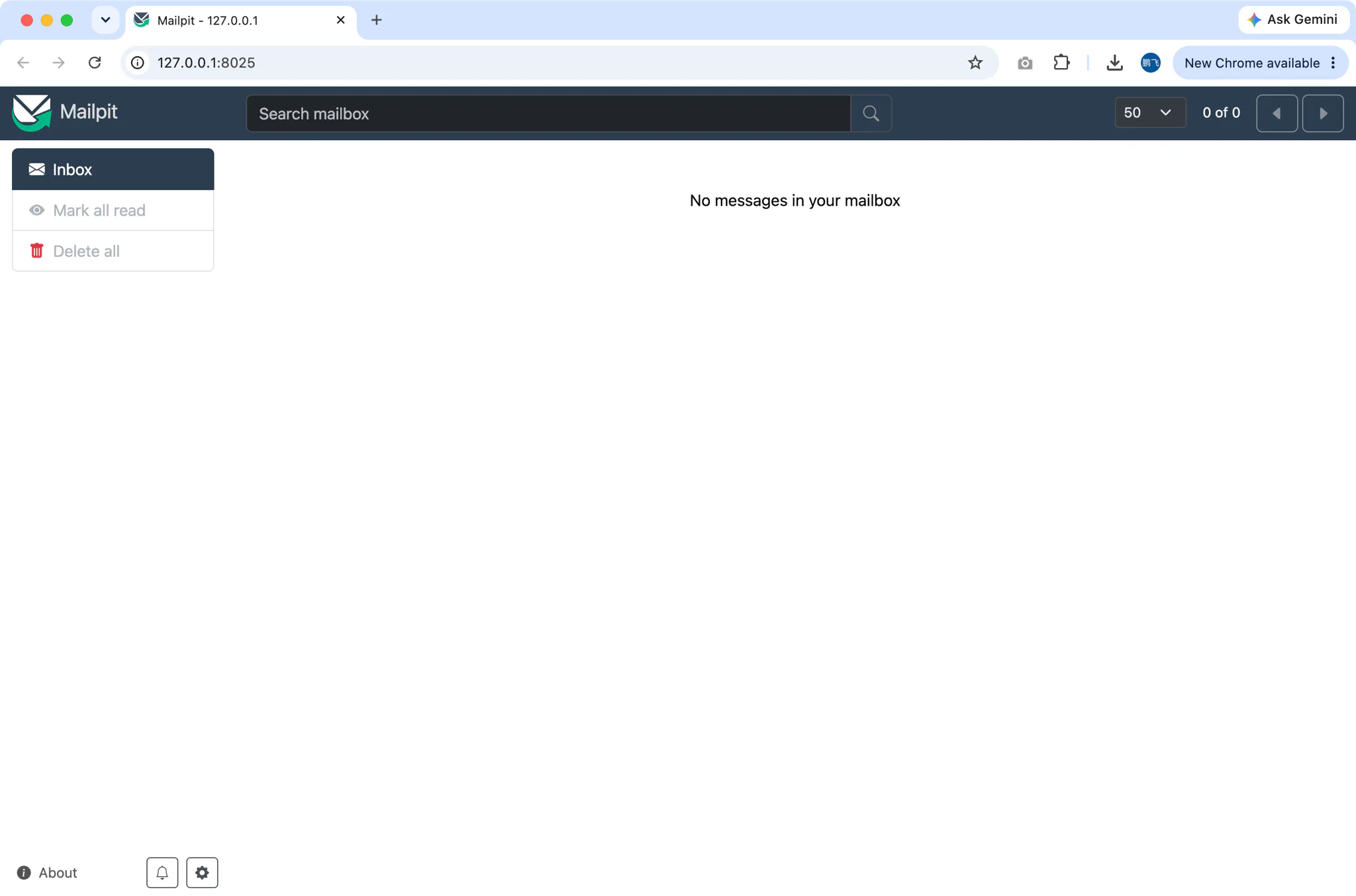
While the service is running, the Service tab shows an open-in-browser button that takes you straight to the Mailpit web UI. FlyEnv parses the port from MP_UI_BIND_ADDR in your configuration and opens http://127.0.0.1:<port>/ — 8025 by default. There you can inspect every captured message, its headers, HTML and plain-text rendering, and attachments.
To capture mail, point your application's SMTP settings at 127.0.0.1:1025. The local email testing guide walks through the full setup, and the Laravel solution shows how a typical framework project wires its mailer to Mailpit; WordPress sites can route their notification mail through an SMTP plugin the same way.
Logs
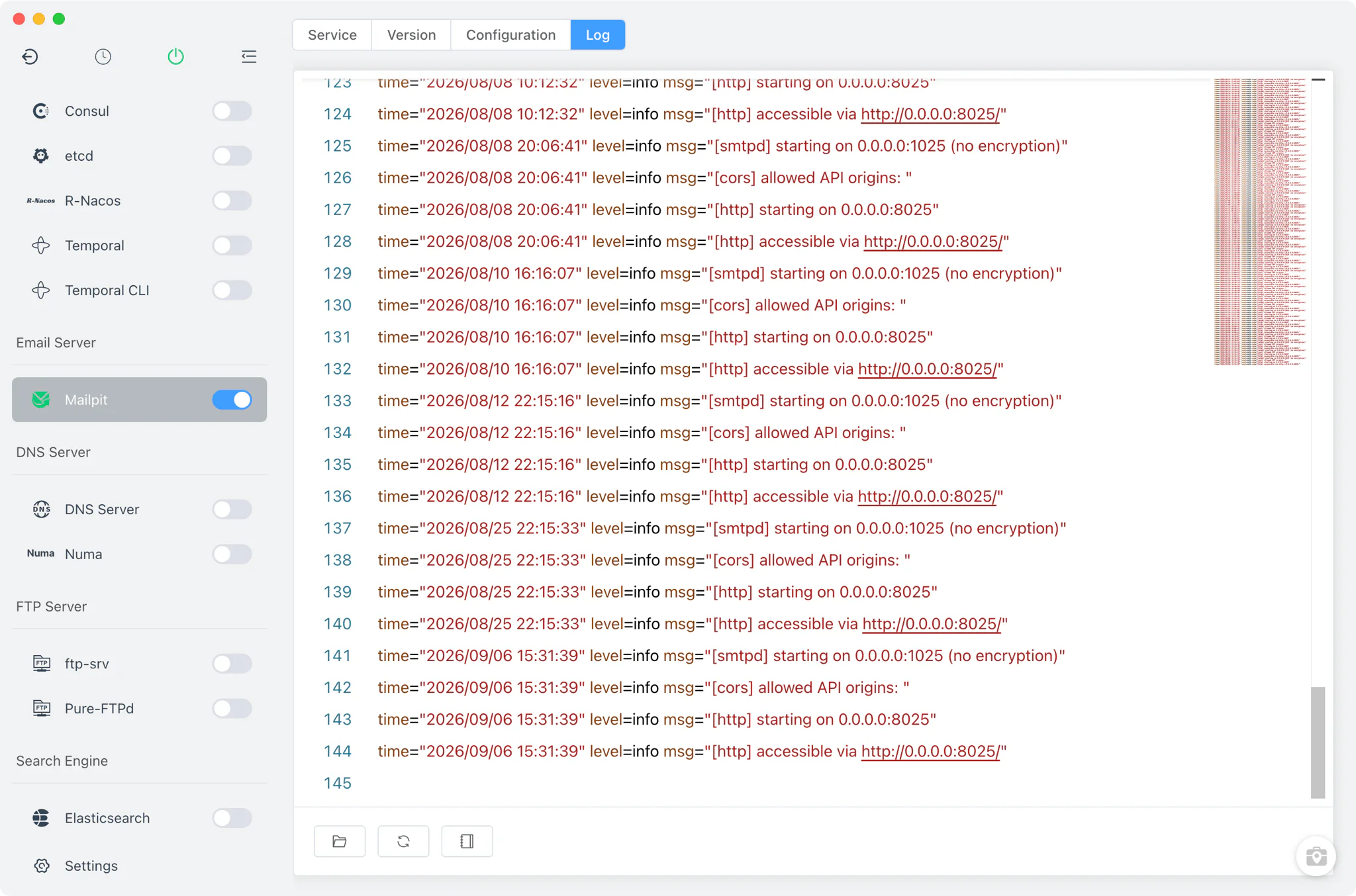
The Log tab opens the Mailpit log directly inside FlyEnv. The path is resolved from the MP_LOG_FILE setting in your configuration — by default mailpit.log under FlyEnv's Mailpit directory — so the viewer always follows the file the running service actually writes to. It is the first stop when the service fails to start or messages do not arrive as expected.
Related guides, solutions and demos
Continue with a practical guide, solution, demo, or community perspective.
Compatibility Notes
FlyEnv manages the local Mailpit runtime, its mailpit.conf configuration and its log file; it does not wire Mailpit into your projects or PHP settings automatically — point each application's SMTP host and port at 127.0.0.1:1025 yourself. The versions offered in Version Manager depend on your platform (Static and Homebrew on macOS and Linux, static release archives on Windows) and on what those sources publish. Mailpit uses one global configuration shared by all installed versions rather than per-version config files. Treat the in-app version list and the Download page as the source of truth for what can be installed on your machine.