Plugin Market in FlyEnv
The Plugin Market adds optional modules to your FlyEnv workspace. Install the tools your projects need, and manage them alongside your existing runtimes and services. Plugins can bring their own service controls, version management, configuration editors and specialized views into the app.
Open Settings → Plugin Market to browse official plugins, manage installed ones or add a third-party source.
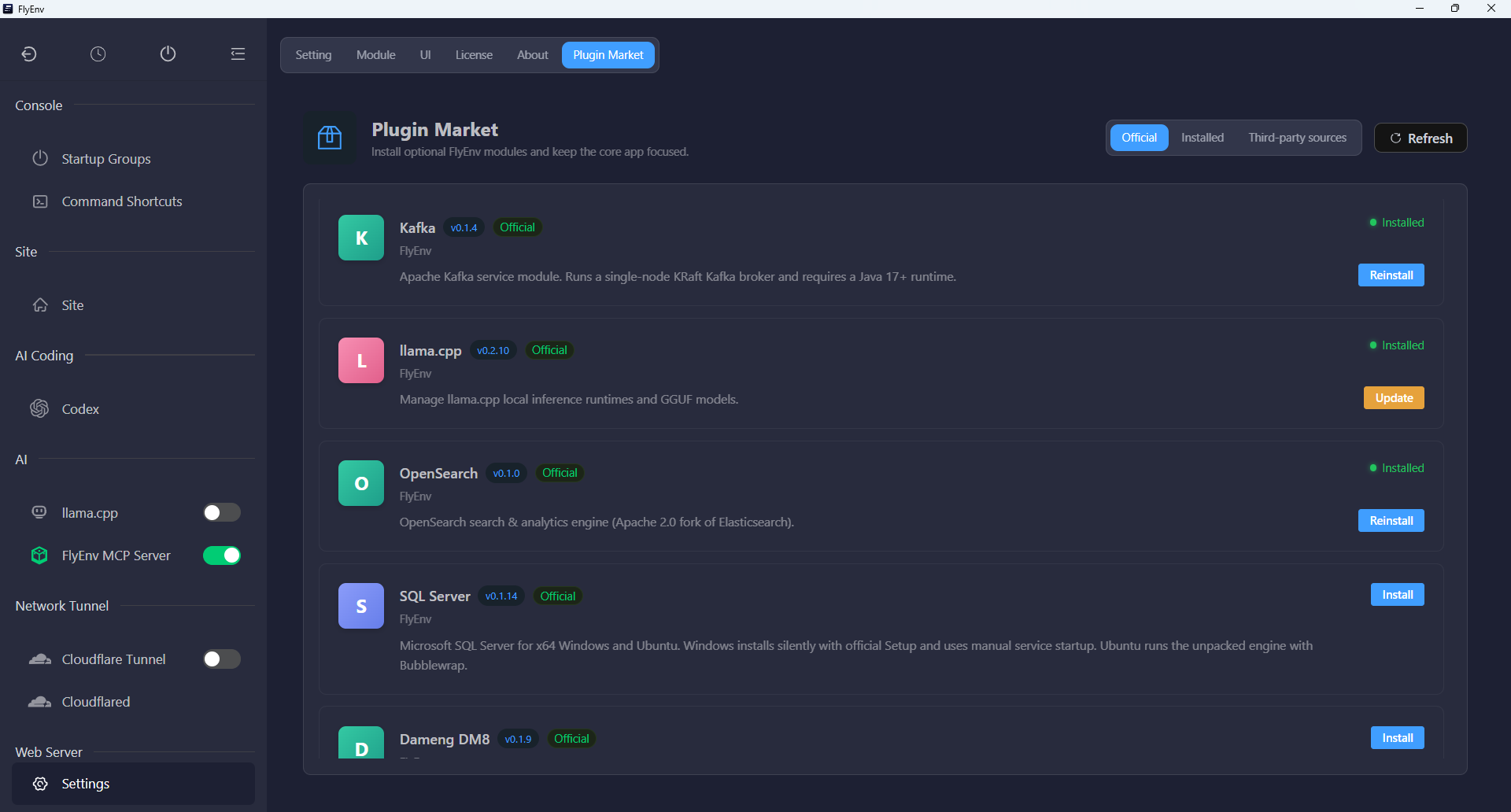
Available plugins
Explore optional modules for local services, AI inference and everyday terminal tasks:
- MySQL Cluster: run independent MySQL instances on separate ports, create GTID source/replica groups or set up single-primary Group Replication.
- MariaDB Cluster: run independent MariaDB instances and create GTID source/replica groups with per-instance configuration, logs and data management.
- Kafka: run a local KRaft broker, bind a Java runtime and create or delete topics inside FlyEnv.
- llama.cpp: manage inference runtimes, download GGUF models and serve a model through an OpenAI-compatible local API.
- OpenSearch: manage a search service, edit its configuration and open matching OpenSearch Dashboards for local development.
- SQL Server: install and control Microsoft SQL Server on x64 Windows and supported Ubuntu releases, with platform-specific setup and log views.
- Dameng DM8: install DM8, initialize a database and manage its service, configuration and logs on x64 Windows or Ubuntu 22.04.
- Command Shortcuts: organize saved commands into folder cards, reorder them and run a command in your system terminal at that folder's path.
Each plugin page explains the controls it adds and the platform requirements of its underlying software.
Database cluster plugins
MySQL Cluster and MariaDB Cluster add dedicated instance views alongside FlyEnv's built-in database modules. Reuse installed database versions to create new local instances with separate ports and data directories, then control individual members or a whole group from the plugin. MySQL Cluster also offers Group Replication; MariaDB Cluster offers standalone instances and source/replica replication.
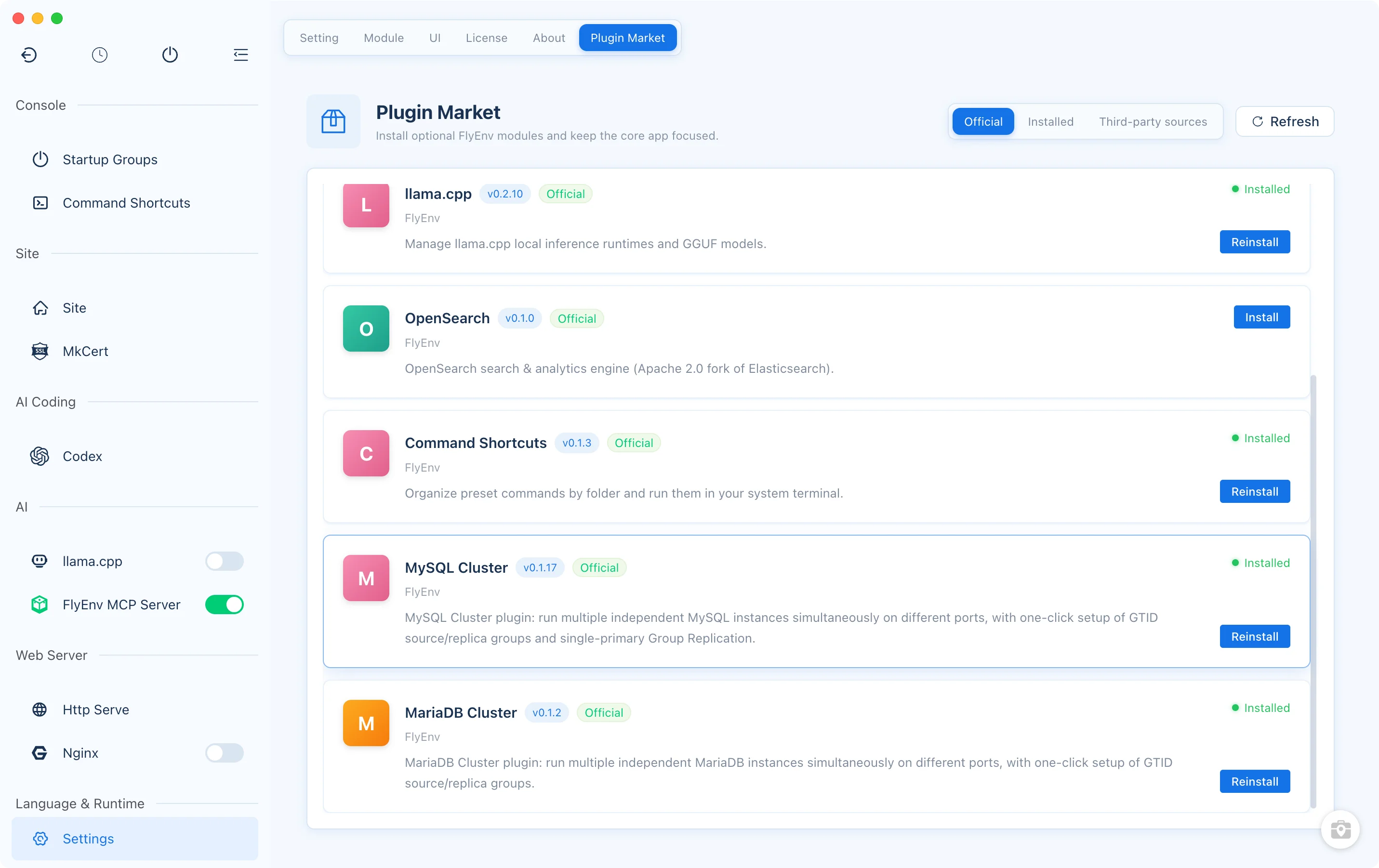
Install the module, then its runtime
In the Official tab, refresh the catalog and choose Install on a plugin card. The catalog shows the plugin's description, author and version. Installing and updating plugins requires an active FlyEnv license.
After installation, the enabled plugin adds its module to the sidebar. For a service plugin, open that module to install the software it manages, such as a Kafka distribution, a llama.cpp runtime or a database engine. The plugin package and the software runtime have separate versions; updating a plugin updates its FlyEnv integration. Command Shortcuts uses your existing system terminal and has no separate service runtime to install.
Plugin changes are applied to the interface and backend without a routine app restart. If a change needs a restart to finish, FlyEnv offers a restart prompt.
Update and manage installed plugins
Catalog cards show Update when a newer plugin version is available and Reinstall for an already installed version. Use the Installed tab to see installed plugin versions and their enabled state.
- Enable: make the plugin's module available in the workspace.
- Disable: stop the plugin's managed services and remove its active module from the interface while keeping the plugin installed.
- Uninstall: confirm removal to stop its managed services and remove the installed plugin files.
These controls manage the FlyEnv integration. Runtime and model management remain inside the individual module pages.
Third-party sources
The Third-party sources tab accepts the URL of a plugin registry JSON file. Add a source to discover its plugins, browse their descriptions and install the modules you choose. Configured sources can also be removed from this tab.
Third-party plugins can access local files, processes and the network, so FlyEnv shows a warning and asks for confirmation before installing from a source you have not acknowledged. Choose sources you trust.
Plugins and custom modules
Use a plugin when you want a packaged integration with a dedicated interface and module-specific operations. Use User Modules when you want to describe your own command or script, attach configuration and log files, and manage its lifecycle without writing a plugin.
Both extend the workspace; the Plugin Market is the place to discover and maintain packaged integrations. Return to the features overview to explore the current plugin selection.