Gradle Version Management with FlyEnv
Gradle is a build automation tool used primarily for Java, Kotlin and Android projects, handling compilation, dependency management, testing and packaging — it is the standard build tool behind frameworks like Spring Boot. FlyEnv keeps multiple Gradle versions on one machine and switches the one your terminal uses. The Gradle module focuses on two things: installing versions from several sources, and controlling which gradle binary your shell resolves to. It runs no background service — there is nothing to start or stop.
Gradle version management
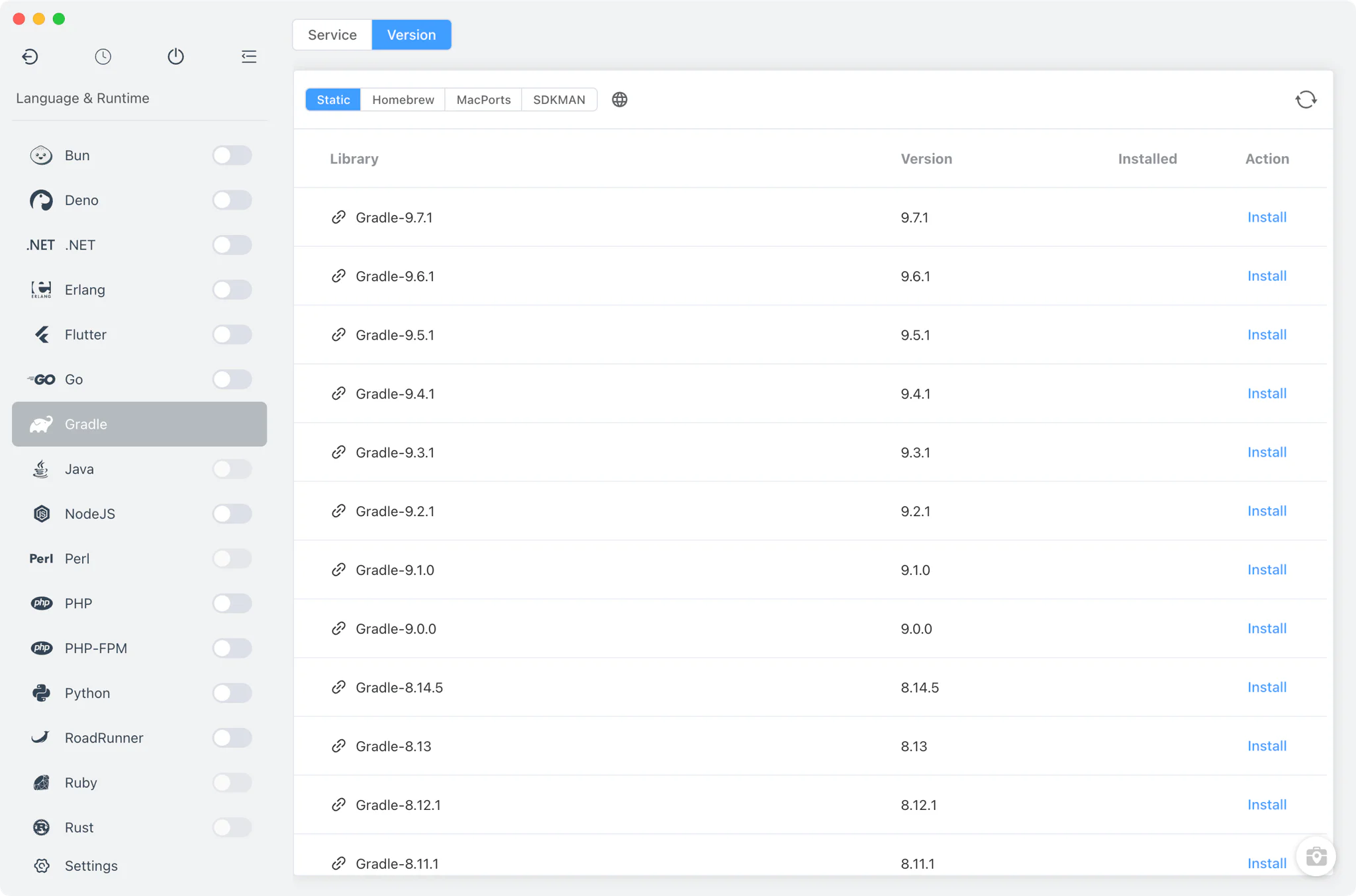
Open Gradle → Version Manager to install and manage Gradle distributions side by side.
- Multiple install sources: Static builds on macOS, Linux and Windows, Homebrew and MacPorts on macOS, and SDKMAN on macOS and Linux — pick whichever source already manages the tools on your machine.
- SDKMAN discovery: FlyEnv automatically scans
~/.sdkman/candidates/gradle, so versions you installed with SDKMAN appear in the list next to FlyEnv-managed ones. - Custom versions: point FlyEnv at any directory that contains your own Gradle distribution; it detects the
bin/gradlebinary (gradle.baton Windows) and lists it alongside the managed versions. - Clean installs: static builds are unpacked into FlyEnv's own app directory as
gradle/<version>/, verified withgradle --version, and macOS quarantine attributes are removed automatically after unpacking.
Command-line version switching
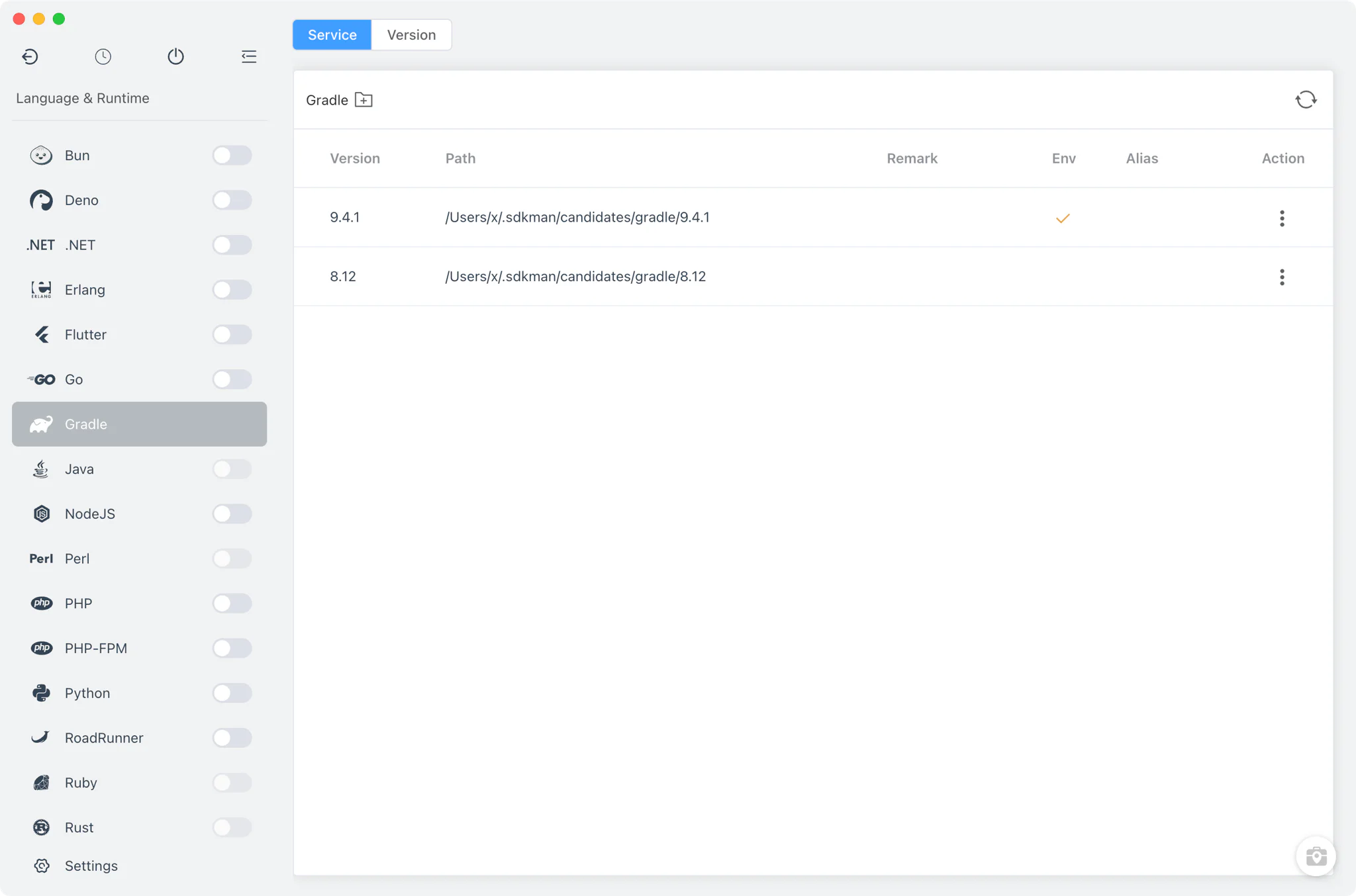
The Service tab is an installed-versions table — despite the name, Gradle is not a running service, so this tab manages versions and PATH instead of processes.
- Terminal default version: set which installed version your terminal
gradlecommand resolves to. FlyEnv adds or removes the version'sbindirectory in yourPATHand marks whether the current entry was set by FlyEnv or by another tool. - Per-version alias: give each installation a short alias so similar builds stay distinguishable in the list.
- Per-version remark: attach a free-form note to any version to record what it is for.
- Easy removal: delete versions you no longer need directly from the table.
Gradle needs a Java runtime on PATH; the Java environment setup guide covers installing a JDK with FlyEnv. Get the app itself from the Download page.
Related guides, solutions and demos
Continue with a practical guide, solution, demo, or community perspective.
Compatibility Notes
The Gradle page covers version and PATH management only — it has no project binding of its own. Per-project runtime binding is provided by the language modules; see the project-level runtime environment guide. Available install sources differ by operating system, so treat the Version Manager in your installed FlyEnv build as the definitive list.