Startup Groups in FlyEnv
A real project rarely needs just one service — a Laravel app, for example, needs the database, the cache and the app runtime all up at once. Startup Groups let you bundle those pieces into a named group and bring the whole set up or down with a single action, in the order you choose. One group can be marked as the default group, which the sidebar switch, the tray menu and app auto-start all drive. If you are new to FlyEnv, the getting started guide covers installing and starting individual modules first.
Creating Groups
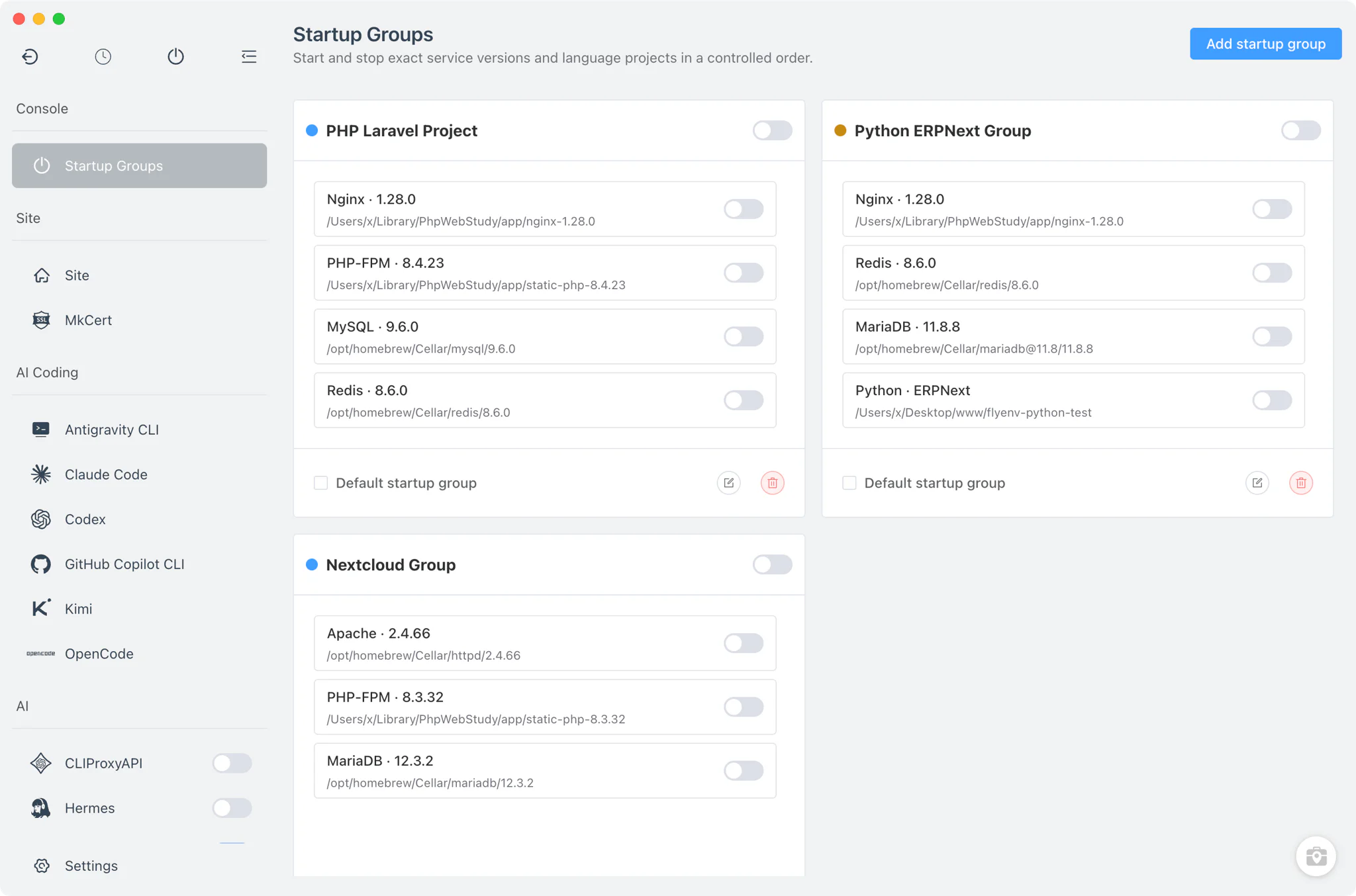
Open Startup Groups from the sidebar and add a group; each group appears as a card with its own start/stop toggle, per-member switches, and edit, delete and set-as-default actions.
A group member is one of exactly two things:
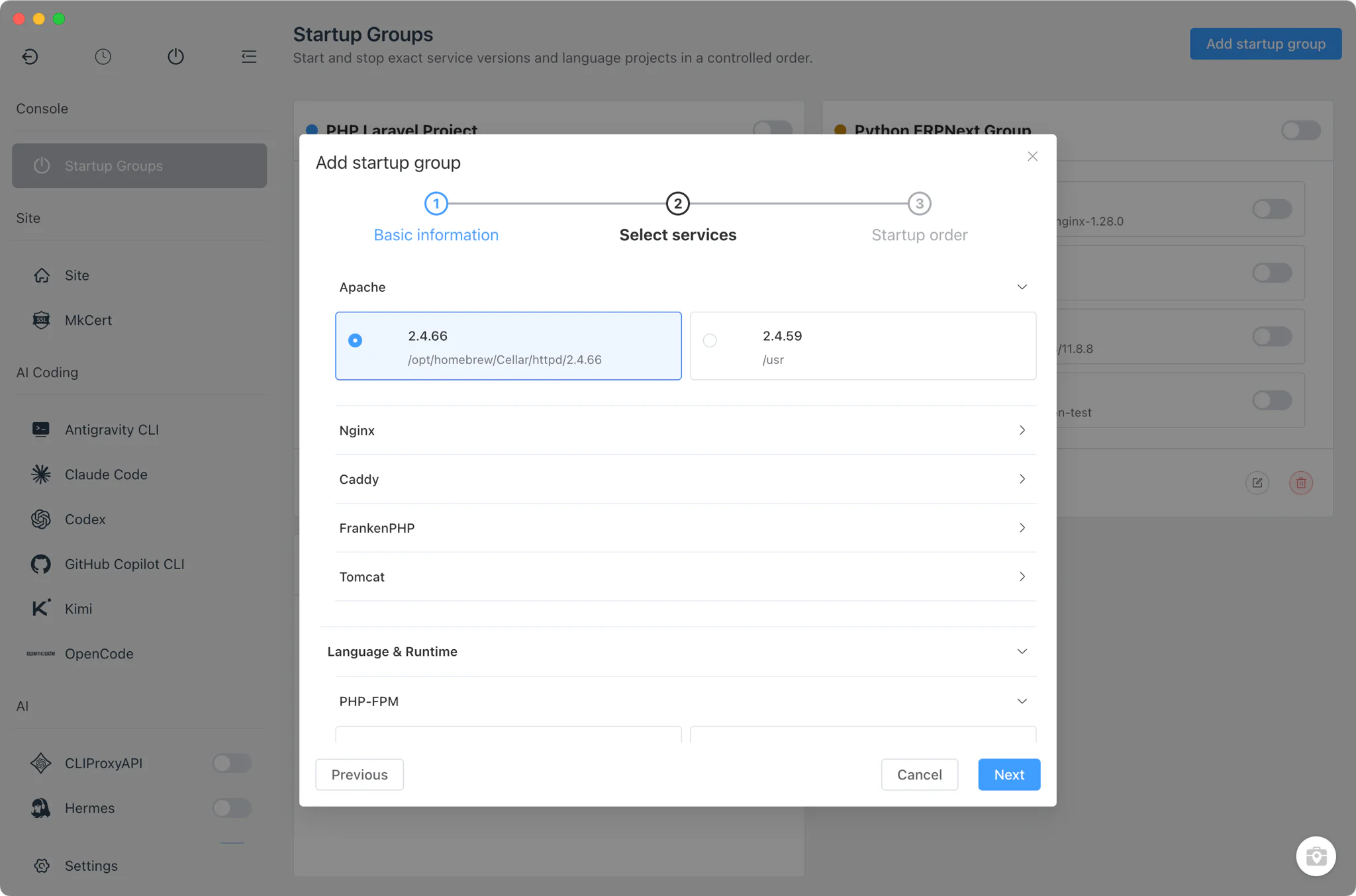
- A service version: an installed version of a service module — databases, web servers, queues and the like. PHP-FPM counts too: it maps to your installed PHP versions, so a specific PHP-FPM version can sit in the group next to Nginx and MySQL.
- A project runtime: a language-module project that has "run as service" enabled — your Node.js, Python, Go or similar app with its own run command and port, managed through per-project runtimes.
The group editor watches for conflicts as you pick members and warns you when two entries come from the same module or would claim the same port, so a broken combination is caught before you ever press start.
Ordered Start and Stop
Members run in the order they are listed in the group, so infrastructure comes up before the apps that depend on it.
- Start runs top to bottom: each member is started in listed order, and members that are already running are skipped rather than restarted.
- A failure stops the chain: if a member fails to start, the remaining members are marked as not run instead of being launched into a half-prepared environment.
- Stop runs in reverse and always finishes: shutdown walks the list backwards, and it keeps going even if one member fails to stop.
Default Group, Auto-Start and Tray
Exactly one group can be the default group, and it becomes the target of FlyEnv's global controls.
- Sidebar switch: the group start/stop button in the main sidebar drives the default group. If no default group is set, that button falls back to the classic behavior of starting or stopping all services at once.
- Auto-start on launch: when "auto-start services" is enabled in Setup, launching FlyEnv automatically starts the default group — your working stack is up by the time you sit down.
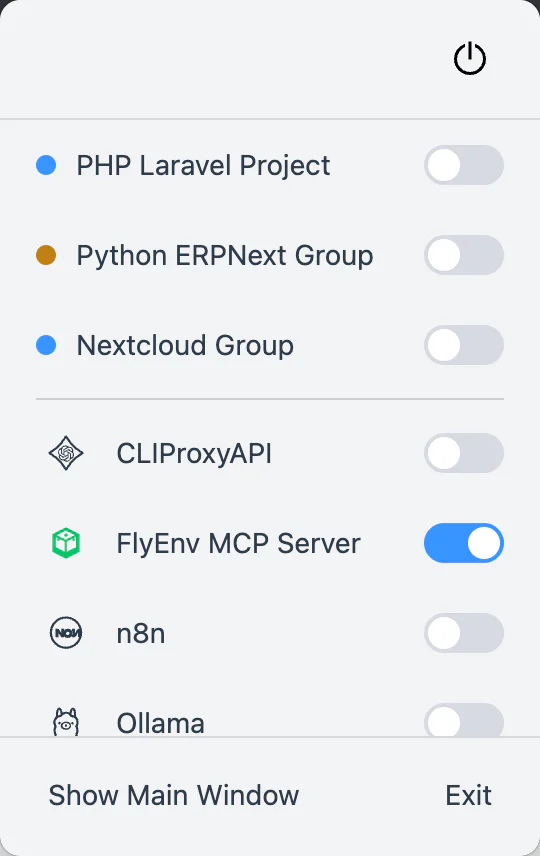
- Tray control: the system tray menu lists your groups, each with its own start/stop switch, so you can bring a whole stack down — or switch stacks — without opening the main window.
Related guides, solutions and demos
Continue with a practical guide, solution, demo, or community perspective.
Compatibility Notes
Startup Groups is pure orchestration: it sequences the start and stop operations that each module already provides, and it does not install versions or runtimes of its own — a group can only contain service versions and projects that their own modules already manage. The feature works the same way on macOS, Windows and Linux, with no platform-specific behavior of its own; any platform limits come from the underlying modules. Hiding the Startup Groups entry in the sidebar settings first stops every member of every group, so nothing is left running in the background. Browse the other feature pages for the capabilities of the individual services you group together.