Per-Project Runtimes in FlyEnv
FlyEnv lets every project folder carry its own runtime version, so a legacy PHP codebase and a modern Node.js app can live side by side on the same machine — see managing multiple Node and PHP versions for the version-manager side of this. Register a project in any language module's Projects tab, pick the exact binary version it should use, and FlyEnv records that choice inside the project itself. From then on, terminals, editors and run commands started for that project resolve the right toolchain automatically — the step-by-step workflow is covered in the project-level runtime environment guide.
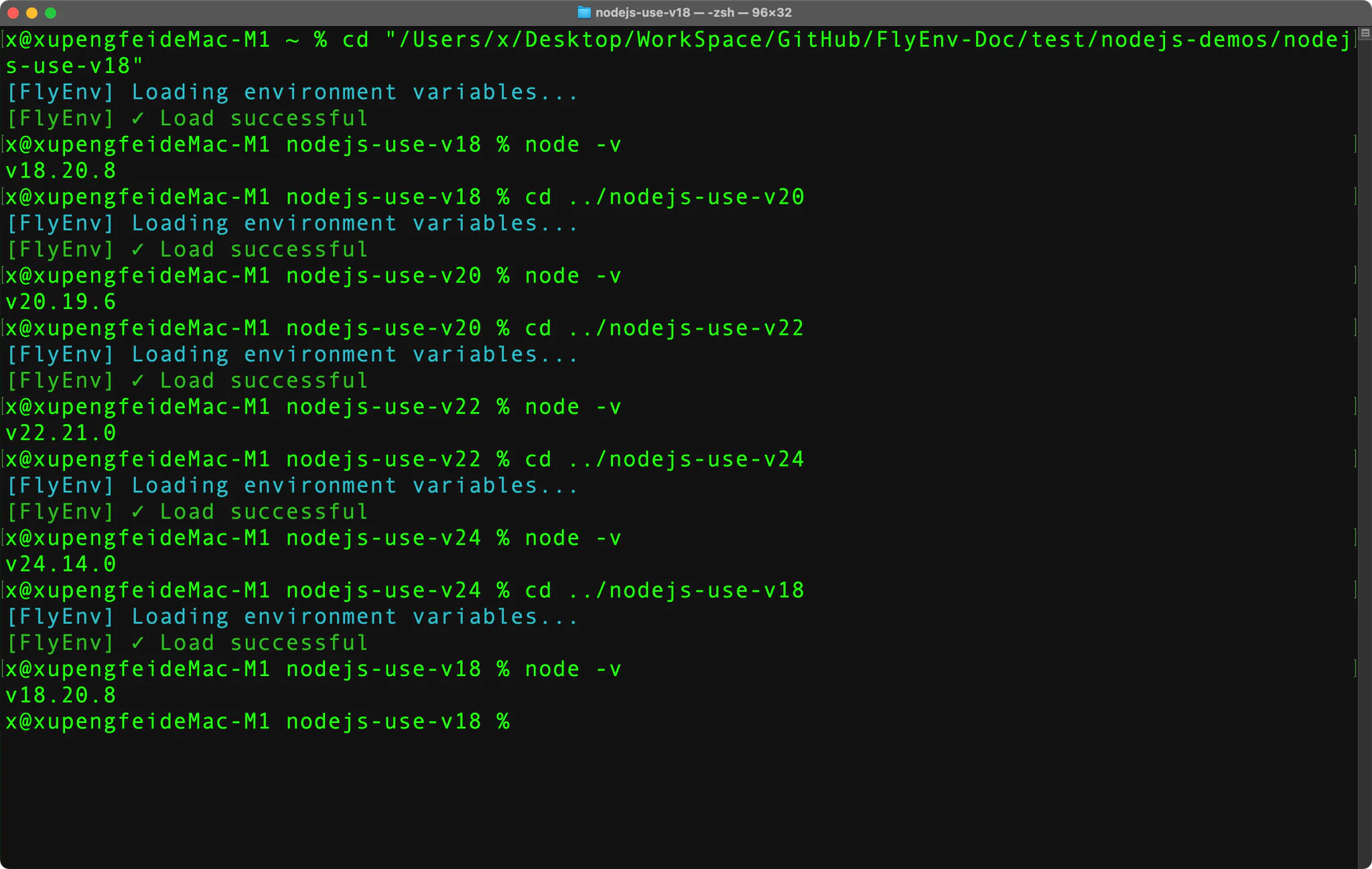
How .flyenv works
When you add a project or change its bound version, FlyEnv writes a small .flyenv file into the project directory. That file is the single source of truth for the project's environment.
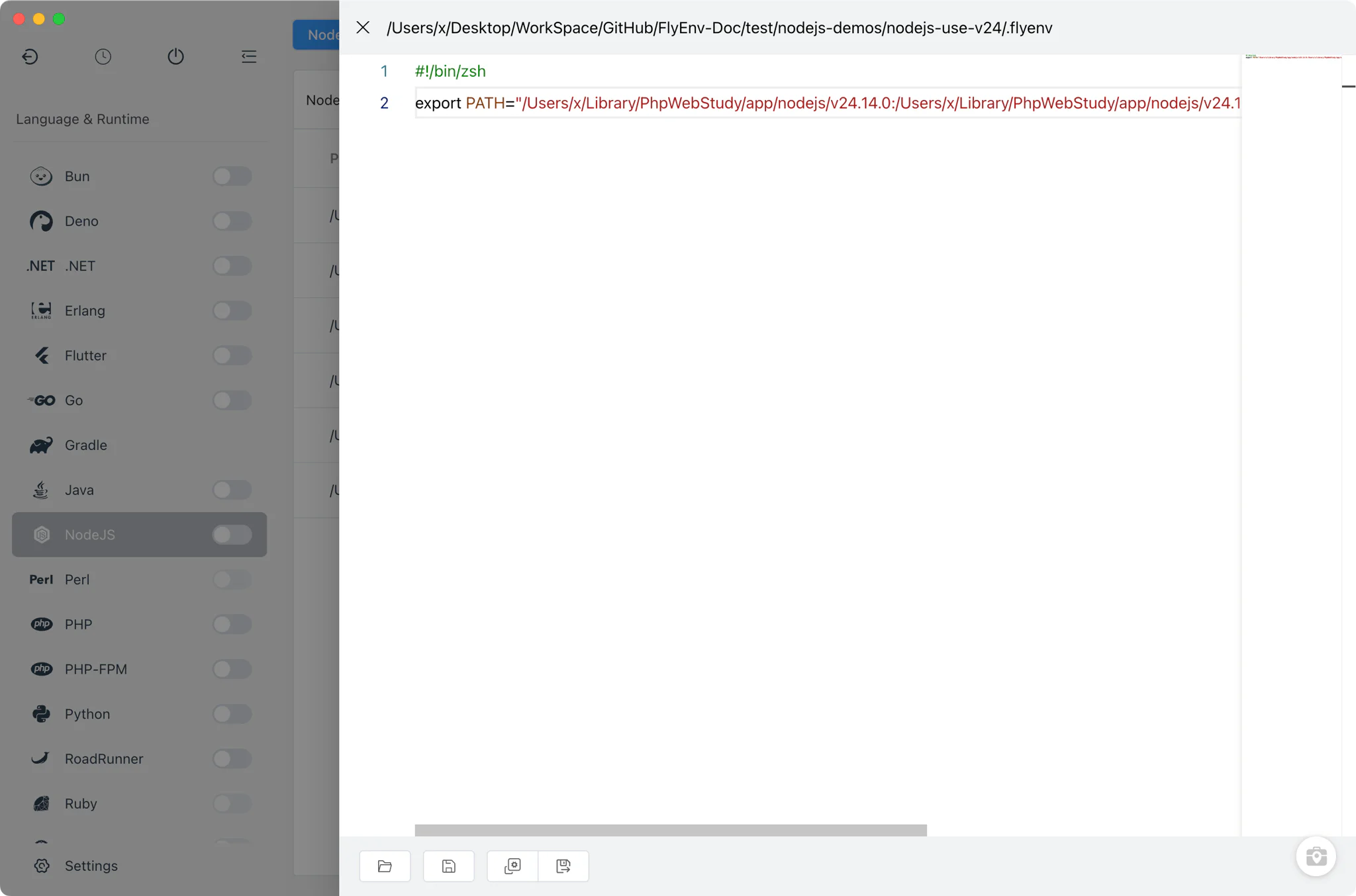
- PATH prepending: on macOS and Linux the file contains an
export PATH="<bin>:<bin>/bin:<bin>/sbin:$PATH"line pointing at the bound runtime's directories; on Windows it uses the equivalent PowerShell$env:PATHassignment. - Tagged and idempotent: every line FlyEnv writes is marked with a
#FlyEnv-ID-<projectId>tag, so re-editing the project rewrites the same lines in place instead of appending duplicates. - Per language module: the Projects tab is shared across the language modules — PHP, NodeJS, Python, Go, Ruby, Rust, Java, .NET, Bun, Deno and more — each keeping its own project list with the bound version shown next to the project path.
- Editable in the app: the
.flyenvfile itself can be opened and adjusted from the project's config view when you need something beyond the default PATH entry.
Shell hook for zsh, bash and PowerShell
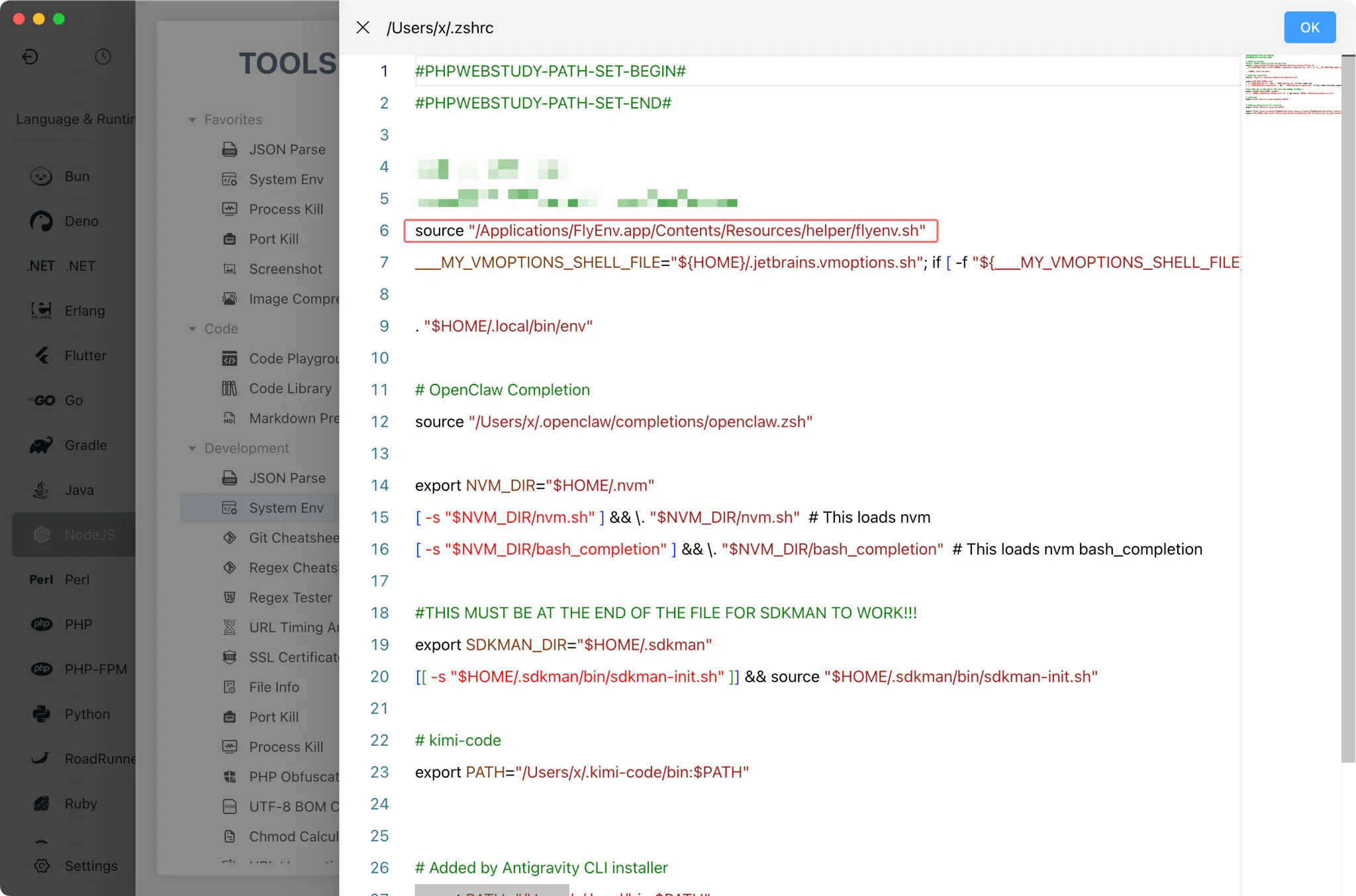
The .flyenv file takes effect through a shell hook that FlyEnv installs into your shell startup files.
- zsh and bash on macOS/Linux: FlyEnv sources its helper script from
~/.zshrcand~/.bashrc. The hook watches for directory changes and, when youcdinto a registered project, sources that project's.flyenvfile — sophp -vornode -vimmediately report the bound version. - Allowlisted directories only: the hook activates
.flyenvfiles solely for project directories that FlyEnv has registered and synced into its allow list, so a stray file elsewhere on disk is never executed. - PowerShell on Windows: the same mechanism is wired into the PowerShell profile, covering both Windows PowerShell and PowerShell (pwsh) editions.
IDE and terminal integration
Because the binding lives in the project rather than in a global setting, any tool launched against that folder inherits the correct environment.
- Open-in actions: each project row offers shortcuts to open the folder in a terminal or an IDE — Terminal and PowerShell, plus editors such as VSCode, PhpStorm, WebStorm, PyCharm or Sublime depending on the language module — with the project environment already applied.
- Run as a service: a project can optionally run directly from FlyEnv with a custom start command or run file, a chosen port (default 3000, linked as
http://127.0.0.1:<port>), and extra environment variables supplied inline or from an env file — useful for keeping a dev server alive without a terminal window. - Quick edits: double-clicking a project row opens a compact editor for the bound version, port and comment, so switching a project's runtime takes seconds.
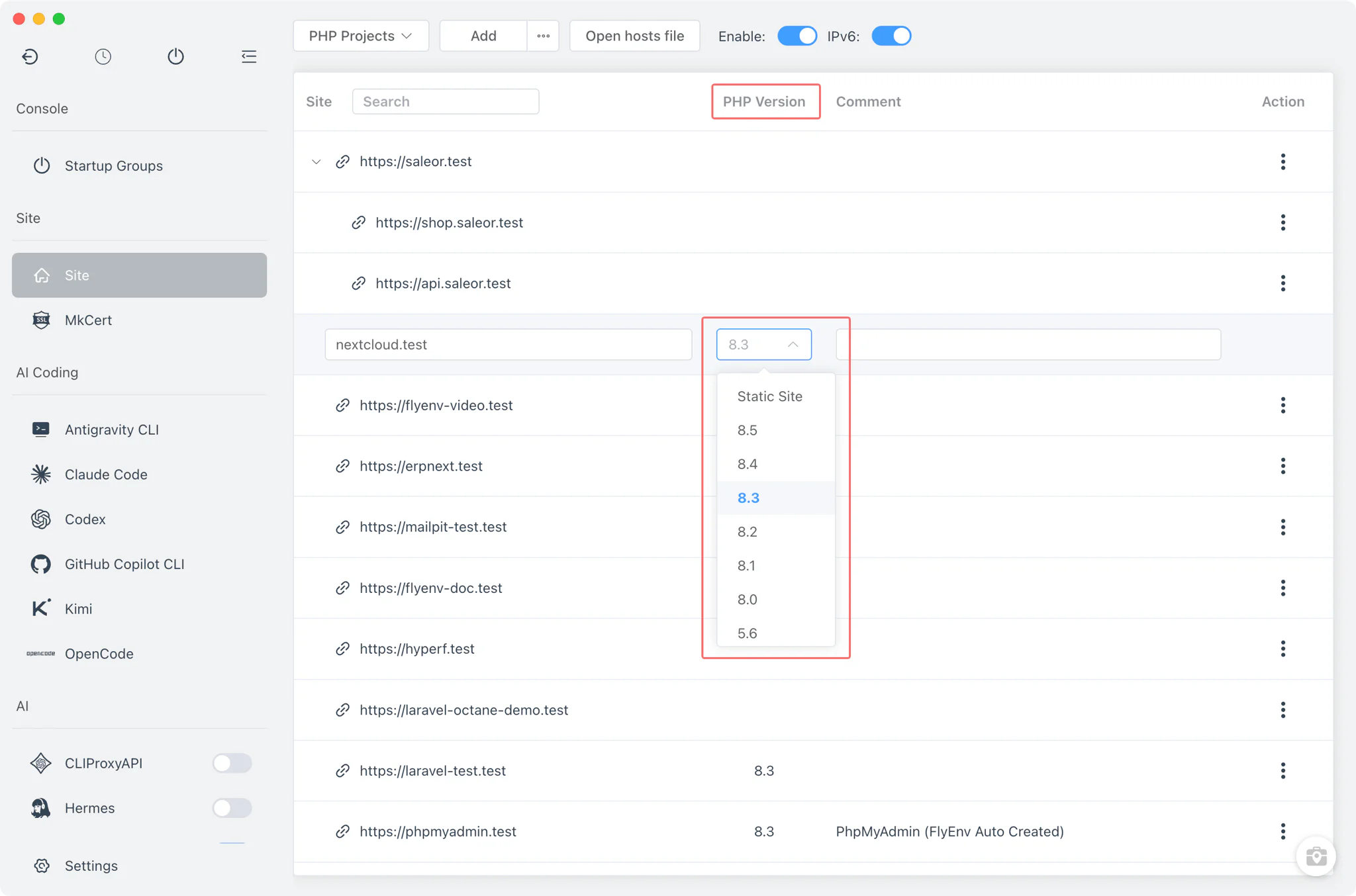
Per-site version selection
Project binding covers the command line; browser-facing sites get their own version choice. Each site created in the Host module selects the PHP-FPM version that serves it (or stays a static site), and several PHP-FPM versions can run simultaneously — each on its own socket — so different sites are served by different PHP builds at the same time. The site list shows which version serves which site, and the web-server integration config is regenerated when a version starts. The full capability set is documented on the PHP feature page.
Related guides, solutions and demos
Continue with a practical guide, solution, demo, or community perspective.
Compatibility Notes
The shell hook requires a supported login shell: zsh or bash on macOS and Linux, and PowerShell (Windows PowerShell or pwsh) on Windows; other shells are not hooked automatically. The hook only sources .flyenv files for directories registered in FlyEnv, and it adjusts PATH for the current shell session — it does not change your system-wide environment variables. Version binding selects among runtimes already installed or added in FlyEnv; it cannot supply a version that is not present on the machine. Per-site PHP selection applies to sites served through PHP-FPM (FastCGI on Windows); static sites and non-PHP runtimes do not use it. Platform differences — such as unix sockets on macOS/Linux versus FastCGI workers on Windows — follow the behavior of the underlying PHP module, and the Download page reflects what is available for your operating system.