Apache in FlyEnv
Apache HTTP Server (httpd) is an open source web server with a long history, still common in classic LAMP-style stacks and wherever .htaccess or module-based configuration is needed. FlyEnv runs Apache as a managed local web server: install multiple Apache builds from package managers or the static download list, edit each version's configuration in place, and serve local sites through per-site vhost files. The httpd service starts in the foreground under FlyEnv's control, and port, log and module wiring is regenerated for you on every start. If you are coming from a XAMPP-style bundle, the FlyEnv vs XAMPP comparison explains how this managed approach differs.
Apache version management
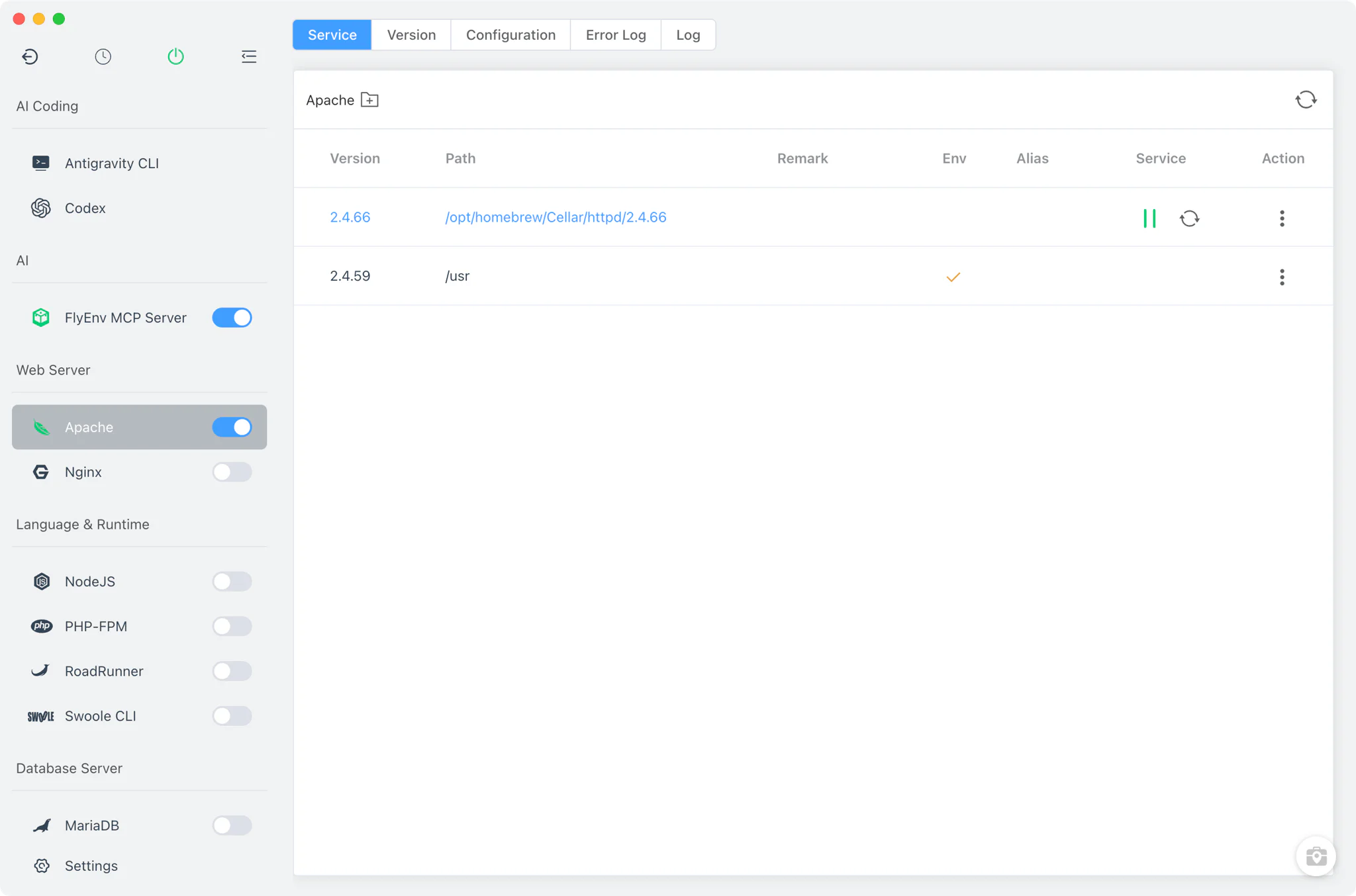
Install Apache builds side by side from Apache → Version Manager and switch the running version at any time.
- Package-manager sources: on macOS, install Apache from Homebrew (
httpdformula) or MacPorts; on Linux, Homebrew is the install source. FlyEnv detects the installations those package managers already manage. - Static builds on Windows: the Windows install list downloads Apache Lounge builds directly.
- Custom versions: already have an Apache build of your own? Add its directory and FlyEnv will detect the binary and list it with the other installations.
Service management
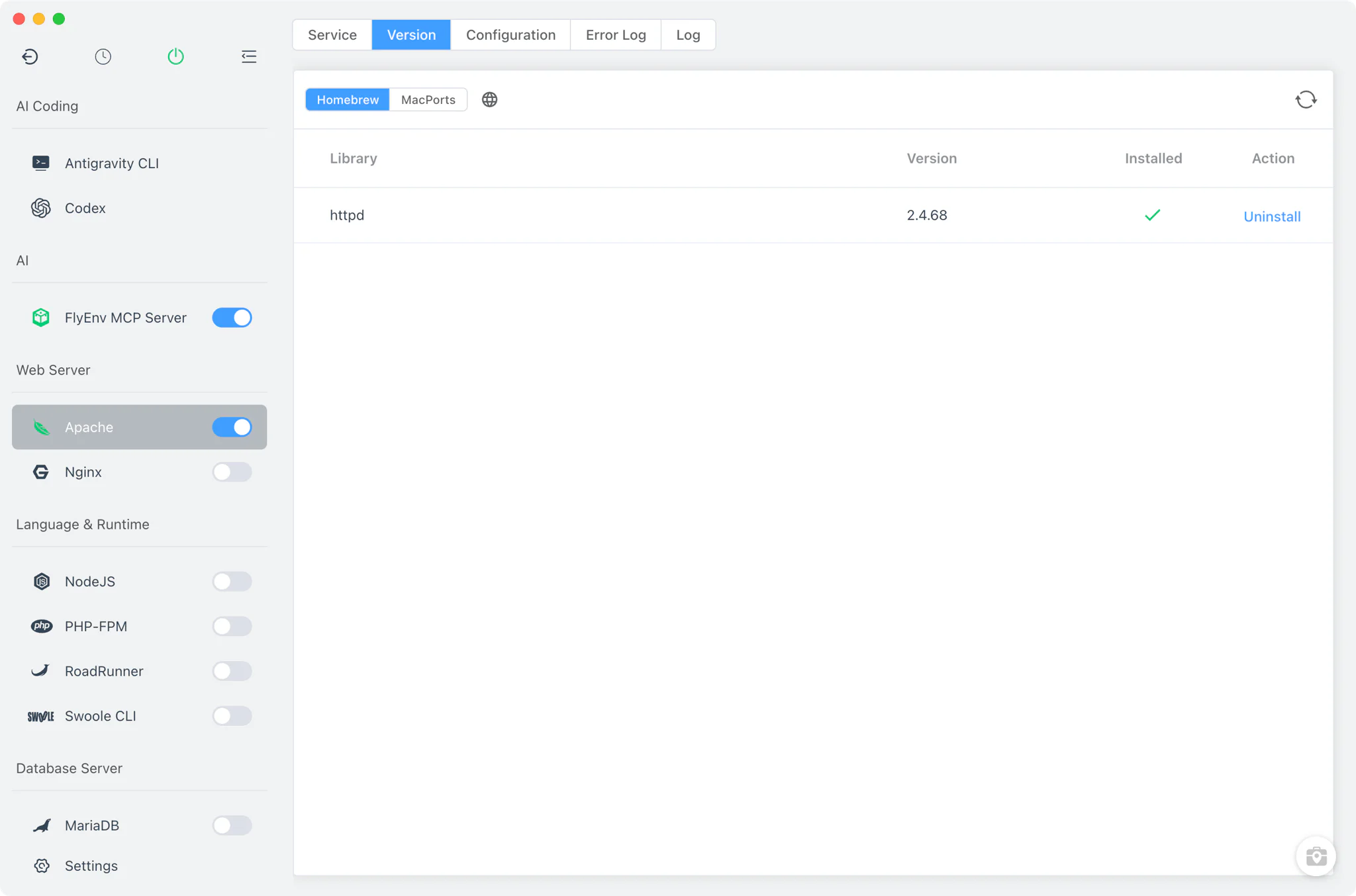
Apache is a single-instance service in FlyEnv: many versions can be installed, but only one runs at a time, so the site's port assignments stay unambiguous.
- Per-version lifecycle: start, stop or restart the running Apache version from the Service tab, the sidebar switch or the system tray.
- Foreground operation: on macOS, FlyEnv launches
httpdwith its own config file and explicit pid and log paths; on Linux it runs through FlyEnv's root helper; on Windows the server is spawned with the version's configuration. Starting another version while one is already running is blocked in the Service tab — stop the running version first to switch. - PATH integration: the Service table shows each installation's path, environment status, alias and per-version note.
Configuration
Every installed Apache version gets its own main configuration file, generated automatically and stored per version, so builds never share or clobber each other's settings.
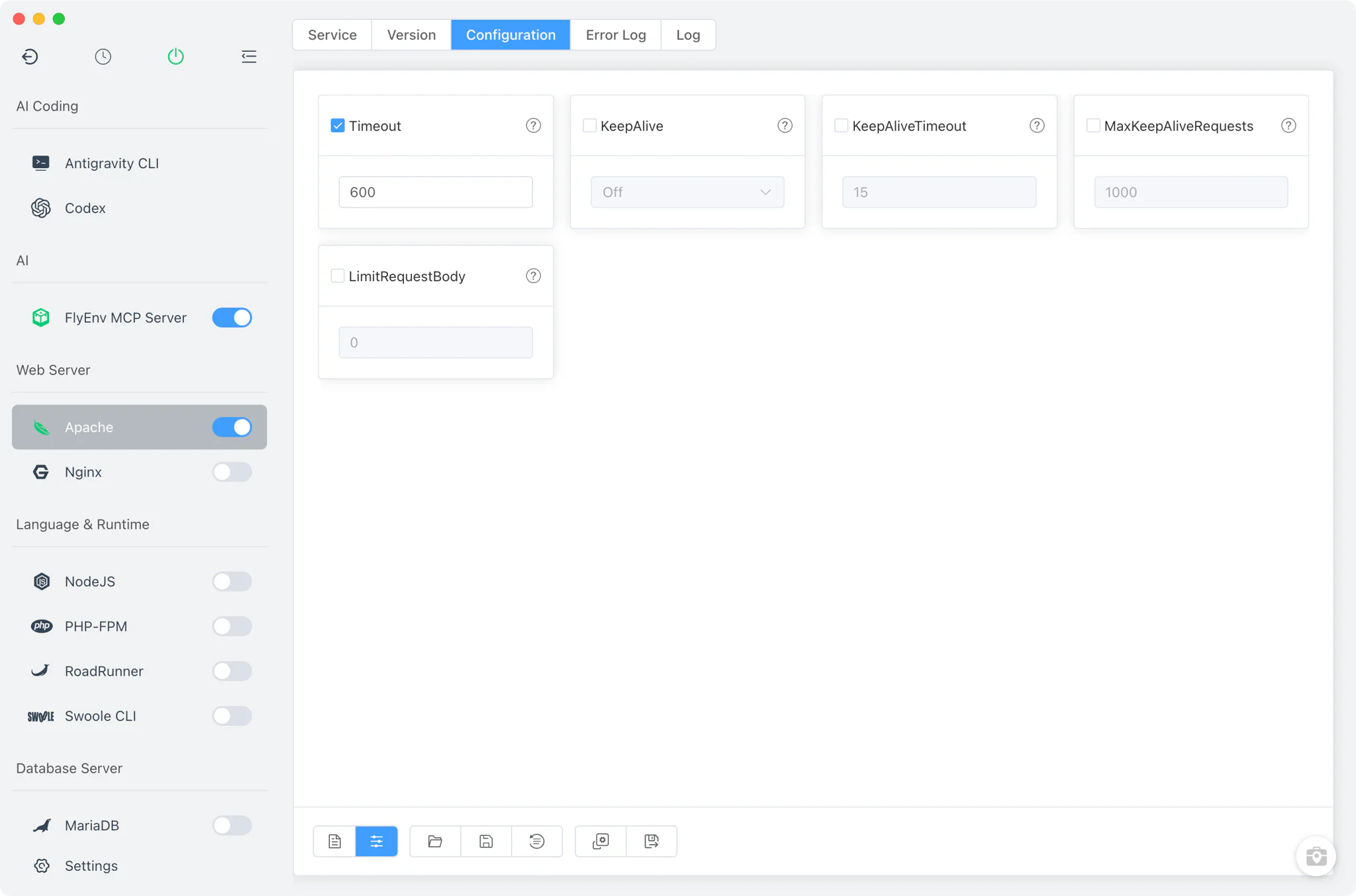
- Per-version config file: the configuration is generated from the version's own
httpd -Voutput and kept alongside FlyEnv's other Apache data, keyed to the specific binary. - Common settings form: adjust frequently changed directives —
Timeout,KeepAlive,KeepAliveTimeout,MaxKeepAliveRequestsandLimitRequestBody— from a visual form without editing the file by hand. - Full source editor: switch to the raw editor for anything the form does not cover, with one-click restore to the default configuration.
- Modules auto-enabled: when the configuration is generated, FlyEnv force-enables the modules local sites rely on, including headers, deflate, proxy, proxy_fcgi, ssl, rewrite and access_compat, and wires in the vhost include directory.
- Listen directives rewritten on start: FlyEnv collects the Apache port of every site and rewrites the
Listendirectives between its managed markers each time the service starts, so port changes in sites never leave stale listeners behind.
Site integration
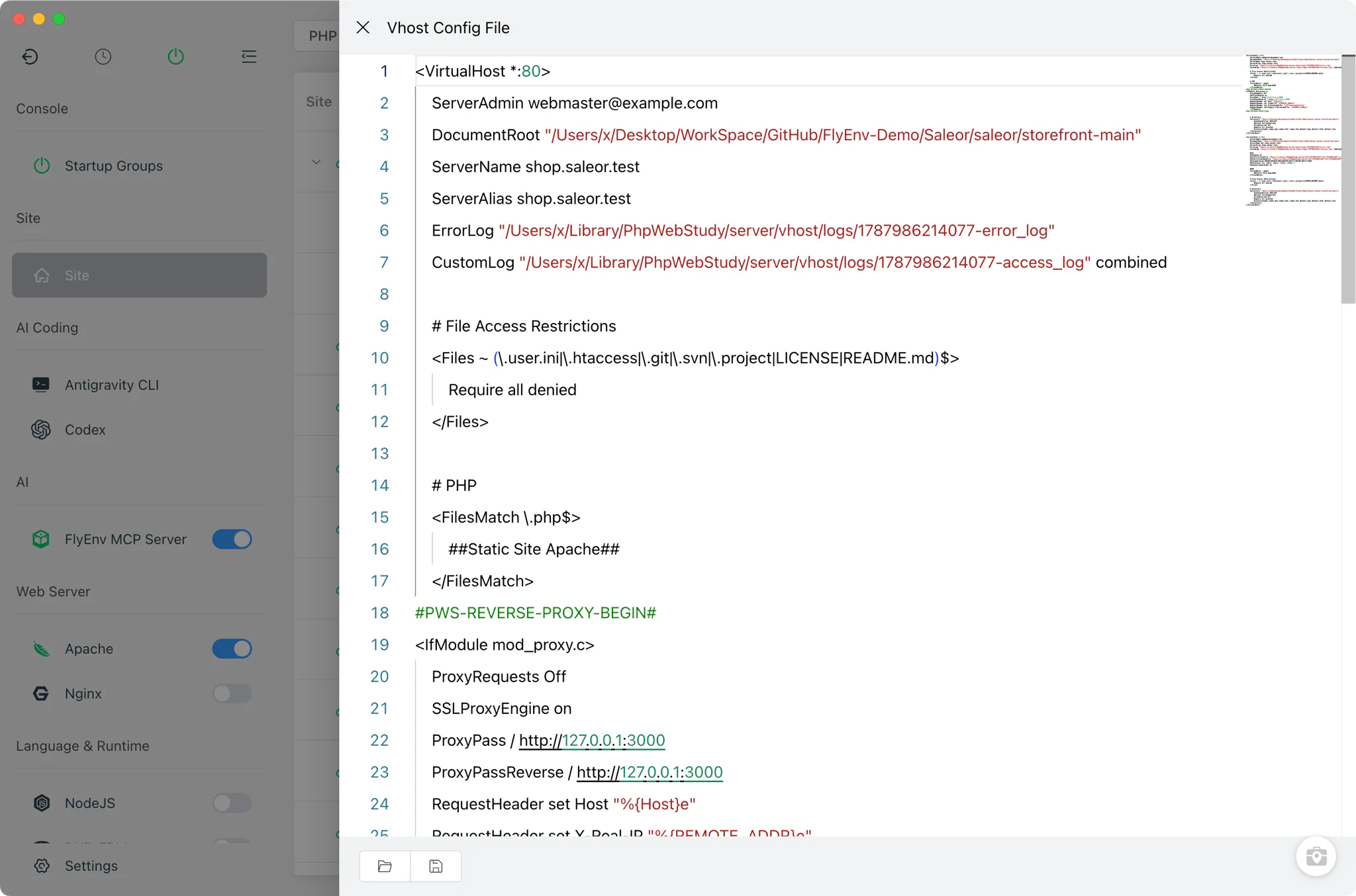
Every site in the Host module that Apache serves gets its own vhost file with its own port fields (default 80/443), so Apache can serve the same site alongside Nginx or Caddy, each on its own ports. PHP sites are handed to PHP-FPM through the proxy_fcgi module, using whichever version you have installed in the PHP module; classic stacks like WordPress run on this setup out of the box. Site creation is covered in the Host guide. Site domains, HTTPS certificates and per-site vhost inspection are covered in Local Sites, Custom Domains & HTTPS, and the multi-server HTML-as-PHP guide shows how Apache fits into a stack where several servers serve one site.
Logs
The Error Log and Log(access) tabs show the shared Apache error and access logs, with search and refresh built in. Each site also has its own per-site logs, viewable from the Host module, so a busy site never drowns the rest.
Related guides, solutions and demos
Continue with a practical guide, solution, demo, or community perspective.
Compatibility Notes
Apache has no Static install source on macOS and Linux — on those platforms FlyEnv works with Homebrew (macOS and Linux) or MacPorts (macOS) installations, or with custom directories you register yourself. The static online build list (Apache Lounge packages) is Windows-only. Running on privileged ports such as 80/443 on Linux requires FlyEnv's root helper. Check the Download page and current release notes for the platforms and versions supported by your FlyEnv build.