Hermes Agent in FlyEnv
Hermes is an open-source autonomous AI agent from Nous Research: a terminal-driven agent with its own gateway process, an extensible skill system and persistent sessions. FlyEnv wraps the Hermes agent CLI in a dedicated module: one-shot installation through the official script, start/stop control for the Hermes gateway, direct editing of its configuration files, a Skills manager with online browsing across multiple sources, and a Sessions view with cleanup. The module is organized into five tabs — Service, Config File, Log, Skills and Sessions. For how FlyEnv fits into AI-assisted workflows in general, see FlyEnv Work with AI. Pair Hermes with a local model runtime such as Ollama — as shown in the local offline AI agent guide — to run the whole stack without cloud models.
Installation
Hermes is installed from its vendor script, executed inside FlyEnv's embedded terminal so you see the real output as it runs.
- One command per platform: on macOS and Linux FlyEnv runs
curl -fsSL https://hermes-agent.nousresearch.com/install.sh | bash; on Windows it runs the PowerShell equivalentirm .../install.ps1 | iex. - No version manager: there is no online version list and no side-by-side version switching for Hermes. Once installed, the Service tab shows the detected version.
- Supported platforms: Hermes can be installed on macOS, Windows and Linux — the same platforms FlyEnv itself ships for on the Download page.
Gateway management
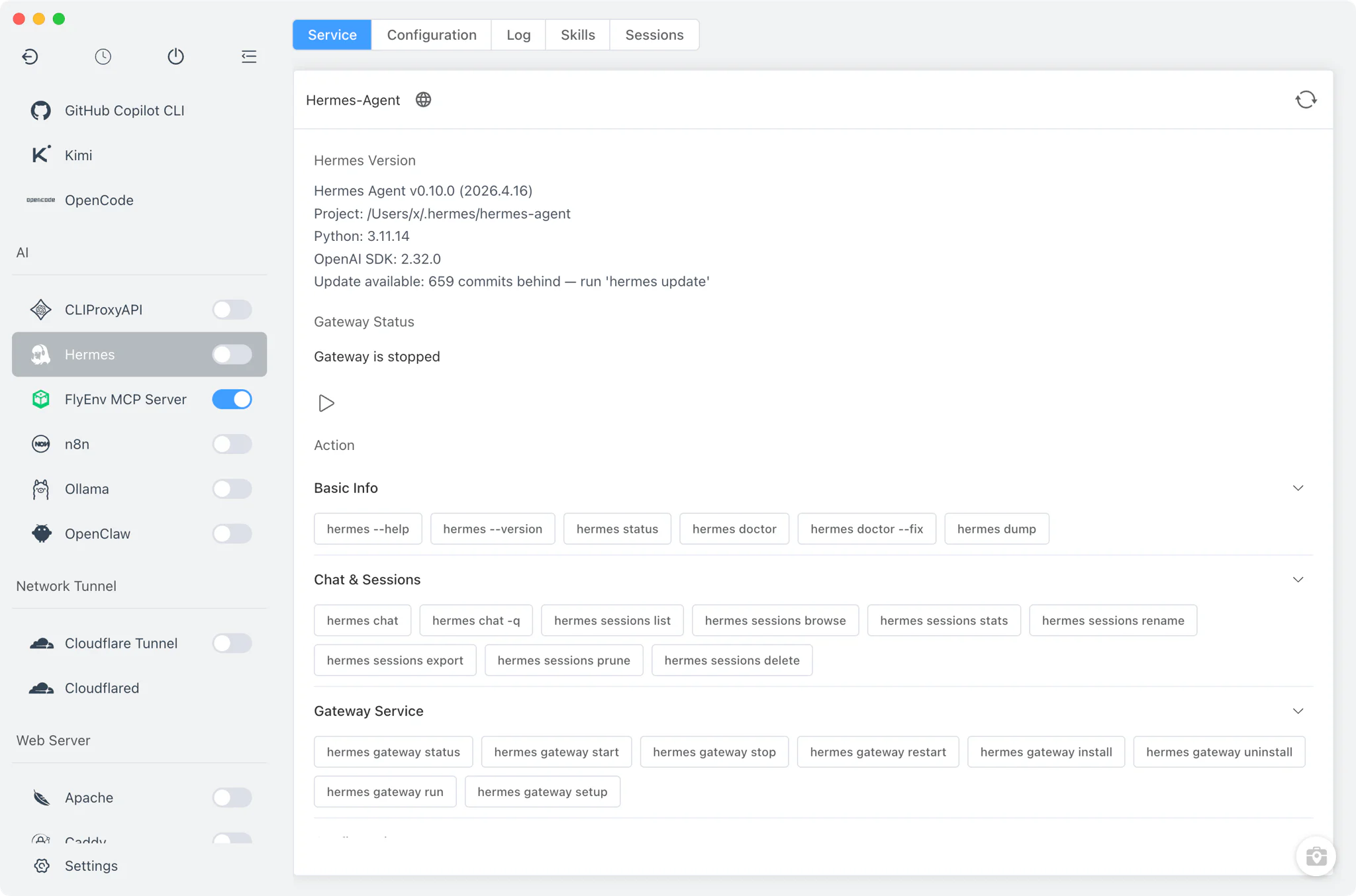
The sidebar switch for the Hermes module — and the controls on the Service tab — drive the Hermes gateway directly through the CLI.
- Start and stop: FlyEnv runs
hermes gateway startandhermes gateway stopwhen you flip the switch. - Live status: the Service tab shows the installed version together with the gateway state, parsed from the output of
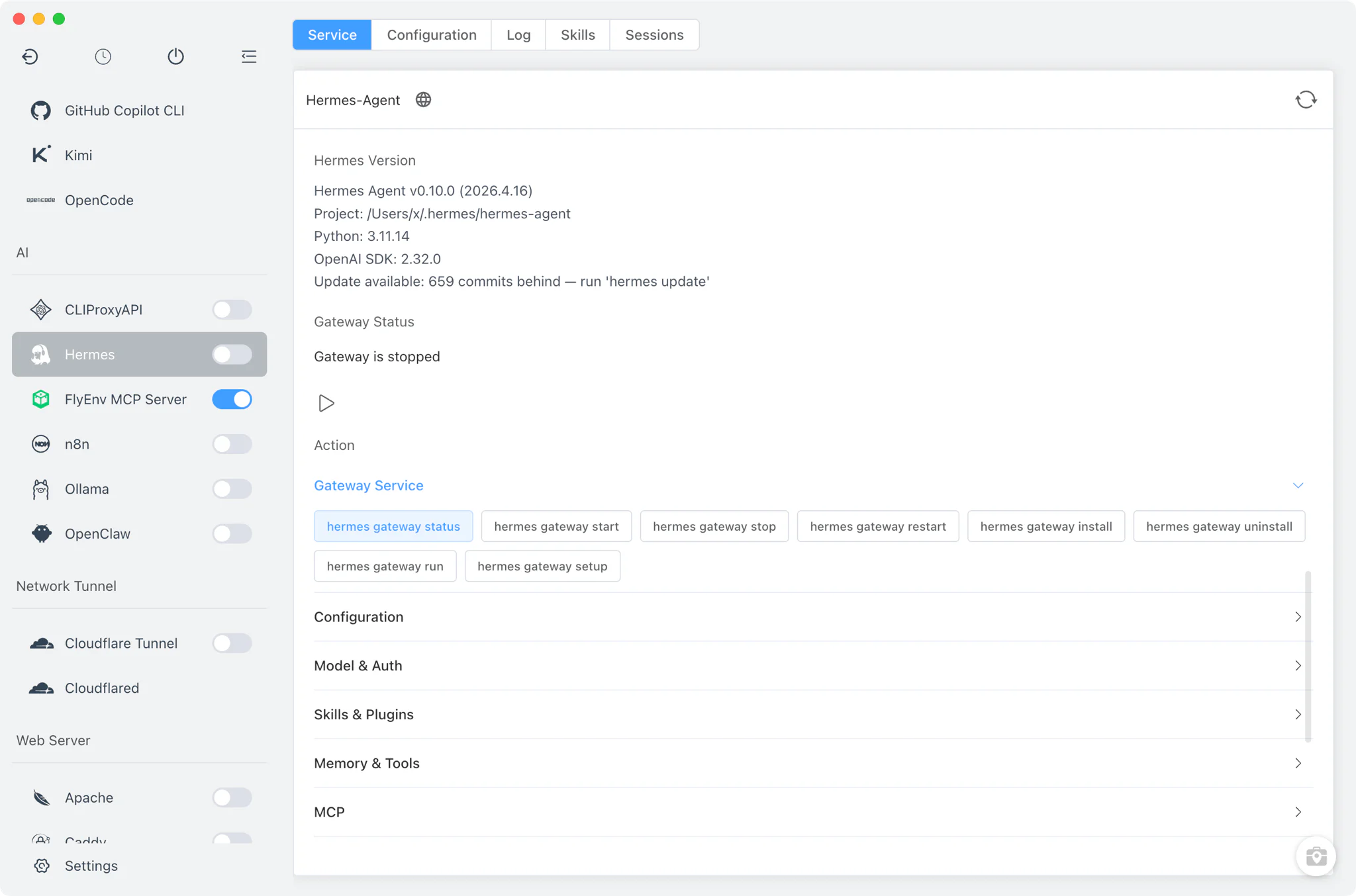
hermes gateway status. - Command palette: the Service tab also offers a categorized palette of roughly 78 Hermes commands across 12 categories — chat/session, gateway, config, model auth, skills/plugins, memory/tools, MCP, system/logs, backup/update, dashboard/TUI and profile — each executed in the embedded terminal. The MCP category works well with FlyEnv's own MCP Server, which exposes your local services to MCP-capable agents.
Configuration
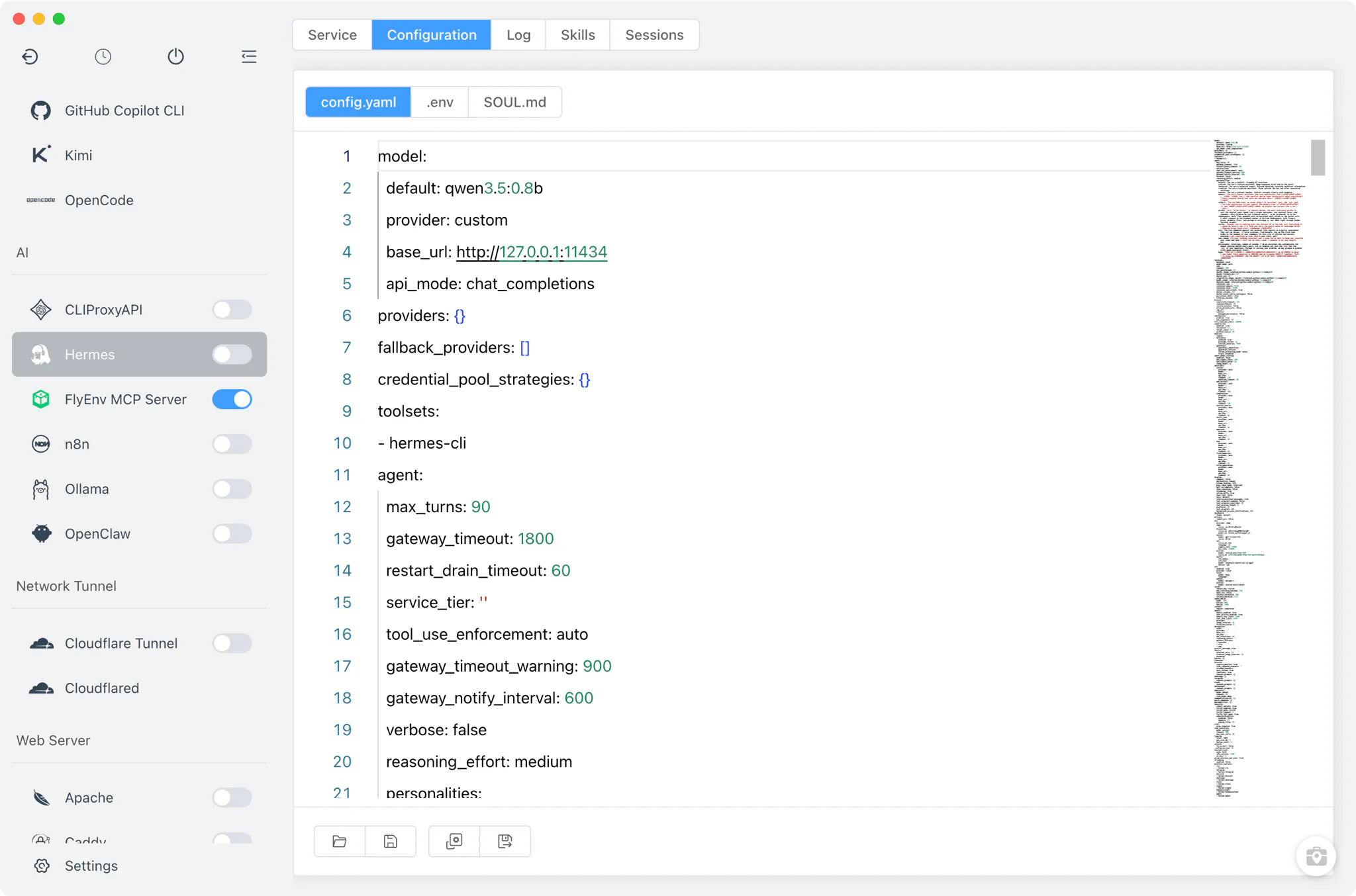
The Config File tab opens the Hermes configuration files from your home directory in raw editors, each with syntax highlighting matched to the file type.
~/.hermes/config.yaml: the main Hermes configuration, edited as YAML.~/.hermes/.env: environment variables for the agent, edited as an env file.~/.hermes/SOUL.md: the agent's persona file, edited as Markdown.
Skills
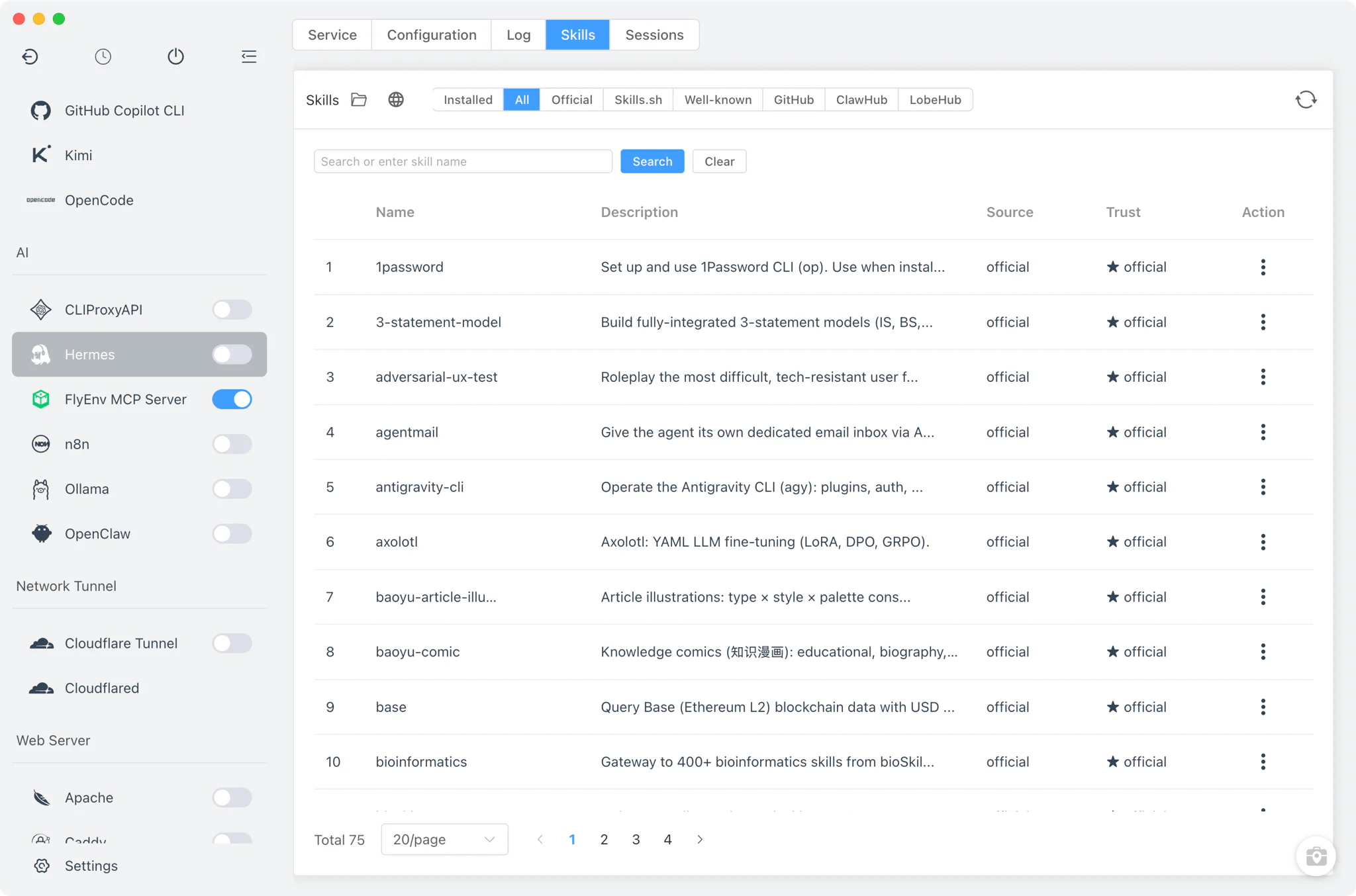
The Skills tab manages the agent's skills both locally and online.
- Installed skills: enable or disable a skill with a switch — disabling writes the entry into
skills.disabledinconfig.yaml— and update, uninstall or reset skills from the same list. - Inspect and locate: an inspect modal shows a skill's details, and one click opens the skills directory in your file manager.
- Online browsing: browse skills online with pagination and keyword search across six sources — the official source, skills.sh, well-known, GitHub, ClawHub and LobeHub — and install the ones you want.
Sessions
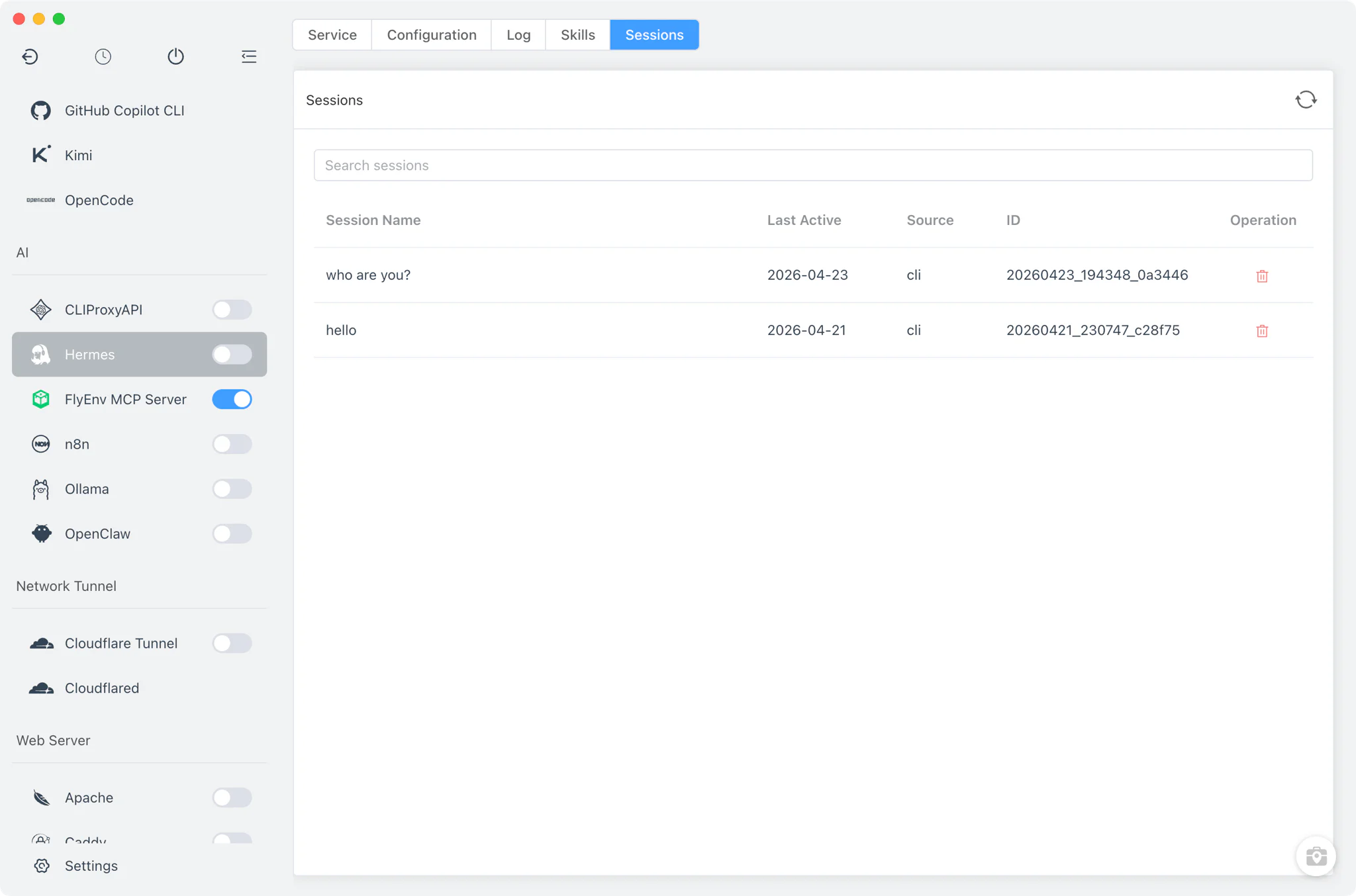
The Sessions tab lists the sessions reported by hermes sessions list, parsed into a table inside FlyEnv. Deleting a session runs the corresponding command in the embedded terminal, so the operation and its result stay visible.
Logs
The Log tab reads the files under ~/.hermes/logs/ directly, with a viewer for each *.log file. When a log file is not available on disk, FlyEnv falls back to hermes logs <type> -n <lines> to fetch recent output from the CLI instead.
Related guides, solutions and demos
Continue with a practical guide, solution, demo, or community perspective.
Compatibility Notes
Hermes is not a FlyEnv-managed background service: the module does not register a daemon or tray process, and the sidebar switch only controls the gateway through the hermes CLI. Installation is a one-shot run of the vendor's official script in the embedded terminal — a shell script on macOS and Linux, PowerShell on Windows — and FlyEnv offers no version list or multi-version management for it. Configuration, logs and skills all live under ~/.hermes in your home directory and belong to the agent itself; FlyEnv edits and displays those files but does not define their schema. Which platforms and releases are currently offered is reflected on the Download page and in the app itself. FlyEnv manages another gateway-based personal assistant the same way — see the OpenClaw module.