Local Erlang Development with FlyEnv
Erlang/OTP is a functional programming language and runtime platform built for highly concurrent, fault-tolerant systems. It is commonly used for telecom infrastructure, messaging platforms and other services that must stay available under heavy load. FlyEnv's Erlang module keeps local Erlang/OTP development in one place: install multiple Erlang versions, decide which one your terminal erl command resolves to, and bind each project to its own runtime. The module has three tabs — Erlang Projects, Service and Version Manager — focused on version installation, PATH control and project runtimes.
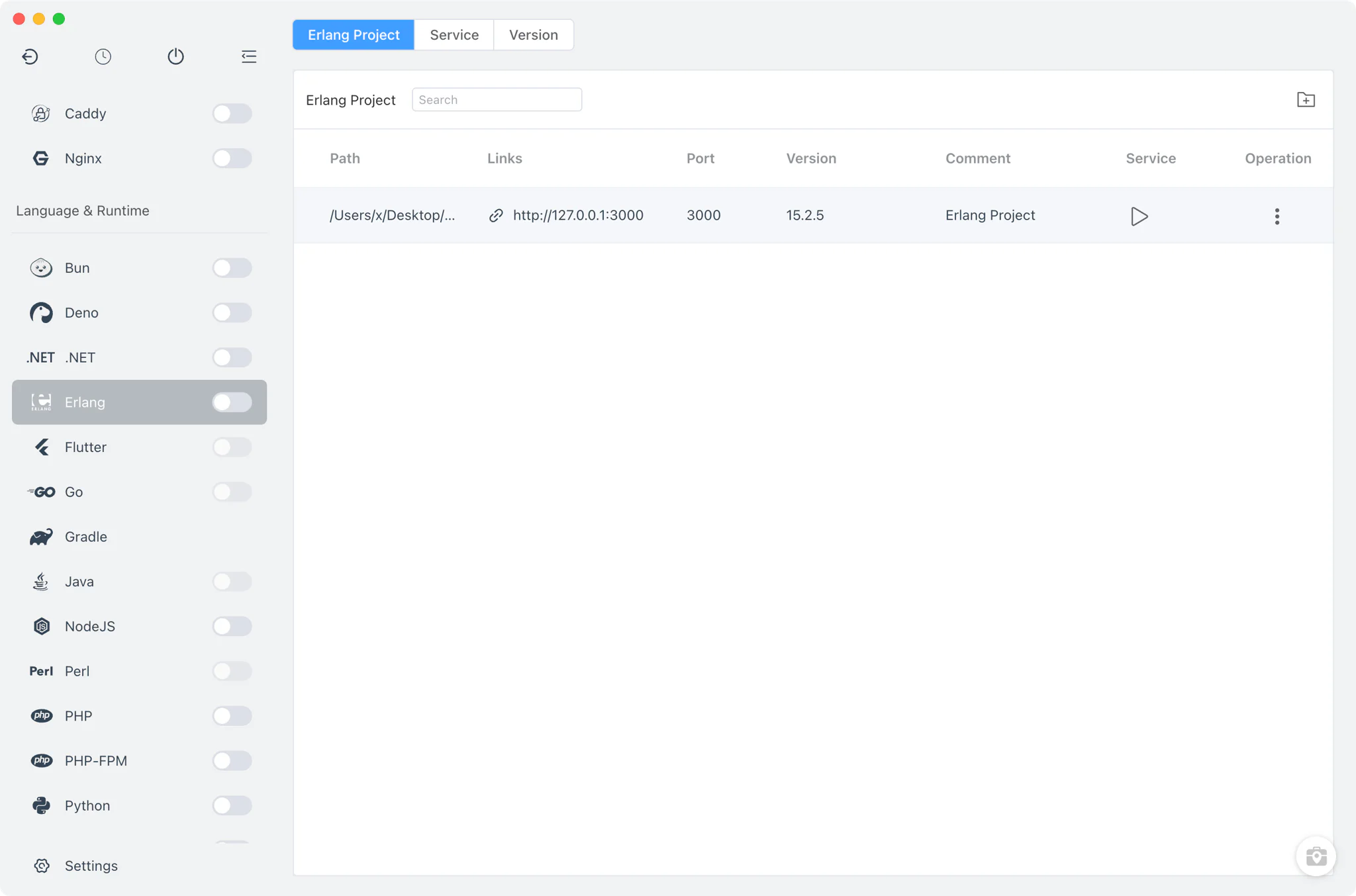
Erlang version management
Install Erlang/OTP versions side by side from Erlang → Version Manager and keep them all available at once.
- macOS: install from Homebrew (the
erlangformula and versionederlang@<ver>formulas) or MacPorts; FlyEnv also auto-scans the MacPorts library directory for existing Erlang installations. This covers most local needs, including running an Erlang-based service such as RabbitMQ alongside your own projects. - Linux: install from Homebrew; MacPorts is a macOS-only source. There is no Static source on macOS or Linux.
- Windows: install from a Static online list of packaged builds, each containing the
bin/erl.exeexecutable. - Custom directories: point FlyEnv at any directory containing your own Erlang build and it appears in the list next to the managed versions.
- Automatic version detection: on macOS and Linux each installation is probed with
erl -version; on Windows the version is read from the install directory name.
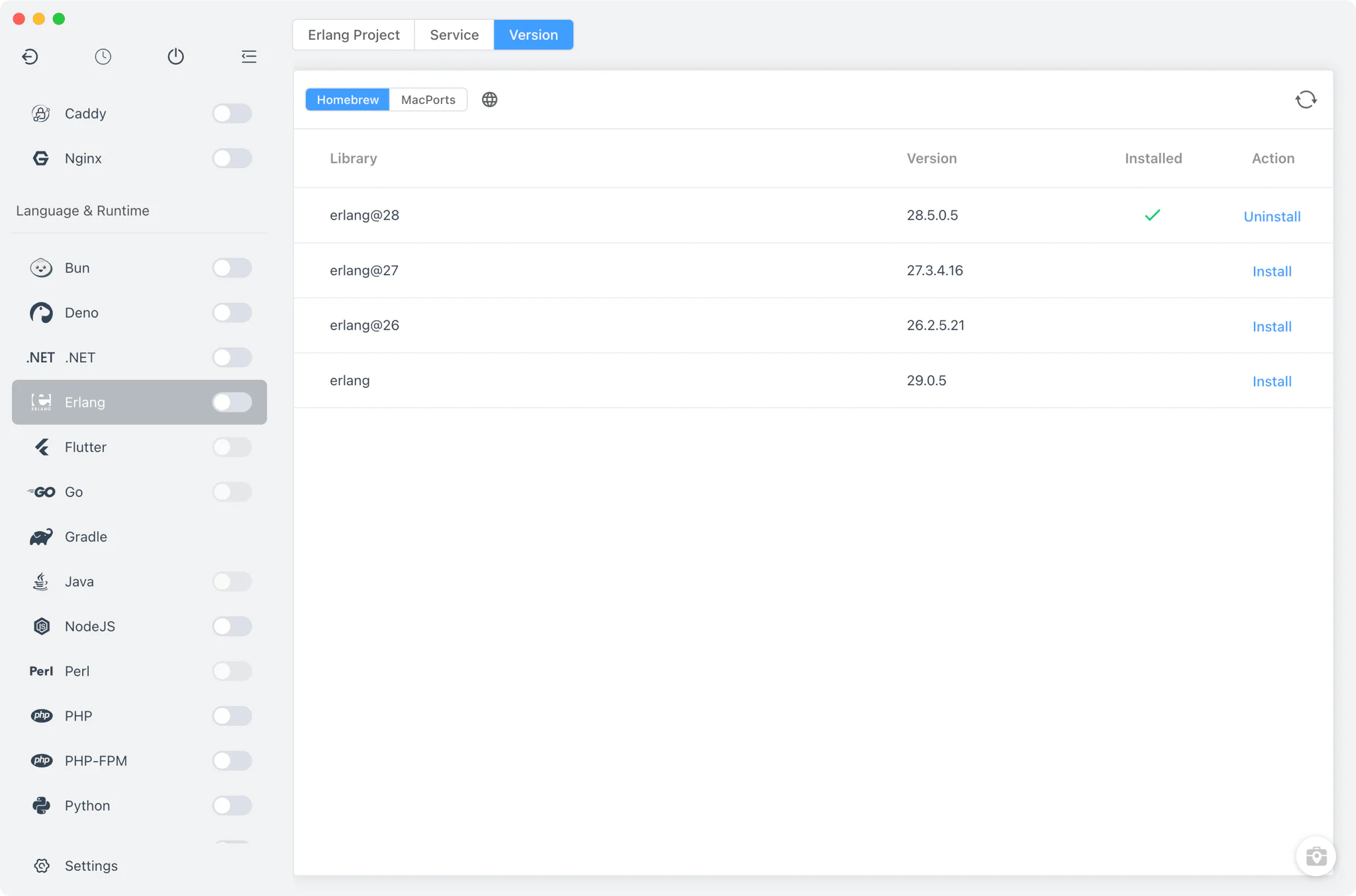
Command-line version switching
The Service tab contains no service at all — Erlang has no daemon process inside FlyEnv. It is an installed-versions table used for version and PATH management.
- Terminal version switching: select which installed version the terminal
erlcommand resolves to. FlyEnv then updates yourPATH, adding or removing the version's bin directory, and marks whether the current PATH entry was set by FlyEnv or by another tool. The system PATH environment guide explains how this PATH editing works in detail. - Per-version alias and remark: assign a short alias and a note to each installation so similar builds stay distinguishable in the list.
- Housekeeping: each version's install path is visible in the table, and versions you no longer need can be deleted from it.
Project-level Erlang runtimes
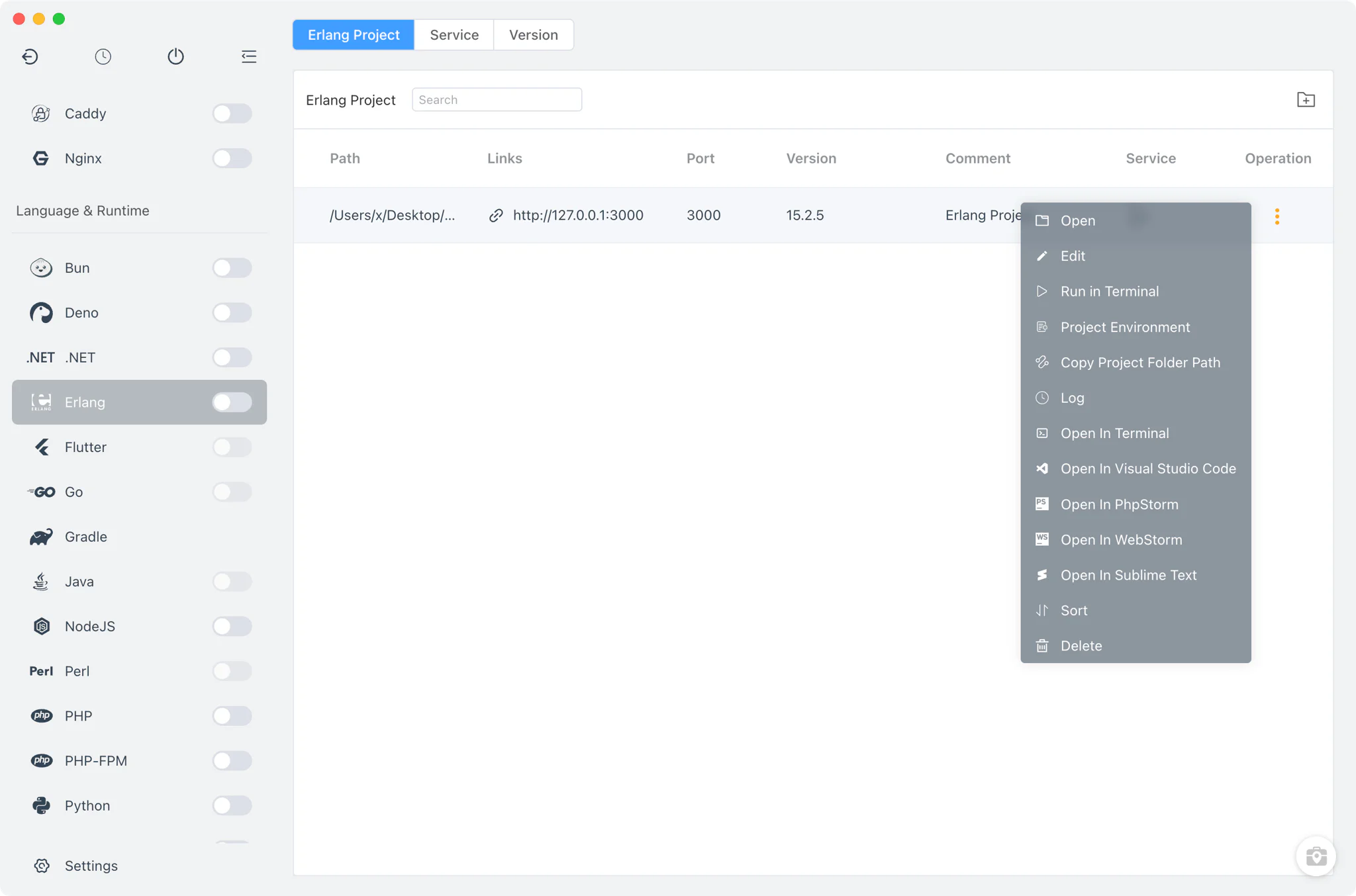
In Erlang → Projects, register each project folder and bind it to a specific Erlang version instead of relying on whichever version happens to be in PATH.
- Per-project runtime: the version choice is stored in a
.flyenvfile inside the project directory, so terminals and editors launched from FlyEnv pick up the right Erlang automatically. See the project-level runtime environment guide and the Per-Project Runtimes feature for how the mechanism works. - Run as service: optionally run a project directly from FlyEnv with a custom start command, a TCP port exposed as a
http://127.0.0.1:<port>link, environment variables set inline or from a file, and a sudo flag on macOS and Linux. The sidebar switch starts or stops all service-enabled Erlang projects at once. - Open-in tools: jump from a project row into the system terminal with the project environment loaded.
Related guides, solutions and demos
Continue with a practical guide, solution, demo, or community perspective.
Compatibility Notes
FlyEnv manages Erlang version installation, PATH switching and project runtimes; it does not bundle build tools or framework tooling beyond what each Erlang/OTP build itself provides, and the module has no config-file editors or log viewers of its own. Available install sources differ per platform — Homebrew and MacPorts on macOS, Homebrew on Linux, Static builds on Windows — so treat the Download page and current release notes as the source for supported packages.