OpenClaw in FlyEnv
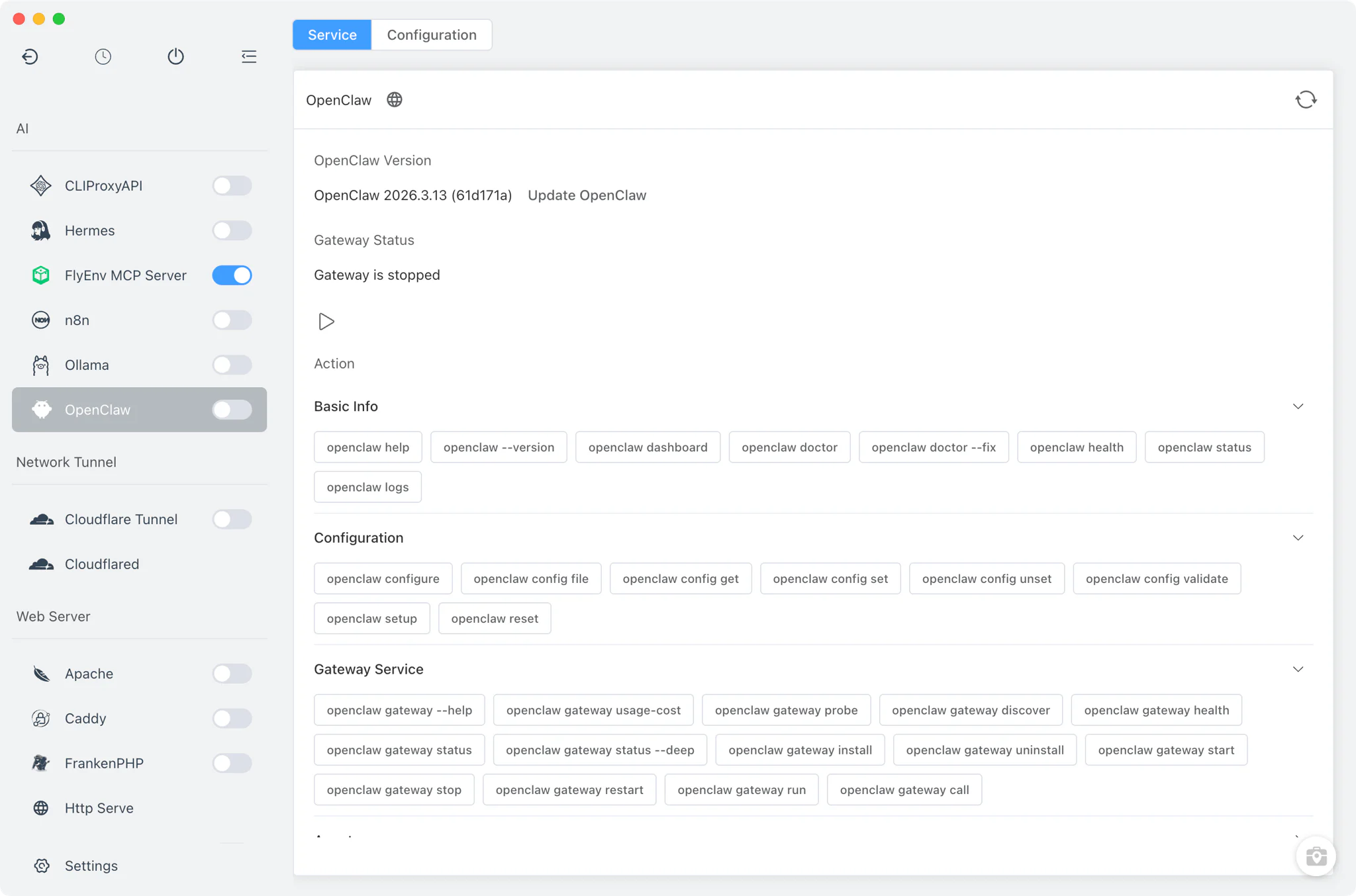
OpenClaw is an open-source personal AI assistant that runs on your own machine: a local gateway connects chat channels such as WhatsApp and Telegram to a coding agent, so you can message your assistant from anywhere. FlyEnv wraps the OpenClaw CLI in a compact control panel: it installs OpenClaw through the official script, registers and manages the OpenClaw gateway as a real operating-system service, and surfaces the CLI's roughly 110 sub-commands as a categorized palette that runs in FlyEnv's embedded terminal. The module is deliberately thin — FlyEnv stays out of the way and drives the same openclaw binary you would use by hand. For a task-oriented walkthrough, see the OpenClaw guide; for the bigger picture of AI assistants in FlyEnv, see FlyEnv Work with AI.
Installation
OpenClaw is installed by running its official install script inside FlyEnv's embedded terminal, so you watch the real installer output instead of trusting a progress bar.
- Official script only: on macOS and Linux FlyEnv runs
curl -fsSL https://openclaw.ai/install.sh | bash; on Windows it runs the matching PowerShell installer (iwr ... install.ps1 | iex). FlyEnv downloads no binaries of its own. - No version manager: the OpenClaw module intentionally has no version list and no multi-version switching. The installed version is read straight from
openclaw --version. - Sidebar gateway switch: the OpenClaw sidebar entry carries an on/off switch for the gateway. It stays disabled until both the CLI and the gateway are installed, so the panel never offers an action the machine cannot perform.
Gateway management
The gateway is the one long-lived piece of an OpenClaw setup, and FlyEnv registers it with the operating system rather than babysitting a process itself.
- OS-level service registration: installing the gateway runs
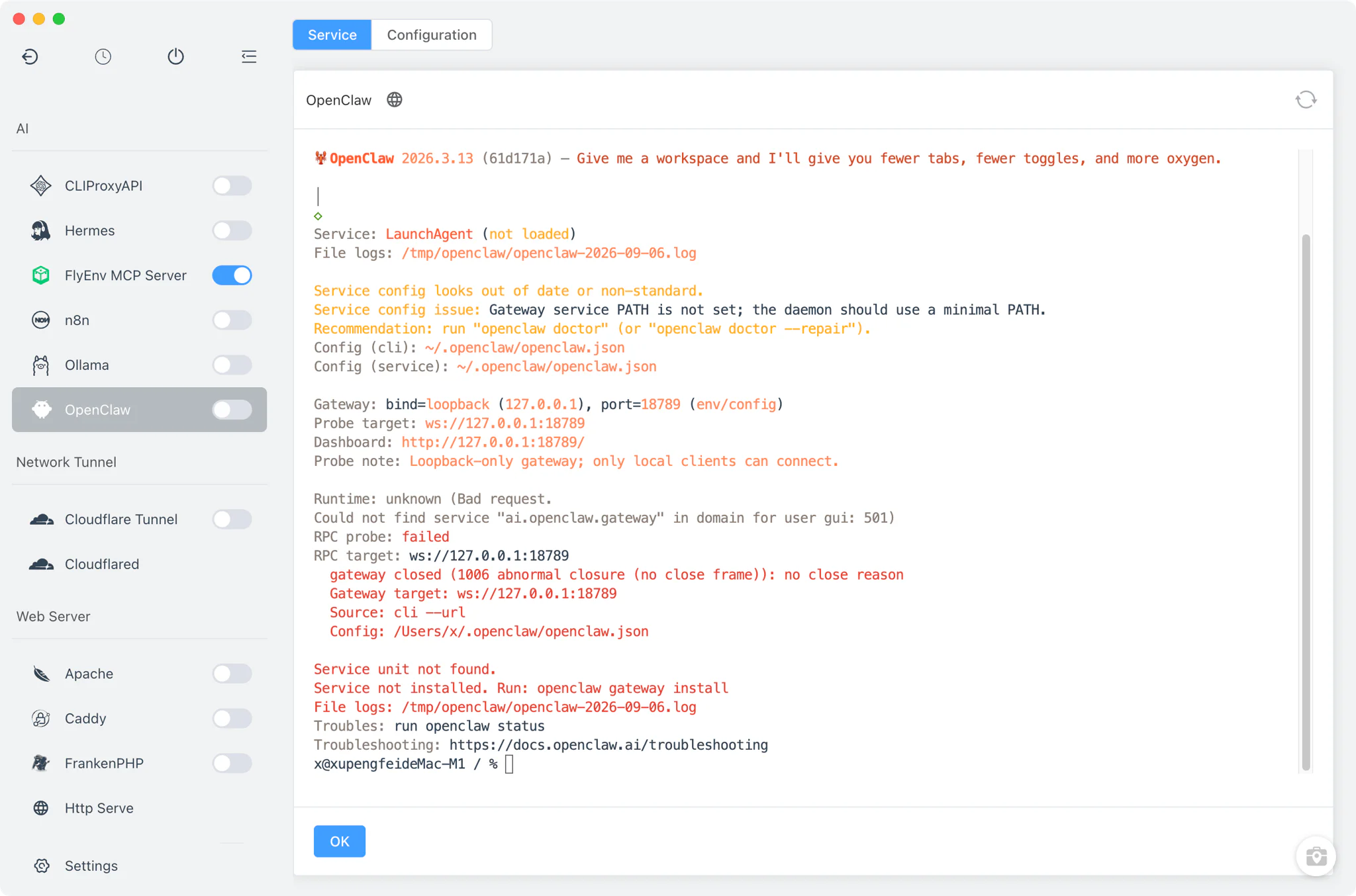
openclaw gateway install --force, then registers it as a system service — a LaunchAgent on macOS (ai.openclaw.gateway.plistvialaunchctl bootstrap) or a user-level systemd unit on Linux (openclaw-gateway.serviceviasystemctl --user enable/start). The gateway therefore survives restarts without FlyEnv running. - Start, stop and status from the panel: the sidebar switch and Service tab issue
openclaw gateway start/stop, with a process-kill fallback if the CLI cannot stop it cleanly. - Live status and dashboard link: FlyEnv parses
openclaw gateway statusoutput to show the current state and to extract the dashboard URL, which opens in your external browser.
Command palette
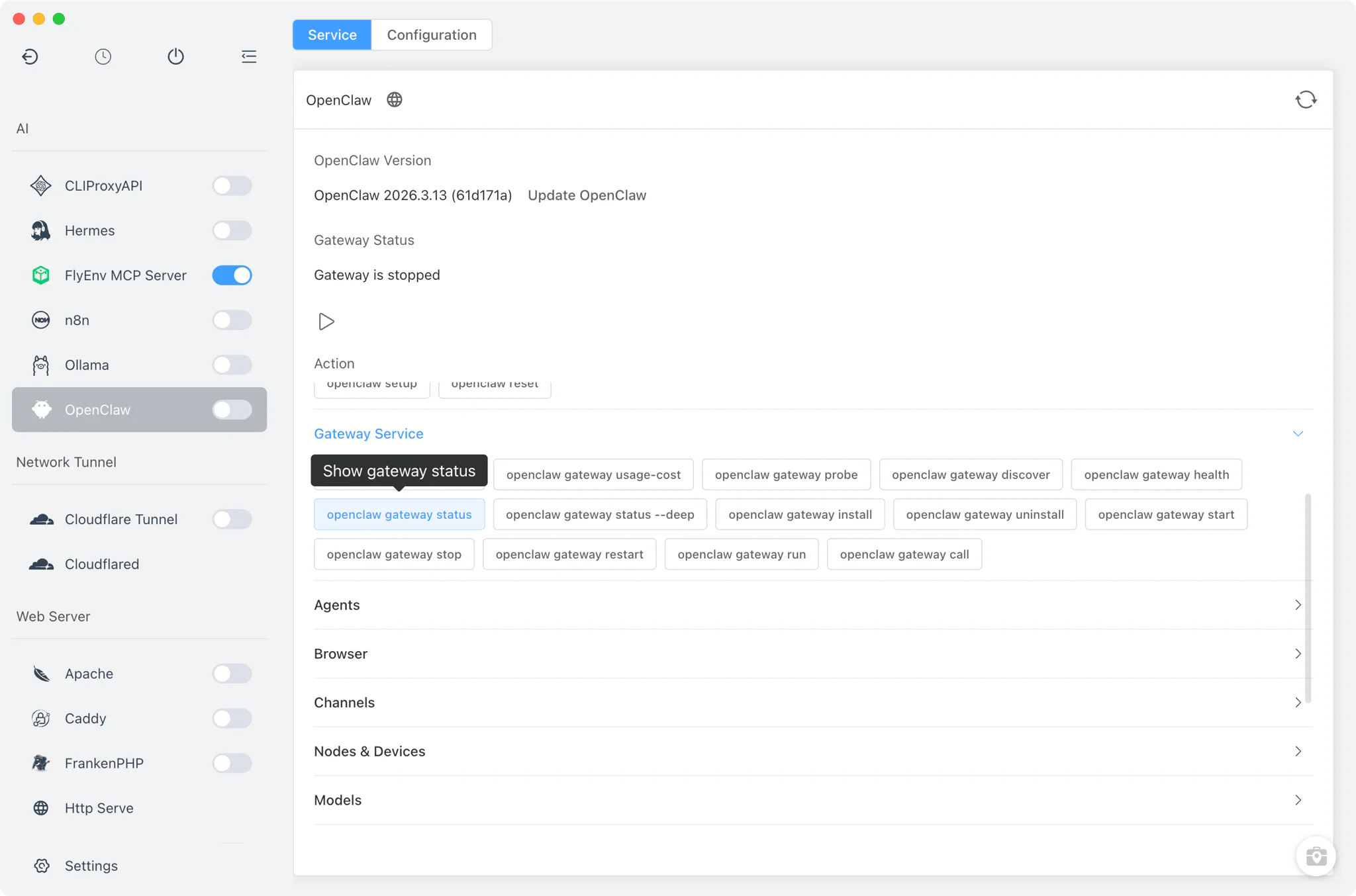
The Service tab includes a categorized command palette covering roughly 110 OpenClaw commands across 13 categories — basic info, config, gateway, agents, browser, channels, nodes and devices, models, skills, system, sessions, backup and update, and plugins. The models category pairs naturally with a local model runtime such as Ollama — see the local offline AI agent guide — if you want the gateway to answer without cloud models.
- Runs in the embedded terminal: each command executes in FlyEnv's built-in xterm, so full CLI output stays visible and scrollable.
- Argument pre-fill: commands that need parameters are typed into the terminal for you, ready to complete and run.
- Direct CLI mapping: the palette mirrors the actual OpenClaw CLI — nothing is reimplemented, so the command you click is the command you could type yourself.
Configuration
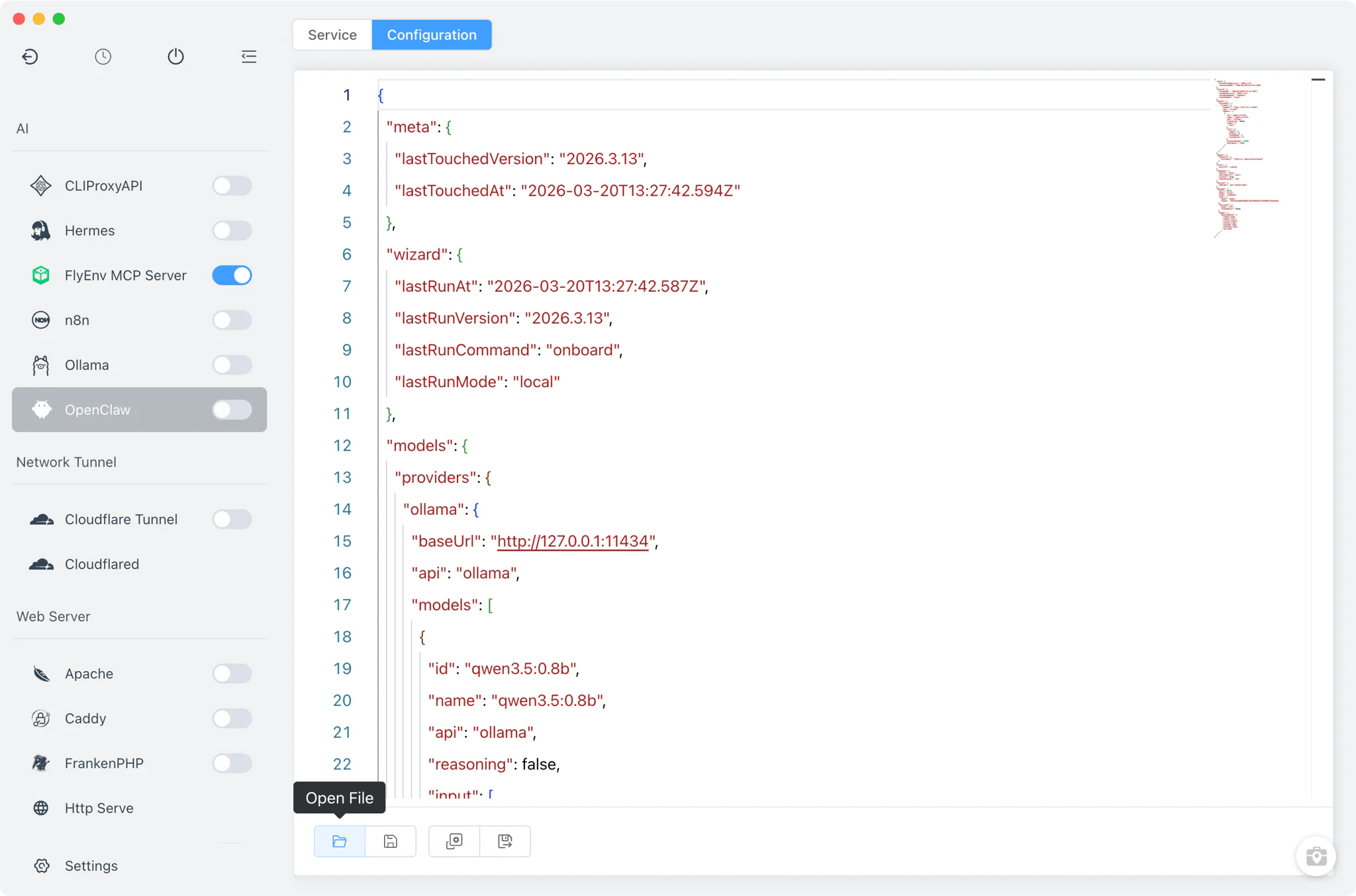
The Config File tab edits OpenClaw's own files in place — there is no settings form, only raw editors.
~/.openclaw/openclaw.json: the main OpenClaw configuration file, editable as plain source.- Gateway service file on macOS: the generated
ai.openclaw.gateway.plistis also exposed for direct editing. - Changes are written back to the same files the OpenClaw CLI reads, so manual edits outside FlyEnv never conflict with a separate copy.
Related guides, solutions and demos
Continue with a practical guide, solution, demo, or community perspective.
Compatibility Notes
The OpenClaw module is a thin wrapper around the CLI: it is not a background service module of its own and has no tray entry — the only persistent process is the gateway, and that is owned by the operating system's service manager once registered. Gateway service registration relies on launchctl on macOS and a user-level systemd unit on Linux; on Windows there is no such OS-service registration step, and the gateway is controlled purely through the CLI's openclaw gateway start/stop commands. FlyEnv provides no log viewers for OpenClaw (openclaw gateway status and the CLI's own output are the source of runtime information), and there is no version manager — what the official install script delivers is what you run. Check the Download page for the current FlyEnv release that ships this module. FlyEnv manages another gateway-based personal assistant the same way — see the Hermes Agent module.