FTP Server in FlyEnv
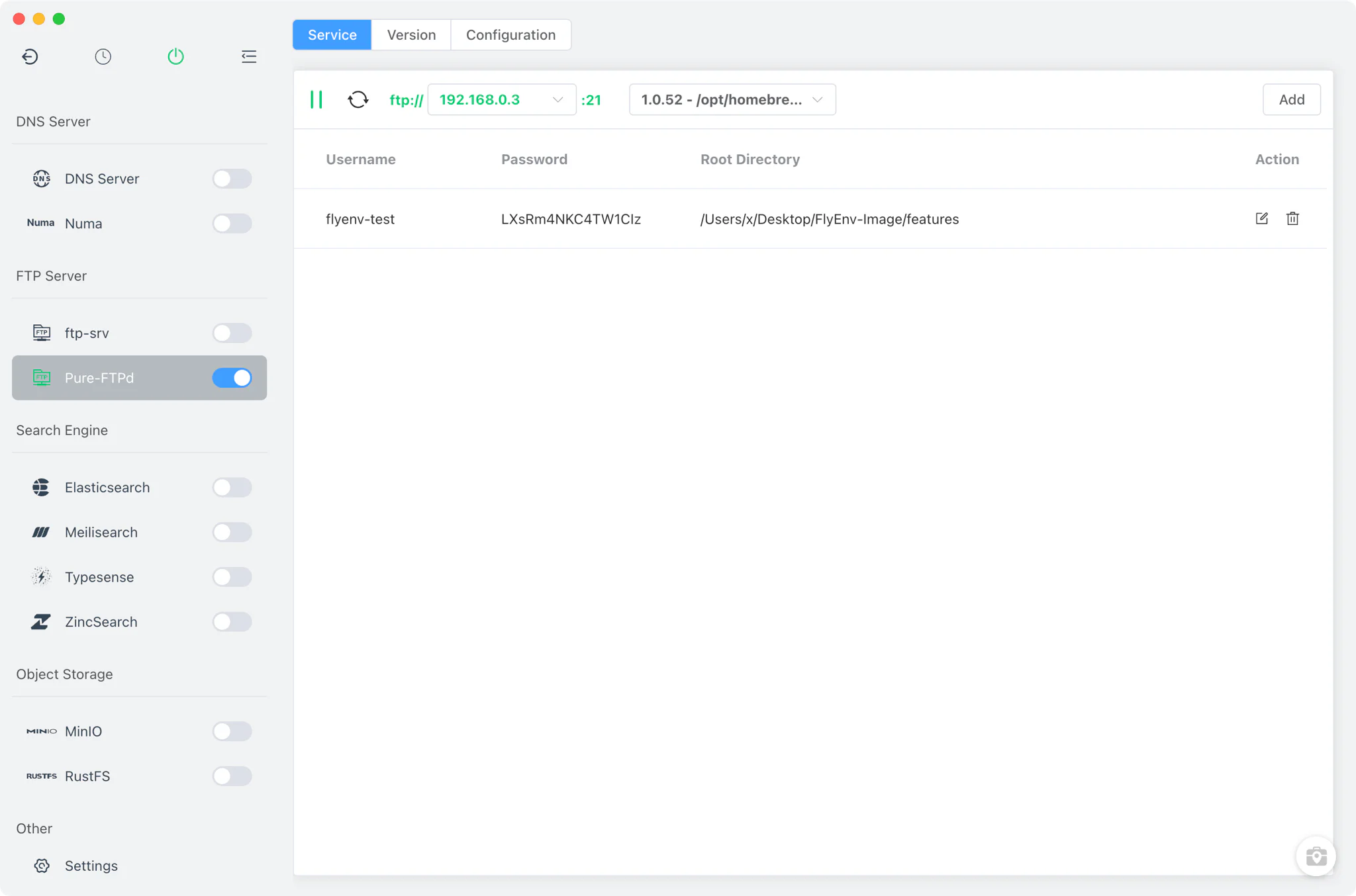
FlyEnv ships two ways to run a local FTP server and exposes both through the same account table: Pure-FTPd as a managed, installable service on macOS and Linux, and ftp-srv as a bundled Node-based server that runs everywhere, including Windows. Either way you get per-account root directories, a copyable ftp:// address while the server is up, and no manual daemon setup. Grab the latest build from the Download page to get both modules.
Two Implementations, One Account Table
Both modules appear in the FlyEnv sidebar as services you can start, stop and pin to the system tray — and like other services they can join a startup group so the FTP server comes up with the rest of your stack. The difference is where the server binary comes from and which platforms it covers.
- Pure-FTPd (macOS and Linux only): a real
pure-ftpddaemon that FlyEnv installs, launches and tracks for you. Its page has three tabs — Service, Version Manager and Config File. Versions come from Homebrew and MacPorts, and custom directories containing your own Pure-FTPd build are supported as well. Only one version runs at a time. - ftp-srv (all platforms): the cross-platform option, including Windows. The server is the bundled
ftp-srvnpm library running on the app's own Node.js runtime inside FlyEnv itself, so there is nothing to install and no Version Manager — the page has a Service tab only. - Same account workflow: whichever implementation you use, the Service tab shows the same username / password / root directory table, so switching between them does not change how you work.
Account Management
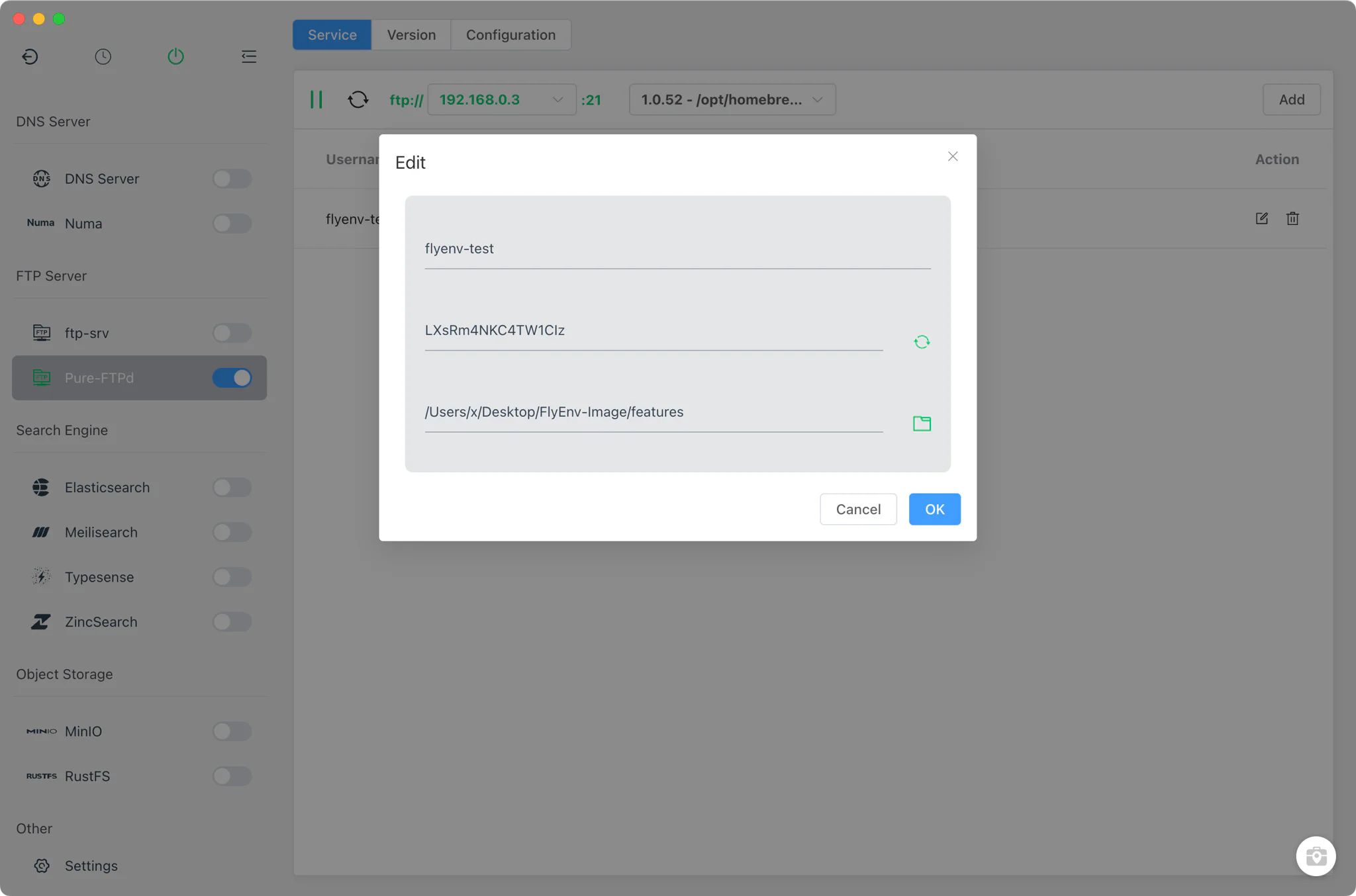
Every FTP account is a row in the Service tab table, with Add and Edit dialogs for creating and changing credentials.
- Username, password and root directory: each account gets its own credentials and its own root folder. The table supports click-to-copy on the values and can open the root directory directly in the file manager.
- Virtual users under Pure-FTPd: accounts are Pure-FTPd virtual users created through
pure-pw useradd, with the uid and gid taken from the folder you choose as the root, and stored in the server's PureDB (pureftpd.pdb) — they are not operating-system accounts. FlyEnv also mirrors the account list intopureftpd.jsonfor its own bookkeeping. - JSON-backed accounts under ftp-srv: credentials are stored in
ftp-srv.jsoninside the FlyEnv data directory and validated by the server's login handler. On Windows, legacy entries frompureftpd.jsonare migrated automatically. - Copyable address while running: the running header shows an
ftp://<ip>:<port>link you can copy, with an IP selector for choosing which local address to hand to a client.
Configuration
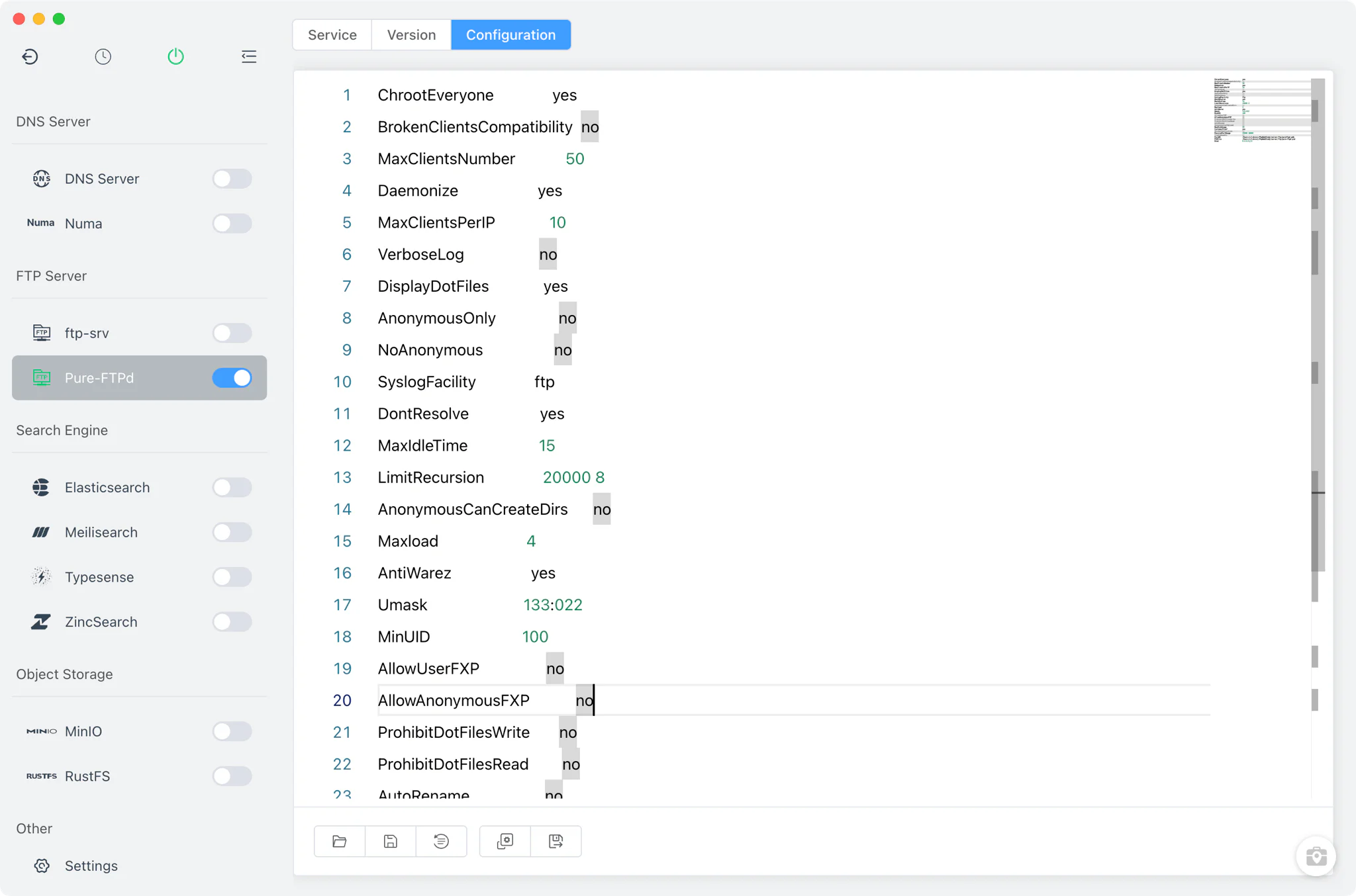
Pure-FTPd runs from a pure-ftpd.conf file that FlyEnv generates from its template and starts the daemon against.
- Raw config editor: the Config File tab opens
pure-ftpd.confin a full editor, with a.defaultcopy kept alongside as the reference. There is no visual settings form for this module. - Port from the config: the listening port is parsed from the
Bind …,portdirective and defaults to port 21. The template also pre-sets a passive port range of 39000–40000. - ftp-srv has no server settings file to edit: the bundled server listens on fixed port 21 with passive ports 49152–65535, and picks its PASV address dynamically — 127.0.0.1 for loopback clients, otherwise the primary LAN IP. The only JSON it keeps is
ftp-srv.json, the account store the Service tab table manages for you, not a configuration file you edit by hand.
Related guides, solutions and demos
Continue with a practical guide, solution, demo, or community perspective.
Compatibility Notes
FlyEnv manages the local FTP runtime, its accounts and its configuration files; what is available depends on your platform. Pure-FTPd is restricted to macOS and Linux, and its installable versions depend on what Homebrew or MacPorts publish. ftp-srv runs on every platform FlyEnv supports, which makes it the only option on Windows — at the cost of no version management and no editable server configuration. Pure-FTPd starts with elevated privileges (sudo) and writes its log output to syslog, so FlyEnv shows no in-app log viewer for it; ftp-srv exposes no log files either. Both implementations listen on port 21 by default, so only one of them can serve that port at a time. Point an account's root directory wherever you like — for example at a site folder you manage in Host as part of your local sites setup.