MariaDB Cluster in FlyEnv
The MariaDB Cluster plugin runs several MariaDB instances at the same time on separate ports. Keep independent databases for different projects or create a GTID source/replica group, with dedicated configuration, logs and data directories for every member.
Install MariaDB Cluster from Settings → Plugin Market. Its MariaDB instances, Services and Versions tabs are available on macOS, Windows and Linux; installable database versions depend on your platform and sources.
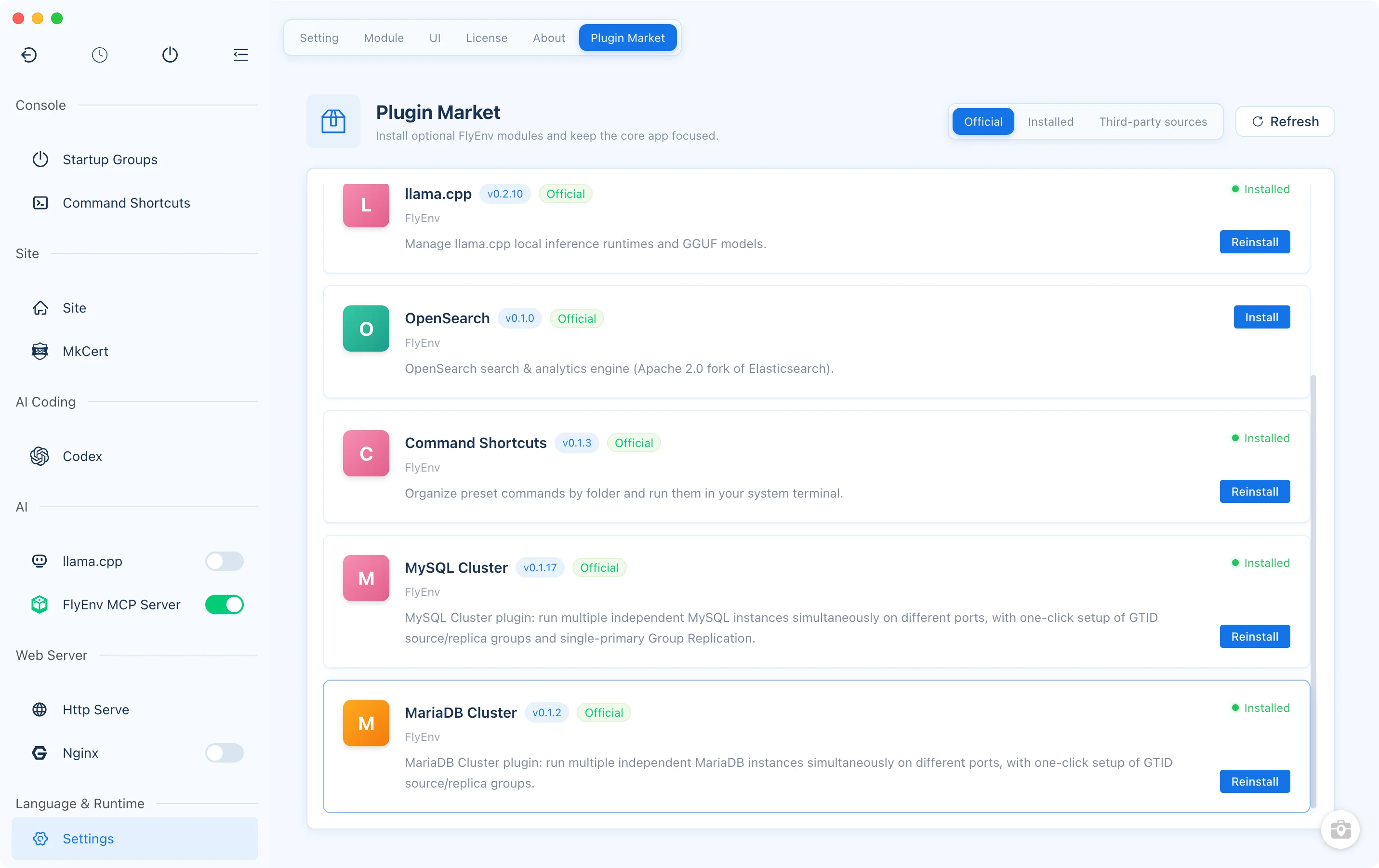
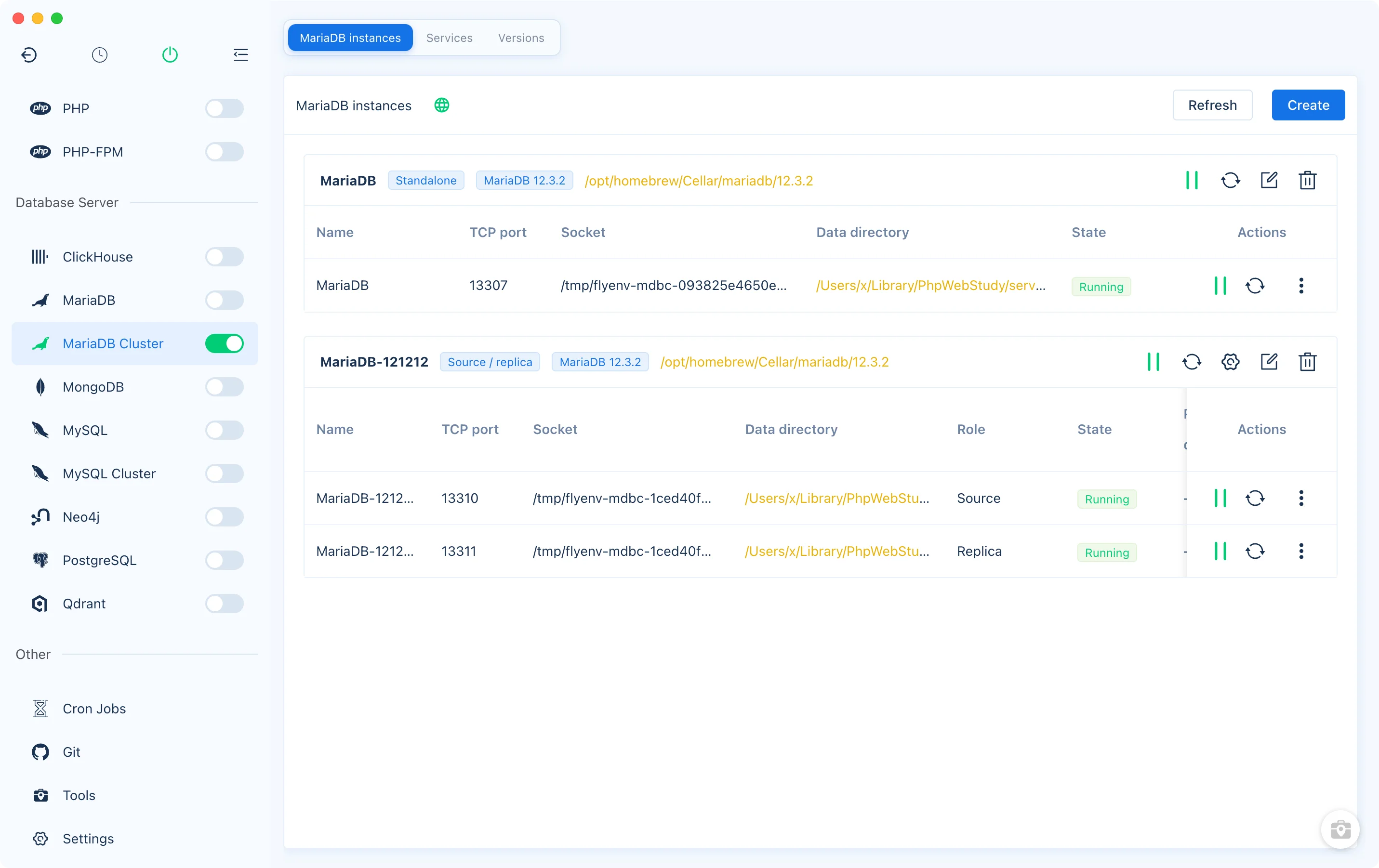
Multiple instances from installed MariaDB versions
Use Versions to install MariaDB through FlyEnv's existing sources, then choose an installation when creating an instance. The plugin requires MariaDB 10.4 or later. Multiple instances can share one program installation while using separate data directories; independent instances may select different installed versions. MySQL installations are not accepted as MariaDB engines.
The Services tab lists installations, while MariaDB instances provides start, stop and restart controls for the databases created by this plugin. The plugin blocks uninstalling a version that running instances still use.
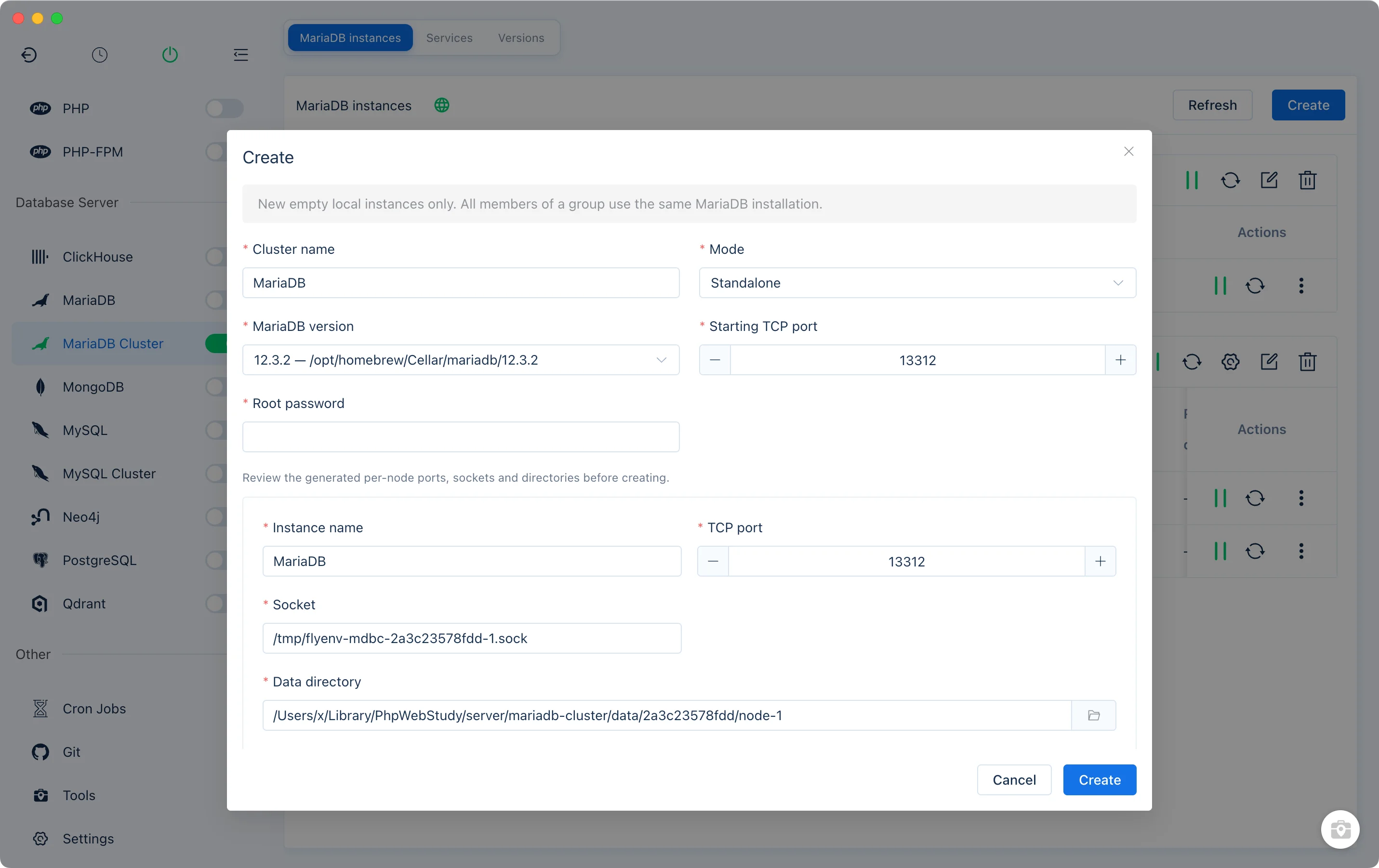
Create a standalone database
Choose Create → Standalone, enter a Cluster name, select the MariaDB version and set the initial Root password. Review the generated Instance name, TCP port, Socket on macOS/Linux or Named pipe on Windows, and Data directory. Enter a data path directly or choose it with the folder button.
The form reports missing fields, duplicate names, conflicting ports or local endpoints, and overlapping data directories beside the affected fields. Every instance needs a separate data directory and connection endpoint.
The plugin creates new empty local databases. It does not import or clone an existing database. Before editing an instance, stop it; names, ports and local endpoints can be changed, while initialized data directories, engine versions and topology cannot be replaced through the form. An empty data directory can be changed before initialization.
One source with GTID replicas
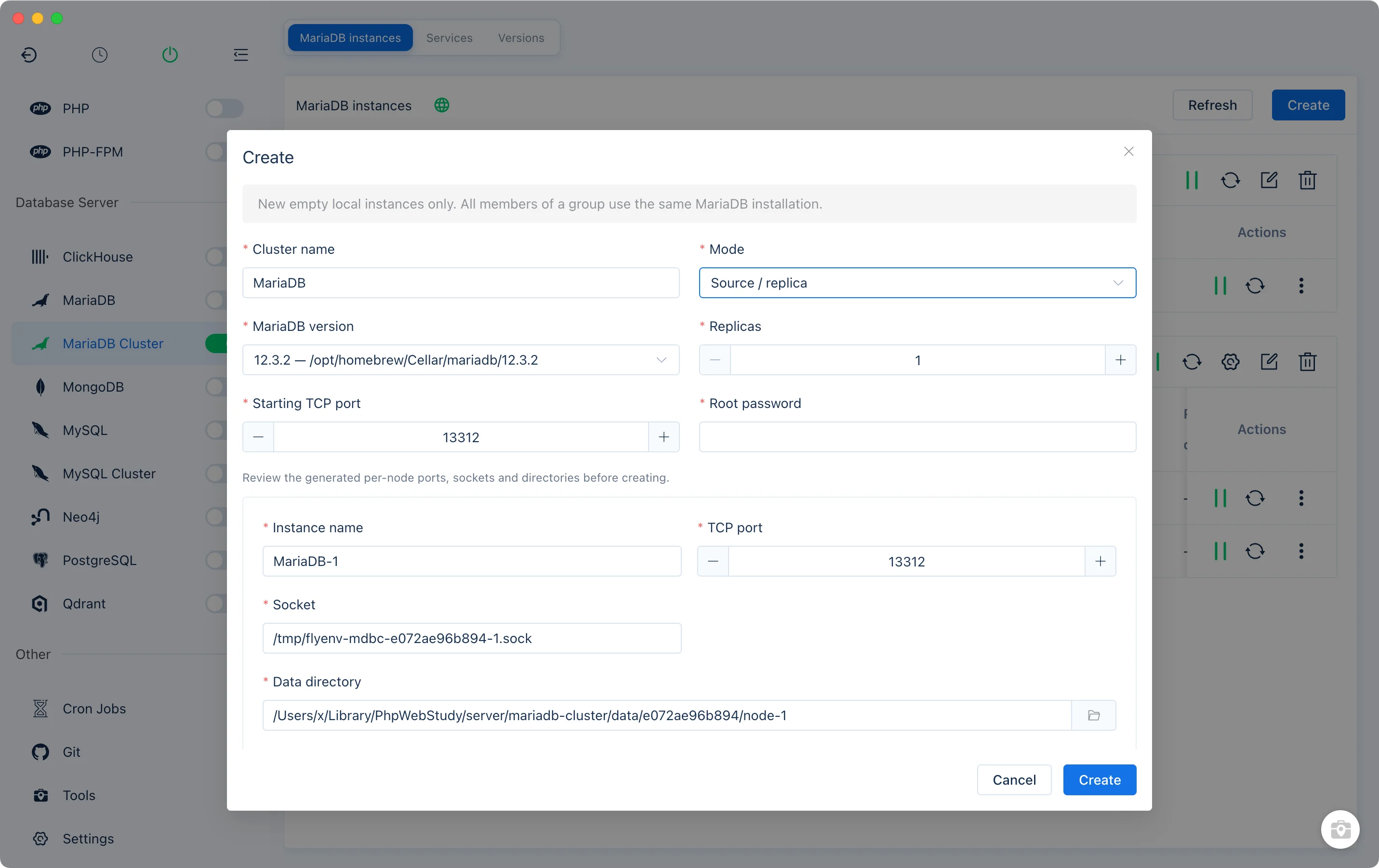
Choose Source / replica and set the number of replicas, from 1 to 15. All members must use the same MariaDB installation. Review each member's generated port, Socket or named pipe and data directory before confirming.
FlyEnv prepares GTID replication, a replication account, read-only replicas and replication channels. The instance list shows source and replica roles alongside process state and replication delay.
MariaDB resumes its saved replication channels after restart. For an explicit configuration or recovery operation, start every member, choose Configure / recover replication and supply the current Root credentials. Ordinary process starts, stops and restarts do not need a database login.
The plugin offers standalone and GTID source/replica modes. It does not configure Galera, automatically promote a replica, or provide a router and unified connection port. All members run on the same machine, so a local group does not protect against failure of that machine. For MySQL single-primary Group Replication, use MySQL Cluster.
Per-instance controls, configuration and logs
Start, stop or restart one database from its row, or act on every member from a group header. The sidebar switch controls all MariaDB Cluster instances. Operation progress appears on the affected controls; the State column reports process state separately from replication health.
The action menu opens the selected instance's configuration, error log, slow query log, connection information and Data management view. Configuration changes apply on the next restart; managed identity and replication options remain protected. Click a Socket address to copy it for a local client.
Data management provides database and user lists, database creation and user grants, password changes, notes, a backup directory and exports of selected databases. Use the source for writes: the plugin preserves replicas' read-only restrictions. Credentials are isolated per instance and can be explicitly remembered on the device; a new instance's Root password otherwise stays in the current session.
Browse with DbGate
When an instance is running, the DbGate icon beside the instance view title opens FlyEnv's shared browser database panel. It requires an installed, available Node.js runtime, even when the Node.js module is hidden. If DbGate is missing, opening the panel starts its installation; an existing global installation is reused.
MariaDB Cluster shares that panel with MongoDB and MySQL Cluster. Stopping the last MariaDB Cluster instance closes the global panel; open it from another module when needed.
Removal retains database files
Deleting an instance or group stops the affected members and removes their management records after confirmation. Database files are retained, as are inspectable configuration and logs. Uninstalling an engine through the plugin also retains instance databases. After an interrupted operation, inspect saved files and the reported member results before retrying.
For the standard single-service workflow, see the built-in MariaDB module. Return to the Plugin Market to update, disable or uninstall the plugin integration.