Podman Container Management with FlyEnv
Podman is an open source container engine for building and running OCI containers, compatible with Docker images and Compose files, and able to run rootless without a background daemon. FlyEnv turns Podman into a visual workspace: create and tune Podman machines, generate Compose projects from a stack library, pull images from the official catalog, and run and inspect containers — all without memorizing CLI flags. FlyEnv detects your system Podman automatically and, on macOS and Linux with Homebrew, can install it in one click from the embedded terminal. For a step-by-step walkthrough, see the Podman module guide; for how this container-based approach compares to FlyEnv's native modules, see FlyEnv vs Docker and XAMPP.
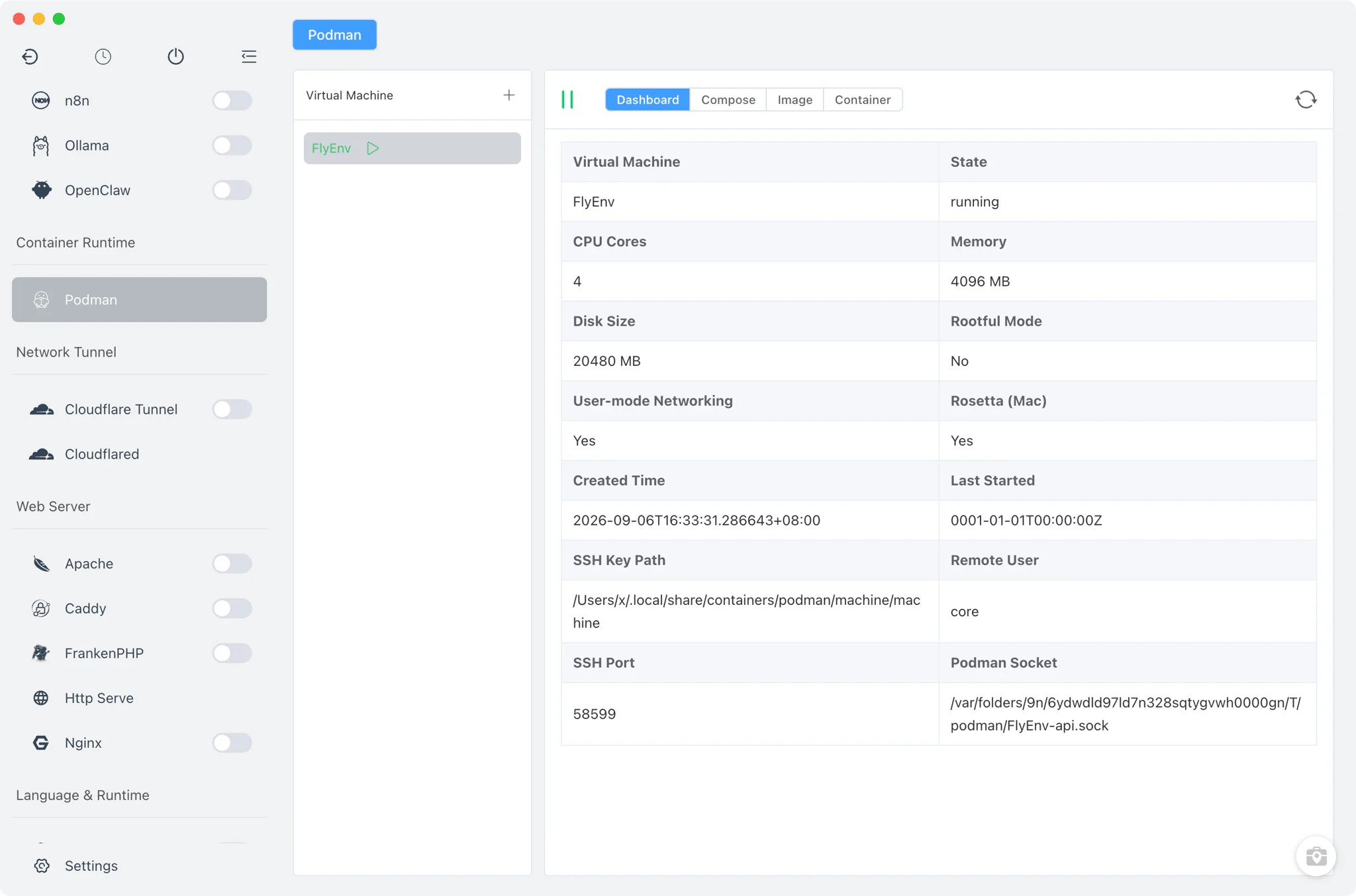
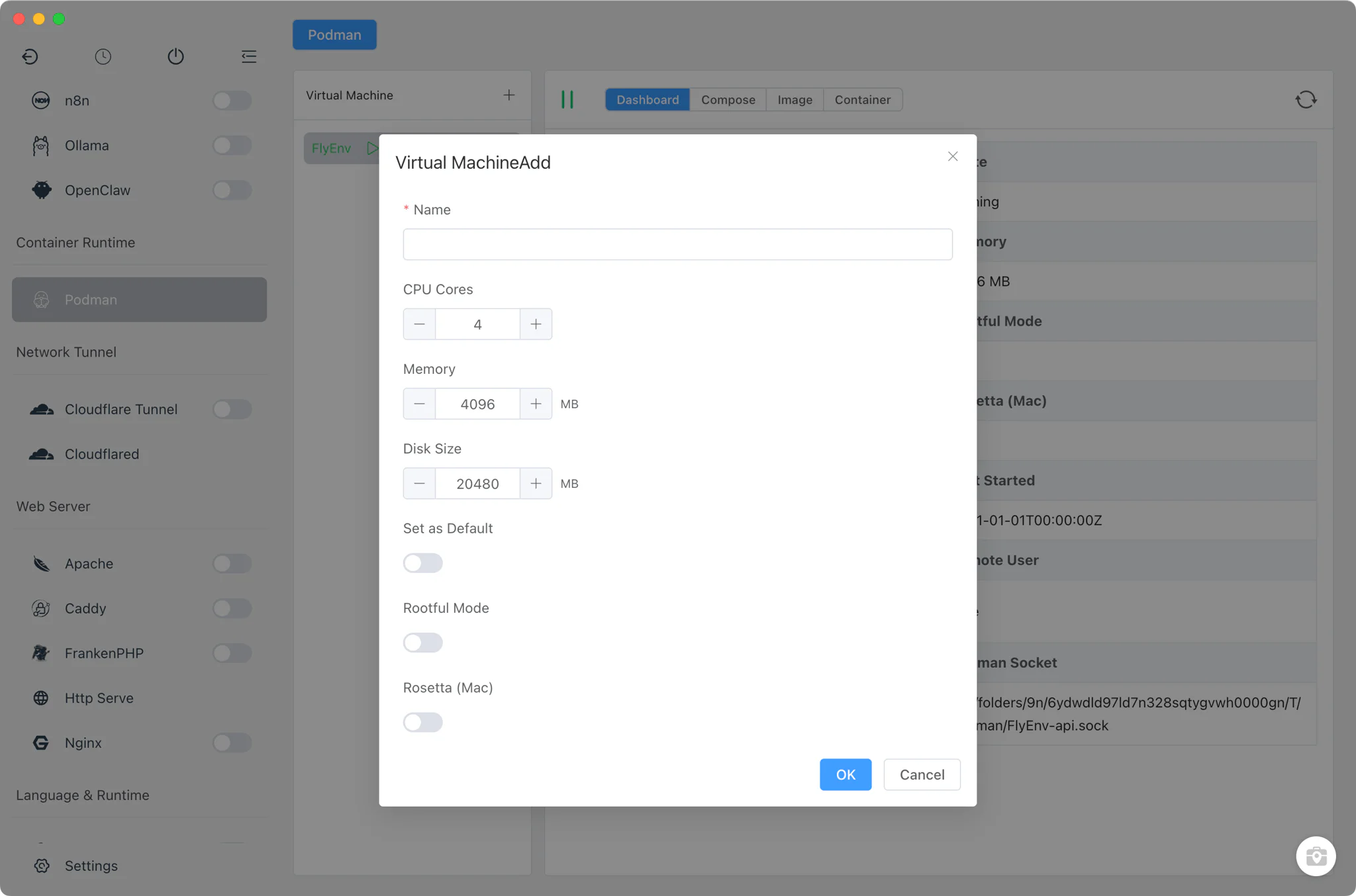
Machine management
The left panel lists every Podman machine, with actions to add, edit, start, stop and delete machines. Each machine opens into its own tabs: Dashboard, Compose, Image and Container.
- Add and edit machines: set the machine name, CPU count (1–16 cores), memory (512–32768 MB), disk size, and whether the machine is the default.
- Rootful mode: run a machine as rootful when your workloads need it.
- Rosetta on macOS: enable Rosetta for a machine to run x86_64 images on Apple Silicon.
- Remote connection details: configure the SSH identity path and remote username per machine.
- Linux runs natively: on Linux, Podman needs no virtual machine, so machine actions are hidden and containers run directly on the host.
- Easy setup: FlyEnv detects the system
podmanbinary; if it is missing and Homebrew is available on macOS or Linux, an install button runs the brew install in the embedded terminal.
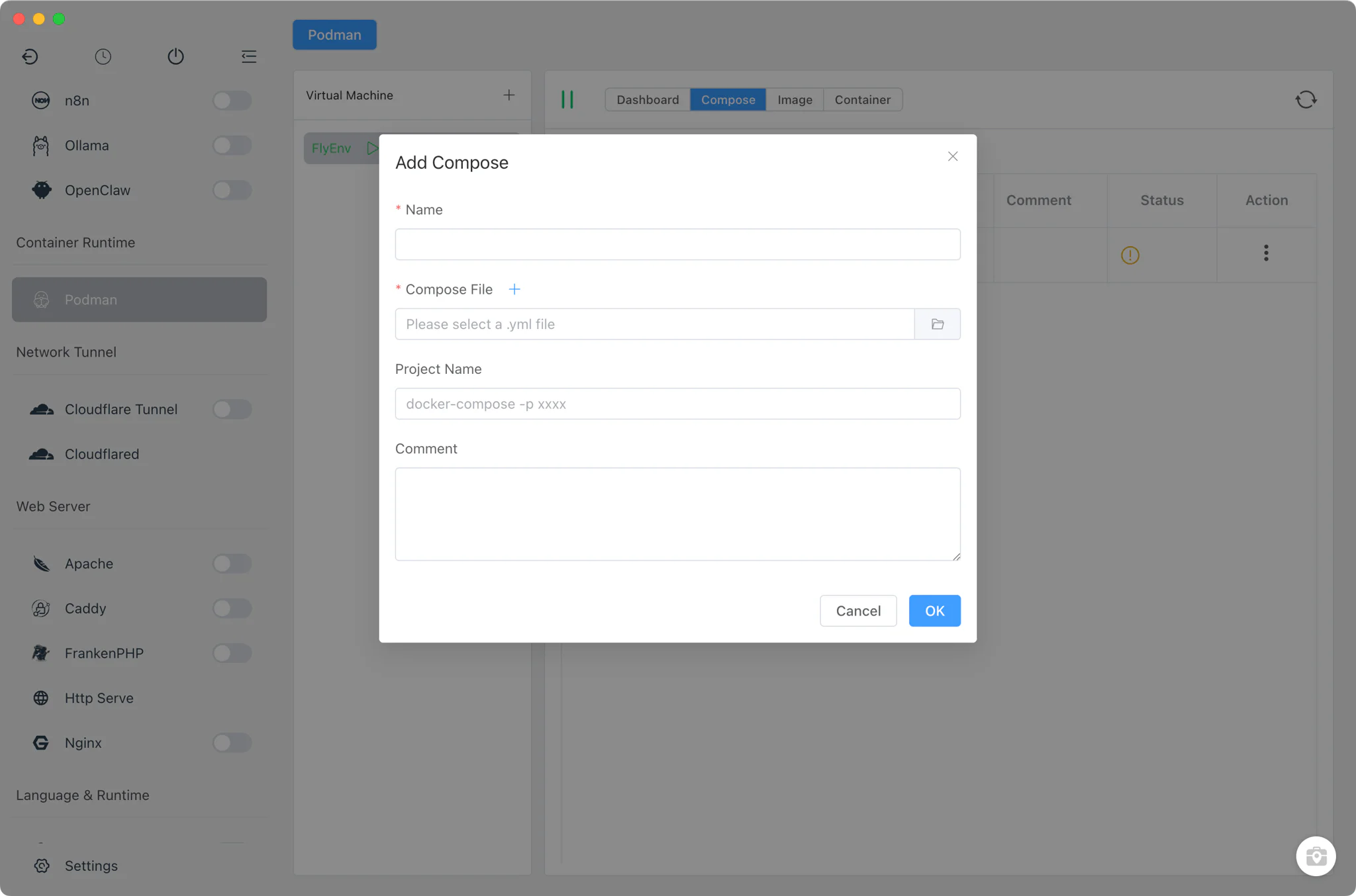
Compose projects and the stack generator
The Compose tab manages your existing docker-compose projects — FlyEnv keeps a stored list of projects and checks their running state — and includes a Compose Build generator that assembles a stack through per-service forms instead of hand-written YAML.
The generator covers around 29 technology stacks, including PHP, Nginx, Apache, Caddy, MySQL, MariaDB, PostgreSQL, MongoDB, Redis, Memcached, RabbitMQ, Elasticsearch, Meilisearch, MinIO, Consul, Etcd, Mailpit, NodeJS, Bun, Deno, Go, Java, Python, Ruby, Rust, Perl, Erlang and Tomcat. Each service gets its own form, so you configure only the options that stack exposes. Compose operations require docker-compose or the docker compose plugin to be installed.
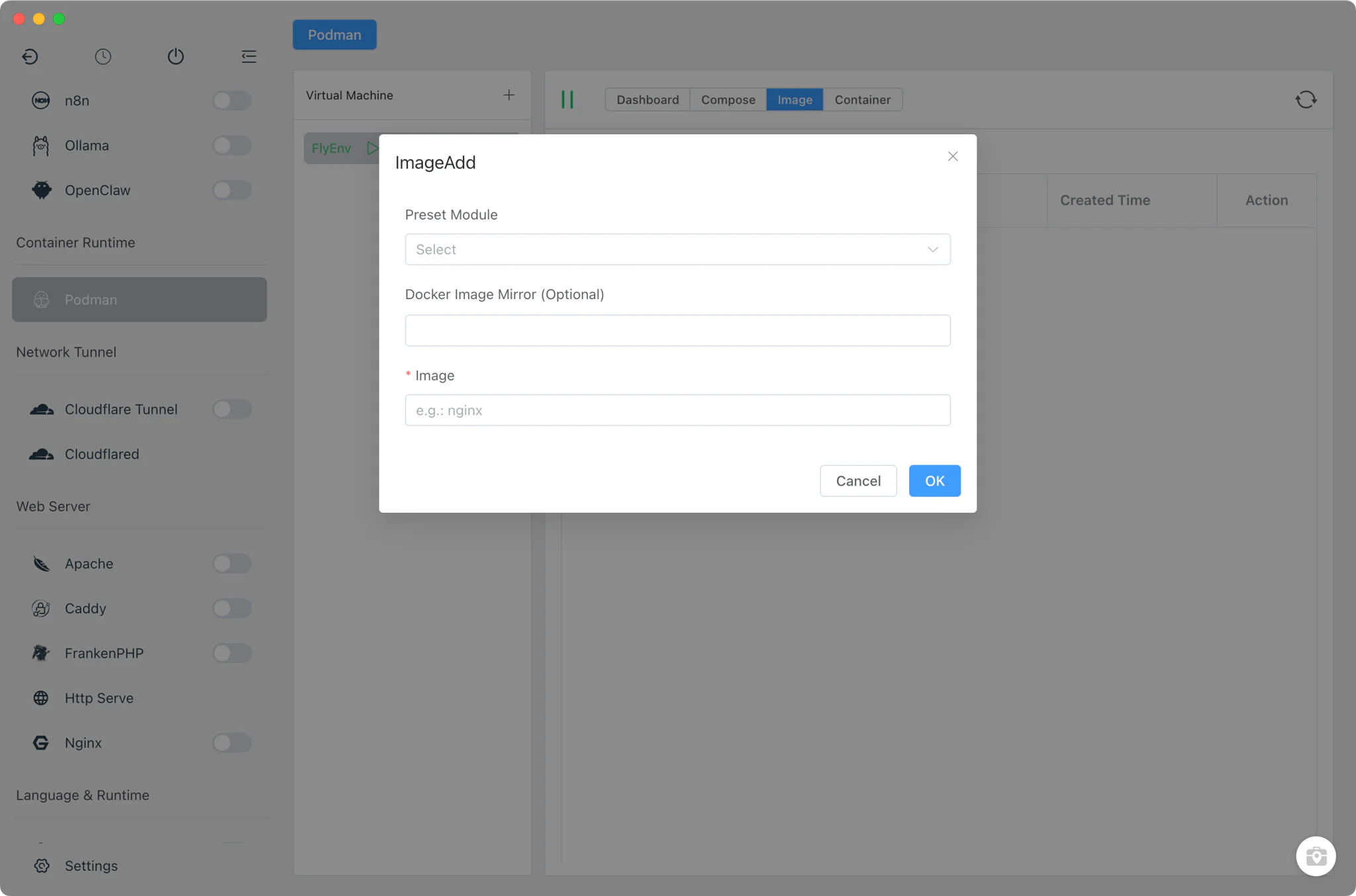
Images
The Image tab is a visual pull client built on the official image catalog.
- Official image catalog: browse the standard official images without leaving the app.
- Online tag fetching: tags for each image are fetched online, so you can pick an exact version instead of guessing tag names.
- One-click pull: pull the selected image and tag straight into the machine's local image store.
Containers
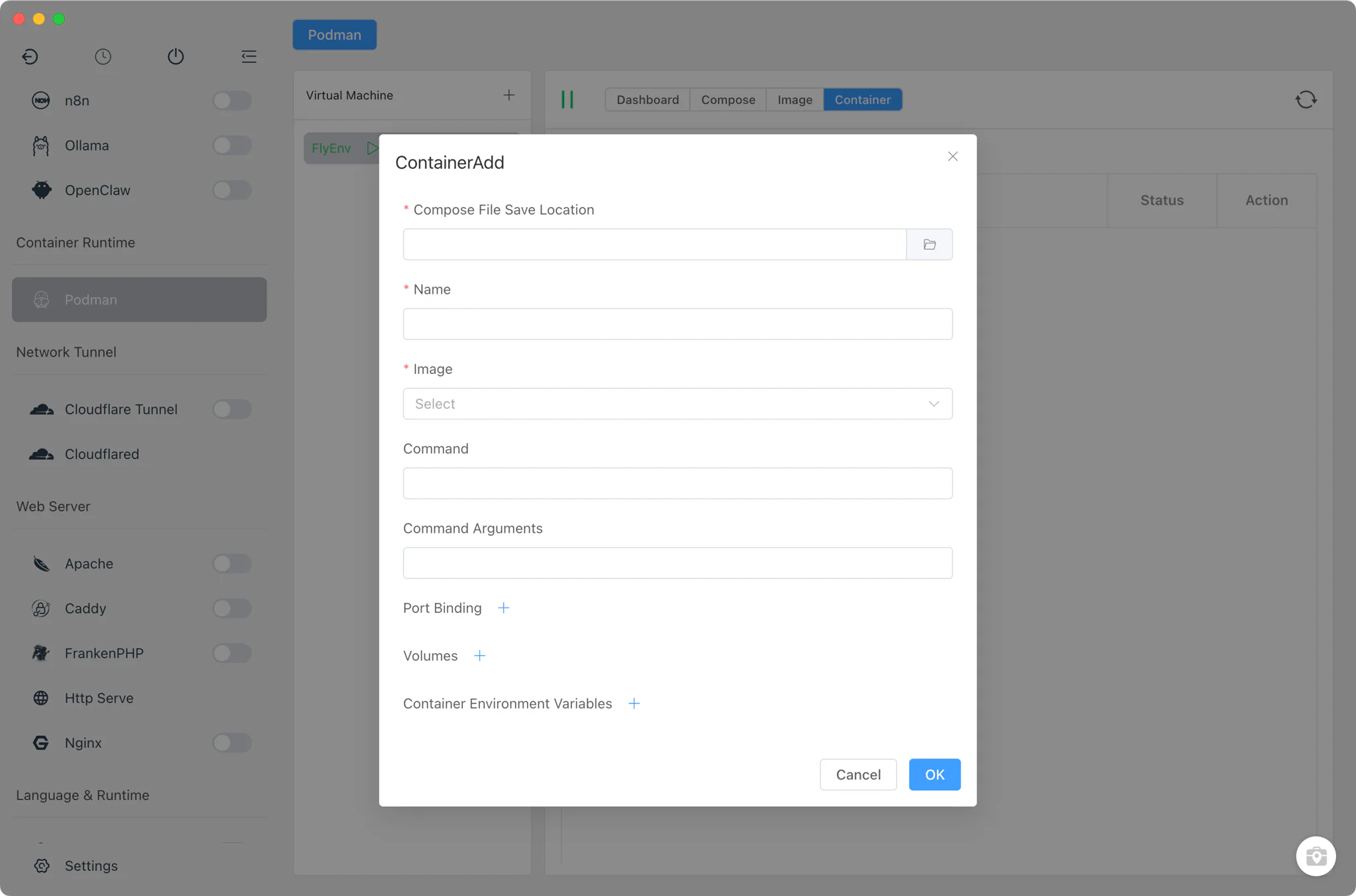
The Container tab covers the day-to-day container lifecycle on the selected machine.
- Create containers from any pulled image through a form rather than a long
podman runcommand. - Inspect and preview each container's configuration and state.
- Embedded terminal exec: open a shell inside a running container using FlyEnv's built-in terminal, so debugging happens where the container lives.
Related guides, solutions and demos
Continue with a practical guide, solution, demo, or community perspective.
Compatibility Notes
FlyEnv operates Podman through the system podman CLI; it does not ship a Podman version manager or bundle the runtime itself. On macOS and Linux, one-click installation is offered when Homebrew is present; Windows users install Podman themselves. Podman machine actions apply to macOS and Windows — on Linux, Podman runs natively without a virtual machine. Check the Download page and current release notes for platform support details.