Your stack grows.
Your workspace
should too.
From PHP and Laravel to Node.js, Python, Java and AI. Manage the runtimes, services and project workflows you need in one native local development environment.
 Your projects
Switch tools, not your ambitions.
Choose the environment you use today. See what you can gain with FlyEnv.
FlyEnv vs Laragon
Take your workflow beyond Windows.
View comparisonFlyEnv vs ServBay
An open, extensible workspace for evolving projects.
View comparisonFlyEnv vs Laravel Herd
Keep Laravel. Manage the rest of your stack too.
View comparisonFlyEnv vs XAMPP
Go beyond the traditional Apache, PHP and MySQL stack.
View comparisonFlyEnv vs MAMP
More than a local web server.
View comparisonFlyEnv vs Docker
Run local services natively when containers are not needed.
View comparisonOne workspace. More possibilities.
A closer look at Laragon and ServBay, two of the most relevant alternatives for a growing development stack.
| Capability | FlyEnv | Laragon | ServBay |
|---|---|---|---|
| Platform & workflow | |||
| Desktop platforms | Windows, macOS, Linux | Windows | macOS, Windows¹ |
| Development approach | Native, project-oriented workspace | Portable Windows environment | Integrated multi-runtime environment |
| Runtimes & services | Multiple languages, native services | Multiple languages and services | Multiple languages and services |
| Beyond the basics | |||
| Project workflow | Per-project runtimes + Startup Groups | Quick app, version switching | Sites and package management |
| Extensibility | Plugin catalog + third-party sources | Quick add and portable tooling | Upgradeable packages |
| AI workflow | Built-in MCP + AI Memory plugin | See official documentation | MCP, AI Gateway, local models |
¹ ServBay’s public download and installation pages list macOS and Windows; check its current Linux availability. These are selected workflow differences, not an exhaustive feature checklist.
Product references: Laragon docs · ServBay features · FlyEnv features
Native by design
Manage local services without adding a container layer to every project.
Project-first workflows
Choose runtime versions and start the services each project needs.
Open and extensible
Inspect the source and expand your workspace with optional modules.
Less environment management. More building.
Different projects. Different versions.
Keep legacy applications and new projects side by side. Configure the runtime version and service settings your project needs instead of repeatedly changing global tools.
Explore per-project runtimesYour projectsStart the whole project stack.
Organize installed service versions and runnable projects into groups. Start or stop the dependencies together when you switch projects.
Explore Startup GroupsStartup Groups- NginxRunning
- PHP-FPMRunning
- MySQLRunning
- RedisRunning
Start with what you need. Grow when you’re ready.
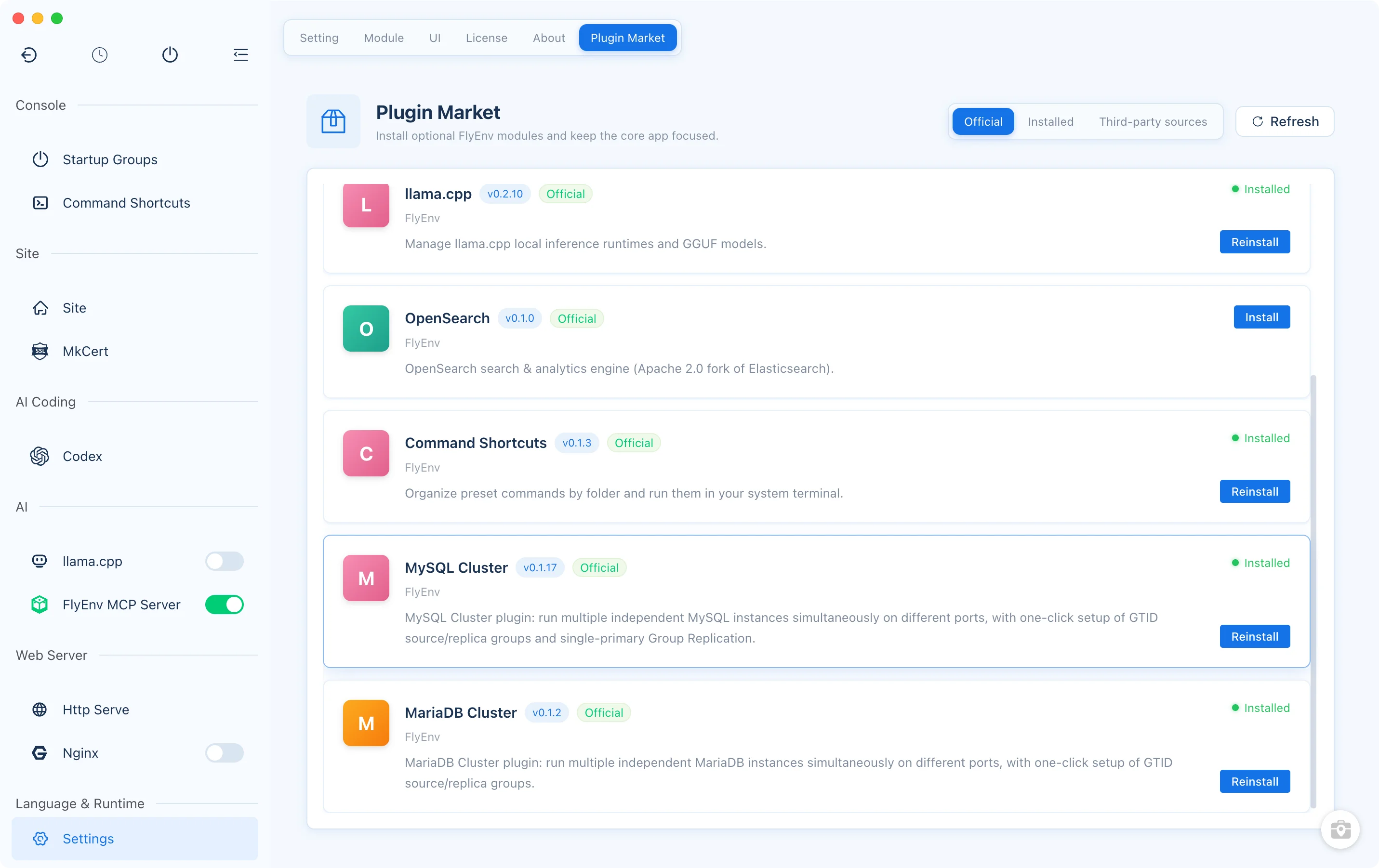
A broad workspace does not have to mean a crowded one. Add optional modules as your projects evolve, from databases and search engines to local AI and persistent agent memory.


%20--%3e%3cdefs%20id='defs1'%3e%3cstyle%20id='style1'%3e%20.st0%20{%20fill:%20%23ff8236;%20}%20.st1%20{%20fill:%20%23fff;%20}%20.st2%20{%20fill:%20%231b1f20;%20}%20%3c/style%3e%3c/defs%3e%3cg%20id='g7'%3e%3cg%20id='g6'%20transform='translate(-995.51066,-129.70875)'%3e%3cpath%20class='st0'%20d='m%201163.3,226.8%20-13.5,24%20c%20-17.8,-13.7%20-44.2,-15.7%20-62,-1%20-28.7,23.7%20-26.7,78.5%2018,78.8%2012.5,0%2023.1,-5.9%2034.5,-9.8%20l%206,23.9%20c%20-10.1,4.7%20-20.4,9.5%20-31.5,11%20-101.2,13.8%20-95.4,-132.3%20-3.9,-139.9%2019.2,-1.6%2036.1,3.4%2052.5,13%20z'%20id='path4'%20/%3e%3cpath%20class='st0'%20d='m%201093.4,203.8%20c%20-15.4,4.6%20-29.7,13.1%20-40.5,25%20-2,-24.2%203.4,-73.1%2030.3,-82.7%204,-1.4%2017.7,-4.9%2017.3,2.2%20-0.4,7.1%20-9.9,19.3%20-12.2,25.9%20-4,11.6%20-0.3,19.6%205.2,29.7%20z'%20id='path5'%20/%3e%3cpolygon%20class='st0'%20points='1131.4,307.8%201116.4,307.8%201116.4,290.8%201099.4,290.8%201099.4,276.8%201114.9,276.8%201116.4,275.3%201116.4,258.8%201131.4,258.8%201131.4,276.8%201147.4,276.8%201147.4,290.8%201131.4,290.8%20'%20id='polygon5'%20/%3e%3cpolygon%20class='st0'%20points='1186.4,290.8%201186.4,307.8%201171.4,307.8%201171.4,290.8%201155.4,290.8%201155.4,276.8%201171.4,276.8%201171.4,258.8%201186.4,258.8%201186.4,275.3%201187.9,276.8%201203.4,276.8%201203.4,290.8%20'%20id='polygon6'%20/%3e%3cpath%20class='st0'%20d='m%201142.3,156.9%20c%202,3%20-9.3,15.9%20-11.1,19.2%20-5.2,9.8%20-1.7,15.4%202.2,24.7%20-11.3,-1.7%20-21.8,-0.3%20-33,1%202.5,-21.5%2014.6,-52.8%2041.9,-44.9%20z'%20id='path6'%20/%3e%3c/g%3e%3c/g%3e%3c/svg%3e)

Your next project starts here.
Try FlyEnv with one of your existing projects. Keep the tools you need, add more when you need them.