Application runtime
Multiple PHP versions per project

Framework solution
Build and run Laravel with PHP, databases, Redis, local domains, and HTTPS in one native workspace.
A practical Laravel application consists of several components. FlyEnv provides and manages them for you.
Multiple PHP versions per project
Composer
Built-in Composer, easy to use
MySQL or PostgreSQL
Both supported, switch per project
Start when needed
Flexible web server support
Modern frontend toolchain
Manage Laravel scheduler
Real local domain with HTTPS
A typical Laravel project running on FlyEnv, with a clear architecture and all the services you need.
Use the PHP version required by each Laravel project.
Access your project with a trusted certificate.
Start all required services together and get to work.
Run workers and the Laravel scheduler easily.
A Laravel project with its services and runtime managed in one workspace.
Choose the PHP-FPM version required by this Laravel project.
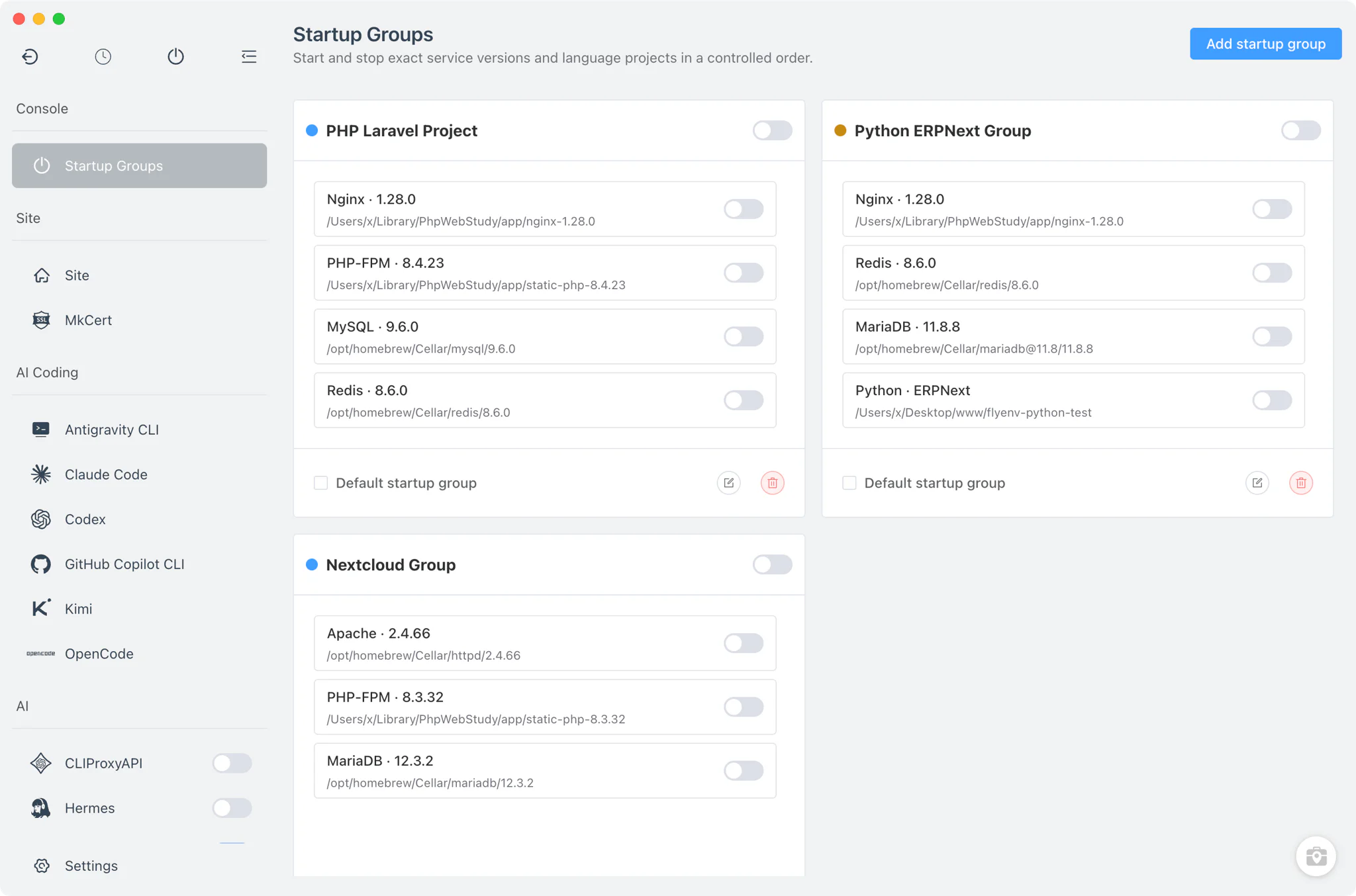
Keep Nginx, PHP-FPM, MySQL, and Redis in one controlled startup order.
See the core Laravel services together in one FlyEnv view.
Start the project’s Startup Group whenever you return to the app.
A more predictable and enjoyable local development experience for Laravel.
Keep Laravel projects on the versions they require without changing a global runtime.
Laravel 8 → PHP 7.4 · Laravel 11 → PHP 8.2 · Laravel 12 → PHP 8.3+
Start PHP, the database, Redis, the web server, and more from one Startup Group.
PHP + Nginx + MySQL + Redis → Startup Group
Use the database that matches the project instead of adapting the project to the tool.
Enable cache, sessions, or queues without carrying an unused service everywhere.
Test cookies, OAuth callbacks, webhooks, and secure browser features locally.
https://shop.test
Keep background work close to the Laravel application during development.
FlyEnv works for new Laravel apps and projects you already have.
Different tools, different approaches. Here is how they compare for local Laravel development.
| Feature | Manual local setup | Container workflow | FlyEnv |
|---|---|---|---|
| Environment model | Single PHP process | Docker containers | Full local environment |
| Database environment | Local or external | Containers | MySQL or PostgreSQL modules |
| Redis support | Manual setup | Container service | Built-in, on demand |
| Local domains | Manual setup | Project-dependent | Managed local sites |
| Multi-stack development | Manual switching | Docker Compose | Project-level runtimes and services |
Common questions about using FlyEnv for Laravel development.
Yes. FlyEnv manages multiple PHP versions and lets each project or local site use the version it requires.
Yes. Choose the database module that matches the project and start it alongside the Laravel application.
Yes. Start Redis when the application uses cache, sessions, Horizon, or queue workers, then keep it in the project’s Startup Group.
Yes. Create a local site with a readable domain and use FlyEnv’s trusted local HTTPS support.
Yes. Each project can keep its own PHP version, local site, database choice, Redis usage, and supporting services.
No. The Solution page explains the environment and workflow; the Laravel Guide covers the detailed setup steps and configuration.
Run PHP, databases, Redis, local domains, and HTTPS in one workspace.