X
XAMPP
One shared stack for all projects
 Apache
 PHP
PHP MariaDB
↓
htdocs
(one web root)
/project-a
/project-b
/project-c
All projects share the same stack and configuration.
Comparison
XAMPP is a simple, all-in-one PHP stack for general use. FlyEnv lets each local project use the runtimes, web servers, databases, and services it needs.
One shared stack for all projects
ApachePHPMariaDBhtdocs
(one web root)
/project-a
/project-b
/project-c
All projects share the same stack and configuration.
A dedicated environment per project
Project A · Laravel
 NginxPHP 8.3
 MySQL
MySQL Redis
RedisProject B · WordPress
ApachePHP 7.4MariaDBProject C · Node.js app
 Caddy
Caddy Node.js
 PostgreSQL
 MinIO
MinIOEach project has its own runtimes, services, ports, and configuration.
Not just a different stack, but a different way to develop.
Run different versions of PHP, Node.js, Python, and more side by side while keeping projects independent.
Choose Nginx, Apache, Caddy, databases, caches, mail testing, object storage, or your own project service.
Give every local site its own domain and manage local certificates, ports, rewrite rules, and logs from one place.
Same idea, very different development experience.
Shared PHP stack
ApachePHPMariaDBphpMyAdminProject-based environments
Project A
Nginx
PHP 8.3
MySQL
Redis
Project B
Apache
PHP 7.4
MariaDB
MMailpit
Project C
Caddy
Node.js
PostgreSQL
MinIO
See the same setup in FlyEnv's runtime, Host, and service workflows.
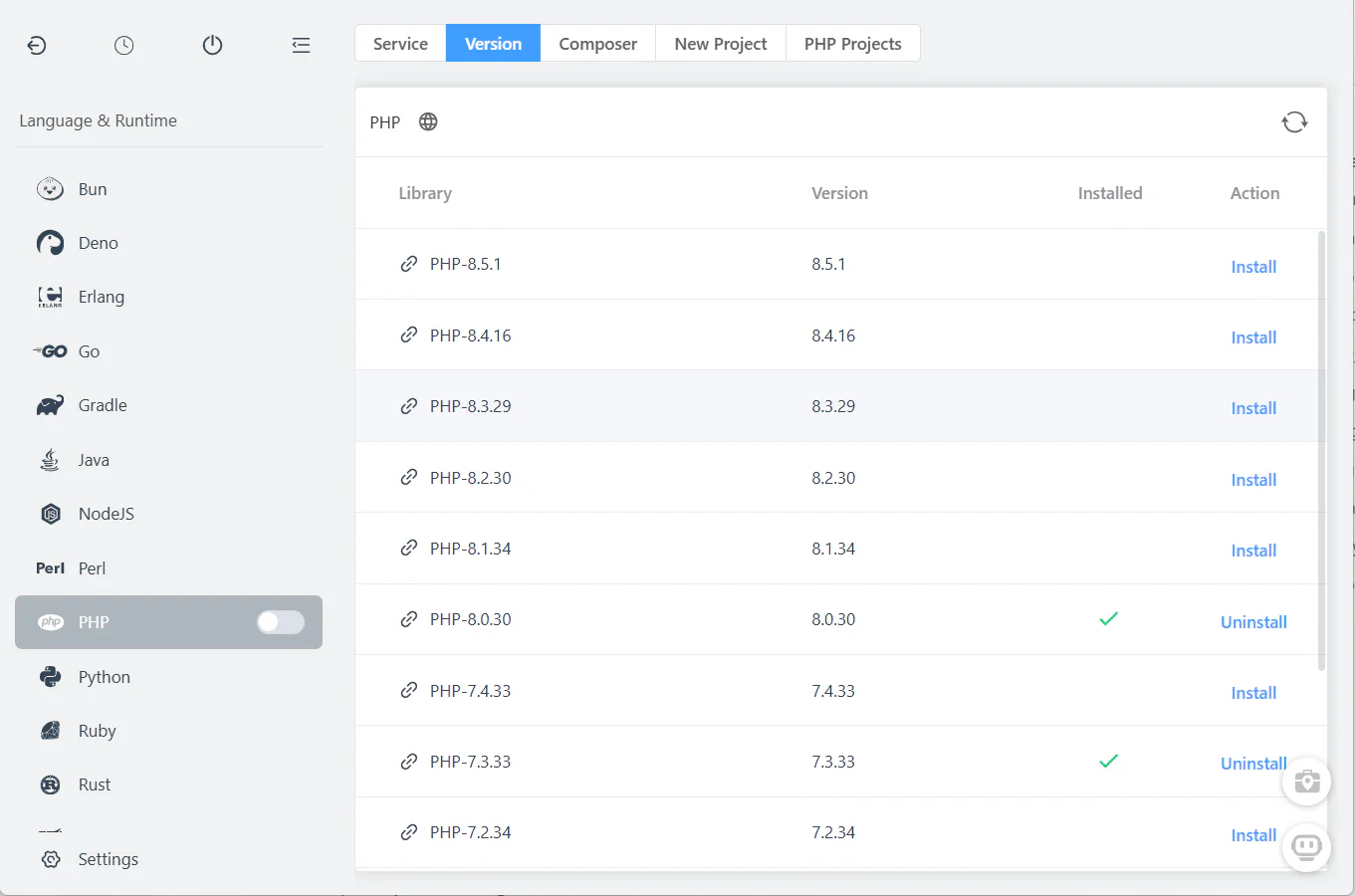
Install and run multiple PHP versions, plus other runtimes, without conflicts.
Explore PHP in FlyEnv →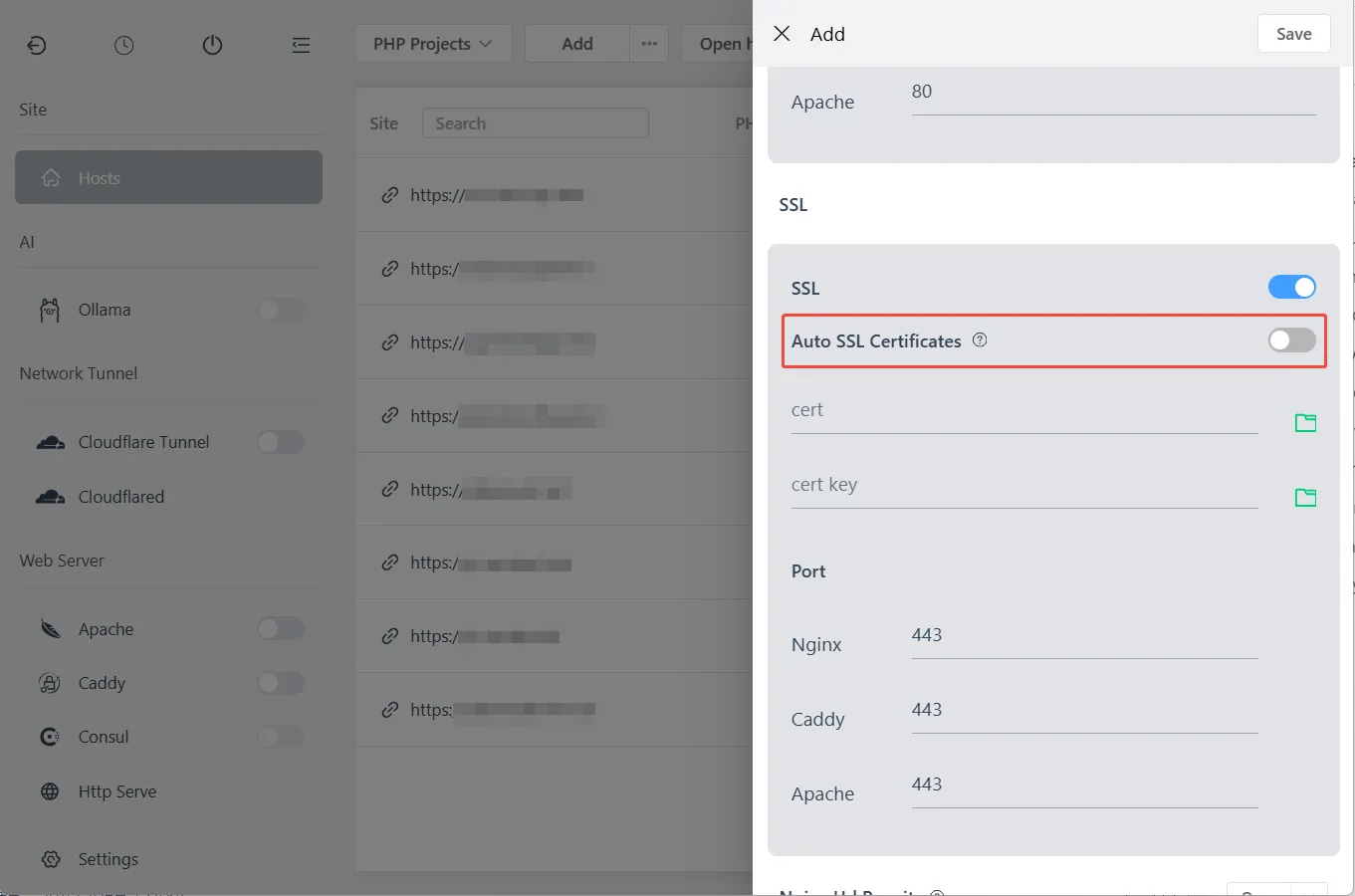
Create local sites with custom domains and manage local certificates without editing htdocs conventions.
Explore local sites →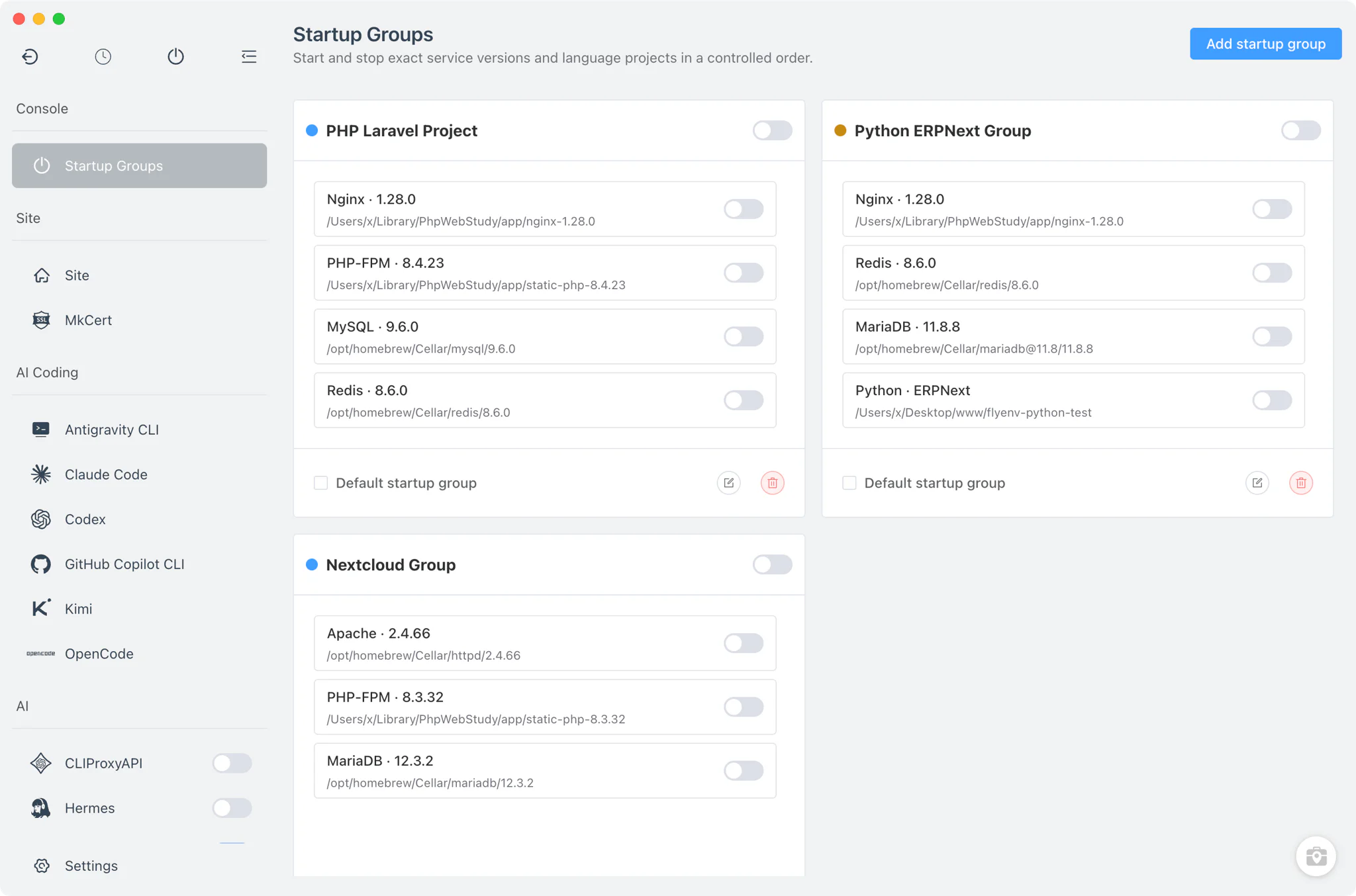
Run databases, caching, mail testing, object storage, and more beside the project.
See project environments →A practical comparison of commonly used local-development capabilities.
| Capability | XAMPP | FlyEnv |
|---|---|---|
| Apache | AvailableBuilt-in | AvailableBuilt-in option |
| PHP | AvailableBundled version | AvailableMultiple managed versions |
| MariaDB / MySQL | AvailableMariaDB included | AvailableMultiple database modules |
| phpMyAdmin | AvailableBundled | AvailableAvailable through local tools |
| Nginx | Not includedNot included | AvailableBuilt-in option |
| Caddy | Not includedNot included | AvailableBuilt-in option |
| PostgreSQL | Not includedNot included | AvailableBuilt-in module |
| Redis | ManualAdditional install | AvailableBuilt-in module |
| Node.js / Python / Go | Not includedNot included | AvailableBuilt-in runtime modules |
| Local custom domains | ManualManual configuration | AvailableBuilt-in Host workflow |
| Local HTTPS | ManualManual or additional setup | AvailableManaged local-site workflow |
| Startup groups | ManualNot available | AvailableBuilt-in project services |
| Mail testing | ManualAdditional install | AvailableMailpit module |
| Database GUI tools | AvailablephpMyAdmin | AvailablephpMyAdmin, pgAdmin, DbGate, Redis Commander |
| AI / MCP integration | Not includedNot included | AvailableFlyEnv MCP Server and AI CLI modules |
One common way these environments differ in practice.
With XAMPP
Start Apache and MariaDB.
With FlyEnv
Create or import a local site.
With XAMPP
Place or link the project into the local web root.
With FlyEnv
Select the PHP version and choose Apache, Nginx, or Caddy.
With XAMPP
Use the bundled PHP version and configure the application.
With FlyEnv
Add a custom domain and enable local HTTPS when needed.
With XAMPP
Configure a virtual host if a custom domain is needed.
With FlyEnv
Start Redis, Mailpit, or other project services.
With XAMPP
Configure HTTPS, Redis, or mail testing separately when required.
With FlyEnv
Save related services as a startup group if desired.
Both tools can be useful; the right choice depends on how your projects are organised.
Both are valid choices—the better fit depends on whether you need a simple shared PHP stack or project-specific environments.
It is easy to move your existing projects. No application rewrite is required in most cases.
Move or keep your project anywhere you prefer. Your project no longer needs to live inside `htdocs`.
Import or create a site in FlyEnv and select the required runtime and service settings.
Import a dump with the documented credentials, then run your application tests and adjust extensions or environment variables.
Need more context? Read the broader FlyEnv vs Docker & XAMPP guide.
Usually no. Recreate the local runtime, site, database, and environment variables, then run the application tests before switching daily work.
No. FlyEnv can use an existing project directory; it does not require the project to live inside the XAMPP web root.
Yes. Apache is available alongside Nginx and Caddy for local sites and project services.
It can replace the local workflow for many projects, but container-based production parity or a team standard may still call for another tool.
Yes. FlyEnv can manage multiple PHP versions and bind a project or local site to the version it needs.
It can be a practical shared baseline for traditional PHP applications when everyone follows the same bundle and web-root conventions.
FlyEnv is free and open source; see the licensing guide for the current details.
Current Apache Friends documentation identifies MariaDB in current XAMPP generations and notes compatibility with common MySQL workflows.
Create a local site, select the runtimes and services it needs, and start working.