Skip to content

Comparison

FlyEnv vs MAMP / MAMP ProWeb development stack or broader multi-runtime workspace?

MAMP and MAMP Pro excel at PHP, WordPress and local web hosts. FlyEnv expands that workflow across multiple runtimes, databases, services and developer tools.

macOSWindowsPHP and WordPressLocal hosts
M

MAMP / MAMP Pro

Host-focused local web development (macOS / Windows)

wordpress.local

WordPress host · Pro

NginxNginxPHP 8.3PHP 8.3MySQLMySQL

legacy-php.local

Legacy host · Pro

ApacheApachePHP 7.4PHP 7.4MySQLMySQL

A mature host and site workflow for web projects, with broader modules handled separately.

F

FlyEnv

A broader project workspace (macOS, Windows, Linux)

Laravel Project · Project

NginxNginxPHP 8.3PHP 8.3MySQLMySQLRedisRedis

Node.js App · Project

CaddyCaddyNode.jsNode.jsPostgreSQLPostgreSQLMinIOMinIO

Java App · Project

TomcatTomcatJavaJavaPostgreSQLPostgreSQLRedisRedis

Each project has its own runtimes, services, ports, and configuration.

Three key differences

Both are strong tools—optimized for different workflows.

01

Web-focused vs multi-runtime

MAMP centers on PHP and local web hosts. FlyEnv supports PHP, Node.js, Python, Go, Java and more.

02

Host-centric vs project workspace

MAMP Pro organizes local hosts and sites. FlyEnv organizes complete projects and their dependent services.

03

Curated web stack vs broader modules

FlyEnv brings databases, caches, mail testing, object storage and other modules into one workspace.

Different development scopes

Same purpose, different development scope.

M

MAMP / MAMP Pro

Host-focused local web development

wordpress.local

WordPress host · Pro

NginxNginxPHP 8.3PHP 8.3MySQLMySQL

legacy-php.local

Legacy host · Pro

ApacheApachePHP 7.4PHP 7.4MySQLMySQL
  • Mature local web host workflow
  • Multiple PHP versions and host settings in MAMP Pro
  • Good fit for PHP and WordPress development
  • Available on macOS and Windows
F

FlyEnv

Project-based environments

Laravel ProjectLaravel Project

NginxNginx

PHP 8.3PHP 8.3

MySQLMySQL

RedisRedis

Node.js AppNode.js App

CaddyCaddy

Node.jsNode.js

PostgreSQLPostgreSQL

MinIOMinIO

Java AppJava App

TomcatTomcat

JavaJava

PostgreSQLPostgreSQL

RedisRedis

  • Cross-platform workspace across macOS, Windows and Linux
  • Multiple runtime families and service versions
  • Project-specific domains, HTTPS and services
  • Infrastructure modules managed as first-class services
  • One workspace for broader development workflows

What this looks like in daily development

See the same setup in FlyEnv's runtime, Host, and service workflows.

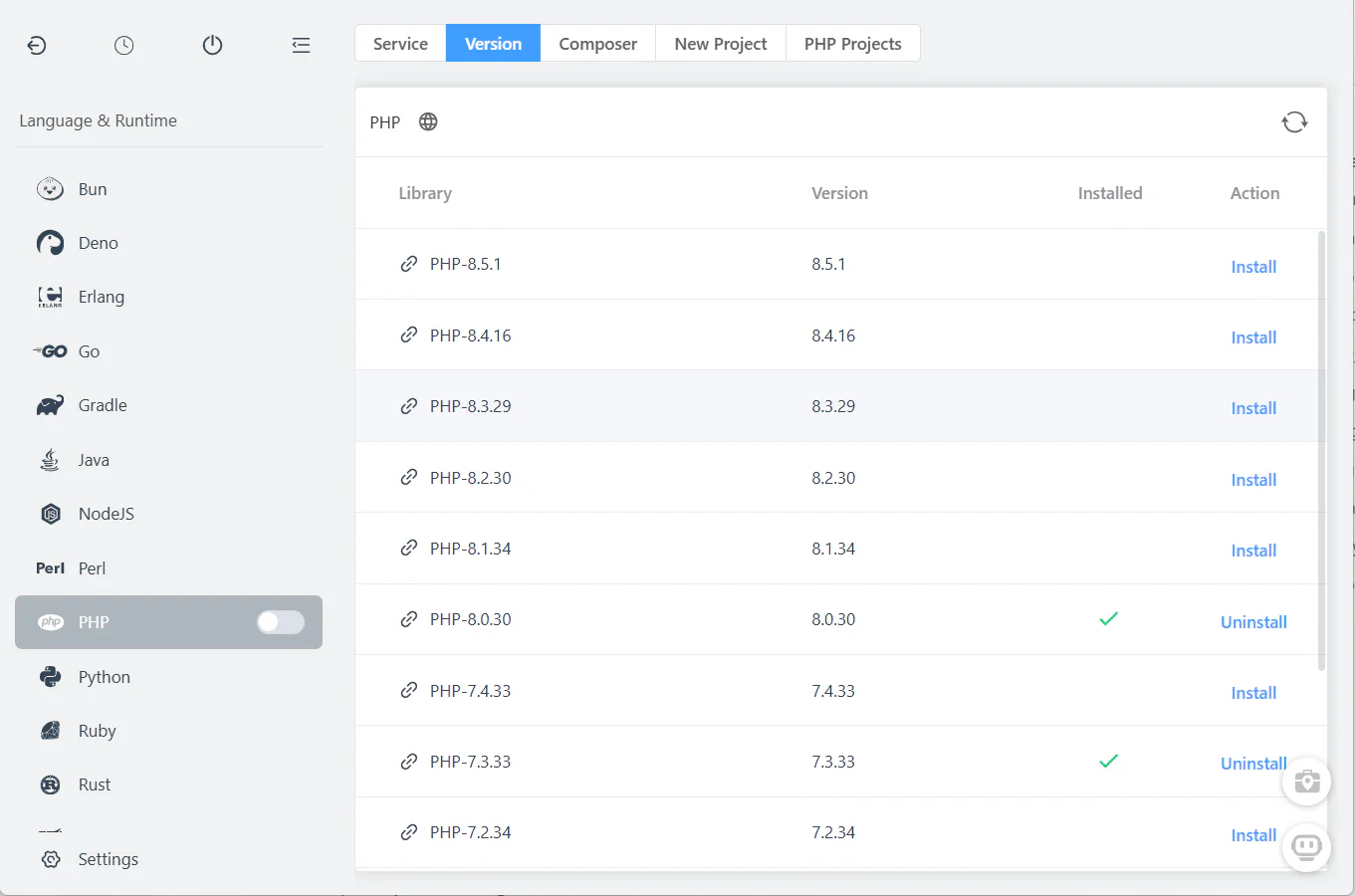
FlyEnv runtime version installation interface

Multiple runtime families

Install and run several runtime families side by side without rebuilding the host workflow.

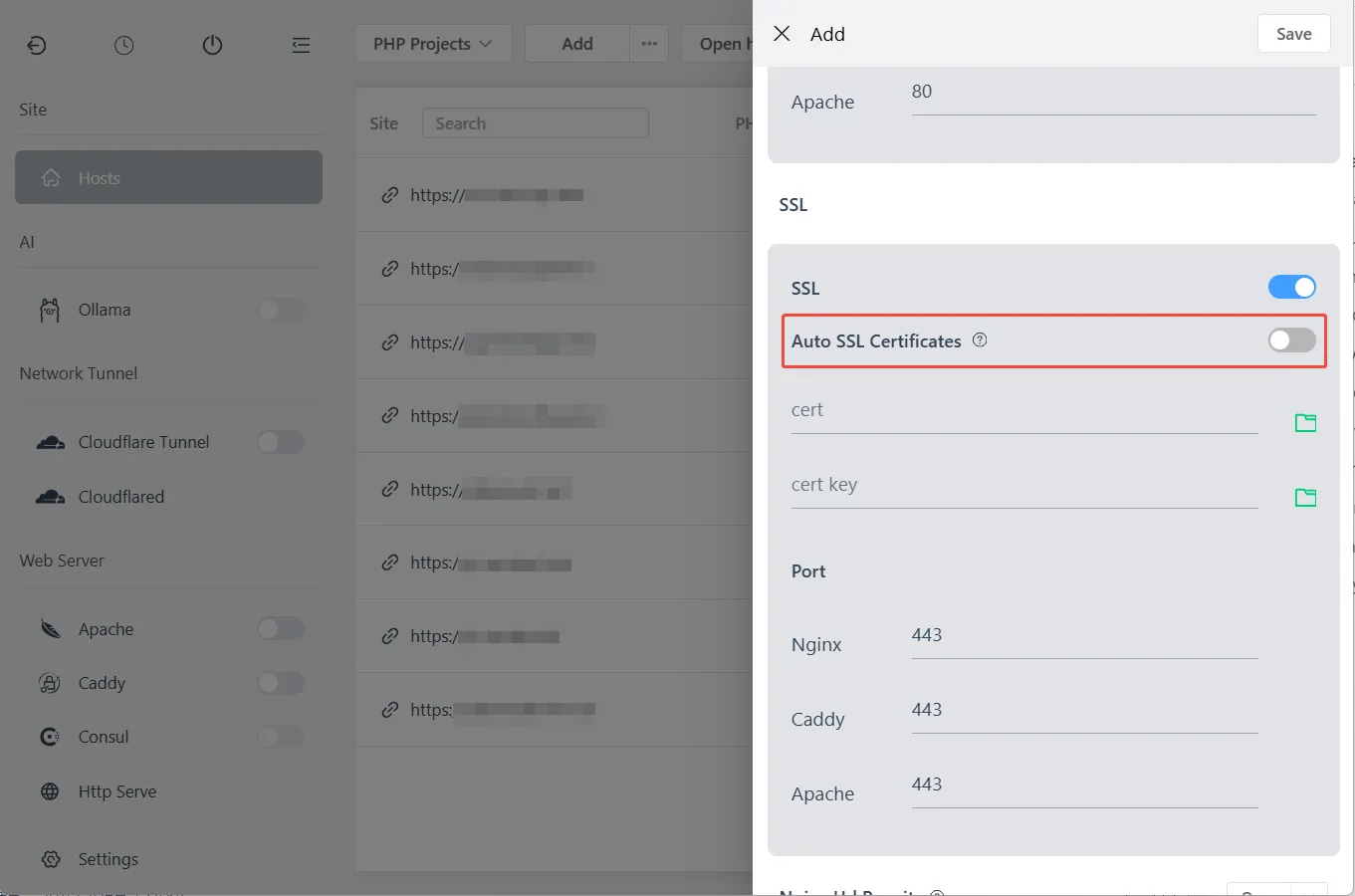
FlyEnv local site HTTPS configuration interface

Infrastructure modules

Bring databases, caching, mail testing and object storage into the same workspace.

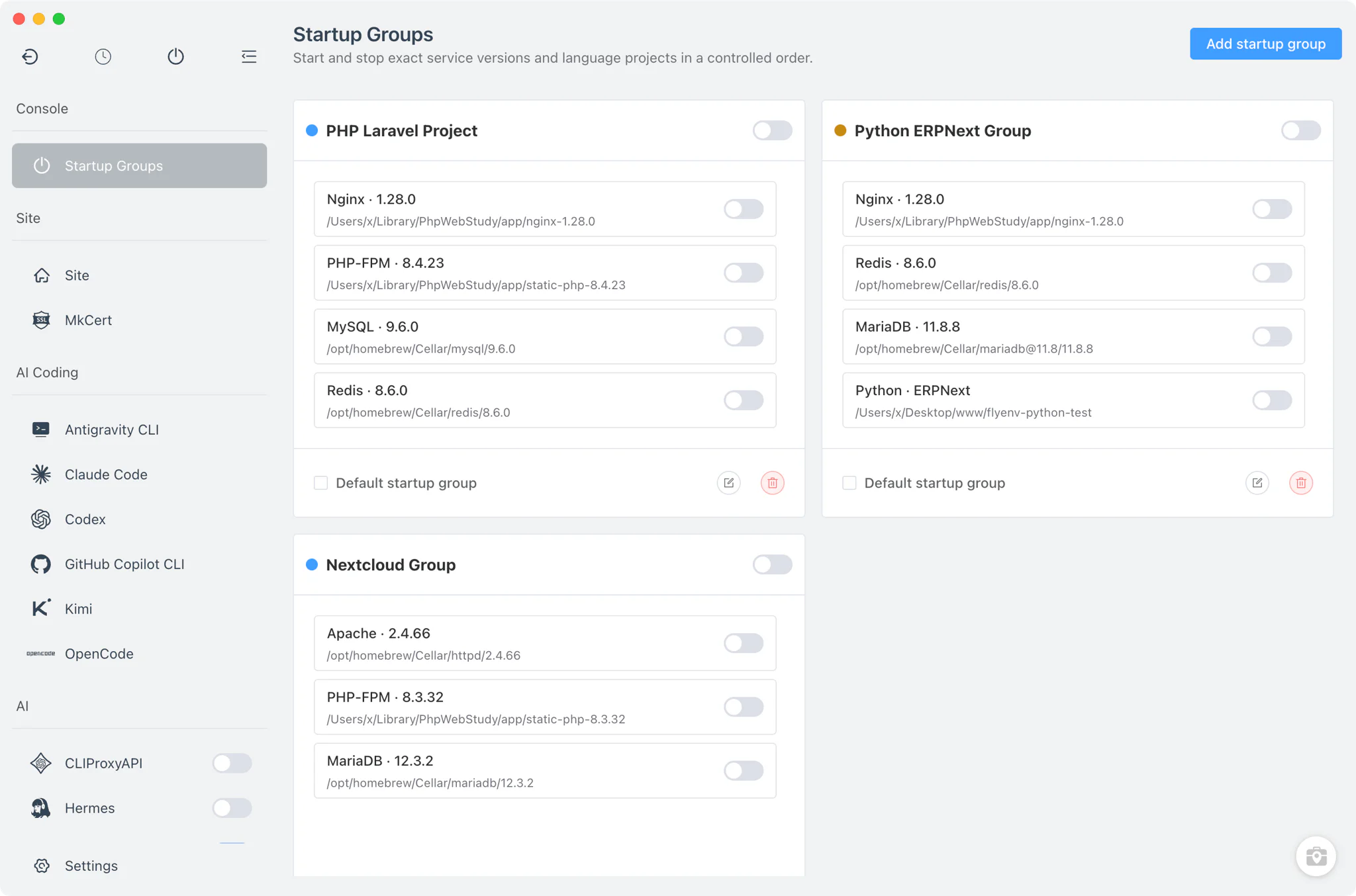
FlyEnv service management interface

Project service groups

Start the exact services a project needs without managing each as a separate external tool.

Feature comparison

A practical comparison of commonly used capabilities.

CapabilityMAMP / MAMP ProFlyEnv
PlatformsAvailablemacOS, WindowsAvailablemacOS, Windows, Linux
PHP versionsAvailableSingle active version / multiple per host in ProAvailableMultiple managed versions per project
Web serversAvailableApache, NginxAvailableNginx, Apache, Caddy
MySQL / MariaDBAvailableBuilt-in or supportedAvailableMultiple database modules
PostgreSQL / RedisLimitedOptional add-onAvailableBuilt-in modules
Local hosts / SSLAvailablePer-host configurationAvailableBuilt-in and automatic per project
Project-specific configurationAvailablePer-host web configurationAvailablePer-project runtimes, services and domains
Infrastructure modulesLimitedSome add-onsAvailableMany first-class modules
Database GUI toolsAvailablephpMyAdminAvailablephpMyAdmin, pgAdmin, DbGate and more
AI / MCP integrationNot includedAvailableFlyEnv MCP Server and AI CLI modules
Object storageLimitedAdd separatelyAvailableManaged MinIO / RustFS modules

Typical workflow: a project that needs more than a web stack

A side-by-side look at the same kind of work.

With MAMP / MAMP Pro

1

Create a local host or site

With FlyEnv

1

Create or import a local project

With MAMP / MAMP Pro

2

Choose the PHP version for the host

With FlyEnv

2

Choose the runtime family and version

With MAMP / MAMP Pro

3

Configure Apache or Nginx

With FlyEnv

3

Choose a web server when needed

With MAMP / MAMP Pro

4

Enable local HTTPS or SSL

With FlyEnv

4

Start MySQL, Redis, Mailpit or other services

With MAMP / MAMP Pro

5

Connect MySQL

With FlyEnv

5

Save the project services as a startup group

With MAMP / MAMP Pro

6

Add extra services or tools separately when needed

With FlyEnv

6

Continue with the project setup

With MAMP / MAMP Pro

7

Manage non-core services outside the main host workflow

With FlyEnv

7

Continue with the project setup

Which one should you choose?

Both tools can be useful; the right choice depends on your workflow.

Choose MAMP / MAMP Pro if

  • You mostly build PHP or WordPress sites.
  • You prefer a mature local host workflow.
  • Your projects fit within a web-focused stack.
  • You want host-level settings and familiar tooling.

Choose FlyEnv if

  • You work across PHP, Node.js, Python, Go or Java.
  • You need project services, integrated tools and a broader workspace.
  • You want local infrastructure modules beside each project.
  • You use AI coding clients or local AI services such as Ollama and want them managed alongside your project stack.

If production parity depends on containers, Docker Desktop and the project's Compose files remain the more direct reference.

Frequently asked questions

Should I switch from MAMP Pro to FlyEnv?

Not necessarily. MAMP Pro remains a strong fit for PHP and WordPress hosts. FlyEnv becomes more useful when you need broader runtime families, integrated infrastructure modules, or project-level service configuration.

Can FlyEnv handle the same PHP website workflows as MAMP Pro?

Yes. FlyEnv supports Apache or Nginx, multiple PHP versions, local domains, HTTPS, databases, and existing PHP or WordPress project directories.

Do I need to move my existing MAMP sites?

No. You can keep the existing project directories and recreate their local site, runtime, database, and service settings in FlyEnv.

Can FlyEnv manage WordPress and traditional PHP sites?

Yes. Configure each site with the PHP version, web server, database, domain, and HTTPS settings it needs.

When does FlyEnv make more sense than MAMP Pro?

FlyEnv is a stronger fit when one machine or team needs Node.js, Python, Go, Java, multiple databases, caches, mail testing, object storage, or project-specific service groups.

Can I use both MAMP Pro and FlyEnv on the same machine?

Yes, but avoid starting both tools on overlapping ports. Stop one web server or database service before launching the other environment.

Does FlyEnv support custom local domains and HTTPS?

Yes. FlyEnv manages custom domains, local certificates, ports, and site settings from its Host workflow.

Can FlyEnv manage databases and infrastructure modules?

Yes. FlyEnv provides managed modules for databases, caches, mail testing, object storage, and other local services, with startup groups for project workflows.

Try project-based development in FlyEnv

Bring runtimes, infrastructure and project services into one workspace.

Download FlyEnv