S
ServBay
macOS 12+ and Windows
- macOSYes
- WindowsYes
- LinuxNo
A strong all-in-one workspace for macOS and Windows developers.
Comparison
FlyEnv and ServBay overlap substantially in runtimes, databases, web servers, local sites, HTTPS and MCP-based automation — much more than traditional local development tools. The differences are mainly in platform coverage, product emphasis and specific modules.
macOS 12+ and Windows
A strong all-in-one workspace for macOS and Windows developers.
macOS, Windows and Linux
Native on all three desktop platforms, free and open source.
Both products cover the same foundation. Each then invests in a different set of strengths.
Where ServBay goes deeper
 Tunnels · 4 providers
 Multiple DB instances (Pro)
Both products include these
 PHP
PHP Node.js
 Python
 Nginx
Nginx Apache
 CaddyMySQL
 PostgreSQL
 RedisLocal SitesHTTPSMultiple versions
 Ollama (local models)Mail testingPublic tunnelsMCP
The shared core is genuinely large: runtimes, databases, web servers, local sites, managed HTTPS, local AI models, mail testing, tunnels and MCP support are present on both sides.
Where FlyEnv goes further
Integrated DB Tools Broader Desktop Modules
Both are credible all-in-one workspaces. These are the differences that actually matter.
ServBay runs on macOS and Windows. FlyEnv runs natively on macOS, Windows and Linux — the clearest objective difference for cross-platform teams.
ServBay invests heavily in AI: a first-party AI Gateway with virtual keys, model and provider routing, and usage and cost tracking — a core selling point. FlyEnv covers local models and AI gateways through managed Ollama and CLIProxyAPI modules, and invests in the development workflow itself: Startup Groups, project and site management, integrated database tools and broader desktop modules.
Beyond the shared core, ServBay goes further with a PKI/ACME public certificate system and four built-in tunnel providers. FlyEnv adds Linux support, Tomcat and Flutter modules, and database GUIs such as pgAdmin, DbGate and Redis Commander.
See the same setup in FlyEnv's runtime, site, and service workflows.
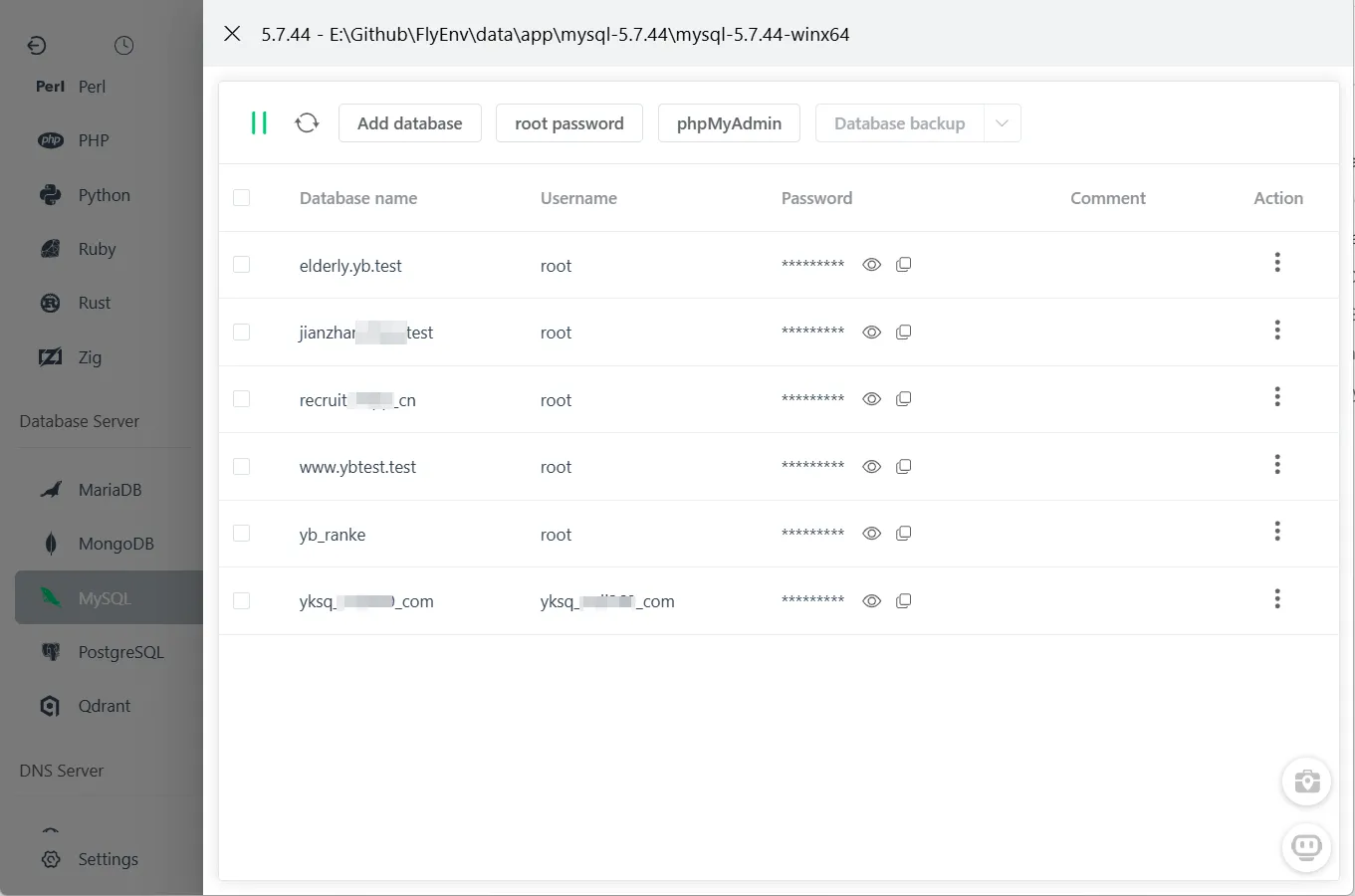
Open phpMyAdmin, pgAdmin, DbGate or Redis Commander for the database or cache a project uses — managed inside the same workspace.
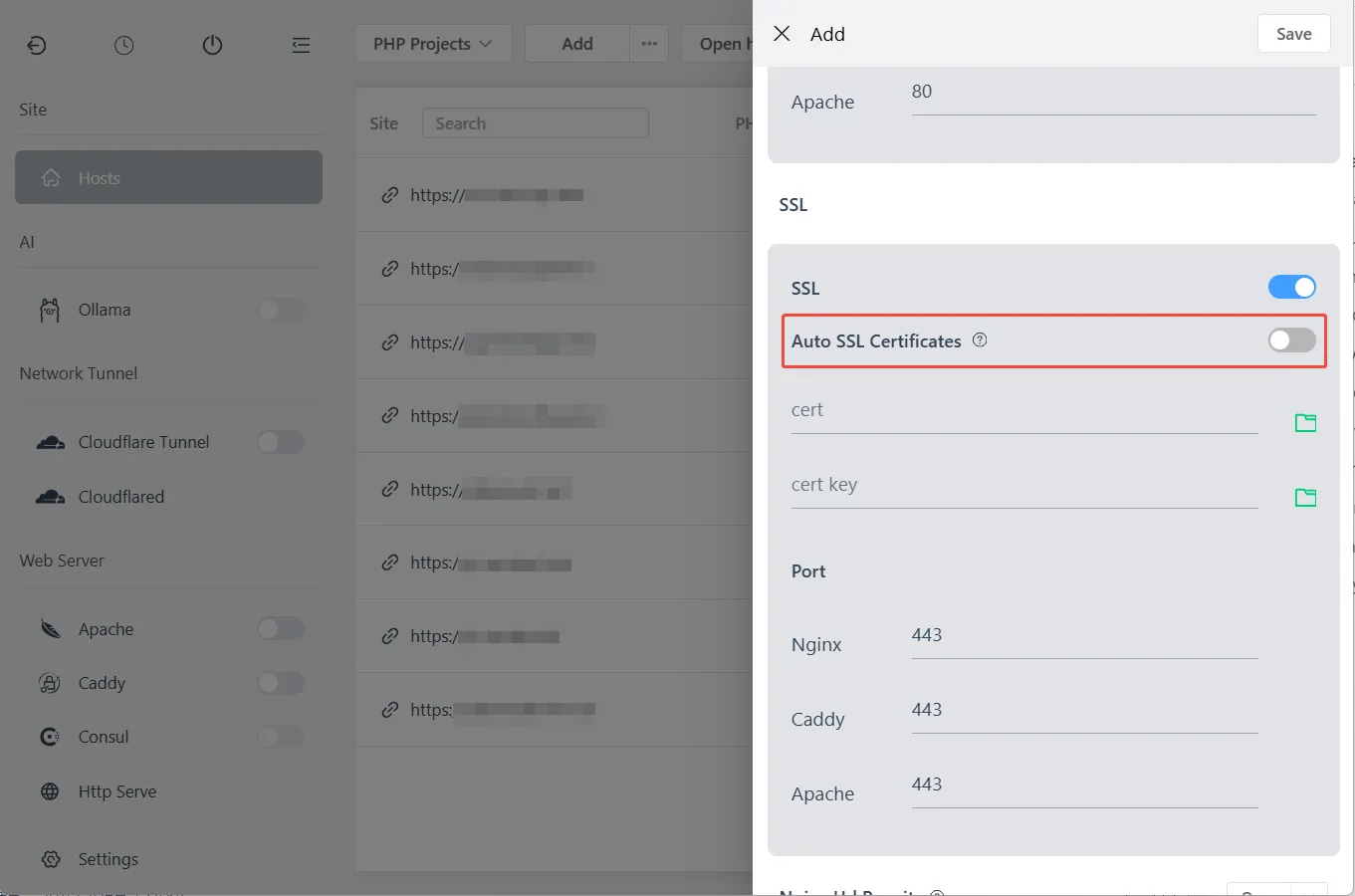
Per-project sites, custom domains and managed local HTTPS.
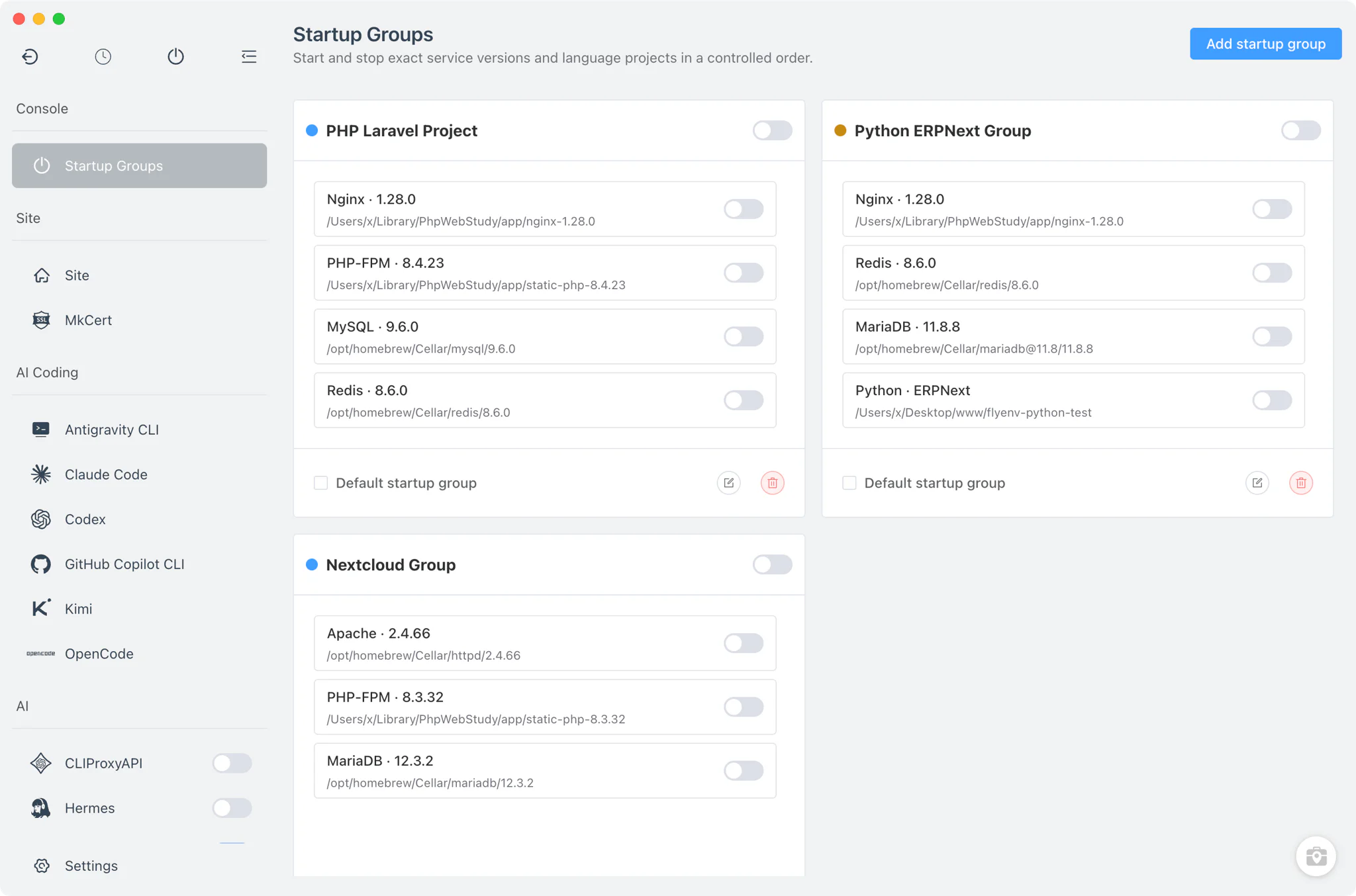
Start exactly the services each project needs, in one click.
A practical comparison: a large shared core, plus real strengths on each side.
Both products provide these — no winner here, just a genuinely overlapping core.
PHPNode.jsPython Go
Go JavaApacheNginxCaddyMySQL
 MariaDBPostgreSQL
 MongoDBRedisLocal sites & domainsLocal HTTPSLocal DNS serverLocal models (Ollama)Local mail testing (SMTP/POP3)Public tunnelsMCP ServerPer-project configurationMultiple versions
| Capability | ServBay | FlyEnv |
|---|---|---|
| Linux support | Not available | Native support |
| Startup Groups (per-project service stacks) | Not available | Built-in |
| Database GUI tools | Built-inphpMyAdmin, Adminer | Built-inphpMyAdmin, pgAdmin, DbGate, Redis Commander and more |
| Java servlet server | Not available | Built-inTomcat module |
| Open source | Closed sourceFree tier plus paid Pro | Open sourceCore free; optional $10 license for premium tools |
| Capability | ServBay | FlyEnv |
|---|---|---|
| AI Gateway (routing, virtual keys, cost tracking) | Built-inFirst-party, included in the free tier | ModuleCLIProxyAPI local gateway and AI CLI tools |
| Public certificates (PKI/ACME) | Built-in(Pro) | PartialLocal CA and mkcert — self-signed only |
| Tunnel providers | Built-inCloudflared, FRP, Ngrok, Pinggy (Pro) | ModuleCloudflare Tunnel (managed named tunnels) |
| Multiple database instances | Built-inMultiple instances of any database (Pro) | PartialMySQL group instances; multiple versions side by side |
Managing several different local project stacks, side by side.
With ServBay
Install the languages and services you need
With FlyEnv
Install the runtimes and modules you need
With ServBay
Create websites for each project
With FlyEnv
Create a local site per project
With ServBay
Assign per-project runtime versions
With FlyEnv
Assign each project its runtime and web server
With ServBay
Enable SSL and local DNS per site
With FlyEnv
Enable HTTPS per project
With ServBay
Optionally group websites and configure services (Pro)
With FlyEnv
Start each project stack with Startup Groups
Both tools can be useful; the right choice depends on your workflow.
Both are capable all-in-one workspaces. If you are on macOS or Windows, the deciding factor is usually workflow preference and the specific modules you rely on.
Yes, it is one of the closest peers: both are all-in-one local development workspaces. FlyEnv is the more direct alternative if you need Linux, Startup Groups or its specific modules; ServBay is stronger if you want its first-party AI Gateway, PKI/ACME certificates or multiple tunnel providers.
Platform coverage and product emphasis: FlyEnv adds Linux and focuses on development modules and project workflows; ServBay focuses on its AI Gateway, PKI/ACME public certificates, multi-provider tunnels and wider legacy version coverage.
ServBay's current desktop application is officially offered for macOS and Windows. FlyEnv supports macOS, Windows and Linux.
The core is: FlyEnv is open source, and all runtimes, databases and environment management features are always accessible without paying. The free evaluation version limits you to 3 local sites, and a few premium tools (AI assistant, screenshot, image optimizer) are 3-day trials; a $10 Personal license removes those limits. ServBay similarly offers a free tier (5 websites) with Pro features such as the mail server, tunnels and PKI/ACME requiring a paid license.
Yes. ServBay includes an MCP Server and a first-party AI Gateway with routing and cost tracking in its free tier. FlyEnv provides an MCP Server, a managed Ollama module for local models, a CLIProxyAPI local AI gateway and AI coding client modules — both let AI tools manage your local environment.
Yes. Both support multiple coexisting PHP versions with per-project/per-site assignment. ServBay covers older versions (from PHP 5.3); FlyEnv focuses on currently used versions.
Yes. Projects are plain directories; recreate the site in FlyEnv, assign the same runtime versions, and point the domain at the project. Databases can be exported/imported with standard tools.
If the team is macOS/Windows-only and wants ServBay's AI/PKI features, ServBay fits. If the team includes Linux developers or wants an open-source tool with per-project service stacks, FlyEnv fits better.
FlyEnv brings runtimes, sites, services, database tools and MCP automation together on macOS, Windows and Linux.